> For the complete documentation index, see [llms.txt](https://docs.forestall.io/forestall/llms.txt). Markdown versions of documentation pages are available by appending `.md` to page URLs; this page is available as [Markdown](https://docs.forestall.io/forestall/unified-identities/gcp-identities/groups.md).
# Groups
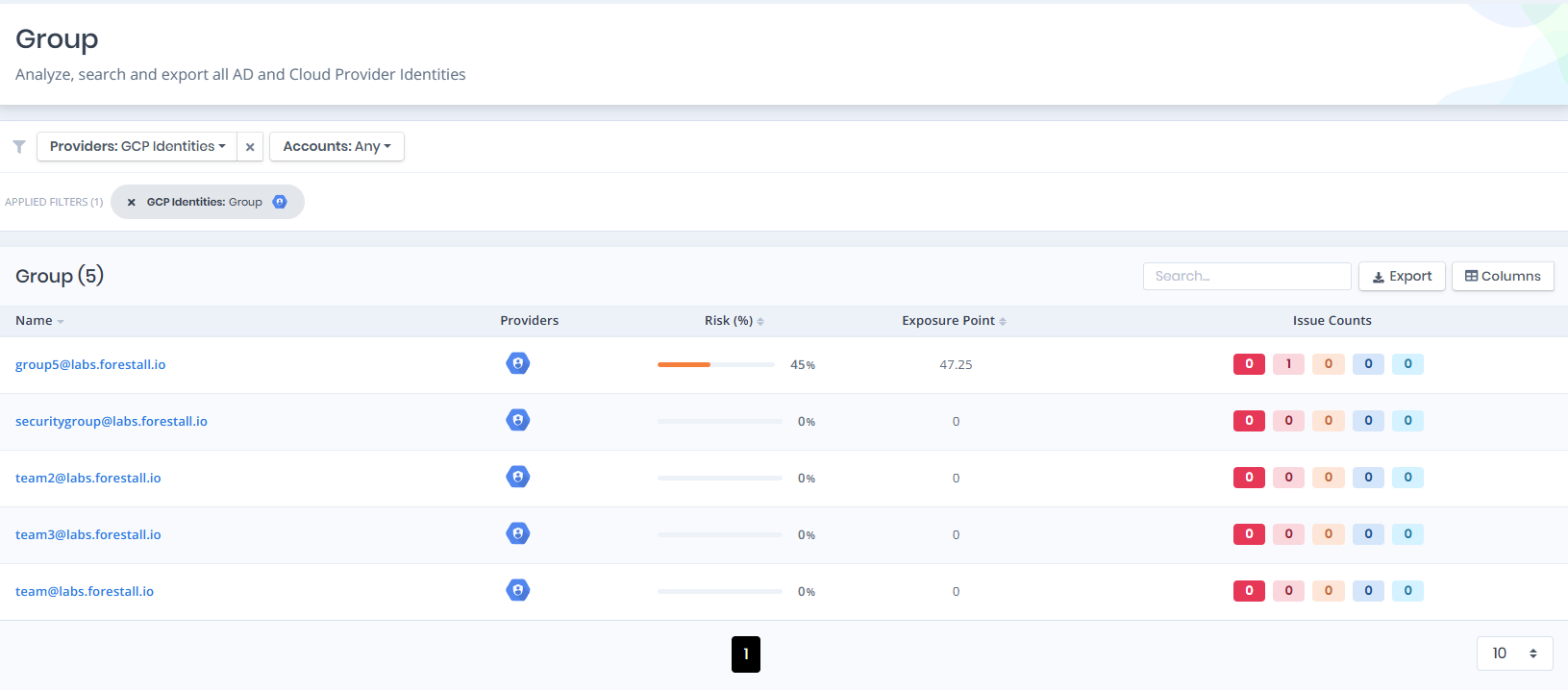
Open **Unified Identities › Group**, filter **Providers** to **GCP Identities › Group**, then select a row to open its details.
Groups
## Groups Details
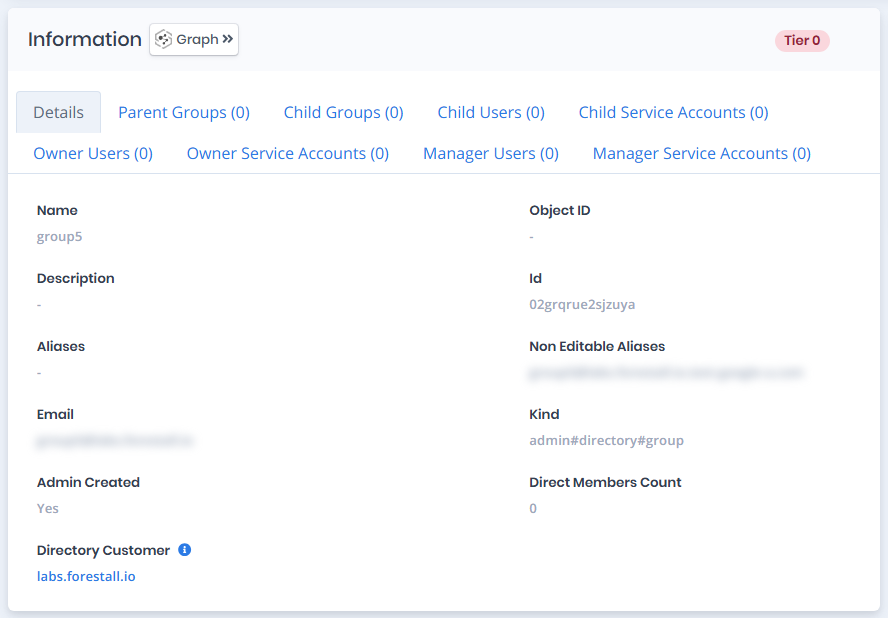
Opening a group shows the `Risk` and `Exposure Point` in the header, the `Information` card with the `Details` tab and the relationship tabs below, and an `Issues` panel when the group has issues.
{% hint style="info" %}
You can analyze the object in the [Graph](/forestall/visualize/visualize.md) by clicking the **Graph »** button next to the `Information` title. For a shadow admin the button reads **Admin Path »** and opens the shortest path to admin objects (see [Object Detail Pages](/forestall/unified-identities.md#object-detail-pages)).
{% endhint %}
Groups Details
## Information
`Information` card can contain different badges to highlight important attributes.
| Badge | Description |
| ----------------------- | ------------------------------------------------------------------------------------- |
| **Tier 0** / **Tier 2** | The tier of the group. |
| **Privileged** | Indicates that the group is privileged. |
| **Shadow** | Indicates that the object can compromise admin objects with at least one attack path. |
The Details tab contains attributes about the GCP Group. The page also includes tabs for **Parent Groups**, **Child Groups**, **Child Users**, **Child Service Accounts**, **Owner Users**, **Owner Service Accounts**, **Manager Users** and **Manager Service Accounts**. Each tab lists the related objects in a `Name` column that links to their details.
| Attribute | Description |
| -------------------- | ---------------------------------------------------------------------------------------------------- |
| Name | The display name of the group (e.g., `Team 2`). |
| Object ID | The internal object identifier of the group. |
| Description | A text description of the group's purpose. |
| Id | The unique identifier of the group within Google Workspace (e.g., `02szc72q1hdq9es`). |
| Aliases | Additional email aliases assigned to the group. |
| Non Editable Aliases | System-assigned aliases that cannot be modified (e.g., `team2@labs.forestall.io.test-google-a.com`). |
| Email | The primary email address of the group (e.g., `team2@labs.forestall.io`). |
| Kind | The type identifier of the directory resource (e.g., `admin#directory#group`). |
| Admin Created | Indicates whether the group was created by an administrator. |
| Direct Members Count | The number of direct members (users, service accounts, or groups) in the group. |
| Directory Customer | The customer domain associated with this group (e.g., `labs.forestall.io`). |
### Parent Groups
Lists all groups that this group belongs to as a member.
### Child Groups
Lists all groups nested within this group.
### Child Users
Lists all users who are direct members of this group.
### Child Service Accounts
Lists all service accounts that are direct members of this group.
### Owner Users
Lists all users with owner-level permissions on this group.
### Owner Service Accounts
Lists all service accounts with owner-level permissions on this group.
### Manager Users
Lists all users with manager-level permissions on this group.
### Manager Service Accounts
Lists all service accounts with manager-level permissions on this group.