> For the complete documentation index, see [llms.txt](https://docs.forestall.io/forestall/llms.txt). Markdown versions of documentation pages are available by appending `.md` to page URLs; this page is available as [Markdown](https://docs.forestall.io/forestall/unified-identities/azure-identities/azure-resource-management/sql-servers.md).
# SQL Servers
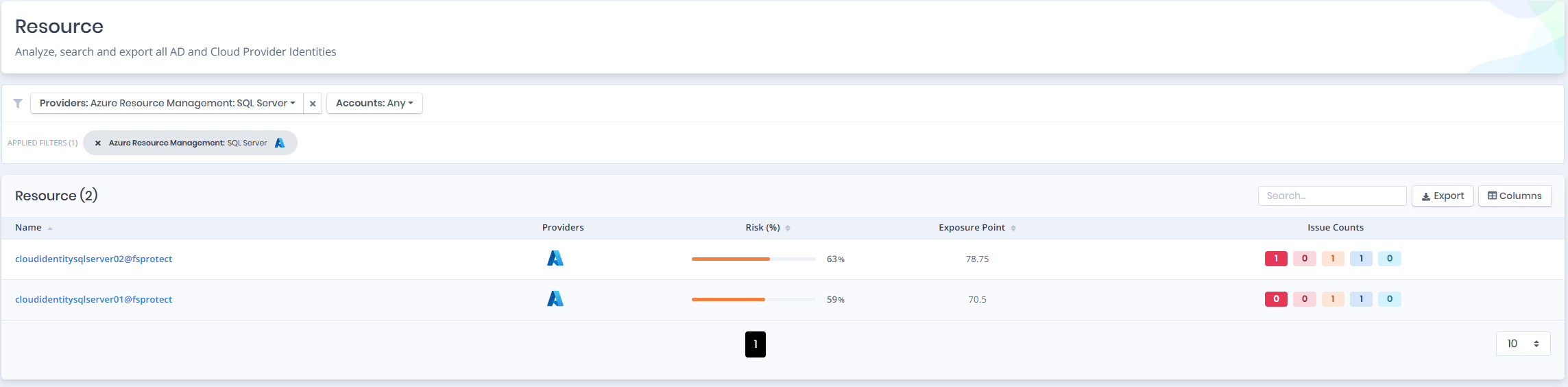
Open **Unified Identities › Resources**, filter **Providers** to **Azure Resource Management › SQL Server**, then select a row to open its details.
SQL Servers
### SQL Servers Details
Details page contains the `Risk` and `Exposure Point` of the SQL server and the `Information` pane.
{% hint style="info" %}
You can analyze the object in the [Graph](/forestall/visualize/visualize.md) by clicking the **Graph »** button next to the `Information` title.
{% endhint %}
SQL Servers Details
### Information
`Information Pane` contains `Details` and `Managed Identities` tabs.
A `Tier 0` or `Tier 2` badge on the right of the `Information` title shows the tier of the SQL server.
### Details
Details tab contains attributes below about the SQL server.
| Attribute | Description |
| ---------------------------- | ------------------------------------------------------------------------------------------- |
| Name | The display name of the SQL server with tenant suffix |
| Location | The Azure region where the SQL server is deployed |
| FQDN | The fully qualified domain name of the SQL server |
| State | The current state of the SQL server (e.g., Ready) |
| Administrator Login | The administrator login name for the SQL server |
| Public Network Access | Indicates whether public network access is enabled or disabled |
| AD Admin | The Entra ID administrator of the SQL server; links to the user, group or service principal |
| Azure AD Only Authentication | Indicates whether Azure AD only authentication is enabled |
| Tenant | The tenant the SQL server belongs to |
| Resource Group | The resource group the SQL server is associated with |
### Managed Identities
The `Managed Identities` tab lists the service principals (managed identities) assigned to the SQL server. Any role granted to an identity listed here also applies to this SQL server.
Managed Identities
| Attribute | Description |
| ------------ | ----------------------------------------------------------- |
| Name | The display name of the managed identity with tenant suffix |
| Display Name | The display name of the service principal |
| Type | The service principal type (e.g., ManagedIdentity) |