> For the complete documentation index, see [llms.txt](https://docs.forestall.io/forestall/llms.txt). Markdown versions of documentation pages are available by appending `.md` to page URLs; this page is available as [Markdown](https://docs.forestall.io/forestall/settings/audit-logs.md).
# Audit Logs
The **Log Configuration** page defines how the audit log is recorded and forwarded. Open it from **Settings > Audit Logs**. Viewing the page requires the `ReadLogConfig` permission. Changing it requires `WriteLogConfig`.\
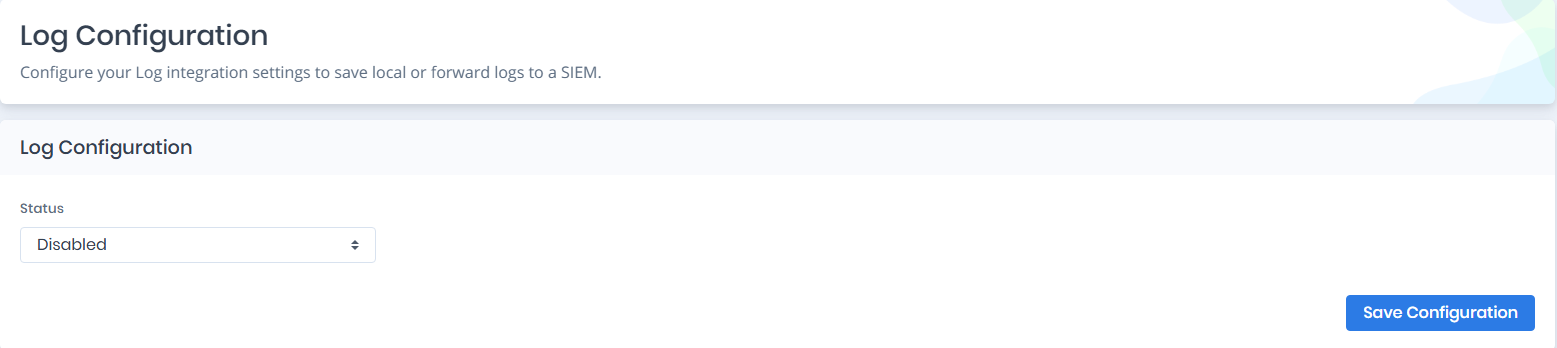
Depending on your setup, logs can be saved locally, sent to a Syslog server, or disabled entirely. The page only configures where the log goes. The log itself is read in the file or in your Syslog/SIEM tool, not in the Forestall interface.
Log Configuration Main Screen
### Configuring Log Storage and Forwarding
You can configure how log output is handled using the parameters described below. Click **Save Configuration** to apply your changes.
#### **Status**
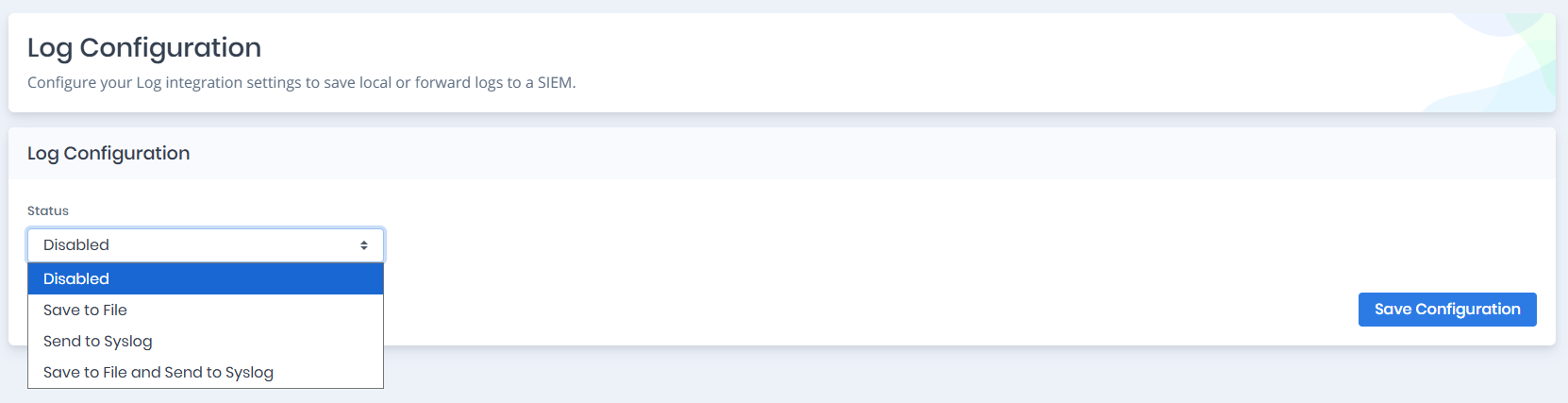
Defines the behavior of the logging system.\
Options include: **Disabled**, **Save to File**, **Send to Syslog**, and **Save to File and Send to Syslog**.
Status options
***
### Save to File Mode
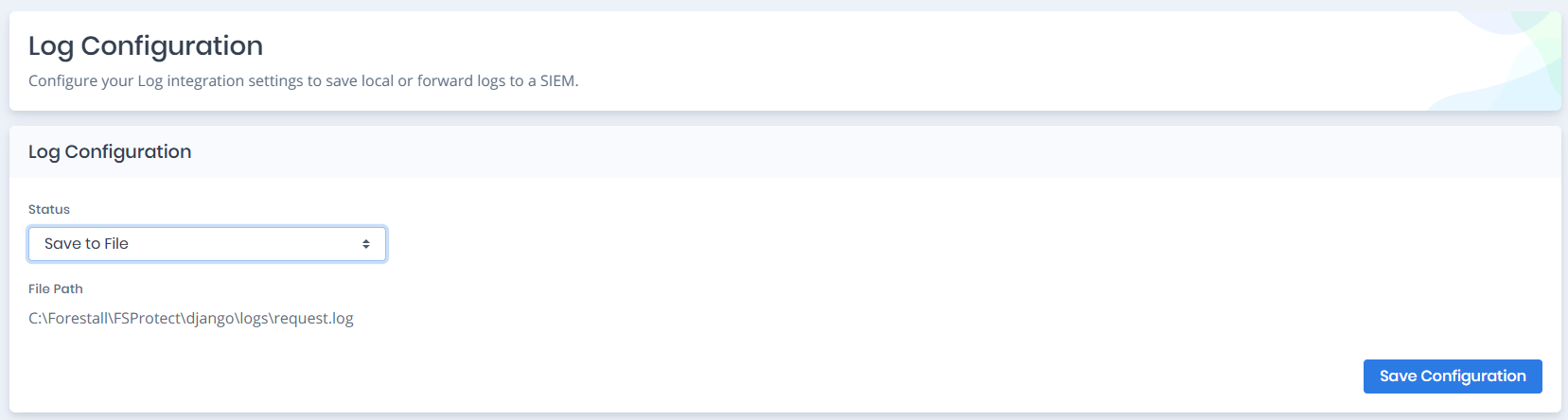
When **Save to File** is selected, logs are written to a local file on the server.
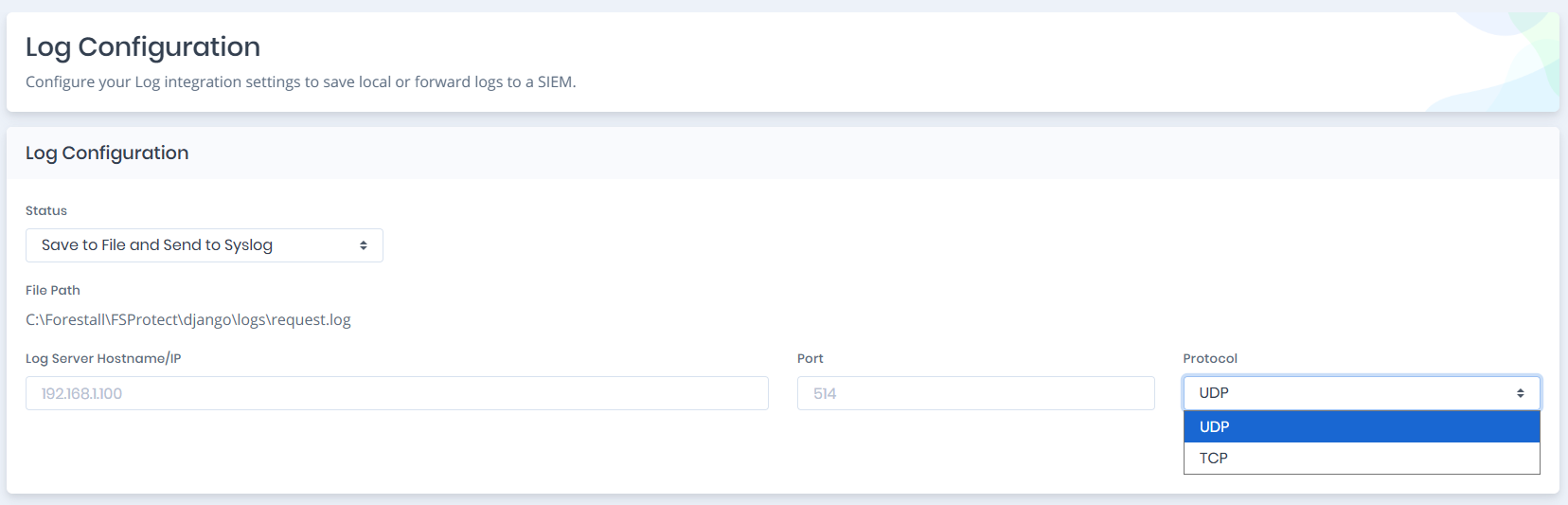
Save to File Configuration
#### **File Path**
The page shows the path of the log file for information. It is not an editable field: logs are always written to `logs\request.log` under the Forestall API installation directory, so the exact path depends on where the product is installed.
The file and its directory are created automatically if they do not already exist.
### Send to Syslog Mode
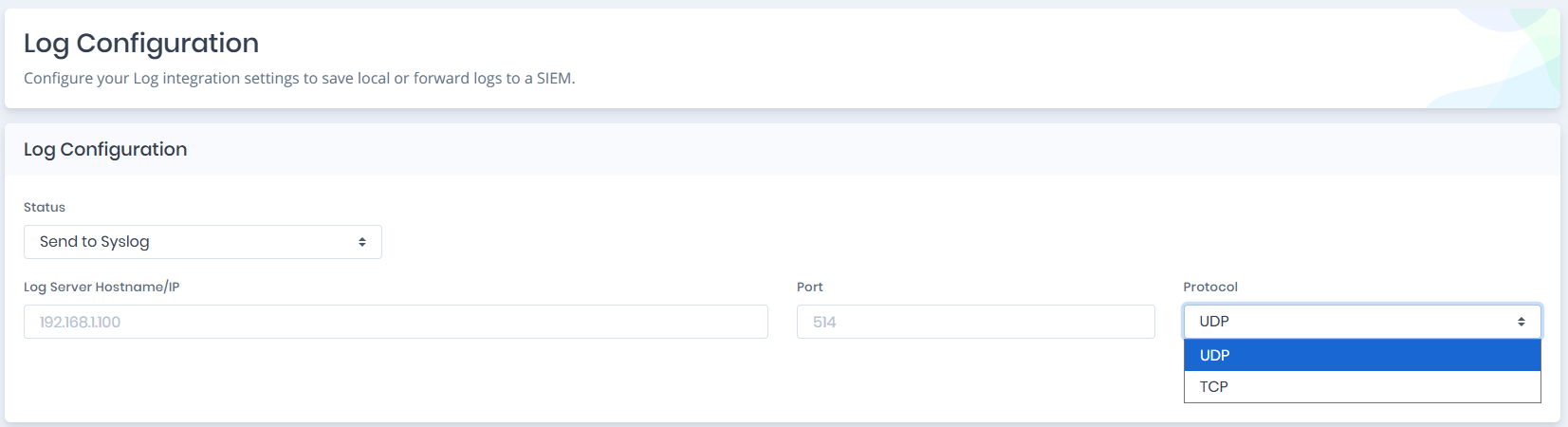
When **Send to Syslog** is selected, all logs are forwarded to an external Syslog/SIEM server.
Send to Syslog Configuration
#### **Log Server Hostname/IP**
The address of the Syslog server that will receive log messages.
#### **Port**
The Syslog port number. Common default: `514`.
#### **Protocol**
The communication protocol for sending logs. Options: **UDP** or **TCP**. In this mode, no logs are stored locally.
***
### Save to File and Send to Syslog Mode
This mode enables both local storage and external forwarding simultaneously.
Save to File and Send to Syslog Configuration
#### **Behavior**
* Logs are written to the file shown under File Path.
* The same log entries are forwarded to the Syslog server.
* The local file keeps a copy of every entry, even while the Syslog server is unreachable. Entries that could not be delivered to the Syslog server are not resent.
#### **Fields**
* File Path (read-only)
* Log Server Hostname/IP
* Port
* Protocol
### What is logged
When logging is enabled, an entry is written when each API request completes, with the method, path, response status, source IP address, response size, user (and the API token name when the request used an API token) and duration. Security-relevant actions are written as named events instead, for example:
* sign-in success and failure, including SSO sign-ins,
* creating, updating or deleting users, roles, LDAP configurations and SSO providers, and changes to this log configuration,
* starting, updating or deleting scans and scan policies,
* saved query, API token, license and provider/integration configuration changes.
Each entry is one line in Syslog (RFC 5424) format, for example:
```
<134>1 2026-09-24T10:15:02.123456 localhost Forestall - - - Endpoint completed, GET /api/v1/scans/ 200 10.0.0.5 1532 jdoe (0.12 seconds)
```