> For the complete documentation index, see [llms.txt](https://docs.forestall.io/forestall/llms.txt). Markdown versions of documentation pages are available by appending `.md` to page URLs; this page is available as [Markdown](https://docs.forestall.io/forestall/unified-identities/azure-identities/azure-resource-management/storage-accounts.md).
# Storage Accounts
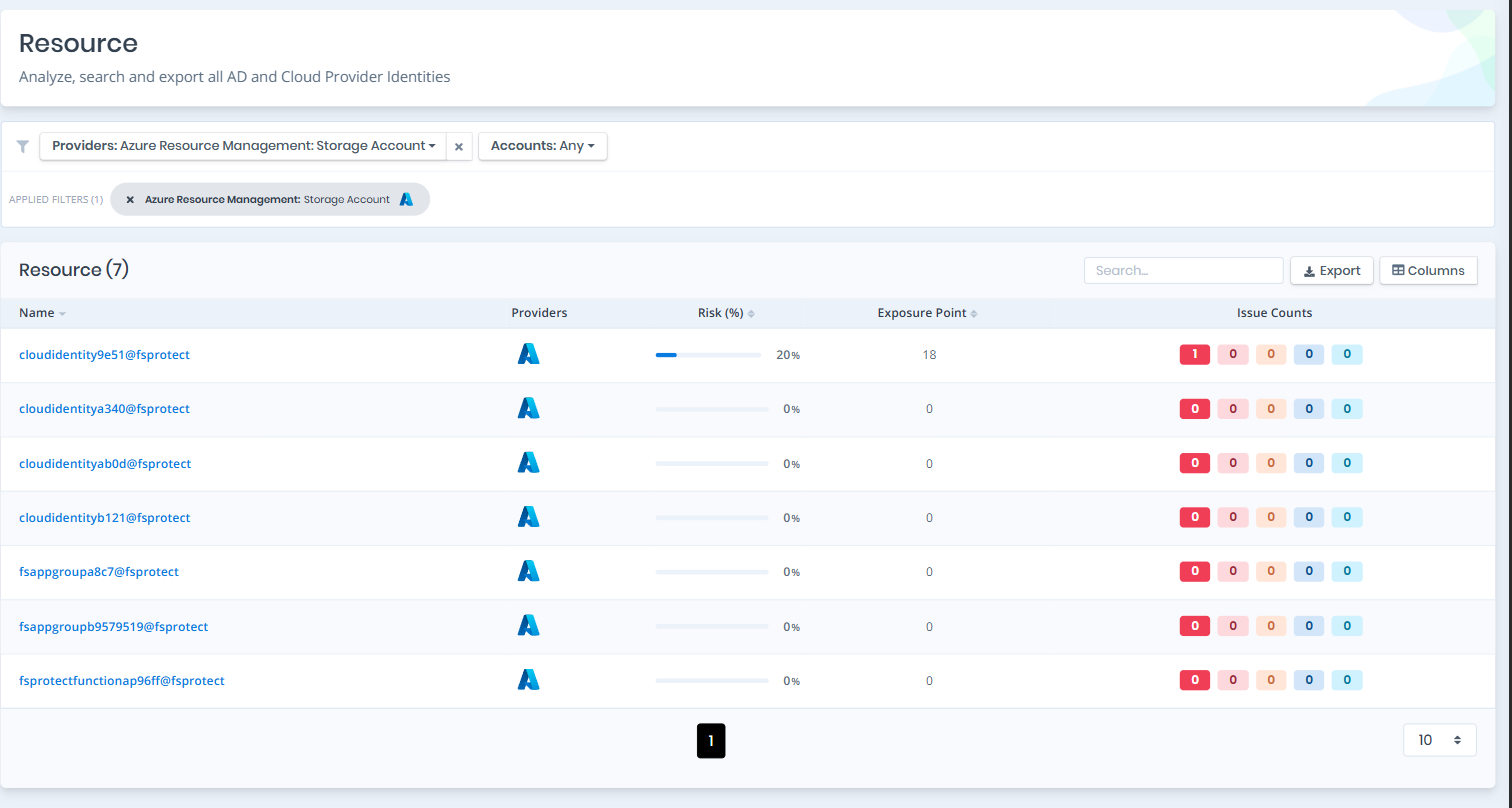
Open **Unified Identities › Resources**, filter **Providers** to **Azure Resource Management › Storage Account**, then select a row to open its details.
Storage Accounts
#### Storage Accounts Details
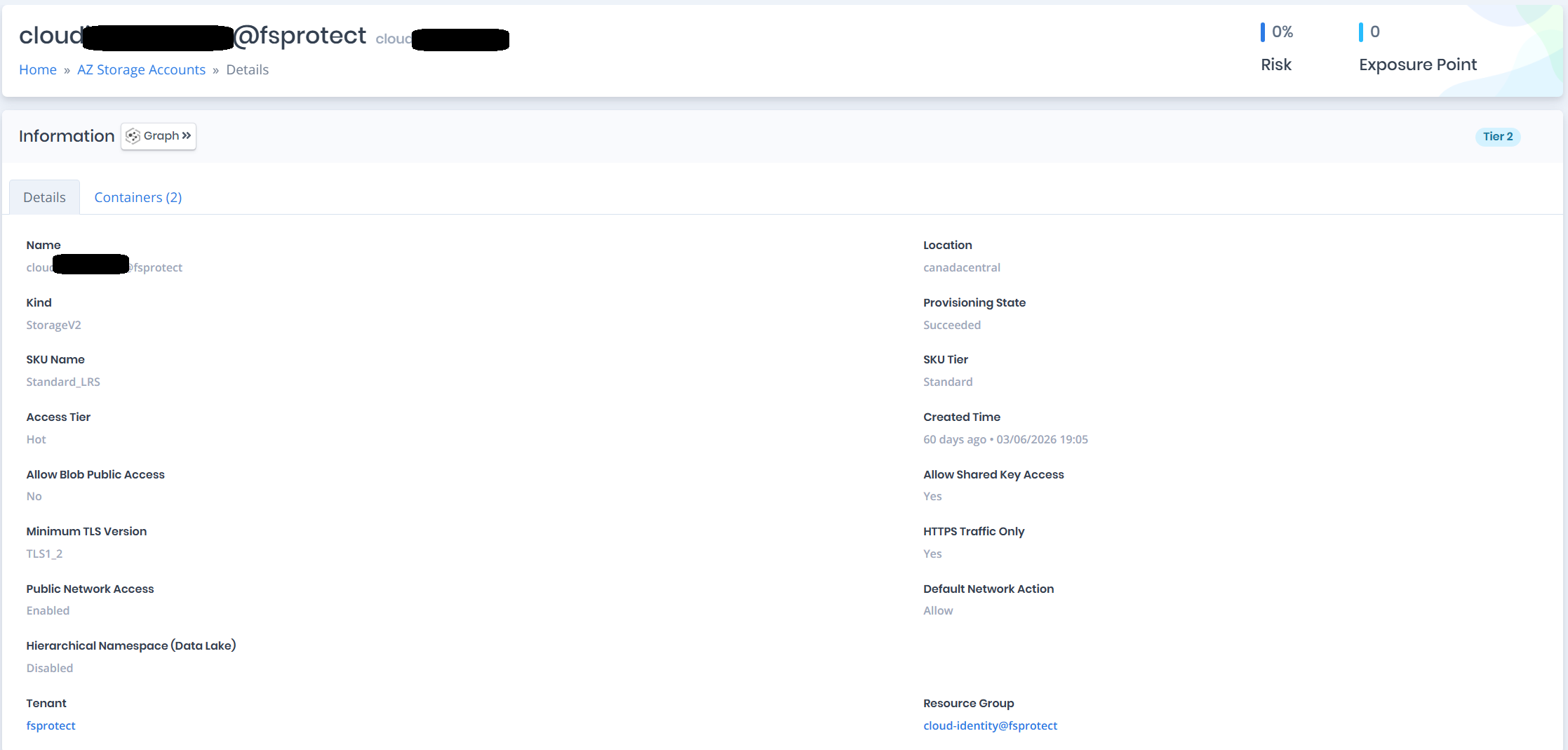
Details page contains the `Risk` and `Exposure Point` of the storage account and the `Information` pane.
{% hint style="info" %}
You can analyze the object in the [Graph](/forestall/visualize/visualize.md) by clicking the **Graph »** button next to the `Information` title.
{% endhint %}
Storage Accounts Details
#### Information
`Information Pane` contains `Details` and `Containers` tabs.
A `Tier 0` or `Tier 2` badge on the right of the `Information` title shows the tier of the storage account.
#### Details
Details tab contains attributes below about the AZ storage account.
| Attribute | Description |
| ---------------------------------- | -------------------------------------------------------------------------------- |
| Name | The display name of the storage account with tenant suffix |
| Location | The Azure region where the storage account is deployed |
| Kind | The kind of the storage account (e.g., StorageV2, BlobStorage) |
| Provisioning State | The provisioning state of the storage account (e.g., Succeeded) |
| SKU Name | The SKU name of the storage account (e.g., Standard\_LRS) |
| SKU Tier | The SKU tier of the storage account (e.g., Standard, Premium) |
| Access Tier | The access tier of the storage account (e.g., Hot, Cool) |
| Created Time | The date and time when the storage account was created |
| Allow Blob Public Access | Indicates whether anonymous public access to blobs is allowed |
| Allow Shared Key Access | Indicates whether requests can be authorized with the account access key |
| Minimum TLS Version | The minimum TLS version required for requests to the storage account |
| HTTPS Traffic Only | Indicates whether only HTTPS traffic is allowed to the storage account |
| Public Network Access | Indicates whether public network access is enabled or disabled |
| Default Network Action | The default network rule action when no other rules match (e.g., Allow, Deny) |
| Hierarchical Namespace (Data Lake) | Indicates whether the hierarchical namespace (Data Lake Storage Gen2) is enabled |
| Tenant | The tenant the storage account belongs to |
| Resource Group | The resource group the storage account is associated with |
#### Containers
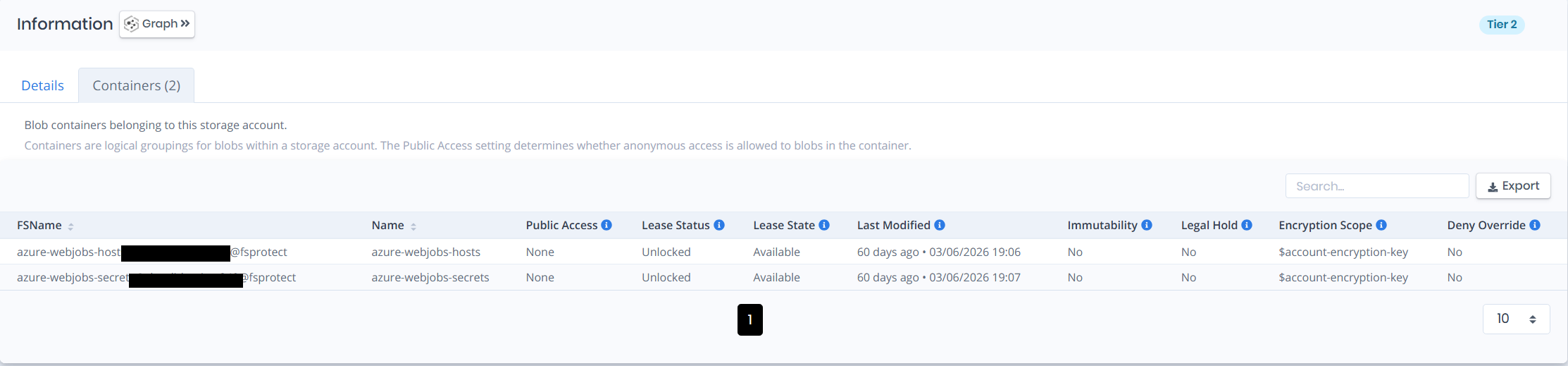
Containers tab lists the blob containers belonging to the storage account. Containers are logical groupings for blobs within a storage account. The `Public Access` setting determines whether anonymous access is allowed to blobs in the container.
Containers
| Attribute | Description |
| ---------------- | -------------------------------------------------------------------------------------------------------------------------------------------------- |
| Name | The name of the container |
| Public Access | Specifies whether data in the container may be accessed publicly (None = private; Blob = anonymous blob read; Container = full public read access) |
| Lease Status | The current lease status of the container (Locked = active lease; Unlocked = no active lease) |
| Lease State | The current lease state of the container (Available, Leased, Expired, Breaking, Broken) |
| Last Modified | The date and time the container was last modified |
| Immutability | Indicates whether the container has a time-based immutability policy (WORM) |
| Legal Hold | Indicates whether the container has a legal hold |
| Encryption Scope | The default encryption scope used for blobs uploaded to this container |
| Deny Override | Indicates whether clients are prevented from specifying a different encryption scope when uploading blobs |