> For the complete documentation index, see [llms.txt](https://docs.forestall.io/forestall/llms.txt). Markdown versions of documentation pages are available by appending `.md` to page URLs; this page is available as [Markdown](https://docs.forestall.io/forestall/unified-identities/azure-identities/entra-id/service-principals.md).
# Service Principals
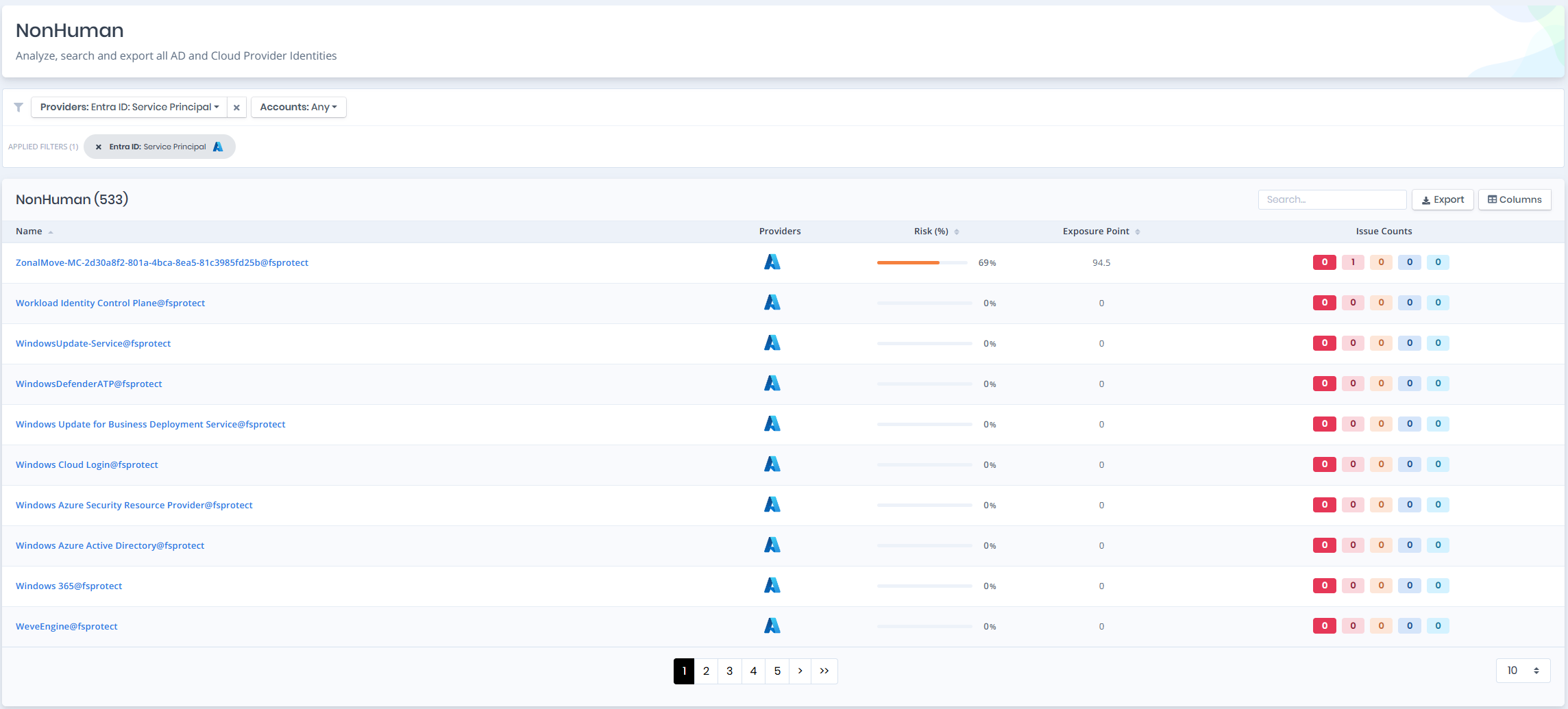
Open **Unified Identities › Non Human Identities**, filter **Providers** to **Entra ID › Service Principal**, then select a row to open its details.
Service Principal
## Service Principals Details
Opening a service principal shows the `Risk` and `Exposure Point` in the header, and the page contains the `Information` and `Issues` panes.
{% hint style="info" %}
You can analyze the object in the [Graph](/forestall/visualize/visualize.md) by clicking the **Graph »** button next to the `Information` title. For a shadow admin the button reads **Admin Path »** and opens the shortest path to admin objects (see [Object Detail Pages](/forestall/unified-identities.md#object-detail-pages)).
{% endhint %}
Service Principal Details
## Information
`Information Pane` can contain different badges to highlight important attributes.
| Badge | Description |
| ----------------------- | --------------------------------------------------------------------------------------------------------------------------------- |
| **Shadow** | Indicates that the object can compromise admin objects with at least one attack path. |
| **Privileged** | Indicates that the object is Privileged. |
| **ARM Privileged** | Indicates that the identity has at least one privileged Azure Resource Manager role assignment at resource group scope or higher. |
| **Enabled** | Indicates that the object is enabled. |
| **Disabled** | Indicates that the object is disabled. |
| **Tier 0** / **Tier 2** | Indicates the tier of the object. |
`Information Pane` contains `Details`, `Groups`, `Roles`, `ARM Roles` and `API Permissions` tabs respectively. Each tab except `Details` carries the number of rows it holds in its label.
## Details
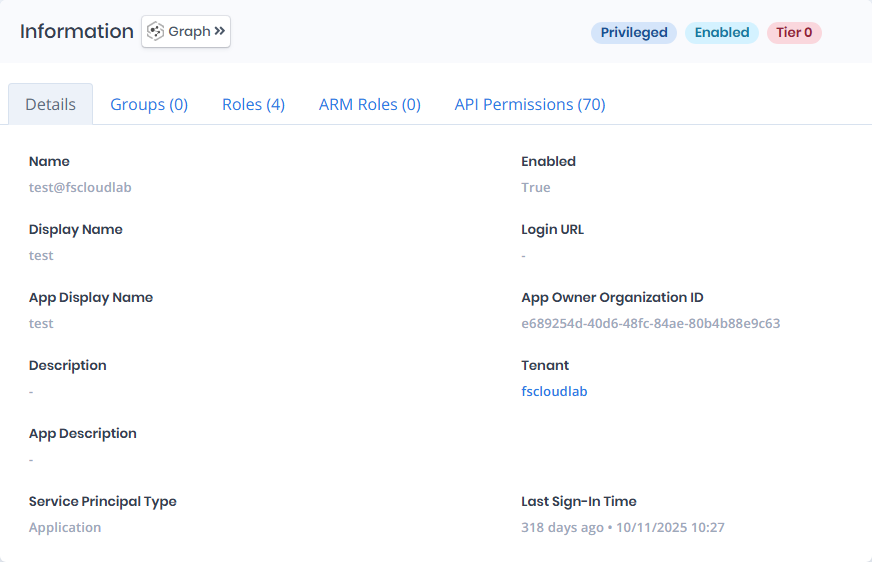
Details tab contains attributes below about service principals.
| Attribute | Description |
| ----------------------------- | ---------------------------------------------------------------------------------------------------------------------------------------------------------------- |
| **Name** | The unique identifier for the service principal, often matching the application name and domain. |
| **Enabled** | Indicates whether the service principal is currently active and permitted to authenticate or access resources. |
| **Display Name** | The user-friendly name of the service principal, shown in the Azure portal and logs. |
| **Login URL** | The sign-in URL associated with the application, if configured. This is blank if not provided during registration. |
| **App Display Name** | The name of the Azure AD application that this service principal is linked to. |
| **App Owner Organization ID** | The tenant ID of the organization that originally registered the application. |
| **Description** | An optional text field describing the purpose or use case of the service principal; blank if not filled in. |
| **Tenant** | The Entra ID tenant where the service principal is registered, linking to its [Tenant](/forestall/unified-identities/azure-identities/entra-id/tenants.md) page. |
| **App Description** | A field meant for describing the application associated with the service principal; this is blank if not provided. |
| **Service Principal Type** | Indicates the origin or category of the service principal. In this case, `Application` means it was created for a registered app in the tenant. |
| **Last Sign-In Time** | The most recent sign-in of the service principal, shown as elapsed time and date. |
## Groups
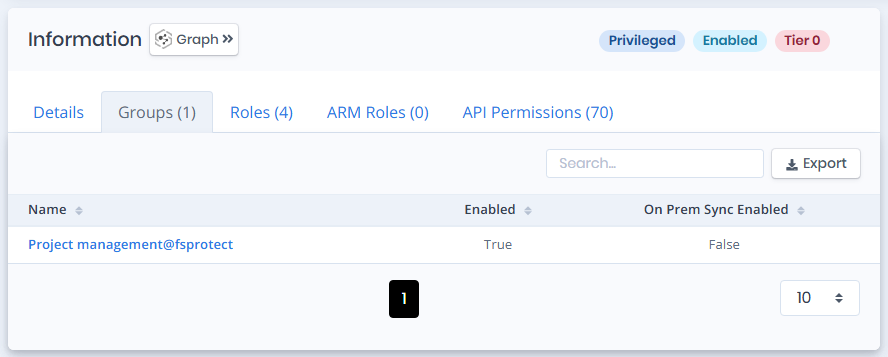
Groups tab contains a list of groups that the service principal is a member of. This list also contains `Enabled` and `On Prem Sync Enabled` columns to identify the status of these groups.
Groups
## Roles
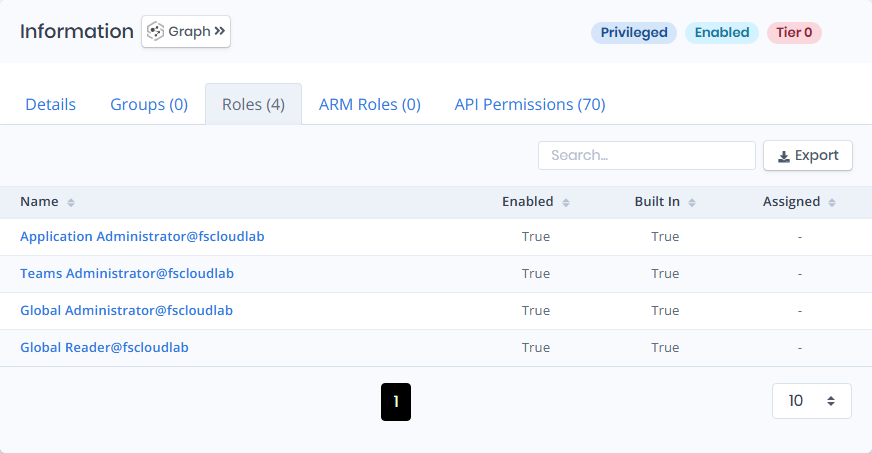
Roles tab contains a list of the Entra ID roles assigned to the service principal, with `Enabled`, `Built In` and `Assigned` columns.
Roles
## ARM Roles
ARM Roles tab contains a list of the Azure Resource Manager role assignments held by the service principal. Directory roles and Graph permissions are only half of what an application can reach; the roles listed here are what it can do to Azure resources, so both need reviewing together.
## API Permissions
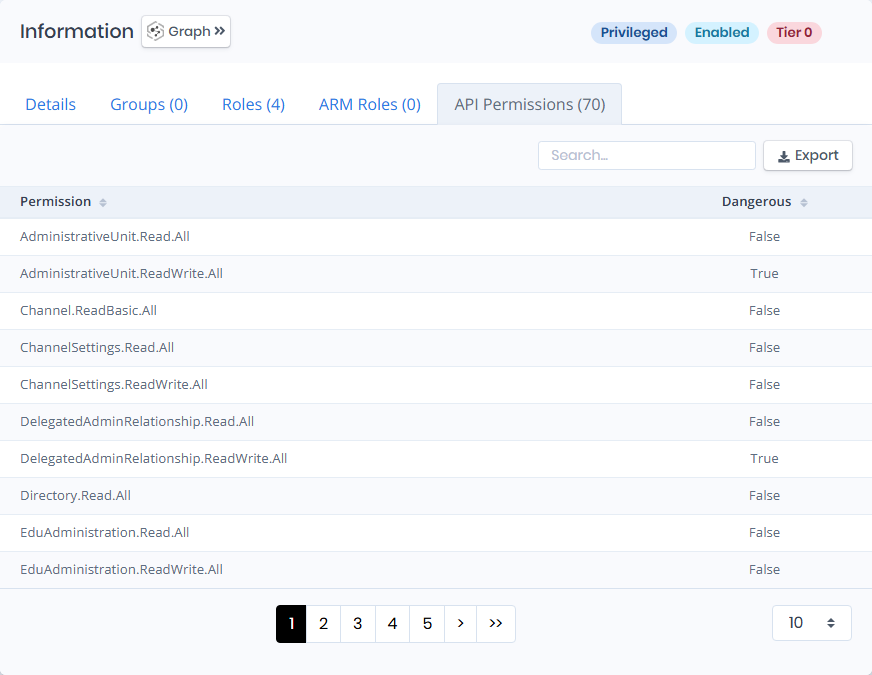
API Permissions tab contains a list of API permissions granted to the service principal. The list also contains `Permission` and `Dangerous` columns.
API Permissions
## Issues
Issues pane contains identified issues on the service principal object.