
Login With Client Secret
The setup script behind Copy PS on the Azure Configuration page can create the client secret for you: set $useCertificate = $false before running it, and it prints the secret value at the end. See Setup Script (Copy PS).
- Add Client Secret from
Manage>Certificates & Secrets. Then Click “New client secret” button.
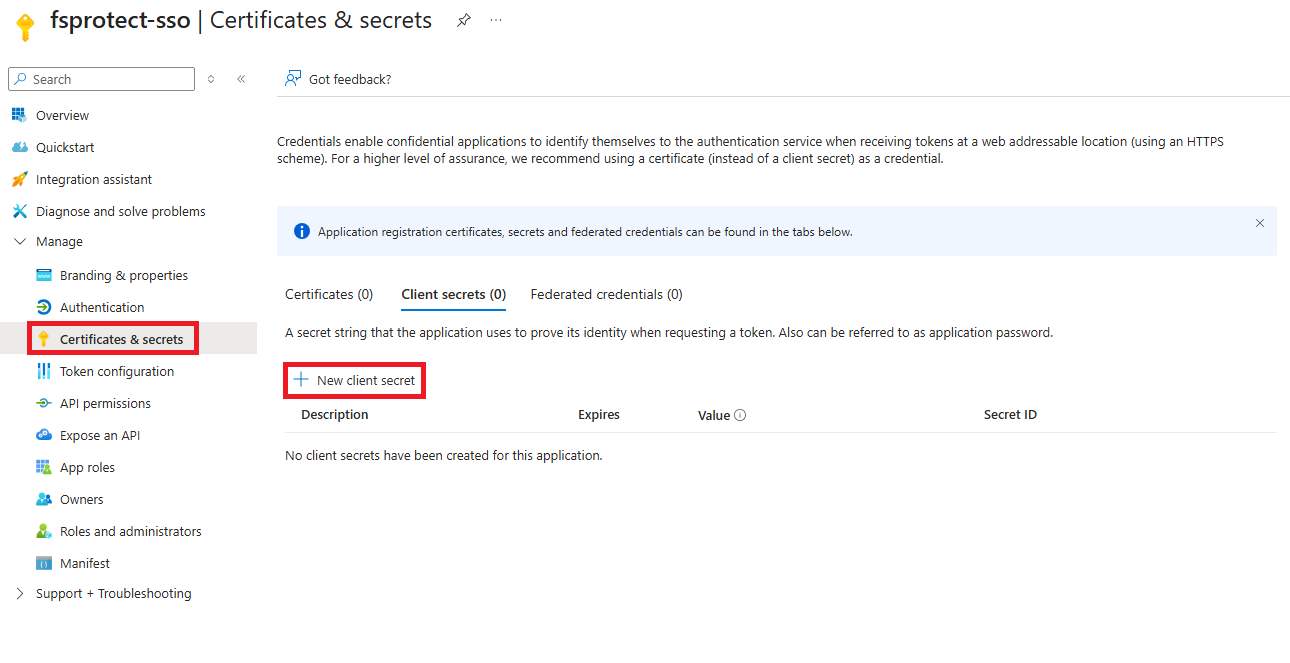
New Client Secret
- It opens a sidebar. Write a description to your client secret. Then click “Add” button
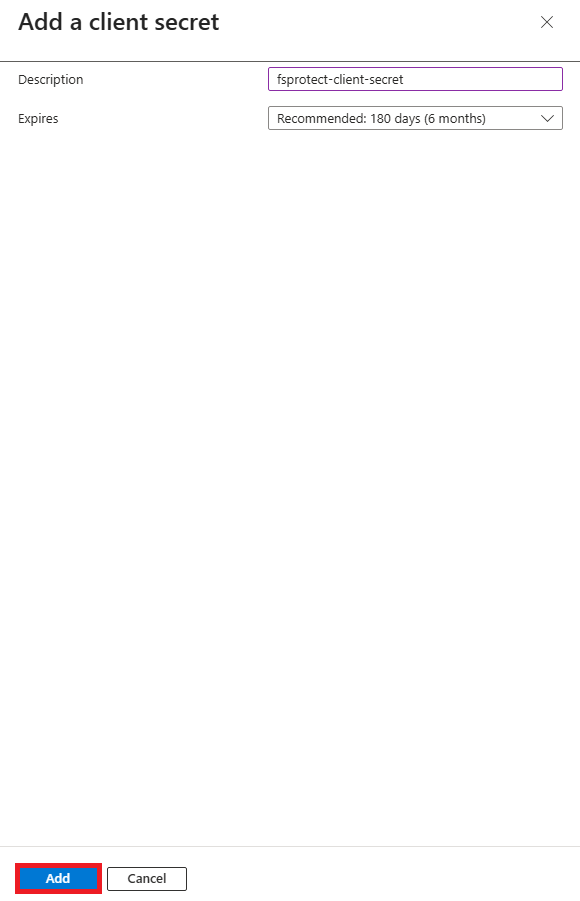
Add a client secret
- Copy the value and note it. You will use the client secret value to fill configuration.
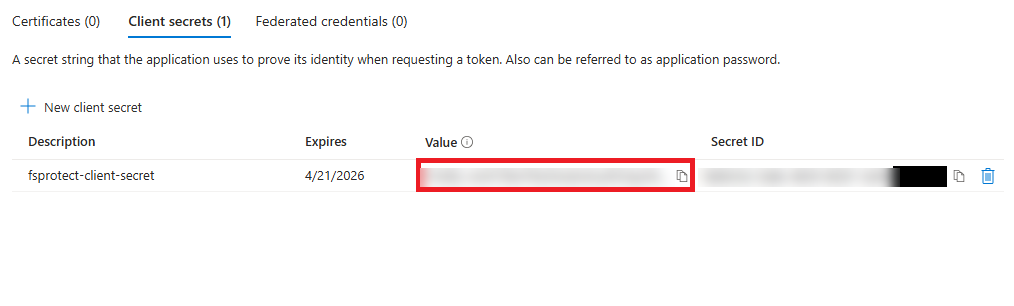
Client secret value
Azure Configuration in Forestall
Authentication Method must be selected as Client Secret and the Client Secret field must be filled with the appropriate secret value.
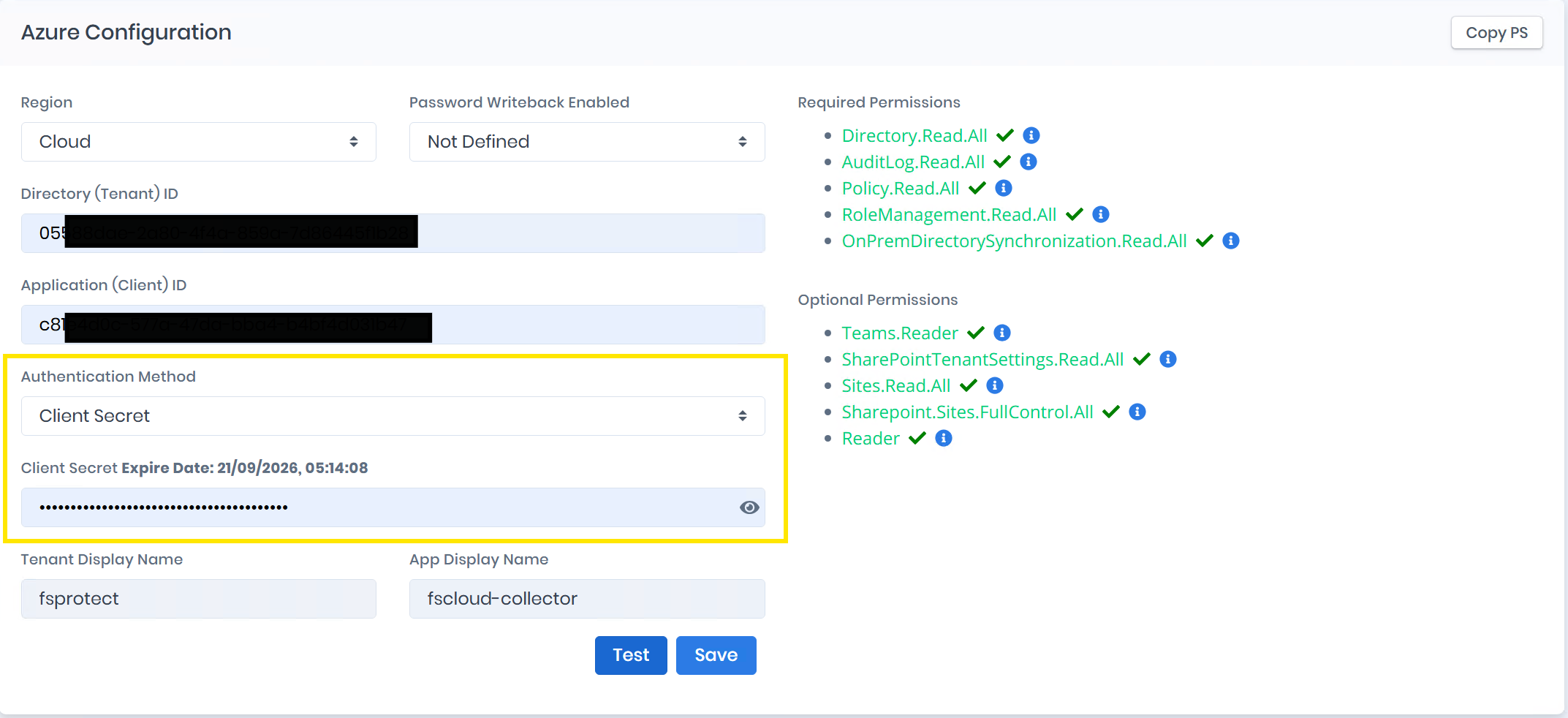
Azure Configuration with Client Secret Authentication Method