> For the complete documentation index, see [llms.txt](https://docs.forestall.io/forestall/llms.txt). Markdown versions of documentation pages are available by appending `.md` to page URLs; this page is available as [Markdown](https://docs.forestall.io/forestall/unified-identities/gcp-identities/kms-keys.md).
# KMS Keys
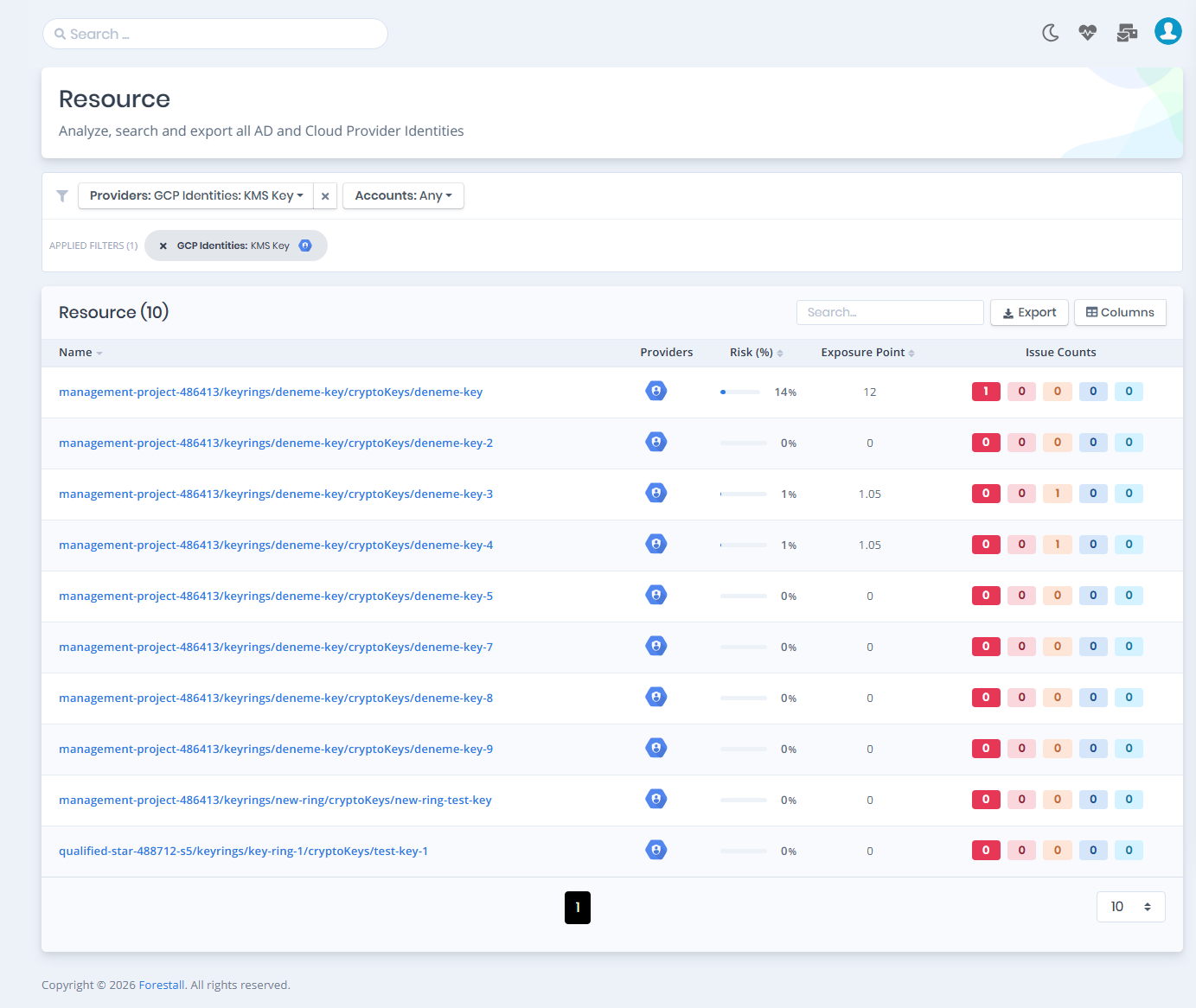
Open **Unified Identities › Resources**, filter **Providers** to **GCP Identities › KMS Key**, then select a row to open its details.
KMS Keys
### KMS Keys Details
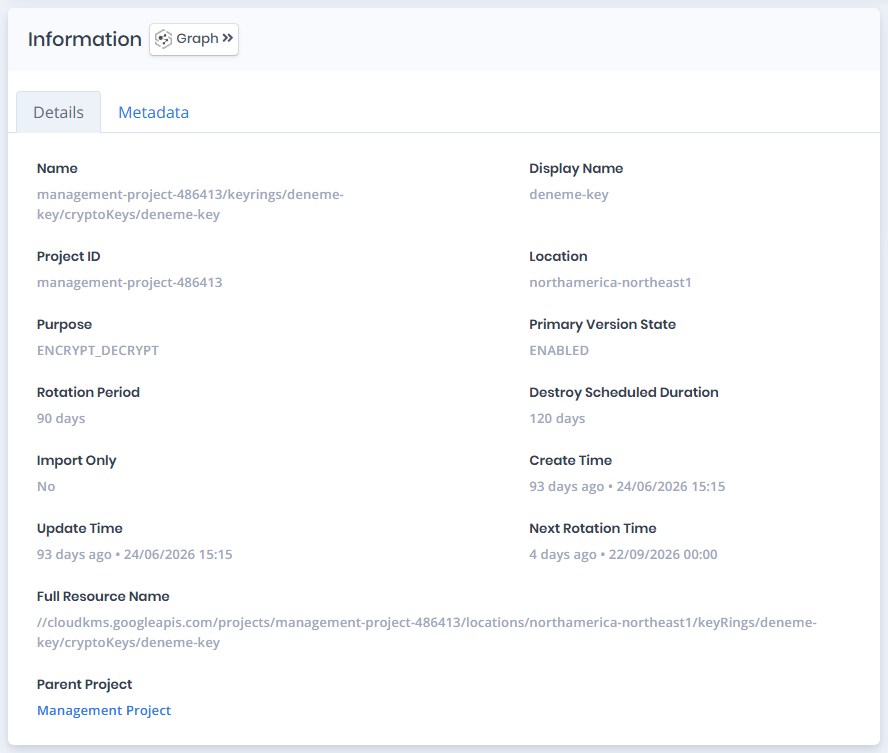
Opening a KMS key shows the **`Details`** and **`Metadata`** tabs. The card title can carry a `Tier 0`/`Tier 2` badge and an `Import Only` badge.
{% hint style="info" %}
You can analyze the object in the [Graph](/forestall/visualize/visualize.md) by clicking the **Graph »** button next to the `Information` title.
{% endhint %}
GCP KMSKey Details
The Details tab contains attributes about the GCP KMS Key. The page also includes an **Issues** panel that lists any security findings related to the key, along with a Risk score and Exposure Point.
### Information
| Attribute | Description |
| -------------------------- | ----------------------------------------------------------------------------------------------------------------------------------------------------------- |
| Name | The full resource path of the key (e.g., `projects/management-project-486413/locations/northamerica-northeast1/keyRings/deneme-key/cryptoKeys/deneme-key`). |
| Display Name | The human-readable name of the key. |
| Project ID | The ID of the project the key belongs to. |
| Location | The location of the key ring (e.g., `northamerica-northeast1`). |
| Primary Version State | The state of the primary key version (e.g., `ENABLED`). |
| Purpose | The cryptographic purpose of the key (e.g., `ENCRYPT_DECRYPT`). |
| Rotation Period | The configured automatic rotation interval for the key, if set. |
| Destroy Scheduled Duration | The duration before a scheduled key version destruction takes effect. |
| Import Only | Indicates whether the key only accepts imported key material. |
| Create Time | The timestamp when the key was created. |
| Update Time | The timestamp of the last update to the key. |
| Next Rotation Time | The scheduled time of the next automatic key rotation. |
| Full Resource Name | The fully-qualified resource name, including the API service (e.g., `//cloudkms.googleapis.com/...`). |
| Parent Project | A link to the parent project the key belongs to. |
| Parent Key Ring Id | The key ring that holds the key, when available. |
#### **Metadata**
Displays the `Labels` and `Annotations` of the key.
#### **Issues**
Lists security findings associated with the key (e.g., *KMS Key Publicly Accessible*, *KMS Key Rotation Not Enabled*), each tagged with relevant categories such as Least Privilege, Data Protection, or Credential Security, and a severity rating (e.g., Critical, Medium).