
The Roles and Permissions page controls what each role can see and do. Open it from Settings > Roles & Permissions. Viewing the page requires the ReadRolesAndPermissions permission. Creating, changing and deleting roles requires WriteRolesAndPermissions.
A role is assigned to:
- local users on the Users page,
- LDAP users and groups in the Access Control Settings of an LDAP configuration (Privilege field),
- SSO users through the Default Role and Role Mapping of an SSO provider.
View roles and permissions
The left side lists the roles with the number of permissions each one holds, for example User (20/79). Select a role to see its permissions on the right. Permissions are grouped (for example Scan (3/3)). Click a group name to expand or collapse it and see each permission with its description.
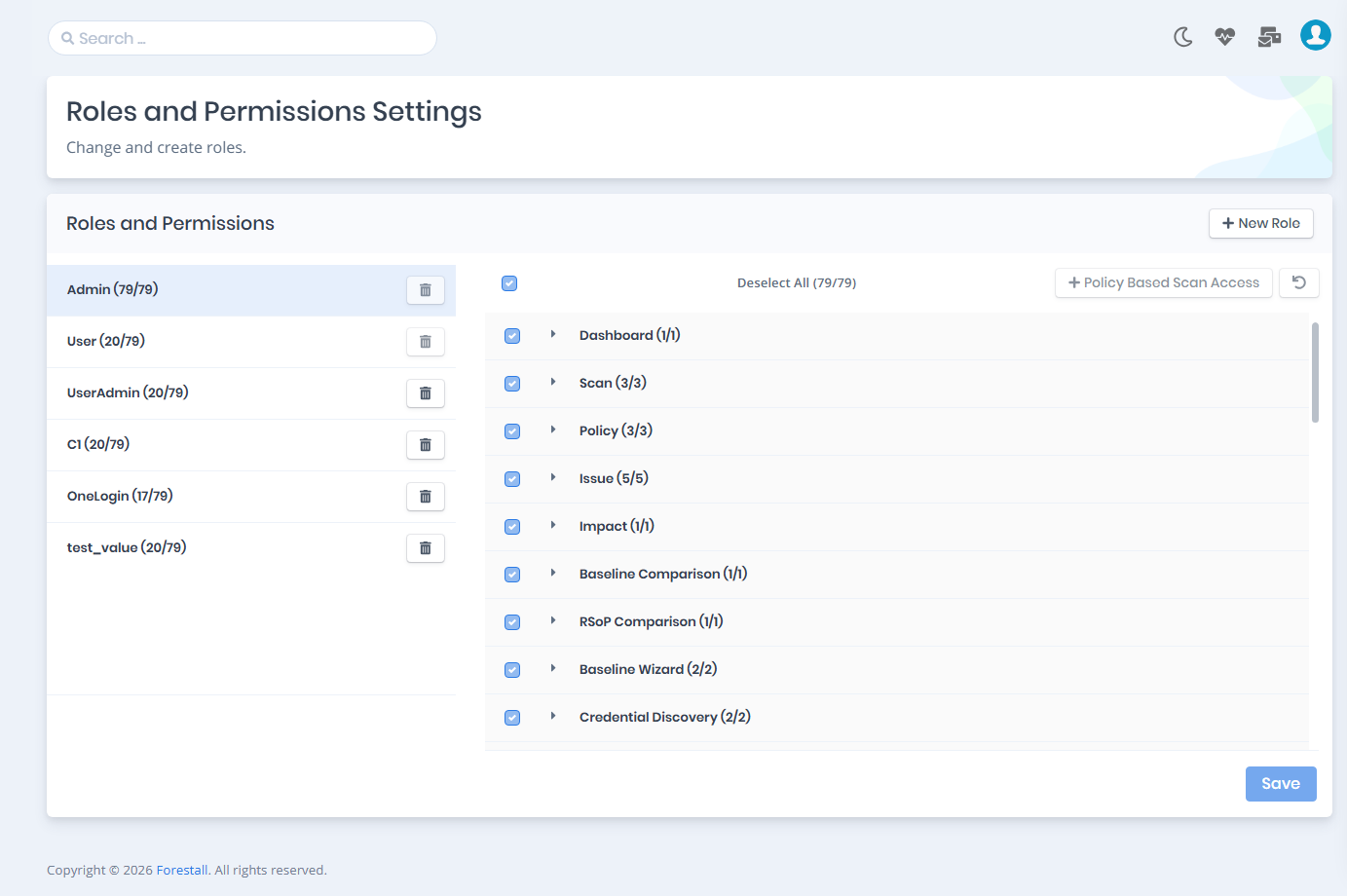
Roles and Permissions control page
Default roles
Two roles are created by the product. They cannot be edited or deleted: their checkboxes, the Save button and the trash icon are disabled.
- Admin: holds every permission.
- User: a read-only role with the 20 permissions marked in the permission reference below.
To give someone a different set of permissions, create a new role.
Create new role
Click New Role, enter a Name in the modal and save it. The new role starts with no permissions.
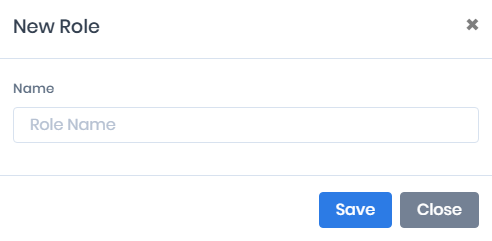
Create role modal
Assign permissions to a role
Select the role, tick the permissions you want it to have and click Save at the bottom of the page.
- Select All / Deselect All (x/79): ticks or clears every permission at once.
- Undo button (top right of the permission list): discards all unsaved changes and reloads the role’s saved permissions.
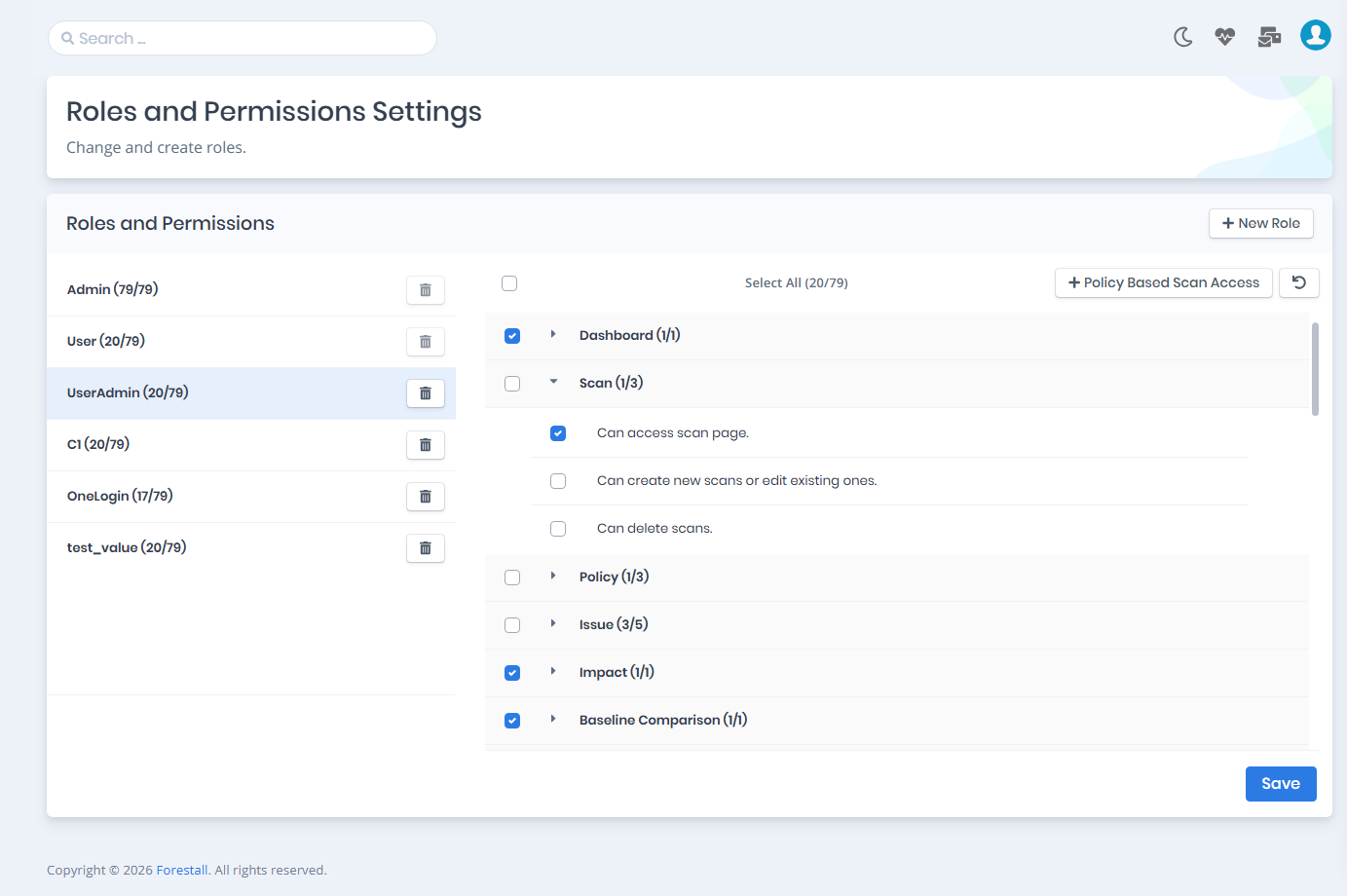
Permissions of the UserAdmin role, Scan group expanded
Policy Based Scan Access
Policy Based Scan Access restricts which scans a role can see. Users with the role can only view scan records that were run with the scan policies assigned to the role. This keeps each team to the data it is responsible for.
Select the role and click + Policy Based Scan Access above the permission list. In the modal:
- Turn on Policy Based Exclusion Enabled. The policy pickers are disabled until this switch is on. Turning it off clears every selection.
- Choose the allowed scan policies for each platform in AD Policies, Azure Policies, GCP Policies, AWS Policies and GitHub Policies (Select policies). The pickers list your scan policies, not attack categories.
- Click Update.
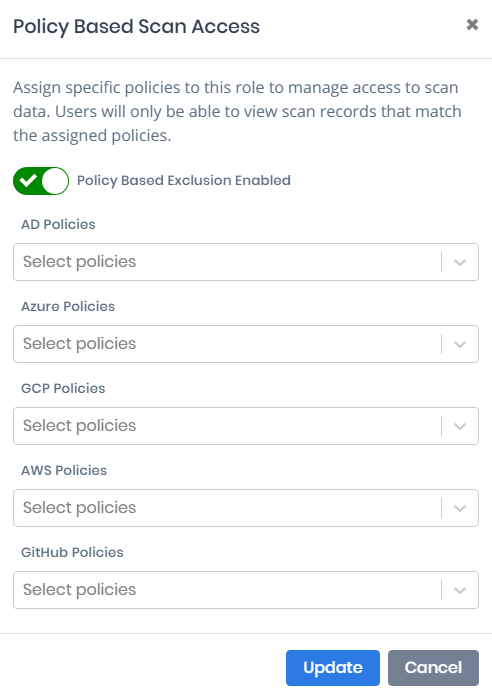
Policy Based Scan Access
Delete a role
Click the trash icon next to the role in the roles list and confirm in the Confirm Delete Operation window. The default Admin and User roles cannot be deleted.
After a role is created, assign it to the users who need it: a local user on the Users page, an LDAP account or group in the LDAP Access Control Settings, or an SSO role mapping.
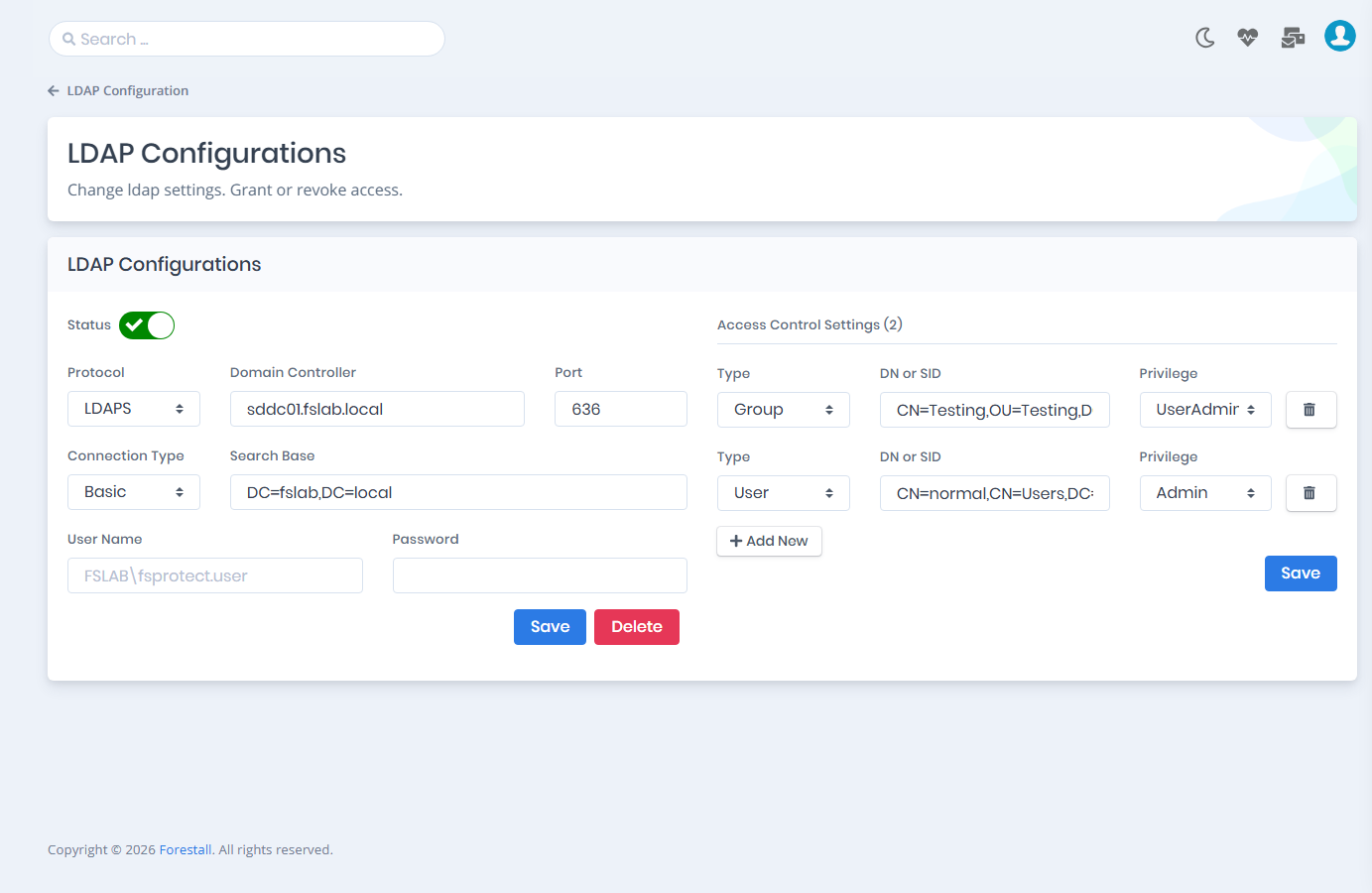
Assigning the role to an LDAP access control entry
The image below shows the interface as seen by a user signed in with the LDAP account from the example. Menus the role has no permission for are marked with a lock icon.
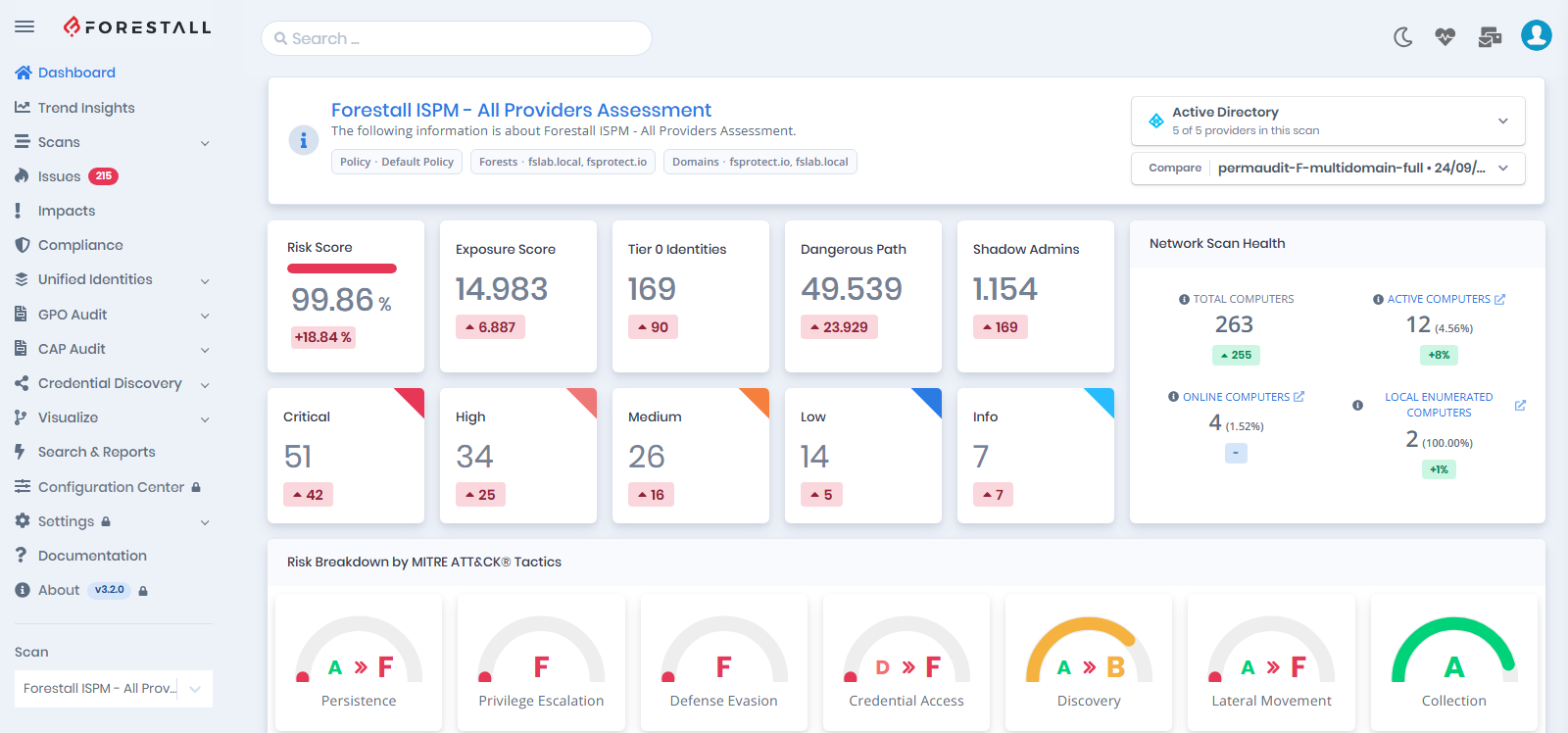
Forestall UI an Auditor sees
Permission reference
The table lists all 79 permissions in the order and groups used on the page. Yes marks the permissions of the default User role. The Admin role holds all of them.
| Group | Permission | Description | Default User role |
|---|---|---|---|
| Dashboard | ReadDashboard |
Can access the dashboard page. | Yes |
| Scan | ReadScan |
Can access scan page. | Yes |
| Scan | WriteScan |
Can create new scans or edit existing ones. | |
| Scan | DeleteScan |
Can delete scans. | |
| Policy | ReadScanPolicy |
Can access the scan policy page. | Yes |
| Policy | WriteScanPolicy |
Can create new scan policies or edit existing ones. | |
| Policy | DeleteScanPolicy |
Can delete scan policies. | |
| Issue | ReadIssue |
Can access the issues page. | Yes |
| Issue | ReadIssueComments |
Can access issue comments. | Yes |
| Issue | WriteIssueComments |
Can create new issue comments or edit existing ones. | |
| Issue | ManageIssueTags |
Can manage issue tags. | |
| Issue | ManageIssueStatus |
Can manage issue status. | |
| Impact | ReadImpact |
Can access the impacts page. | Yes |
| Baseline Comparison | ReadBaselineComparison |
Can access the baseline comparison page. | Yes |
| RSoP Comparison | ReadRSOPComparison |
Can access the RSoP comparison page. | Yes |
| Baseline Wizard | ReadCustomBaselines |
Can access the baselines page. | |
| Baseline Wizard | WriteCustomBaselines |
Can create new custom baseline or edit existing ones. | |
| Credential Discovery | ReadCredentialDiscovery |
Can access credential discovery page. | Yes |
| Credential Discovery | WriteCredentialDiscovery |
Can configure credential discovery settings. | |
| Visualize | ReadVisualize |
Can access the visualize page. | Yes |
| Advanced Search | ReadAdvancedSearch |
Can access the advanced search page. | Yes |
| Advanced Search | WriteAdvancedSearch |
Can create new saved queries or edit existing ones. | |
| Mail Integration | ReadMailIntegration |
Can access the mail integration page. | |
| Mail Integration | WriteMailIntegration |
Can configure mail integration settings. | |
| Mail Integration | DeleteMailIntegration |
Can delete mail integration configurations. | |
| Jira Integration | ReadJiraIntegration |
Can access the Jira integration page. | |
| Jira Integration | WriteJiraIntegration |
Can configure the Jira integration settings. | |
| Jira Integration | CreateJiraTicket |
Can create Jira tickets. | |
| CyberArk Integration | ReadCyberArkIntegration |
Can access the CyberArk integration page. | |
| CyberArk Integration | WriteCyberArkIntegration |
Can configure CyberArk integration settings. | |
| User | ReadUser |
Can access user page. | |
| User | WriteUser |
Can update any user. | |
| User | DeleteUser |
Can delete any user. | |
| Roles and Permissions | ReadRolesAndPermissions |
Can access roles and permissions settings. | |
| Roles and Permissions | WriteRolesAndPermissions |
Can configure roles and permissions settings. | |
| LDAP Configurations | ReadLdapConfig |
Can access LDAP settings. | |
| LDAP Configurations | WriteLdapConfig |
Can configure LDAP settings. | |
| LDAP Configurations | DeleteLdapConfig |
Can delete LDAP settings. | |
| Merge Rule Configurations | WriteMergeRuleConfig |
Can configure Unified Identity Merge Rules settings. | |
| Merge Rule Configurations | ReadMergeRuleConfig |
Can access Unified Identity Merge Rules settings. | |
| Unified Identity | ReadUnifiedIdentity |
Can access Unified Identities. | Yes |
| Log Configuration | ReadLogConfig |
Can access log settings. | |
| Log Configuration | WriteLogConfig |
Can configure log settings. | |
| License | ReadLicense |
Can access license page. | Yes |
| License | WriteLicense |
Can upload new license or delete existing one. | |
| Scan Report | ReadScanReport |
Can access scan reports. | Yes |
| Scan Report | DownloadReportPackage |
Can download the offline report package. | |
| Report Settings | ReadReportSettings |
Can access report settings. | |
| Report Settings | WriteReportSettings |
Can configure report settings. | |
| Auth Settings | ReadAuthSettings |
Can access auth settings. | |
| Auth Settings | WriteAuthSettings |
Can configure auth settings. | |
| SSO Settings | ReadSsoConfig |
Can access SSO settings. | |
| SSO Settings | WriteSsoConfig |
Can configure SSO settings. | |
| SSO Settings | DeleteSsoConfig |
Can delete SSO settings. | |
| AD Identities | ReadADIdentities |
Can access the AD Identities page. | Yes |
| Azure Identities | ReadAZIdentities |
Can access the Azure Identities page. | Yes |
| Azure Integration | ReadAZIntegration |
Can access the Azure integration page. | |
| Azure Integration | WriteAZIntegration |
Can configure Azure integration settings. | |
| Azure Integration | DeleteAZIntegration |
Can delete Azure integration settings. | |
| AD Integration | ReadADIntegration |
Can access the AD integration page. | |
| AD Integration | WriteADIntegration |
Can configure AD integration settings. | |
| AD Integration | DeleteADIntegration |
Can delete AD integration settings. | |
| GCP Identities | ReadGCPIdentities |
Can access the GCP Identities page. | Yes |
| GCP Integration | ReadGCPIntegration |
Can access the GCP integration page. | |
| GCP Integration | WriteGCPIntegration |
Can configure GCP integration settings. | |
| GCP Integration | DeleteGCPIntegration |
Can delete GCP integration settings. | |
| AWS Identities | ReadAWSIdentities |
Can access the AWS Identities page. | Yes |
| AWS Integration | ReadAWSIntegration |
Can access the AWS integration page. | |
| AWS Integration | WriteAWSIntegration |
Can configure AWS integration settings. | |
| AWS Integration | DeleteAWSIntegration |
Can delete AWS integration settings. | |
| GitHub Identities | ReadGitHubIdentities |
Can access the GitHub Identities page. | Yes |
| GitHub Integration | ReadGitHubIntegration |
Can access the GitHub integration page. | |
| GitHub Integration | WriteGitHubIntegration |
Can configure GitHub integration settings. | |
| GitHub Integration | DeleteGitHubIntegration |
Can delete GitHub integration settings. | |
| Splunk Integration | ReadSplunkIntegration |
Can access the Splunk integration page. | |
| Splunk Integration | WriteSplunkIntegration |
Can configure Splunk integration settings. | |
| Splunk Integration | DeleteSplunkIntegration |
Can delete Splunk integration settings. | |
| AI Configuration | ReadAIConfiguration |
Can access the AI configuration page. | Yes |
| API Tokens | ManageApiTokens |
Can create and revoke API tokens. |
Some menus depend on a permission whose name does not match the menu:
- Trend Insights requires
ReadDashboard. - Compliance requires
ReadIssue. - CAP Audit requires
ReadAZIdentities. - About requires
ReadLicense. - Each Configuration Center card requires the matching read permission (
ReadADIntegration,ReadAZIntegration,ReadAWSIntegration,ReadGCPIntegration,ReadGitHubIntegration,ReadCyberArkIntegration,ReadMailIntegration,ReadJiraIntegration,ReadSplunkIntegration,ReadAIConfiguration,ReadLdapConfig,ReadSsoConfig). Cards the role cannot open are shown locked. - API Tokens in the profile menu requires
ManageApiTokens.