
Open Unified Identities › Group, filter Providers to Active Directory › Group, then select a row to open its details.
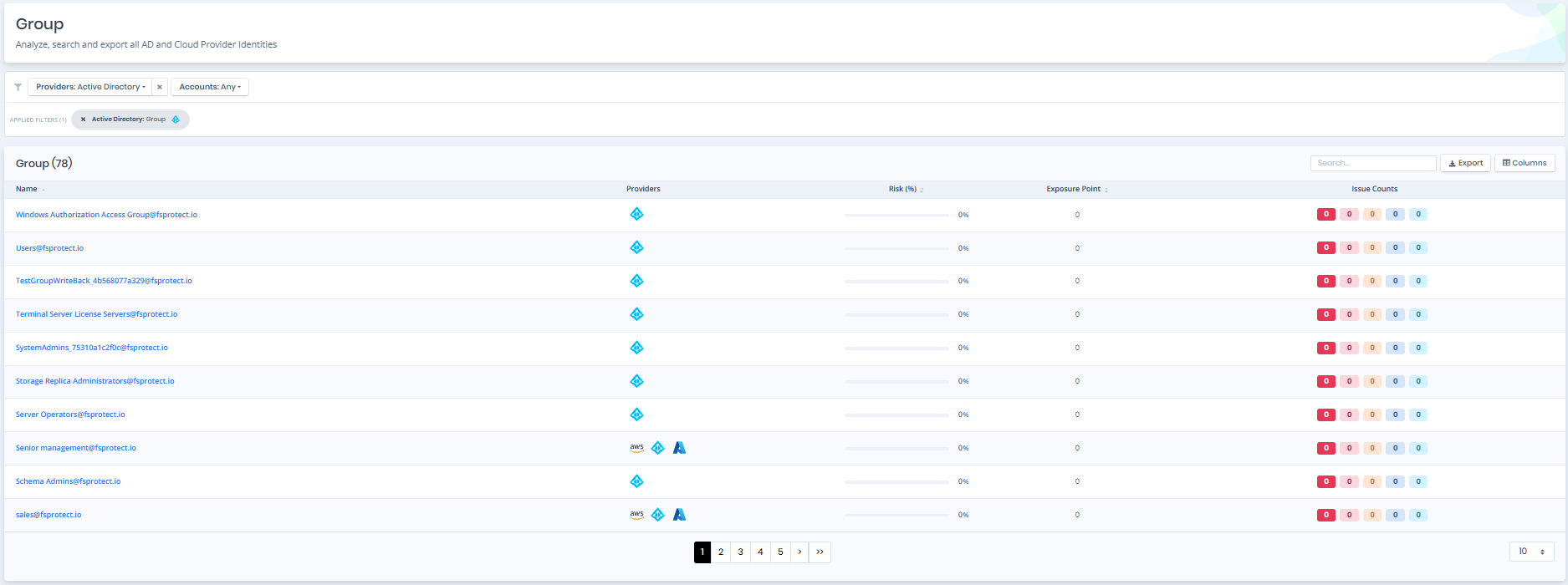
Groups
Group Details
Opening a group shows the Risk and Exposure Point in its header, and the Information and Issues panes.
You can analyze the object in the Graph by clicking the Graph » button next to the Information title. For a shadow admin the button reads Admin Path » and opens the shortest path to admin objects (see Object Detail Pages).
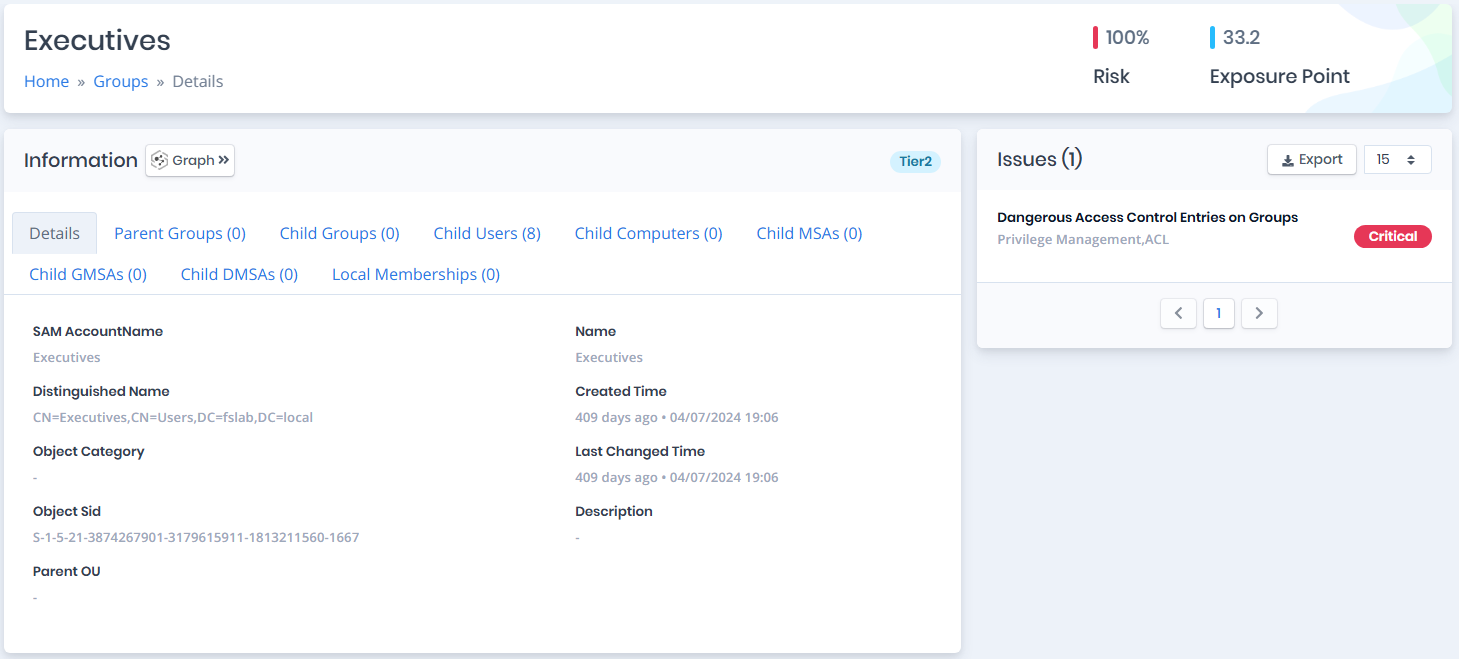
Group Details
Information
Information Pane can contain different badges to highlight important attributes.
| Badge | Description |
|---|---|
| Shadow | Indicates that the object can compromise admin objects with at least one attack path. |
| Privileged | Indicates that the object is Privileged. |
| Admin | Indicates that the object is Admin. |
| Local Admin | Indicates that the object is a member (direct or nested) of a local administrators group in at least one computer. |
| Tier0/Tier2 | Indicates the tier of the object (Tier0 or Tier2). |
Information Pane contains Details, Parent Groups, Child Groups, Child Users, Child Computers, Child MSAs, Child GMSAs, Child DMSAs and Local Memberships tabs respectively.
Details
Details tab contains attributes below about group object.
| Attribute | Description |
|---|---|
| SAM AccountName | The logon name used to support clients and servers running earlier versions of the operating system, such as Windows NT 4.0, Windows 95, Windows 98, and LAN Manager. (Ldap Display Name: sAMAccountName) |
| Distinguished Name | Active Directory distinguished name of the object. (Ldap Display Name: distinguishedName) |
| Object Category | An object class name used to group objects of this or derived classes. (Ldap Display Name: objectCategory) |
| Object Sid | Active Directory security identifier of object. (Ldap Display Name: objectSid) |
| Parent OU | The direct parent Organizational Unit of the object. |
| Name | Name of the specified object. (Ldap Display Name: name) |
| Created Time | The date when this object was created. (Ldap Display Name: whenCreated) |
| Last Changed Time | The date when this object was last changed. (Ldap Display Name: whenChanged) |
| Description | Description text to display for an object. (Ldap Display Name: description) |
Parent Groups
Parent Groups tab contains a list of groups that the group is a member of. This list also contains Privileged and Admin columns to identify the privilege levels of these groups.
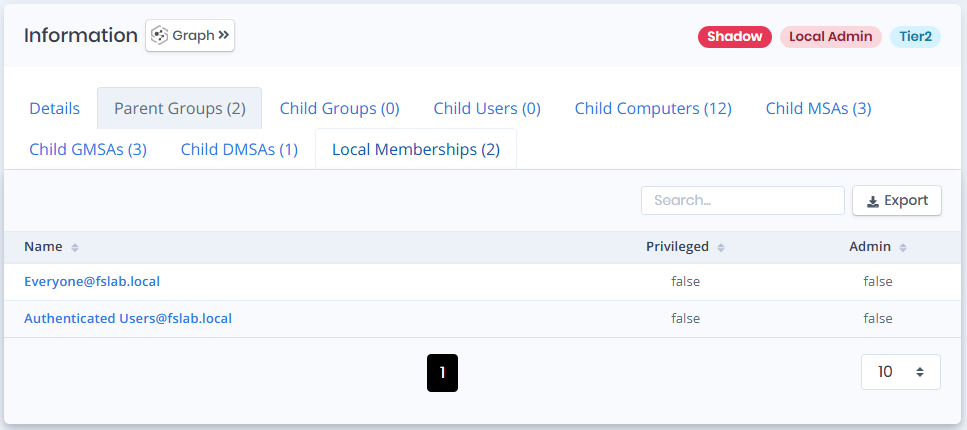
Parent Groups
Child Groups
Child Groups tab contains a list of groups that are children of the group. This list also contains Privileged and Admin columns to identify the privilege levels of these groups.
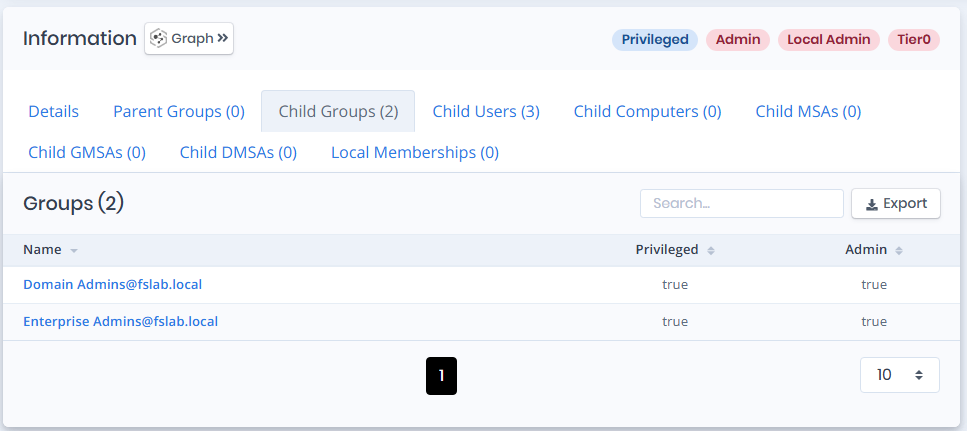
Child Groups
Child Users
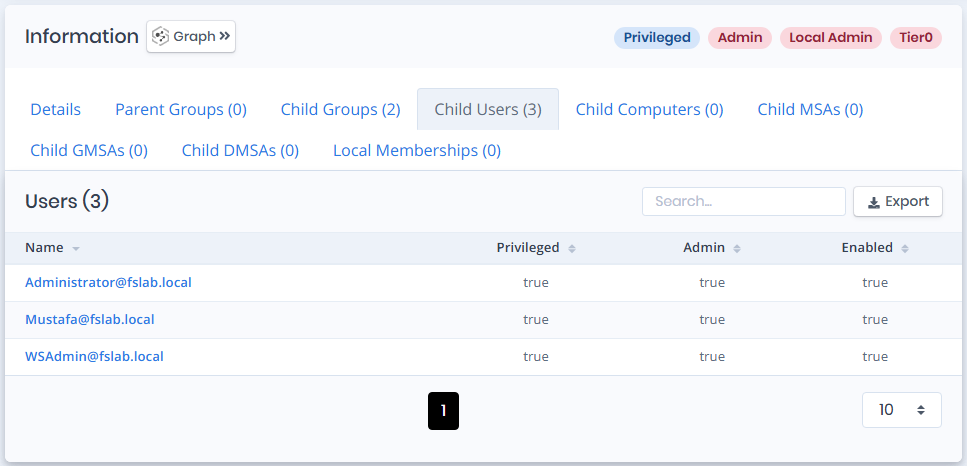
The Child Users tab displays a list of user accounts associated with the group.
Child Users
Name: The name of the user account.
Privileged: Indicates whether the user has elevated privileges.
Admin: Indicates whether the user has administrative rights.
Enabled: Indicates whether the user account is active.
Child Computers
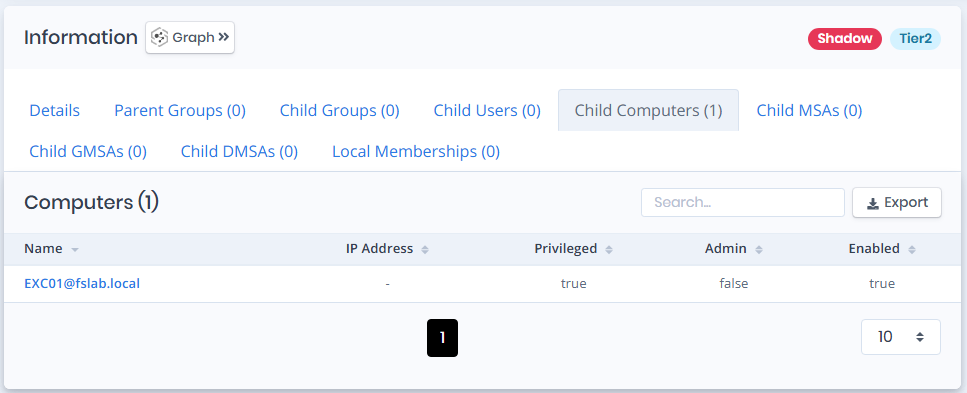
The Child Computers tab displays a list of computer objects associated with the group.
Child Computers
Name: The name of the computer object.
IP Address: The IP address assigned to the computer.
Privileged: Indicates whether the computer object has elevated privileges.
Admin: Indicates whether the computer object has administrative rights.
Enabled: Indicates whether the computer object is enabled.
Child MSAs
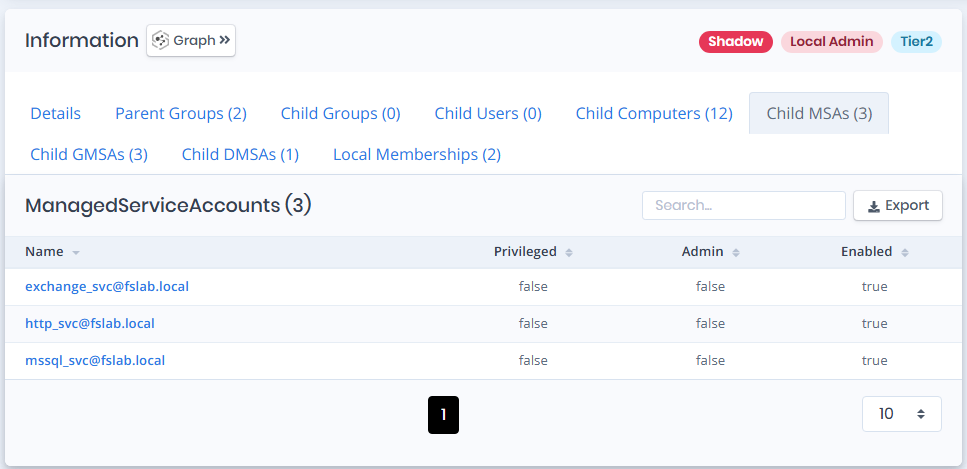
The Child MSAs tab displays a list of Managed Service Accounts (MSAs) associated with the group.
Child MSAs
Name: The name of the Managed Service Account.
Privileged: Indicates whether the MSA has elevated privileges.
Admin: Indicates whether the MSA has administrative rights.
Enabled: Indicates whether the MSA is active.
Child GMSAs
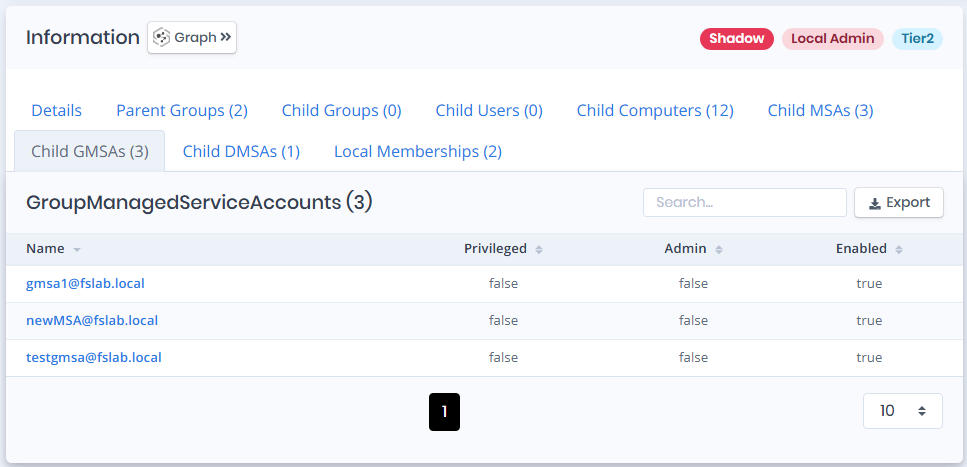
The Child GMSAs tab displays a list of Group Managed Service Accounts (GMSAs) associated with the group.
Child GMSAs
Name: The name of the Group Managed Service Account.
Privileged: Indicates whether the GMSA has elevated privileges.
Admin: Indicates whether the GMSA has administrative rights.
Enabled: Indicates whether the GMSA is active.
Child DMSAs
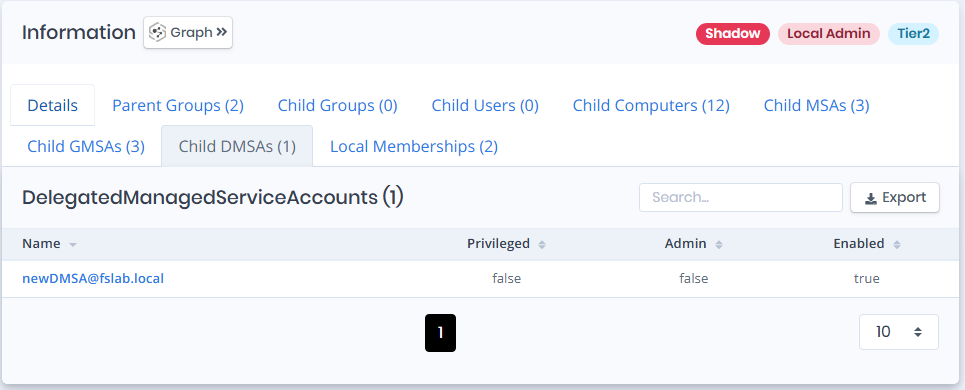
The Child DMSAs tab displays a list of Delegated Managed Service Accounts (DMSAs) associated with the group.
Child DMSAs
Name: The name of the Delegated Managed Service Account.
Privileged: Indicates whether the DMSA has elevated privileges.
Admin: Indicates whether the DMSA has administrative rights.
Enabled: Indicates whether the DMSA is active.
Local Memberships
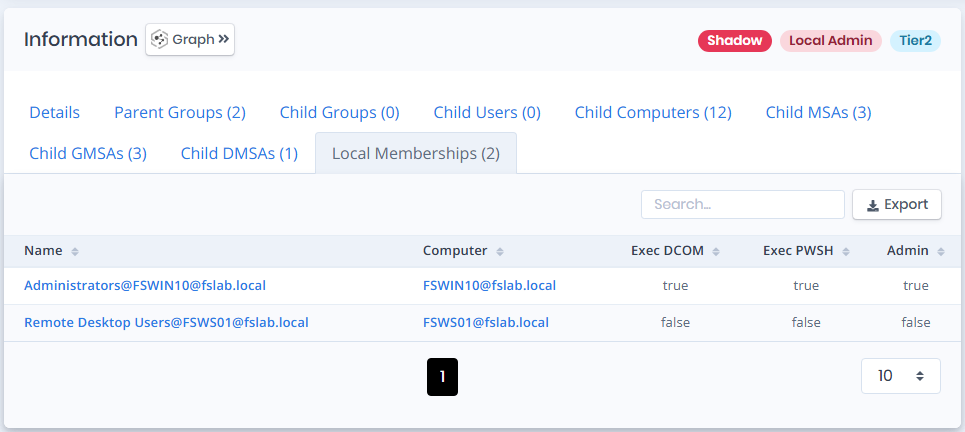
Local Memberships tab contains a list of local groups that the group is a member of.
Local Memberships
Local Group Name: Name of the local group that the group is a member of.
Computer: Name of the computer object that contains the local group.
Exec DCOM: Indicates whether the local group can have enough privilege to execute commands with DCOM(Distributed Component Object Model) protocol on the computer.
Exec PWSH: Indicates whether the local group can have enough privilege to execute commands with Powershell on the computer.
Admin: Indicates whether the local group can have admin privilege on the computer.
Issues
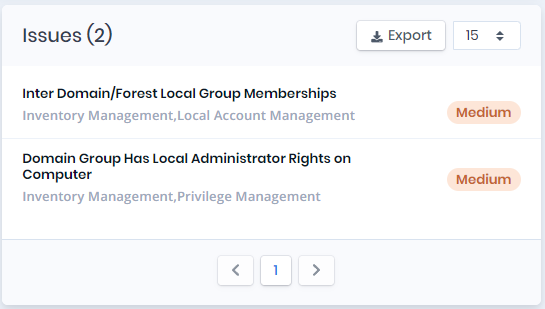
Issues pane contains identified issues on the group object.
Issues