> For the complete documentation index, see [llms.txt](https://docs.forestall.io/forestall/llms.txt). Markdown versions of documentation pages are available by appending `.md` to page URLs; this page is available as [Markdown](https://docs.forestall.io/forestall/unified-identities/ad-identities/local-users.md).
# Local Users
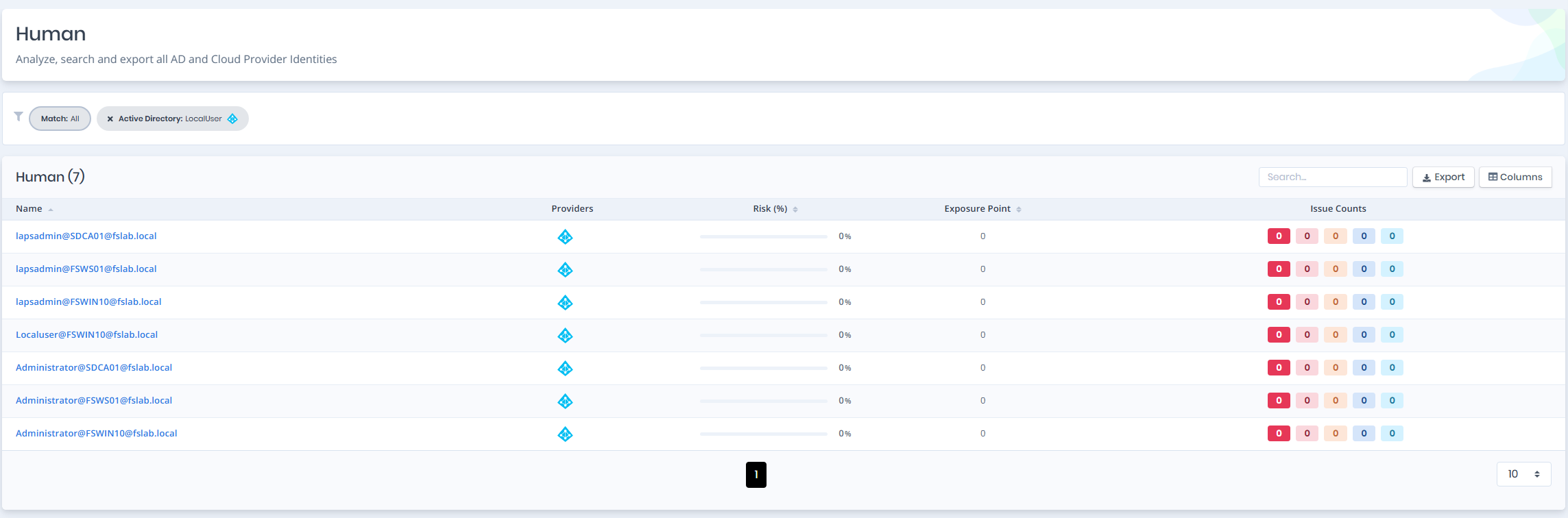
Open **Unified Identities › Human Identities**, filter **Providers** to **Active Directory › Local User**, then select a row to open its details.
Local Users
## Local User Details
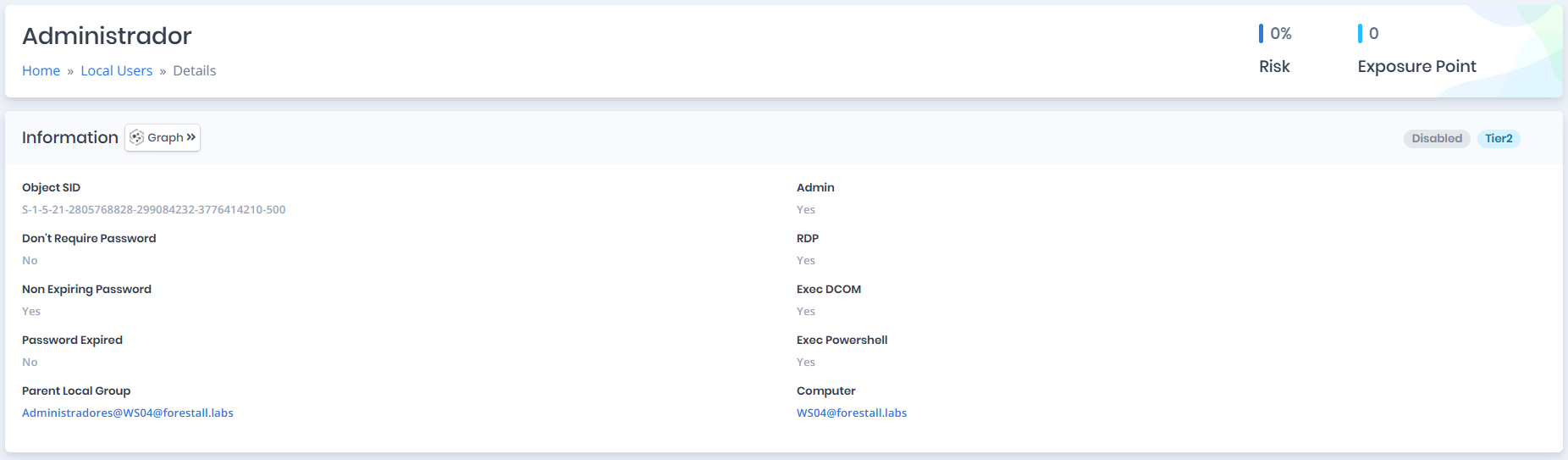
Opening a local user shows the `Risk` and `Exposure Point` in its header, and the `Information` and `Issues` panes.
{% hint style="info" %}
You can analyze the object in the [Graph](/forestall/visualize/visualize.md) by clicking the **Graph »** button next to the `Information` title.
{% endhint %}
Local User Details
## Information
`Information Pane` can contain different badges to highlight important attributes.
| Badge | Description |
| ------------------- | ------------------------------------------------------ |
| **Enabled** | Indicates that the object is enabled. |
| **Disabled** | Indicates that the object is disabled. |
| **Tier0**/**Tier2** | Indicates the tier of the object (`Tier0` or `Tier2`). |
Information Pane contains attributes below about local user object.
| Attribute | Description |
| -------------------------- | ------------------------------------------------------------------------------------------------------------------------------------------------------ |
| **Object SID** | Local security identifier of object. |
| **Don't Require Password** | Indicates whether the local user's password can be blank. |
| **Non Expiring Password** | Indicates whether the local user's password is set to never expire. |
| **Password Expired** | Indicates whether the local user's password is expired and should be changed. |
| **Parent Local Group** | Name of the direct parent group of the local user. |
| **Admin** | Indicates whether the local user can have admin privilege on the computer. |
| **RDP** | Indicates whether the local user can have enough privilege to connect with RDP (Remote Desktop Protocol) to the computer. |
| **Exec DCOM** | Indicates whether the local user can have enough privilege to execute commands with DCOM(Distributed Component Object Model) protocol on the computer. |
| **Exec Powershell** | Indicates whether the local user can have enough privilege to execute commands with Powershell on the computer. |
| **Computer** | Name of the computer object that contains the local user. |
## Issues
Issues pane contains identified issues on the local user object.