> For the complete documentation index, see [llms.txt](https://docs.forestall.io/forestall/llms.txt). Markdown versions of documentation pages are available by appending `.md` to page URLs; this page is available as [Markdown](https://docs.forestall.io/forestall/introduction/installation.md).

# Installation

1. Log in the [**license.forestall.io**](https://license.forestall.io/) with given credentials.

<figure><img src="https://3408039743-files.gitbook.io/~/files/v0/b/gitbook-x-prod.appspot.com/o/spaces%2FObpV44hoVkNmo5bFuVVL%2Fuploads%2Fgit-blob-fe3f58d0ab4b52d1663d8146c7545da3fcf28387%2Fintroduction-installation-image-1.png?alt=media" alt=""><figcaption><p>Forestall License Portal</p></figcaption></figure>

2. Download the license file from [**Licenses** ](https://license.forestall.io/licences/)page.

<figure><img src="https://3408039743-files.gitbook.io/~/files/v0/b/gitbook-x-prod.appspot.com/o/spaces%2FObpV44hoVkNmo5bFuVVL%2Fuploads%2Fgit-blob-11cafe49cf3b0f98e4cb891e8fa5e70a18fd648b%2Fintroduction-installation-image-2.png?alt=media" alt=""><figcaption><p>Forestall License</p></figcaption></figure>

3. Download the installation package of last release from [**Releases** ](https://license.forestall.io/releases/)page.

<figure><img src="https://3408039743-files.gitbook.io/~/files/v0/b/gitbook-x-prod.appspot.com/o/spaces%2FObpV44hoVkNmo5bFuVVL%2Fuploads%2Fgit-blob-27fc1f1fea3e9043d1abdcc16b0793523dfe75a1%2F3-26074aea%20(1).PNG?alt=media" alt=""><figcaption><p>Forestall Releases</p></figcaption></figure>

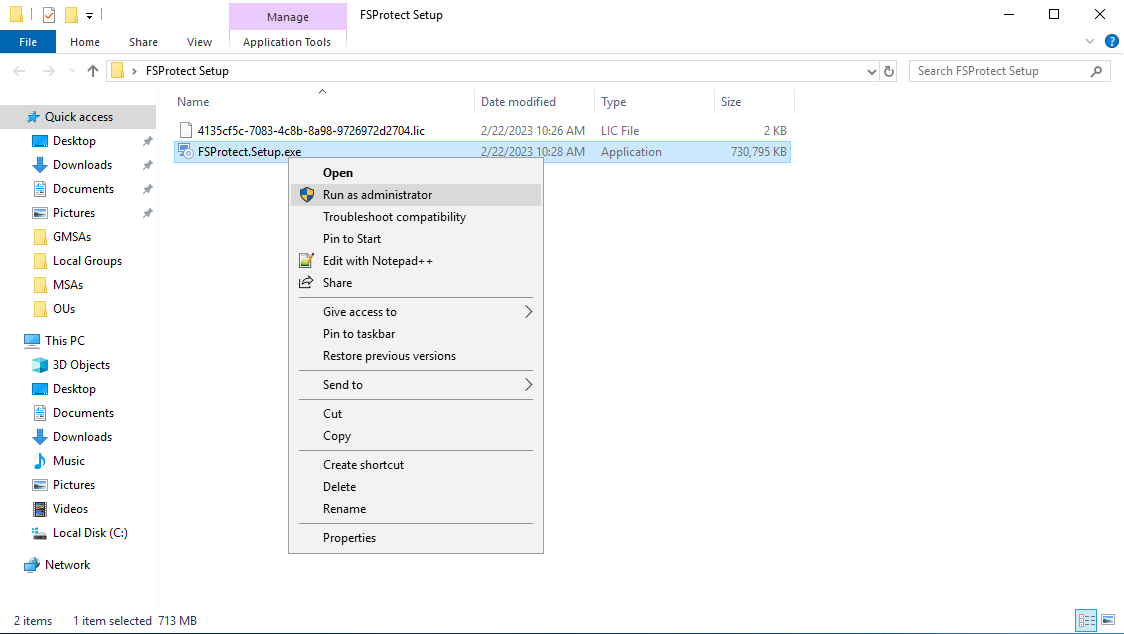
4. Run installation package with **Administrator privileges** in Forestall ISPM deployment server.

<figure><img src="https://3408039743-files.gitbook.io/~/files/v0/b/gitbook-x-prod.appspot.com/o/spaces%2FObpV44hoVkNmo5bFuVVL%2Fuploads%2Fgit-blob-e415b035fa51e2736cfabf42d759cd81139d9990%2Fintroduction-installation-image-3.png?alt=media" alt=""><figcaption><p>Running Installation Package</p></figcaption></figure>

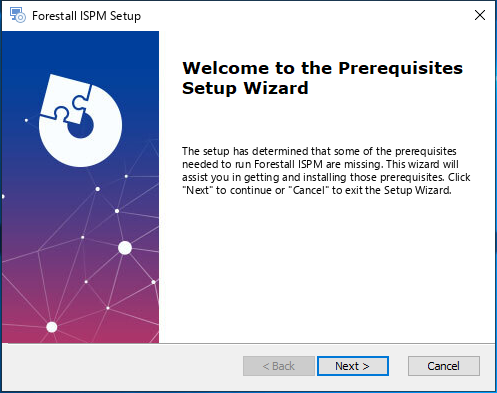
5. Click **Next** button to install requirements first.

<figure><img src="https://3408039743-files.gitbook.io/~/files/v0/b/gitbook-x-prod.appspot.com/o/spaces%2FObpV44hoVkNmo5bFuVVL%2Fuploads%2Fgit-blob-a214120d4aa49d3ff9cbf8015e9b6823ca70976d%2Fintroduction-installation-image-4.png?alt=media" alt=""><figcaption><p>Installing Forestall Requirements</p></figcaption></figure>

6. Package automatically installs the **Python 3.8.3** and **OpenJDK 11.0.10**.

<figure><img src="https://3408039743-files.gitbook.io/~/files/v0/b/gitbook-x-prod.appspot.com/o/spaces%2FObpV44hoVkNmo5bFuVVL%2Fuploads%2Fgit-blob-f1753b98874dea591defd65a842fd0e309b62ccf%2Fintroduction-installation-image-5.png?alt=media" alt=""><figcaption><p>Installing Python and OpenJDK</p></figcaption></figure>

7. Click **Next** to install Forestall services.

<figure><img src="https://3408039743-files.gitbook.io/~/files/v0/b/gitbook-x-prod.appspot.com/o/spaces%2FObpV44hoVkNmo5bFuVVL%2Fuploads%2Fgit-blob-c6fa24f5ac2d05d6c85fa2cd1dce8deb9a1ab9de%2Fintroduction-installation-image-6.png?alt=media" alt=""><figcaption><p>Installing Forestall</p></figcaption></figure>

8. Enter the **Username**, **Domain**, and **Password** of a user that manages Forestall services. This user must be a local admin for non domain-joined machines.

{% hint style="info" %}
You can leave these fields blank for domain-joined machines.
{% endhint %}

<figure><img src="https://3408039743-files.gitbook.io/~/files/v0/b/gitbook-x-prod.appspot.com/o/spaces%2FObpV44hoVkNmo5bFuVVL%2Fuploads%2Fgit-blob-154334306d162e2d72c54815645ee8f9b773587f%2Fintroduction-installation-image-7.png?alt=media" alt=""><figcaption><p>Configuring the Forestall Management User</p></figcaption></figure>

9. Select the **installation folder** and click Next.

<figure><img src="https://3408039743-files.gitbook.io/~/files/v0/b/gitbook-x-prod.appspot.com/o/spaces%2FObpV44hoVkNmo5bFuVVL%2Fuploads%2Fgit-blob-56240f186dc50f549a568b9ebb115feac78455e8%2Fintroduction-installation-image-8.png?alt=media" alt=""><figcaption><p>Forestall Installation Folder</p></figcaption></figure>

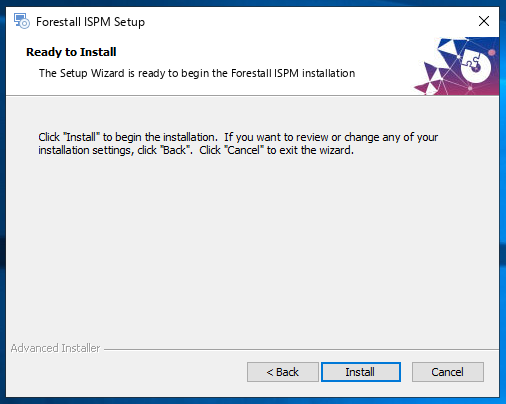
10. Click **Install** button to start Forestall.

<figure><img src="https://3408039743-files.gitbook.io/~/files/v0/b/gitbook-x-prod.appspot.com/o/spaces%2FObpV44hoVkNmo5bFuVVL%2Fuploads%2Fgit-blob-674fa958f1ba48081e2b9427ffdd408160aaab11%2Fintroduction-installation-image-9.png?alt=media" alt=""><figcaption><p>Starting the Installation</p></figcaption></figure>

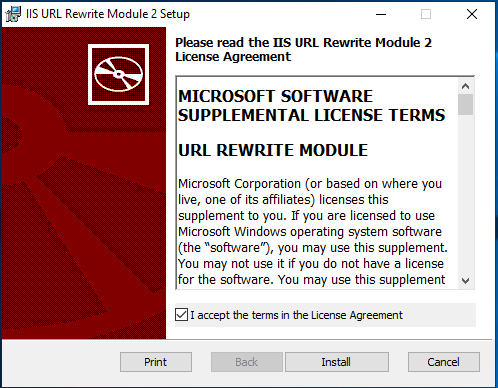
11. After installation is finished, package installs the **IIS URL Rewrite Module**. To install this module **Accept the License Agreement** and click **Install**.

<figure><img src="https://3408039743-files.gitbook.io/~/files/v0/b/gitbook-x-prod.appspot.com/o/spaces%2FObpV44hoVkNmo5bFuVVL%2Fuploads%2Fgit-blob-43b68ab2a520f26d3374be1594ccf6d4b652c04a%2Fintroduction-installation-image-10.png?alt=media" alt=""><figcaption><p>Installing the IIS URL Rewrite Module</p></figcaption></figure>

12. Click the **Finish** button to complete installation.

<figure><img src="https://3408039743-files.gitbook.io/~/files/v0/b/gitbook-x-prod.appspot.com/o/spaces%2FObpV44hoVkNmo5bFuVVL%2Fuploads%2Fgit-blob-c5798da6928f1d0a8b3b1453a7bbde44e61f9452%2Fintroduction-installation-image-11.png?alt=media" alt=""><figcaption><p>Finishing the Installation</p></figcaption></figure>

13. After installation is finished, Forestall starts on **port 80 (HTTP)** of the **local machine**. You can browse the web interface at **<http://127.0.0.1>**

{% hint style="info" %}
Default username and password are **Forestall** for the web interface. But you should change these credentials at first logon.
{% endhint %}

<figure><img src="https://3408039743-files.gitbook.io/~/files/v0/b/gitbook-x-prod.appspot.com/o/spaces%2FObpV44hoVkNmo5bFuVVL%2Fuploads%2Fgit-blob-8d7231f1cc596042c6bdd6fdda2119901c047d6c%2Fintroduction-installation-image-12.png?alt=media" alt=""><figcaption><p>Logging In the Forestall Web Interface</p></figcaption></figure>

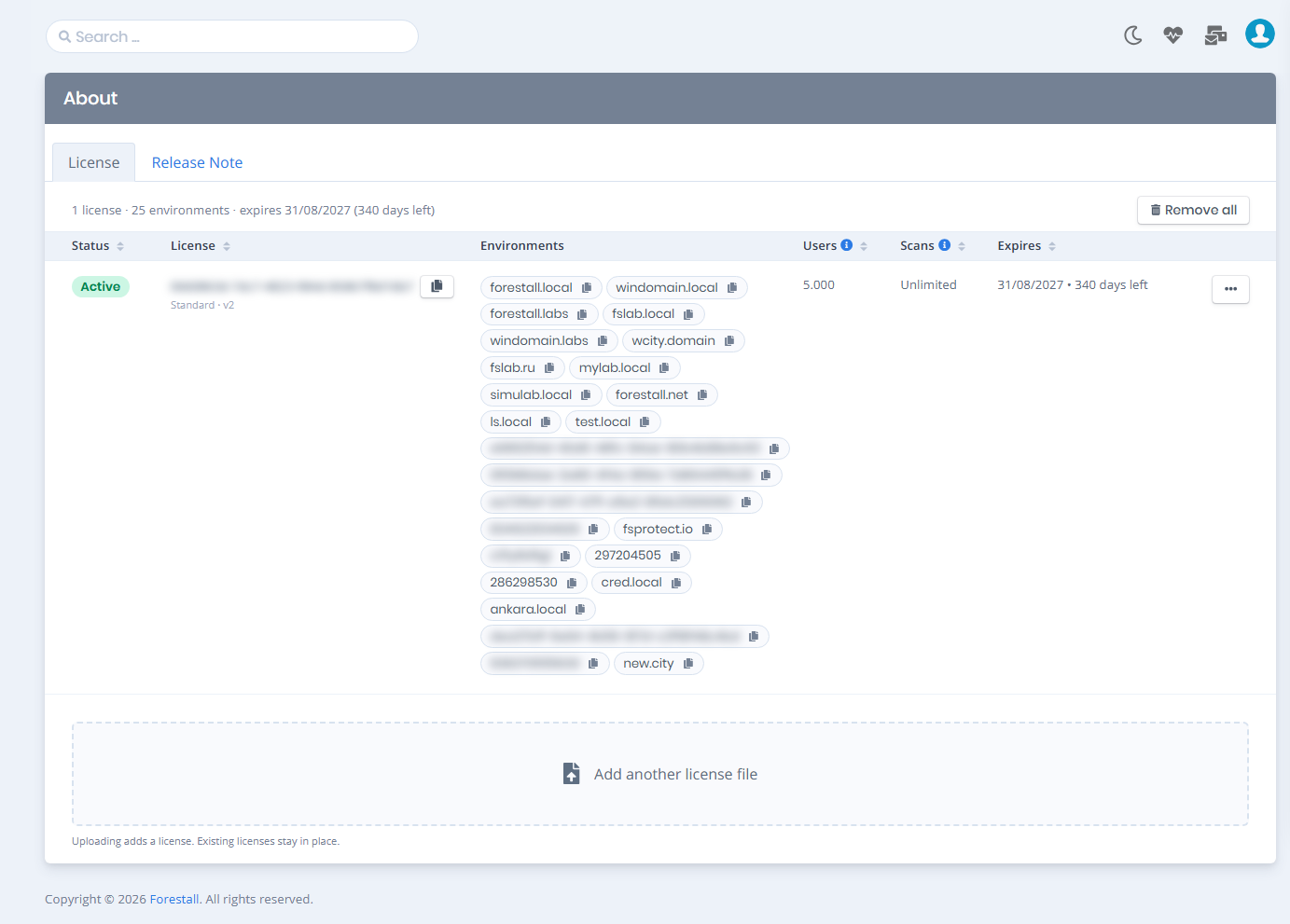
14. After the logging in web interface automatically redirects to the **About > License** page. You need to import License file to start a scan.

<figure><img src="https://3408039743-files.gitbook.io/~/files/v0/b/gitbook-x-prod.appspot.com/o/spaces%2FObpV44hoVkNmo5bFuVVL%2Fuploads%2Fgit-blob-652aa56bd6a4f6684c79ccb5aa616fd8b35b3ae7%2Fintroduction-installation-image-13.png?alt=media" alt=""><figcaption><p>Uploading the License</p></figcaption></figure>

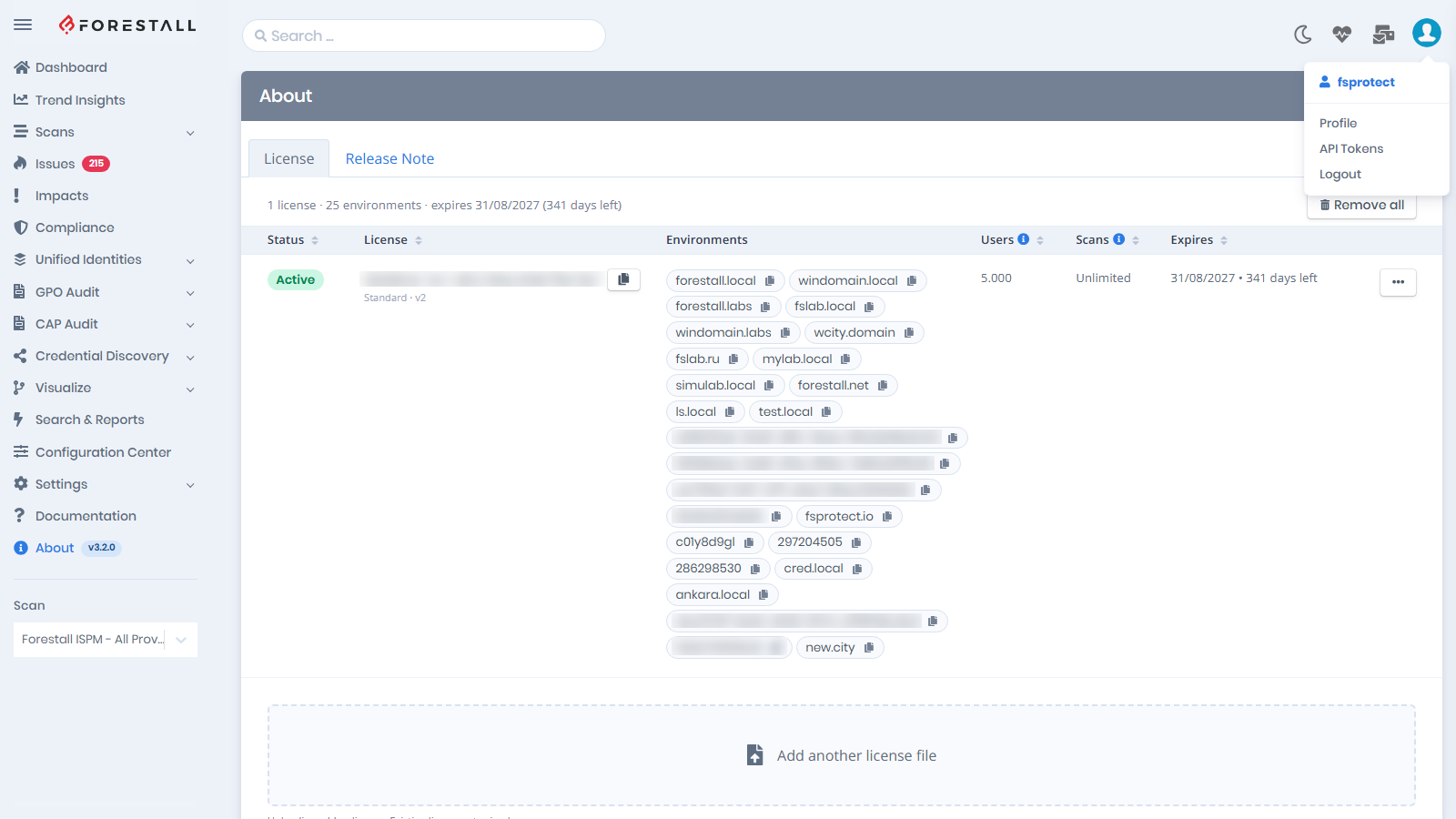
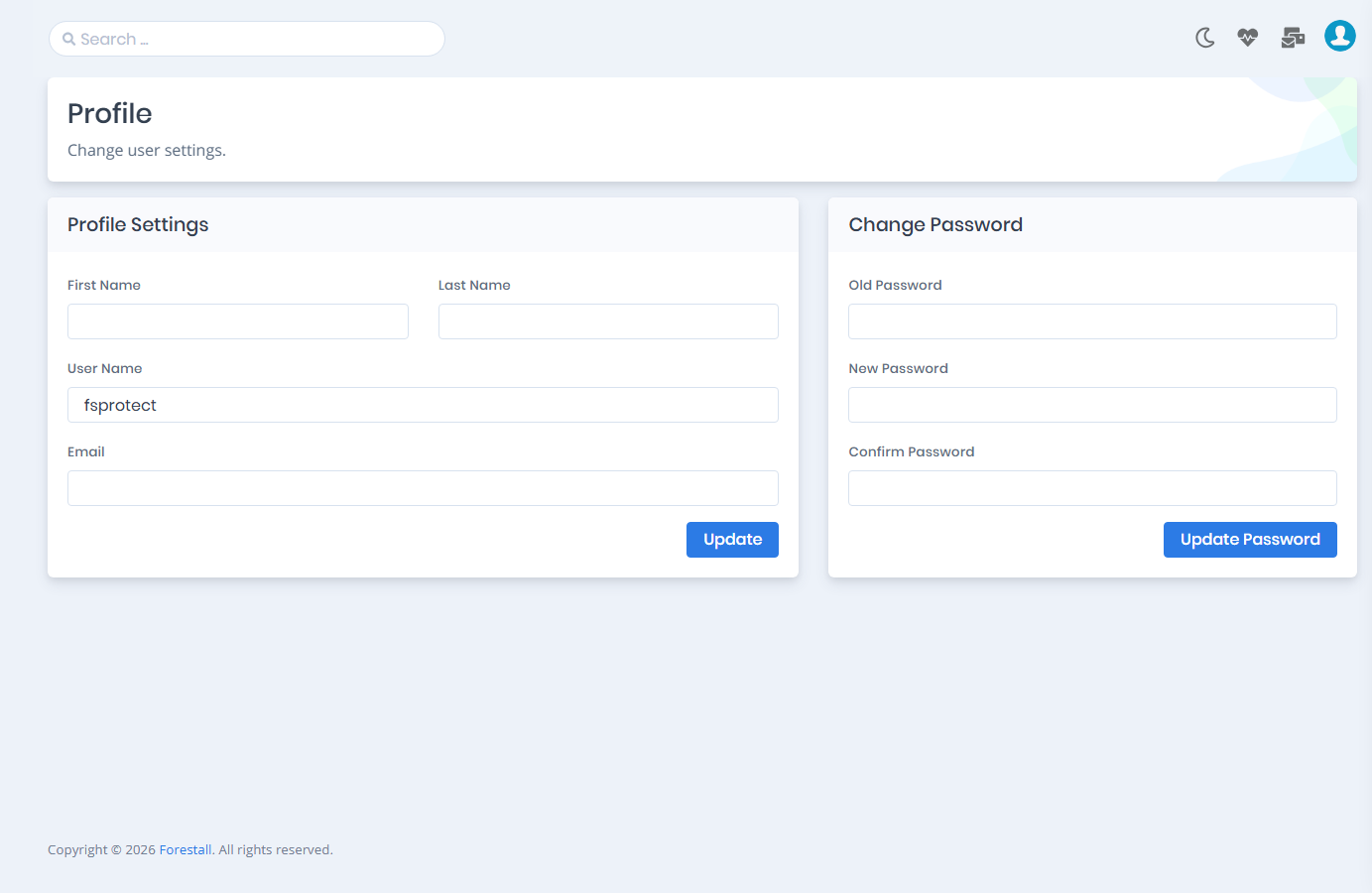
15. You should change password with the **Profile** button under the **Account** in upper-right side.

<figure><img src="https://3408039743-files.gitbook.io/~/files/v0/b/gitbook-x-prod.appspot.com/o/spaces%2FObpV44hoVkNmo5bFuVVL%2Fuploads%2Fgit-blob-1c4554aa0d6f6bcf155fc919ce37fd74e007da6d%2Fintroduction-installation-image-14.png?alt=media" alt=""><figcaption><p>Changing the Password</p></figcaption></figure>

<figure><img src="https://3408039743-files.gitbook.io/~/files/v0/b/gitbook-x-prod.appspot.com/o/spaces%2FObpV44hoVkNmo5bFuVVL%2Fuploads%2Fgit-blob-f8b1a8751c1a2372157a97589f59e2481274a294%2Fintroduction-installation-image-15.png?alt=media" alt=""><figcaption><p>Changing the Password</p></figcaption></figure>

16. After these steps you can start a scan to analyze Active Directory environment.