> For the complete documentation index, see [llms.txt](https://docs.forestall.io/forestall/llms.txt). Markdown versions of documentation pages are available by appending `.md` to page URLs; this page is available as [Markdown](https://docs.forestall.io/forestall/scans/policies/github-policies.md).
# GitHub Policies
GitHub policies set what a scan collects and checks in GitHub organizations.
***
### Edit Scan Policy (GitHub)
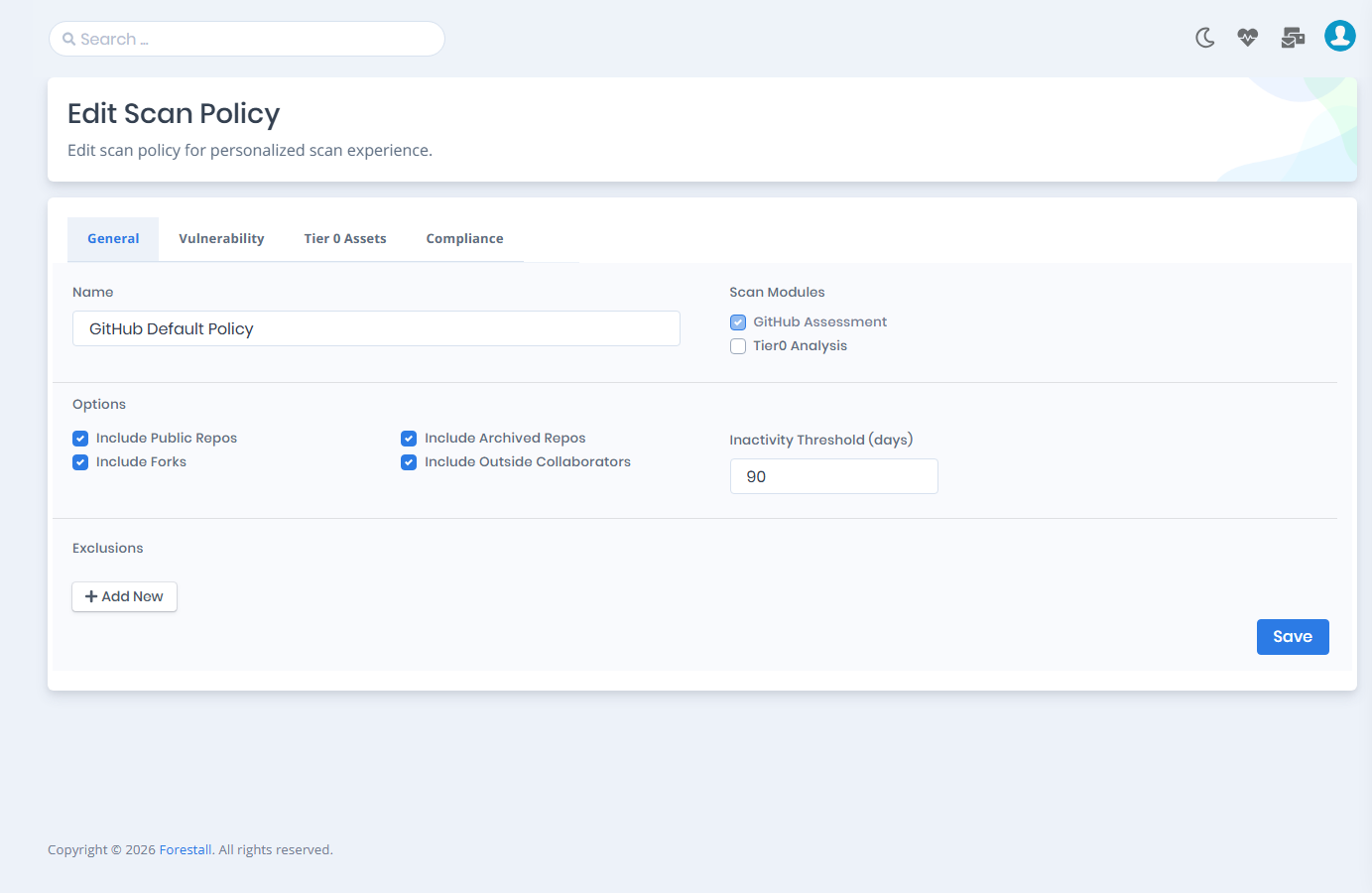
On the **General** tab you enable or disable the scan modules, set the options and define exclusions. The **Edit Scan Policy** page has four tabs: **General**, **Vulnerability**, **Tier 0 Assets** and **Compliance** (see [Compliance Frameworks](/forestall/scans/policies.md#compliance-frameworks)).
GitHub Scan Policy Settings
***
### Vulnerability Policies and Tiering (GitHub)
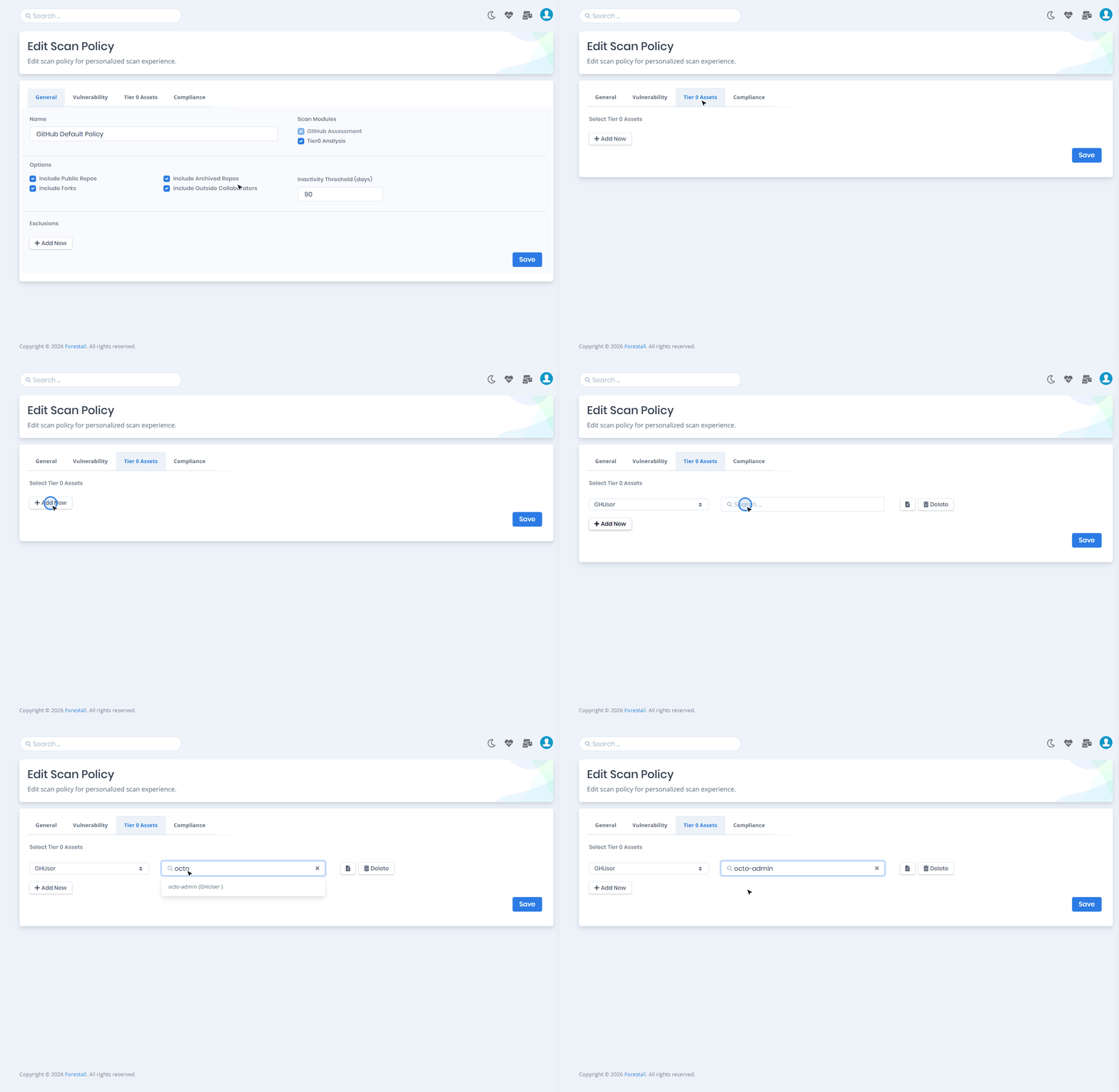
The **Vulnerability** tab sets which GitHub checks run during the scan (see [Vulnerability Policies](/forestall/scans/policies.md#vulnerability-policies)). The **Tier 0 Assets** tab marks your most critical users and teams.
***
### GitHub Scan Modules
**GitHub Assessment:** Checks vulnerabilities, misconfigurations and access relationships in GitHub, including organizations, users, teams, repositories, organization roles and app installations. It is the core module and cannot be disabled.
**Tier0 Analysis:** Optional. Calculates the attack paths through which identities can reach Tier 0 assets, for example through permissions, team memberships or roles.
***
**Options**
| Setting | Description |
| --------------------------------- | ------------------------------------------------------------------------------------------- |
| **Include Public Repos** | Includes public repositories in the scan. Enabled by default. |
| **Include Archived Repos** | Includes archived (read-only) repositories in the scan. Enabled by default. |
| **Include Forks** | Includes forked repositories in the scan. Enabled by default. |
| **Include Outside Collaborators** | Includes outside collaborators (non-members) as identities in the scan. Enabled by default. |
| **Inactivity Threshold (days)** | The number of days after which a user counts as inactive. The default value is `90`. |
**Exclusions**
Click **Add New** to add an exclusion row, then select the entity type (Organization, User, Team or Repository) and enter the entity. See [General Exclusions](/forestall/scans/policies.md#general-exclusions).
***
### Tier 0 Assets (GitHub)
On the **Tier 0 Assets** tab you mark critical GitHub identities as privileged. The types are GHUser and GHTeam. Tier 0 assets are treated as high-impact identities in the attack path analysis.