> For the complete documentation index, see [llms.txt](https://docs.forestall.io/forestall/llms.txt). Markdown versions of documentation pages are available by appending `.md` to page URLs; this page is available as [Markdown](https://docs.forestall.io/forestall/unified-identities/github-identities/repositories.md).
# Repositories
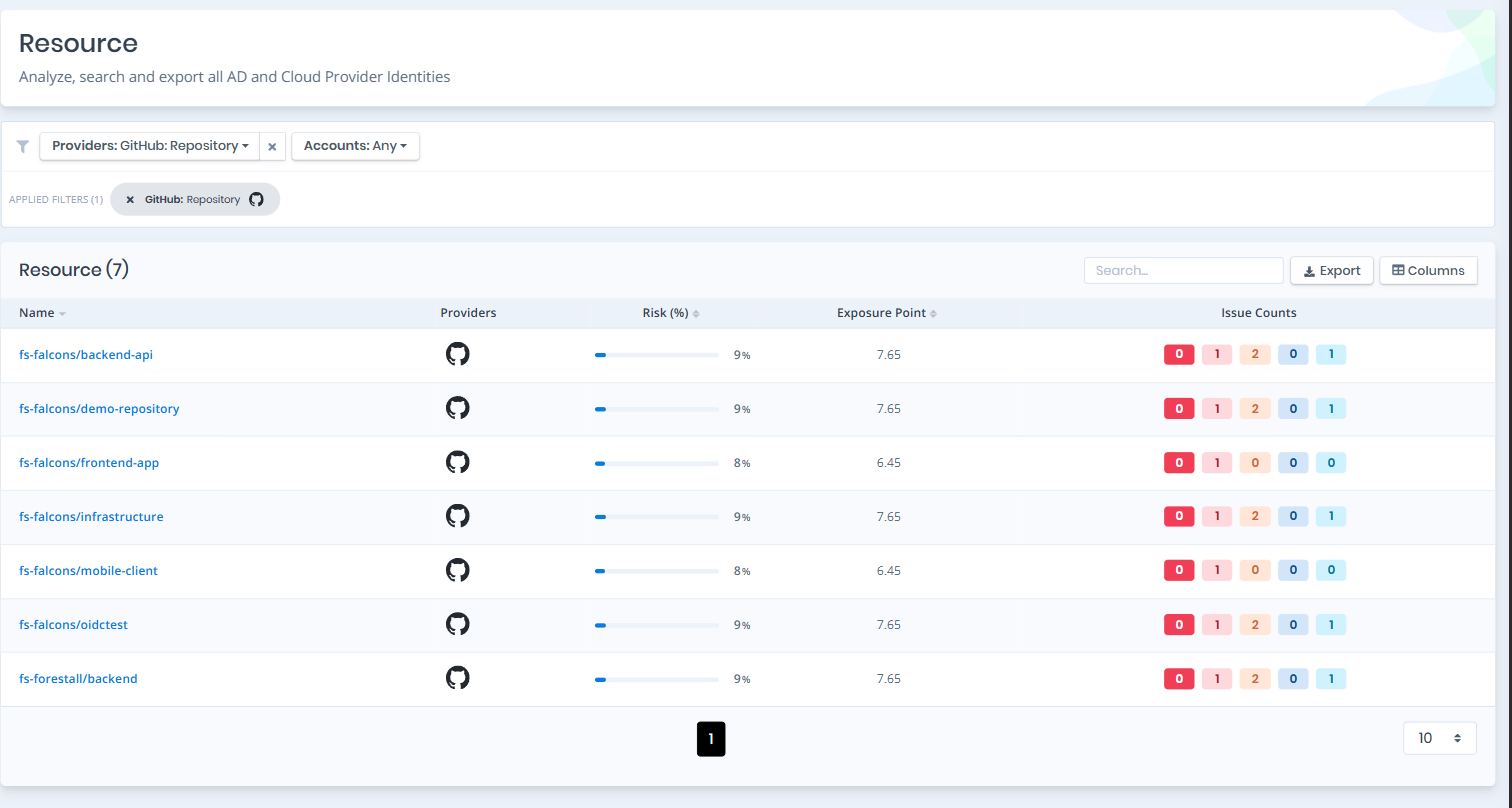
Open **Unified Identities › Resources**, filter **Providers** to **GitHub › Repository**, then select a row to open its details.
Resources filtered to GitHub › Repository
### Repository Details
Opening a repository shows the `Risk` and `Exposure Point` in the header, and the page contains the `Information` pane and, when the repository has issues, the `Issues` pane.
{% hint style="info" %}
You can analyze the object in the [Graph](/forestall/visualize/visualize.md) by clicking the **Graph »** button next to the `Information` title. For a shadow admin the button reads **Admin Path »** and opens the shortest path to admin objects (see [Object Detail Pages](/forestall/unified-identities.md#object-detail-pages)).
{% endhint %}
Repository Details
#### Information
Information Pane can contain different badges to highlight important attributes.
| Badge | Description |
| ------------------------ | ---------------------------------------------------------------------------------------------------------------------------- |
| **Tier 0** | Indicates that the object is a Tier 0 asset. |
| **Privileged** | Indicates that the object is privileged. |
| **Shadow** | Indicates that the object can compromise admin objects with at least one attack path. |
| **Private** / **Public** | Indicates the visibility of the repository. |
| **Fork** | Indicates that the repository is a fork of another repository. |
| **Archived** | Indicates that the repository is archived (read-only). Archived repositories are excluded from repository security findings. |
Information Pane contains Details, Collaborators and Teams tabs respectively. Each tab label except Details shows its row count.
**Details**
Details tab contains attributes below about the repository object.
| Attribute | Description |
| ----------------- | -------------------------------------------------------------------------------------------------------------------------------------------------------------------------------------------------- |
| Visibility | The visibility level of the repository (private, internal, public). |
| Default Branch | The default branch of the repository (e.g., `main`). |
| Private | Whether the repository is private. |
| Fork | Whether the repository is a fork of another repository. |
| Archived | Whether the repository is archived (read-only). |
| Has Issues | Whether the issue tracker is enabled for the repository. |
| Has Wiki | Whether the wiki is enabled for the repository. |
| Object ID | The GitHub node identifier of the repository. |
| Branch Protection | Whether the default branch is covered by a branch protection rule. Displayed as **Protected**, **Not protected**, or **Unknown**. |
| Secret Scanning | Whether secret scanning is enabled. Displayed as **Enabled**, **Disabled**, or **Unknown**. |
| Push Protection | Whether push protection for secret scanning is enabled, which blocks commits containing detected secrets instead of only alerting on them. Displayed as **Enabled**, **Disabled**, or **Unknown**. |
| Dependabot Alerts | Whether Dependabot vulnerability alerts are enabled. Displayed as **Enabled**, **Disabled**, or **Unknown**. |
> **Unknown** means the scanning credential could not read the setting: GitHub returns branch protection and the security settings block only to repository administrators. It does not mean the feature is disabled, and the corresponding finding is suppressed rather than raised. To resolve Unknown values, re-scan with a credential that has administrative access to the repositories in scope.
**Collaborators**
Collaborators tab contains a list of users granted access directly on the repository rather than through a team.
Collaborators
**User:** The name of the user object. **Login:** The unique account name (handle) of the user.
**Teams**
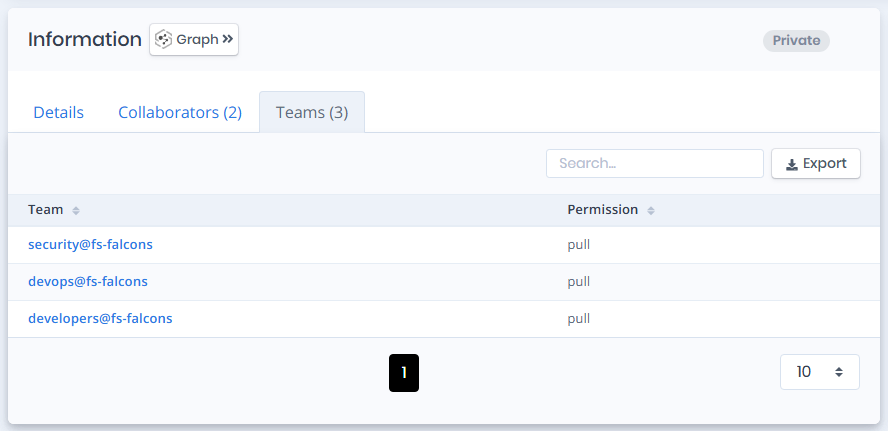
Teams tab contains a list of teams that have access to this repository.
Teams
**Team:** The name of the team object. **Permission:** The permission the team holds on this repository (pull, triage, push, maintain, admin).
#### Issues
Issues pane contains identified issues on the repository object.