> For the complete documentation index, see [llms.txt](https://docs.forestall.io/forestall/llms.txt). Markdown versions of documentation pages are available by appending `.md` to page URLs; this page is available as [Markdown](https://docs.forestall.io/forestall/configuration-center/mail.md).
# Mail
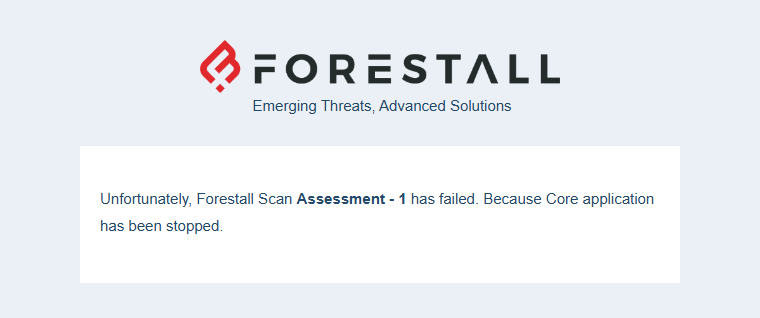
Mail integration sends an email notification when a scan is completed. The email can include access links to the summary report, the full report and the results of custom queries. If a scan fails, the email gives the reason.
Open **Configuration Center > Mail > Manage** to see the mail configurations.
## **Creating New Configuration**
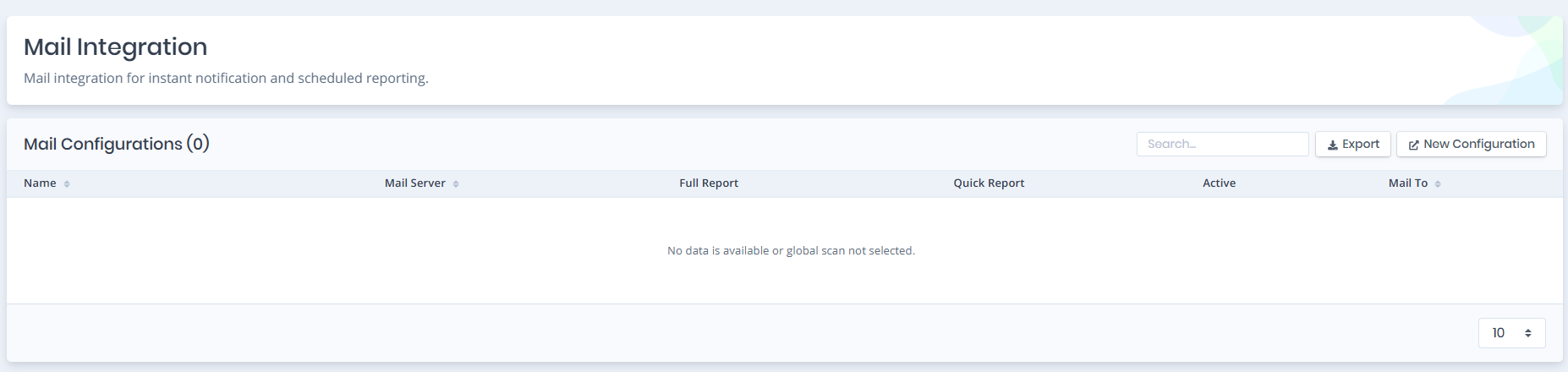
Mail Integration
The buttons at the top right of the table allow you to:
* **Export**: Exports all mail configurations and respective information that is listed in this table as a CSV file.
* **New Configuration**: Create a new mail configuration from scratch.
Click **New Configuration** to open the **Create Mail Configuration** page.
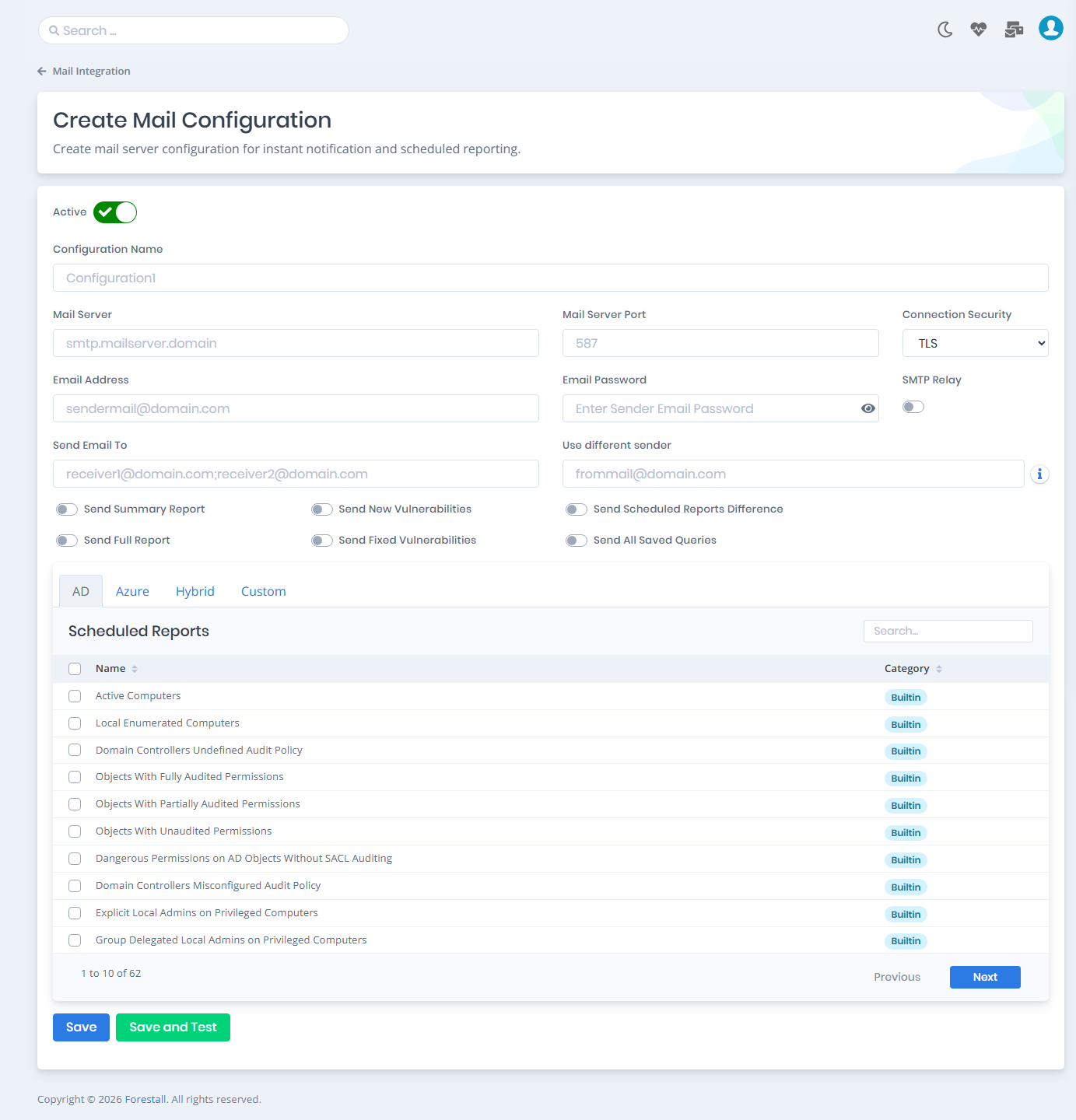
### Mandatory Fields
Mandatory Values of Mail Configuration
**Configuration Name**: Name of the mail configuration.
**Mail Server**: Fully Qualified Domain Name (FQDN) or IP address of the mail server.
**Mail Server Port**: Port number of the mail server.
**Send Email To**: Receiver list of the notification email. Separate multiple addresses with `;` (for example `receiver1@domain.com;receiver2@domain.com`).
### Connection Settings
**Active**: Switch that indicates whether the mail configuration is active.
**Connection Security**: Connection type used to connect to the mail server: `TLS`, `SSL` or `None`.
**Email Address**: The sender mail address used to authenticate to the mail server.
**Email Password**: The password of the sender mail address.
**SMTP Relay**: Switch for mail servers that accept mail without SMTP authentication (for example internal or IP-trusted relay servers). When it is turned on, **Email Address** and **Email Password** are cleared and disabled, and Forestall sends emails anonymously.
{% hint style="info" %}
When Email Address and Email Password are empty, the client tries to log in anonymously to the mail server. This is typically used with SMTP relay servers.
{% endhint %}
**Use different sender**: Sets a custom sender ("From") email address. If it is empty, the authenticated email address is used. Useful when **SMTP Relay** is turned on.
### Notification Options
Optional Parameters of Mail Configuration
The following switches are optional:
**Send Summary Report**: Includes the summary report access link in the notification email.
**Send Full Report**: Includes the full report access link in the notification email.
**Send New Vulnerabilities**: Sends notification when new vulnerabilities are detected compared to the previous scheduled scan.
**Send Fixed Vulnerabilities**: Sends notification when vulnerabilities are fixed compared to the previous scheduled scan.
**Send Scheduled Reports Difference**: Sends notification when scheduled scan results differ from the previous execution.
**Send All Saved Queries**: Includes the results of all saved queries in the notification email. When it is turned on, the selection in the **Scheduled Reports** table is disabled.
**Scheduled Reports**: Scheduled reports are the built-in or custom-created `Search & Reports` queries. The table is split into **AD**, **Azure**, **Hybrid** and **Custom** tabs. Select the queries to include with the checkboxes. Their results are added to the notification email.
**Save**: Saves the new configuration to the database.
**Save and Test** (Recommended): Saves the new configuration to the database and sends a confirmation e-mail to validate/verify the configuration.
After `Save` or `Save and Test`, the configuration appears in the mail configurations table.
## Mail Configurations
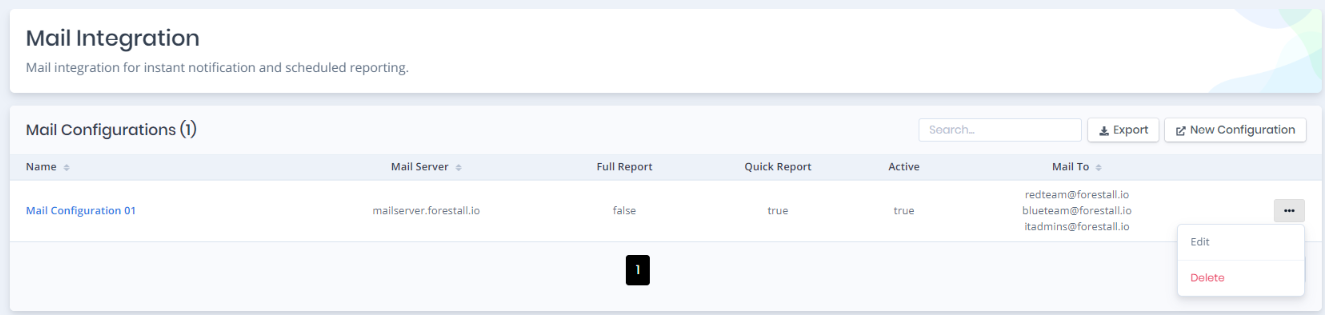
The table lists the configured mail servers.
List of Mail Integrations
### Column Info
**Name**: Name of the configuration.
**Mail Server**: Fully Qualified Domain Name (FQDN) or IP address of the mail server.
**Full Report**: Whether the full report access link is attached to the notification mail.
**Quick Report**: Whether the summary report access link is attached to the notification mail (**Send Summary Report**).
**Active**: Whether the mail configuration is active.
**Mail To**: The receiver list of the notification mail.
### Operations
The three-dot button on each row offers these operations:
**Edit**: Edit the selected mail configuration.
**Delete**: Delete the selected mail configuration.
Example notification e-mail sent after the completion of the scan: