> For the complete documentation index, see [llms.txt](https://docs.forestall.io/forestall/llms.txt). Markdown versions of documentation pages are available by appending `.md` to page URLs; this page is available as [Markdown](https://docs.forestall.io/forestall/introduction/update.md).
# Update
## Before you update
* Wait until running scans have finished, and make sure no scheduled scan starts during the update. The update stops the Forestall services, including the Neo4j database.
* Take a backup. `Backup-All.ps1` in `C:\Forestall\FSProtect\setup-files\scripts\utils\` stops PostgreSQL and Neo4j, archives the databases, the reports and the configuration files to `C:\backups`, and starts the services again. Run it in an elevated PowerShell session.
* After the new files are installed, database migrations run as part of the setup. On large databases this step can take several minutes. Do not cancel the setup.
## Online Update
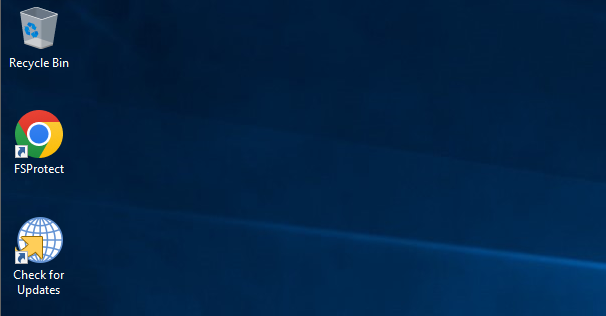
1. Click the **Check for Updates** icon on the **Desktop**.
Check for Updates
2. If a new update has been released, you can see the relevant release notes on the interface and continue the update. Click the **Next** button to continue the update.
3. Wait for the update package to be downloaded.
4. After the package is downloaded, click the **Next** button to start the update.
Starting the Update
5. Select the **installation folder** and click **Next**.
Configuring the Installation Folder
6. Click the **Install** button to start the update.
Starting the Update
7. The **Neo4j** database must be stopped in order to continue the update. Therefore, select **Automatically close applications and attempt to restart them after setup is complete** and click the **OK** button.
Stopping the Neo4j Database
8. Click the **Finish** button to complete the update.
Finishing the Installation
9. You can check the details of the new release on the **About > Release Note** tab (see [About](/forestall/about.md)).
Details and Release Notes of the New Version
## Offline Update
1. If the server does not have direct access to the **Internet**, you can perform the update manually. For this log in the [**license.forestall.io**](https://license.forestall.io/) with given credentials.
Forestall License Portal
2. Download the **Update** package from [**Releases**](https://license.forestall.io/releases/) page.
3. Run the update package and follow same steps in [**Online Update**](#online-update).