> For the complete documentation index, see [llms.txt](https://docs.forestall.io/forestall/llms.txt). Markdown versions of documentation pages are available by appending `.md` to page URLs; this page is available as [Markdown](https://docs.forestall.io/forestall/unified-identities/azure-identities/azure-resource-management/automation-accounts.md).
# Automation Accounts
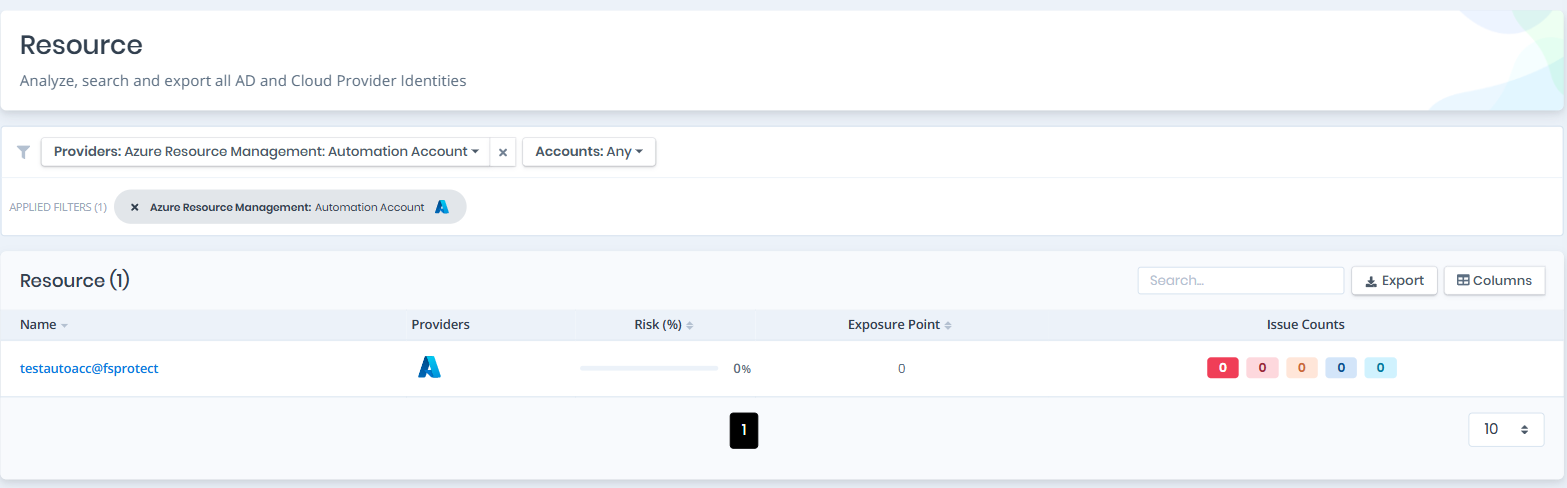
Open **Unified Identities › Resources**, filter **Providers** to **Azure Resource Management › Automation Account**, then select a row to open its details.
Automation Accounts
#### Automation Accounts Details
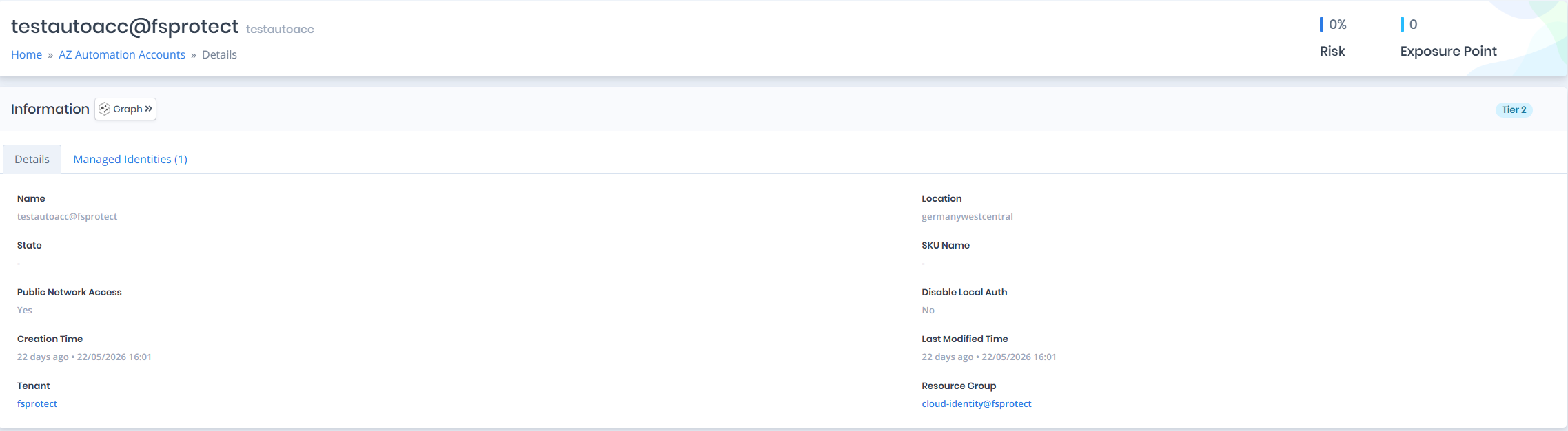
Details page contains the `Risk` and `Exposure Point` of the automation account and the `Information` pane.
{% hint style="info" %}
You can analyze the object in the [Graph](/forestall/visualize/visualize.md) by clicking the **Graph »** button next to the `Information` title.
{% endhint %}
Automation Accounts Details
#### Information
`Information Pane` contains `Details` and `Managed Identities` tabs.
A `Tier 0` or `Tier 2` badge on the right of the `Information` title shows the tier of the automation account.
#### Details
Details tab contains attributes below about the automation account.
| Attribute | Description |
| --------------------- | ----------------------------------------------------------------------------- |
| Name | The display name of the automation account with tenant suffix |
| Location | The Azure region where the automation account is deployed |
| State | The current state of the automation account (e.g., Ok) |
| SKU Name | The SKU name of the automation account (e.g., Basic, Free) |
| Public Network Access | Indicates whether public network access is enabled for the automation account |
| Disable Local Auth | Indicates whether local authentication (shared keys) is disabled |
| Creation Time | The date and time when the automation account was created |
| Last Modified Time | The date and time when the automation account was last modified |
| Tenant | The tenant the automation account belongs to |
| Resource Group | The resource group the automation account is associated with |
**Runtime**
When runtime configuration is available, the following attributes are shown in a separate **Runtime** section.
| Attribute | Description |
| ------------------------- | ------------------------------------------------------------------------------------------------- |
| Default Runtime Version | The default PowerShell runtime version used by runbooks in the automation account |
| Hybrid Worker Service URL | The hybrid worker service URL used by hybrid runbook workers connected to this automation account |
#### Managed Identities
The `Managed Identities` tab lists Azure Active Directory service principals (managed identities) assigned to the automation account. A managed identity lets the automation account (and the runbooks executing in it) authenticate to other Azure resources (e.g. Key Vault, Storage, SQL) without storing credentials in code or configuration. Any role granted to an identity listed here is effectively granted to this automation account, so these identities are part of its attack surface.
| Attribute | Description |
| ------------ | ----------------------------------------------------------- |
| Name | The display name of the managed identity with tenant suffix |
| Display Name | The display name of the service principal |
| Type | The service principal type (e.g., ManagedIdentity) |