> For the complete documentation index, see [llms.txt](https://docs.forestall.io/forestall/llms.txt). Markdown versions of documentation pages are available by appending `.md` to page URLs; this page is available as [Markdown](https://docs.forestall.io/forestall/unified-identities/azure-identities/azure-resource-management/key-vaults.md).
# Key Vaults
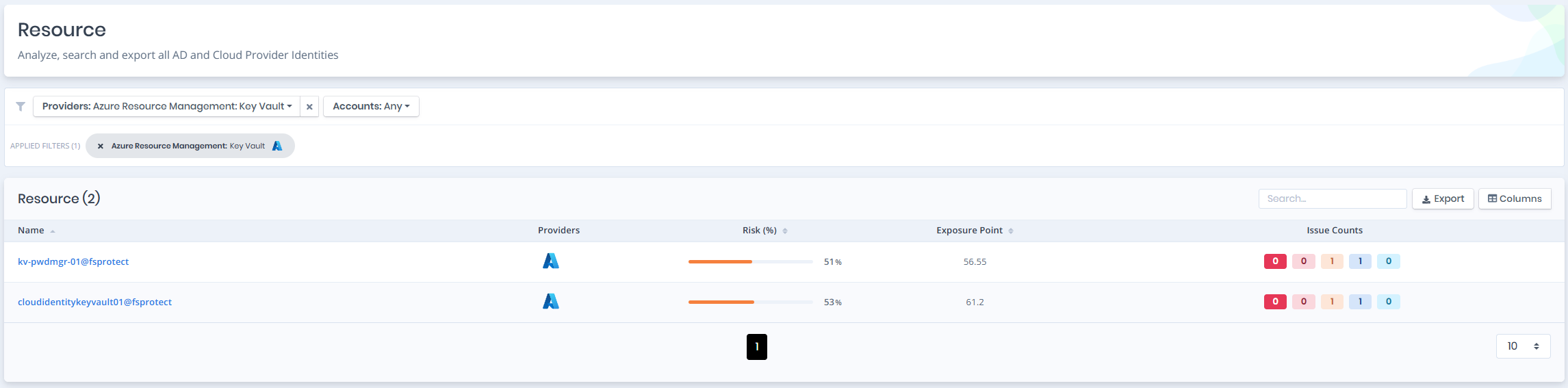
Open **Unified Identities › Resources**, filter **Providers** to **Azure Resource Management › Key Vault**, then select a row to open its details.
Key Vaults
### Key Vaults Details
Details page contains the `Risk` and `Exposure Point` of the key vault and the `Information` pane.
{% hint style="info" %}
You can analyze the object in the [Graph](/forestall/visualize/visualize.md) by clicking the **Graph »** button next to the `Information` title.
{% endhint %}
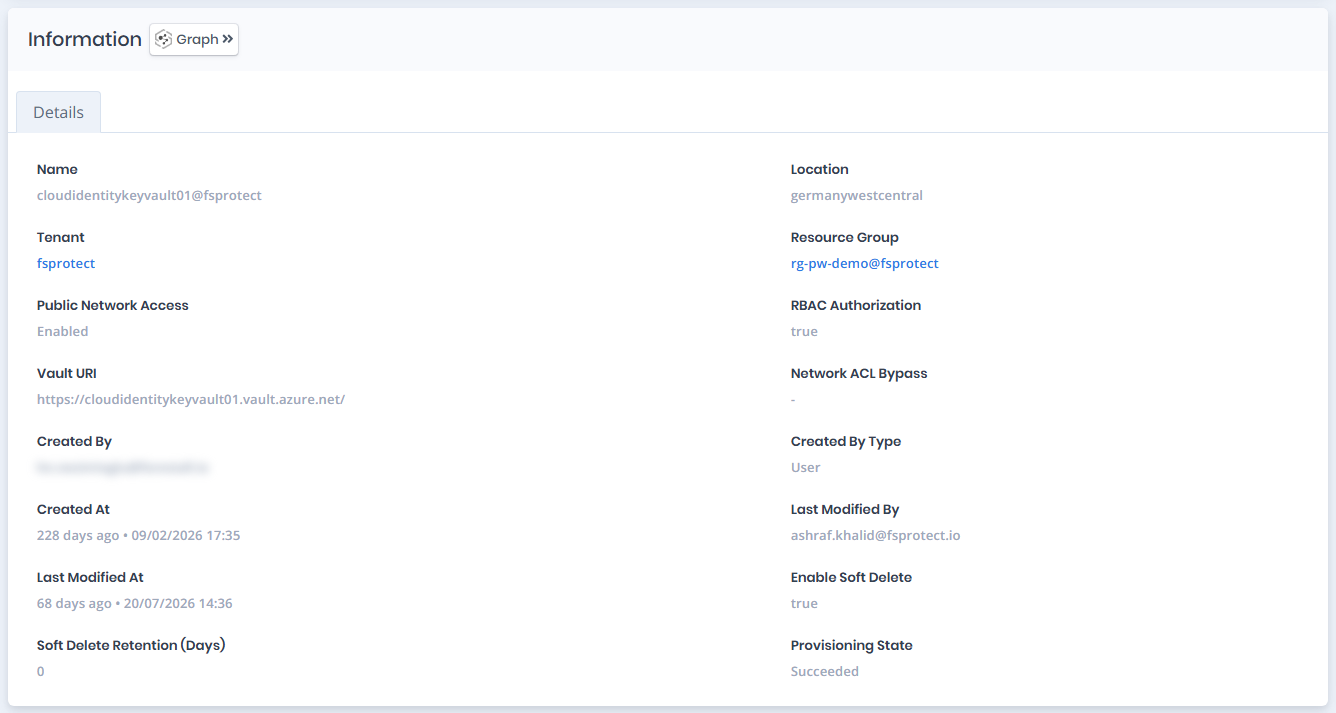
Key Vaults Details
### Information
`Information Pane` contains `Details`.
### Details
Details tab contains attributes below about the AZ key vault.
| Attribute | Description |
| ---------------------------- | -------------------------------------------------------------------------------------------------------- |
| Name | The display name of the key vault with tenant suffix |
| Location | The Azure region where the key vault is deployed |
| Tenant | The tenant the key vault belongs to |
| Resource Group | The resource group the key vault is associated with |
| Public Network Access | Indicates whether public network access is enabled or disabled |
| RBAC Authorization | Indicates whether RBAC authorization is enabled for the key vault |
| Vault URI | The URI of the key vault |
| Network ACL Bypass | The network ACL bypass configuration for the key vault |
| Created By | The identity that created the key vault |
| Created By Type | The type of identity that created the key vault (e.g., User) |
| Created At | When the key vault was created, shown as elapsed time and date (e.g., `226 days ago • 09/02/2026 17:35`) |
| Last Modified By | The identity that last modified the key vault |
| Last Modified At | When the key vault was last modified, shown as elapsed time and date |
| Enable Soft Delete | Indicates whether soft delete is enabled for the key vault |
| Soft Delete Retention (Days) | The number of days deleted items are retained before permanent deletion |
| Provisioning State | The provisioning state of the key vault (e.g., Succeeded) |