> For the complete documentation index, see [llms.txt](https://docs.forestall.io/forestall/llms.txt). Markdown versions of documentation pages are available by appending `.md` to page URLs; this page is available as [Markdown](https://docs.forestall.io/forestall/unified-identities/azure-identities/azure-resource-management/vm-scale-sets.md).
# VM Scale Sets
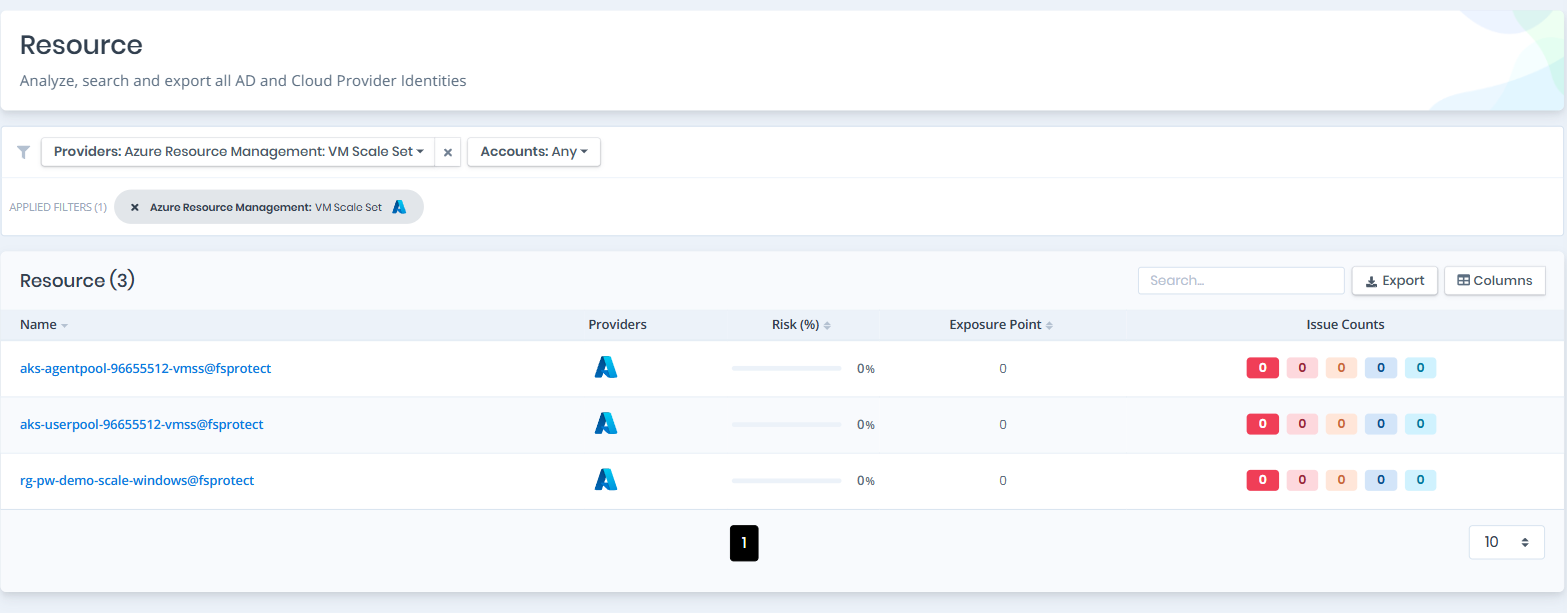
Open **Unified Identities › Resources**, filter **Providers** to **Azure Resource Management › VM Scale Set**, then select a row to open its details.
VM Scale Sets
#### VM Scale Sets Details
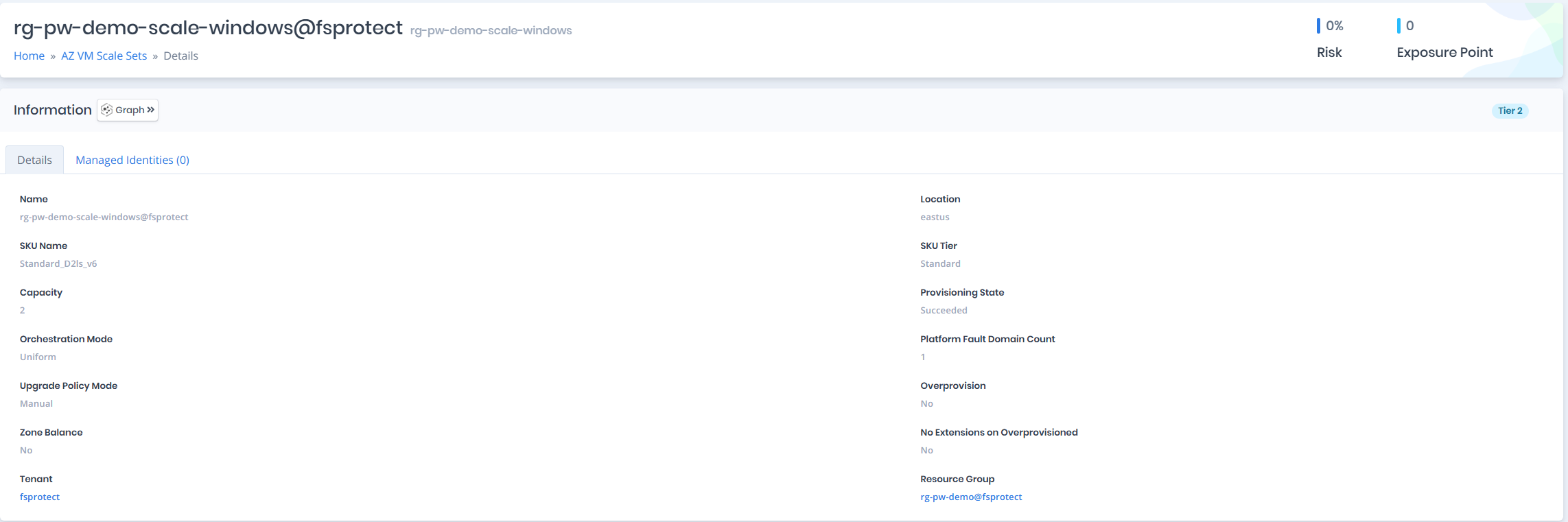
Details page contains the `Risk` and `Exposure Point` of the VM scale set and the `Information` pane.
{% hint style="info" %}
You can analyze the object in the [Graph](/forestall/visualize/visualize.md) by clicking the **Graph »** button next to the `Information` title.
{% endhint %}
VM Scale Sets Details
#### Information
`Information Pane` contains `Details` and `Managed Identities` tabs.
A `Tier 0` or `Tier 2` badge on the right of the `Information` title shows the tier of the VM scale set.
#### Details
Details tab contains attributes below about the VM scale set.
| Attribute | Description |
| -------------------------------- | ----------------------------------------------------------------------- |
| Name | The display name of the VM scale set with tenant suffix |
| Location | The Azure region where the VM scale set is deployed |
| SKU Name | The SKU name of the scale set (e.g., Standard\_D2s\_v3) |
| SKU Tier | The SKU tier of the scale set (e.g., Standard) |
| Capacity | The number of virtual machine instances in the scale set |
| Provisioning State | The provisioning state of the VM scale set (e.g., Succeeded) |
| Orchestration Mode | The orchestration mode of the scale set (e.g., Uniform, Flexible) |
| Platform Fault Domain Count | The number of platform fault domains used by the scale set |
| Upgrade Policy Mode | The upgrade policy mode (e.g., Manual, Automatic) |
| Overprovision | Indicates whether extra VMs are provisioned during scale-out operations |
| Zone Balance | Indicates whether VMs are spread evenly across availability zones |
| No Extensions on Overprovisioned | Indicates whether extensions are skipped on overprovisioned VMs |
| Tenant | The tenant the VM scale set belongs to |
| Resource Group | The resource group the VM scale set is associated with |
**Operating System**
When image configuration is available, the following attributes are shown in a separate **Operating System** section.
| Attribute | Description |
| --------------- | --------------------------------------------------------------------- |
| OS Type | The operating system type of the scale set VMs (e.g., Linux, Windows) |
| Image Publisher | The publisher of the VM image (e.g., Canonical) |
| Image Offer | The offer of the VM image (e.g., 0001-com-ubuntu-server-jammy) |
| Image SKU | The SKU of the VM image (e.g., 22\_04-lts) |
| Image Version | The version of the VM image (e.g., latest) |
#### Managed Identities
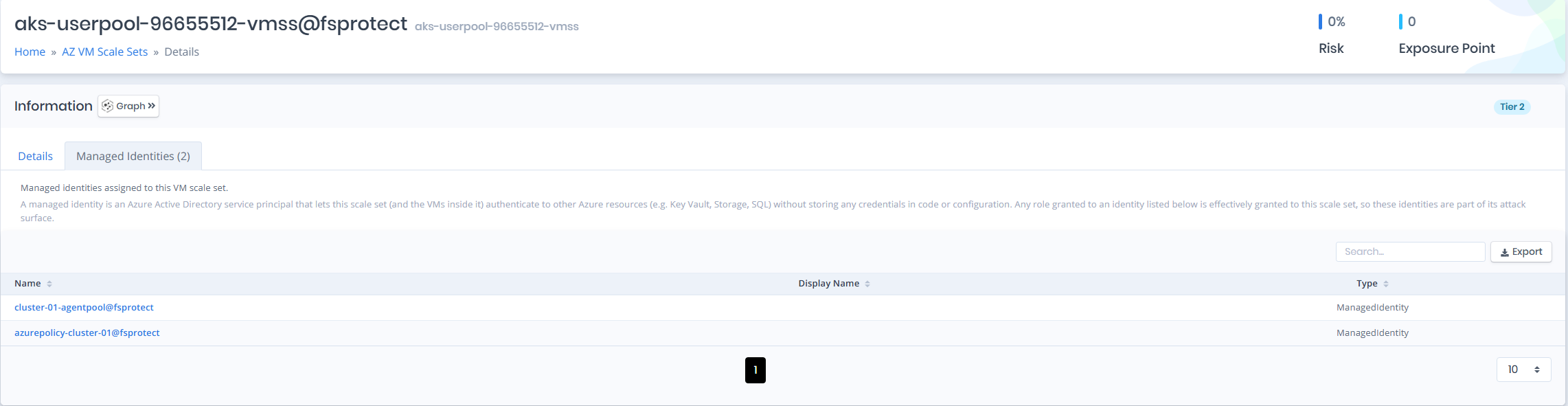
The `Managed Identities` tab lists Azure Active Directory service principals (managed identities) assigned to the VM scale set. A managed identity lets the scale set (and the VMs inside it) authenticate to other Azure resources (e.g. Key Vault, Storage, SQL) without storing credentials in code or configuration. Any role granted to an identity listed here is effectively granted to this scale set, so these identities are part of its attack surface.
| Attribute | Description |
| ------------ | ----------------------------------------------------------- |
| Name | The display name of the managed identity with tenant suffix |
| Display Name | The display name of the service principal |
| Type | The service principal type (e.g., ManagedIdentity) |