> For the complete documentation index, see [llms.txt](https://docs.forestall.io/forestall/llms.txt). Markdown versions of documentation pages are available by appending `.md` to page URLs; this page is available as [Markdown](https://docs.forestall.io/forestall/unified-identities/ad-identities/ca-certificates.md).
# CA Certificates
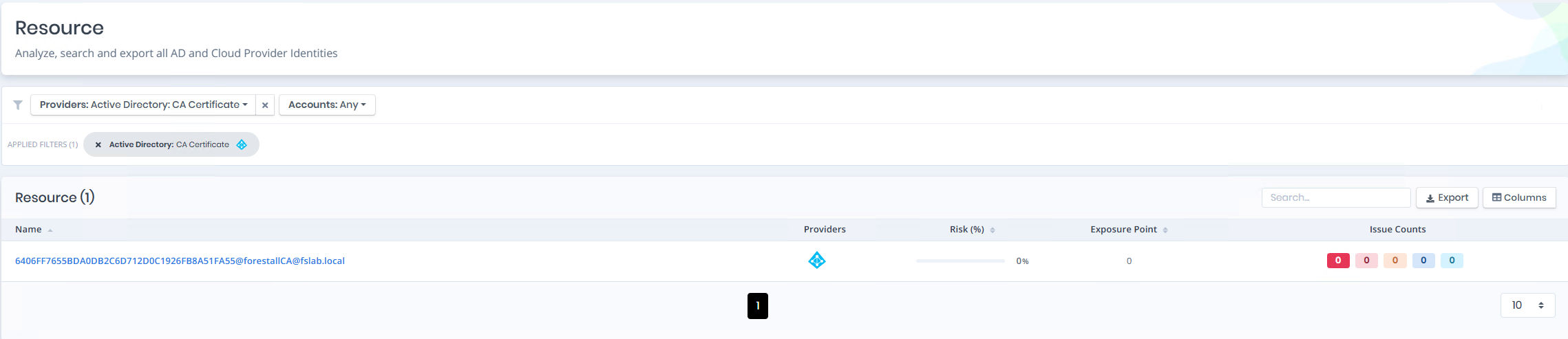
Open **Unified Identities › Resources**, filter **Providers** to **Active Directory › CA Certificate**, then select a row to open its details.
CA Certificates
## CA Certificate Details
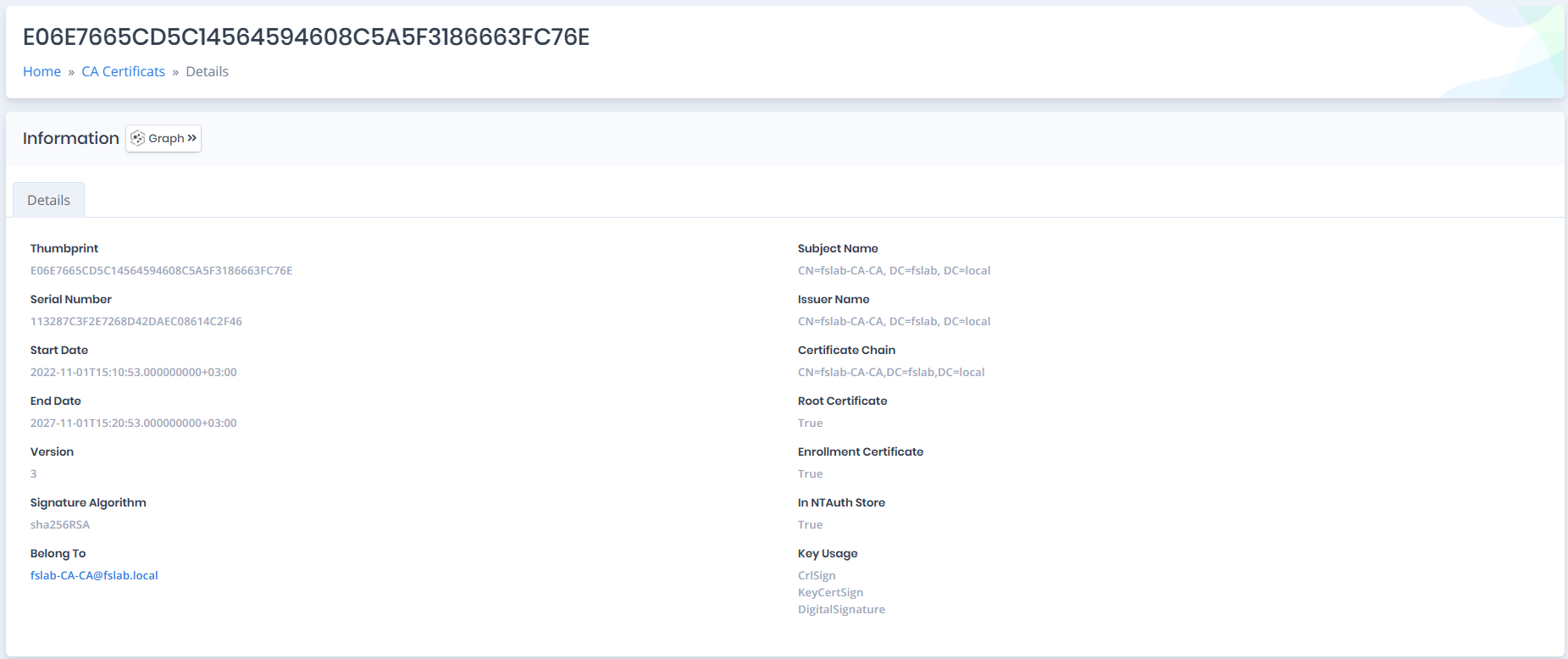
Opening a CA certificate shows the `Information` pane with a single `Details` tab. CA certificates have no risk score, badges or issues.
{% hint style="info" %}
You can analyze the object in the [Graph](/forestall/visualize/visualize.md) by clicking the **Graph »** button next to the `Information` title.
{% endhint %}
CA Certificate Details
## Details
Details tab contains attributes below about certificate authority certificate object.
| Attribute | Description |
| -------------------------- | -------------------------------------------------------------------------------------------------------------------------------------------------------------------------------------------------------------------------------------------------------------------------------------------------------------------------------------------------------------------------------------------------------------------------------------------------------------------- |
| **Thumbprint** | The hash value computed over the complete certificate, which includes all its fields, including the signature. |
| **Serial Number** | A number that uniquely identifies the certificate and is issued by the certification authority. |
| **Start Date** | Issue date of the CA certificate. |
| **End Date** | Expiry date of the CA certificate. |
| **Version** | Version of the certificate. |
| **Signature Algorithm** | The algorithm used to create the signature of a certificate. |
| **Belong To** | The owner computer object of the certificate. |
| **Subject Name** | The subject name of the CA certificate. |
| **Issuer Name** | The name of the certificate issuer. |
| **Certificate Chain** | The list of certificates that start from a server's certificate and terminate with the root certificate |
| **Root Certificate** | Whether the CA certificate belongs to a root CA. |
| **Enrollment Certificate** | Whether the CA certificate can process certificate requests and issue certificates. |
| **In NTAuth Store** | Whether the CA certificate in the `NTAuthCertificates` container. This object defines one or more CA certificates in its `cacertificate` attribute and AD uses it during authentication. The domain controller checks if `NTAuthCertificates` object contains an entry for the CA specified in the authenticating certificate's Issuer field. If it is, authentication proceeds. If the certificate is not in the `NTAuthCertificates` object, authentication fails. |
| **Key Usage** | Key usage extensions define the purpose of the public key contained in a certificate. You can use them to restrict the public key to as few or as many operations as needed. |