> For the complete documentation index, see [llms.txt](https://docs.forestall.io/forestall/llms.txt). Markdown versions of documentation pages are available by appending `.md` to page URLs; this page is available as [Markdown](https://docs.forestall.io/forestall/unified-identities/azure-identities/entra-id/devices.md).
# Devices
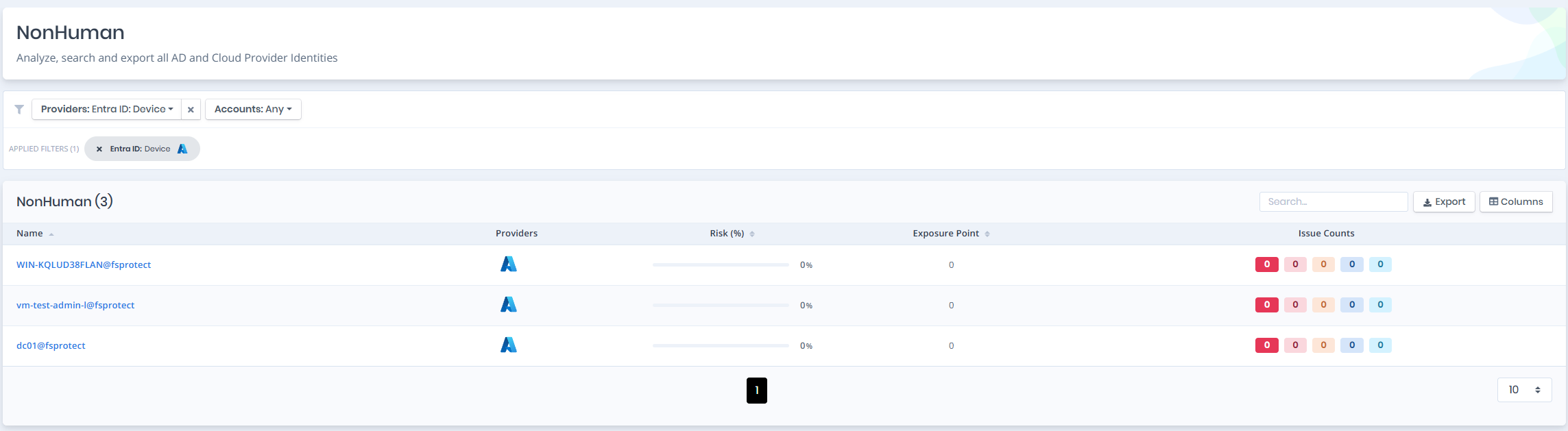
Open **Unified Identities › Non Human Identities**, filter **Providers** to **Entra ID › Device**, then select a row to open its details.
Devices
## Device Details
Opening a device shows the `Risk` and `Exposure Point` in the header, and the page contains the `Information` and `Issues` panes.
{% hint style="info" %}
You can analyze the object in the [Graph](/forestall/visualize/visualize.md) by clicking the **Graph »** button next to the `Information` title.
{% endhint %}
Device Details
## Information
`Information Pane` can contain different badges to highlight important attributes.
| Badge | Description |
| ----------------------- | --------------------------------- |
| **Tier 0** / **Tier 2** | Indicates the tier of the object. |
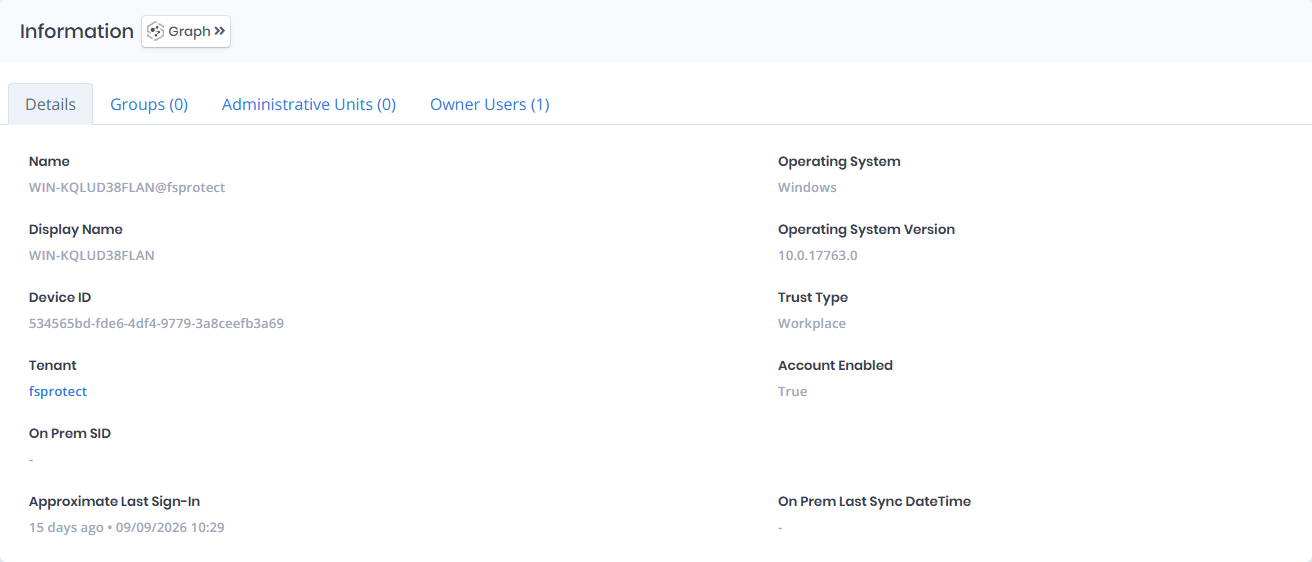
`Information Pane` contains `Details`, `Groups`, `Administrative Units` and `Owner Users` tabs respectively.
## Details
Details tab contains attributes below about device object.
| Attribute | Description |
| ------------------------------ | ------------------------------------------------------------------------------------------------------------------------------------------------------------------------------------------------------------------------------------------------------------------------------- |
| **Name** | The device's unique name in Azure AD, typically in the format of the device hostname followed by the domain. |
| **Operating System** | The type of operating system installed on the device, such as Windows, macOS, iOS, or Android. |
| **Display Name** | The device name as shown in the Azure portal, usually matching the hostname of the machine. |
| **Operating System Version** | The specific version number of the installed operating system, which helps determine update status and compatibility. |
| **Device ID** | A unique identifier (GUID) assigned to the device within Azure AD. |
| **Trust Type** |
Indicates how the device is registered or joined to Azure AD. Common values include:
Azure AD joined
Hybrid Azure AD joined
Workplace (for personal or BYOD devices using Azure AD registration)
|
| **Tenant** | The Entra ID tenant where the device is registered, linking to its [Tenant](/forestall/unified-identities/azure-identities/entra-id/tenants.md) page. |
| **Account Enabled** | Specifies whether the device object is currently active and allowed to authenticate with Azure AD. |
| **On Prem SID** | The security identifier (SID) from the on-premises Active Directory, if the device is hybrid joined. This is empty if the device is cloud-only or not synced. |
| **Approximate Last Sign-In** | The approximate time the device last signed in, shown as elapsed time and date. |
| **On Prem Last Sync DateTime** | The last date and time the device was synced from the on-premises Active Directory. |
## Groups
Groups tab contains a list of groups that the device is a member of. This list also contains `Enabled` and `On Prem Sync Enabled` columns to identify the status of these groups.
Groups
## Administrative Units
Administrative Units tab contains a list of administrative units that the device is a member of. This list also contains `Display Name`, `Member Management Restricted`, and `Visibility` columns to identify the status of these administrative units.
Administrative Unit
## Owner Users
Owner Users tab contains a list of users that own the device. Each row links to the user's details page.
## Issues
Issues pane contains identified issues on the device object. It is shown only when the device has issues.