> For the complete documentation index, see [llms.txt](https://docs.forestall.io/forestall/llms.txt). Markdown versions of documentation pages are available by appending `.md` to page URLs; this page is available as [Markdown](https://docs.forestall.io/forestall/unified-identities/ad-identities/users.md).
# Users
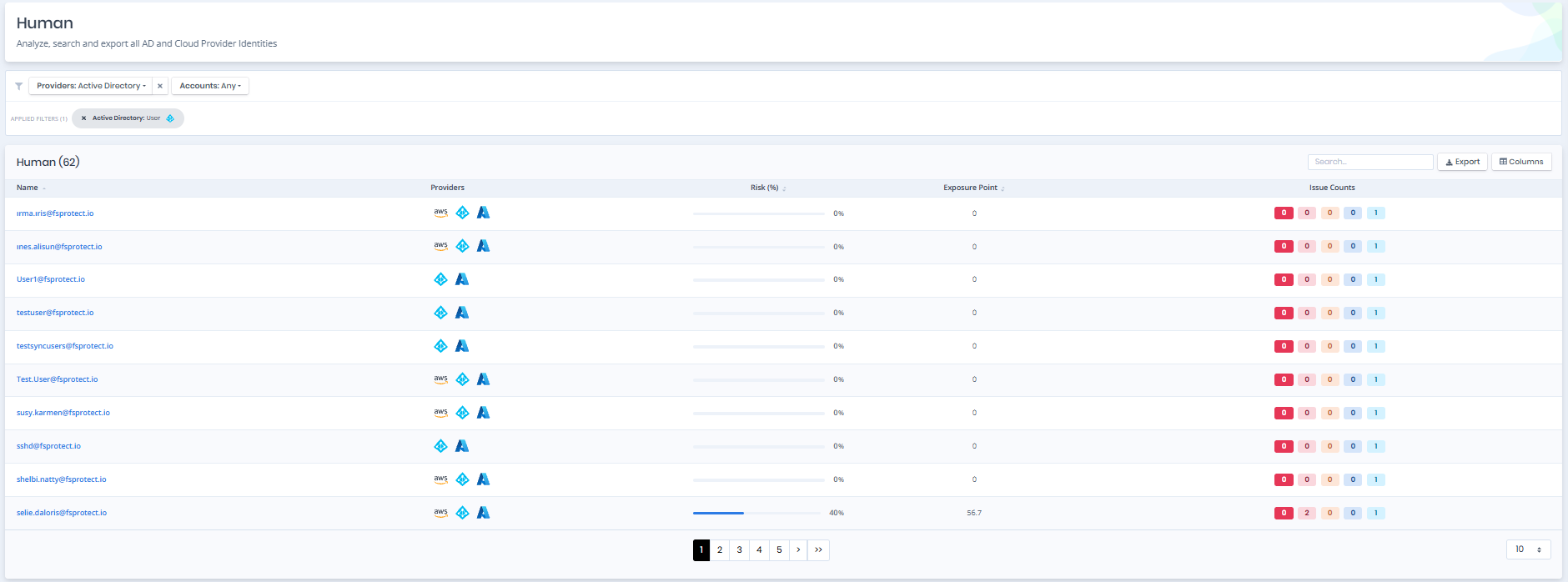
Open **Unified Identities › Human Identities**, filter **Providers** to **Active Directory › User**, then select a row to open its details.
Users
## User Details
Opening a user shows the `Risk` and `Exposure Point` in its header, and the `Information`, `Access Info` and `Issues` panes.
{% hint style="info" %}
You can analyze the object in the [Graph](/forestall/visualize/visualize.md) by clicking the **Graph »** button next to the `Information` title. For a shadow admin the button reads **Admin Path »** and opens the shortest path to admin objects (see [Object Detail Pages](/forestall/unified-identities.md#object-detail-pages)).
{% endhint %}
User Details
## Information
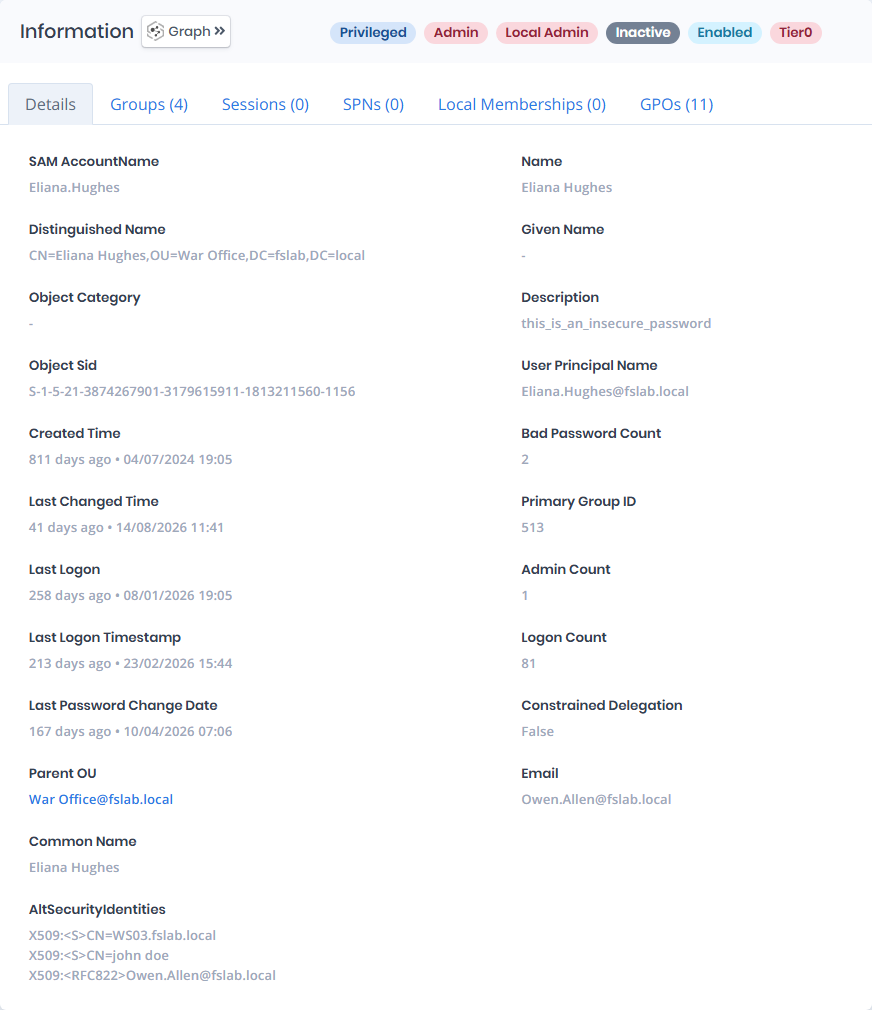
`Information Pane` can contain different badges to highlight important attributes.
| Badge | Description |
| ------------------- | ------------------------------------------------------------------------------------------------------------------ |
| **Shadow** | Indicates that the object can compromise admin objects with at least one attack path. |
| **Sensitive** | Indicates that the object is marked as not delegated or a member of the Protected Users group. |
| **Privileged** | Indicates that the object is Privileged. |
| **Admin** | Indicates that the object is Admin. |
| **Local Admin** | Indicates that the object is a member (direct or nested) of a local administrators group in at least one computer. |
| **Service User** | Indicates that the object manages a service through the Service Principal Name attribute. |
| **Inactive** | Indicates that the enabled object has not logged on within the inactivity threshold of the scan policy. |
| **Enabled** | Indicates that the object is enabled. |
| **Disabled** | Indicates that the object is disabled. |
| **Tier0**/**Tier2** | Indicates the tier of the object (`Tier0` or `Tier2`). |
`Information Pane` contains `Details`, `Groups`, `Sessions`, `SPNs`, `Local Memberships` and `GPOs` tabs respectively.
## Entity Header
The header shows the user name with its `Risk` and `Exposure Point`. The badges sit on the right of the `Information` title. For a shadow admin, users with the `ReadVisualize` permission see **Admin Path »** instead of **Graph »**, with **Open in Graph** in its dropdown. See [Object Detail Pages](/forestall/unified-identities.md#object-detail-pages) for the layout shared by all detail pages.
## Details
Details tab contains attributes below about user object.
| Attribute | Description |
| ----------------------------- | ----------------------------------------------------------------------------------------------------------------------------------------------------------------------------------------------------------------------------------------------------------------------------------------------------------------------------------------- |
| **SAM AccountName** | The logon name used to support clients and servers running earlier versions of the operating system, such as Windows NT 4.0, Windows 95, Windows 98, and LAN Manager. (**Ldap Display Name**: sAMAccountName) |
| **Distinguished Name** | Active Directory distinguished name of the object. (**Ldap Display Name**: distinguishedName) |
| **Object Category** | An object class name used to group objects of this or derived classes. (**Ldap Display Name**: objectCategory) |
| **Object Sid** | Active Directory security identifier of object. (**Ldap Display Name**: objectSid) |
| **Created Time** | The date when this object was created. (**Ldap Display Name**: whenCreated) |
| **Last Changed Time** | The date when this object was last changed. (**Ldap Display Name**: whenChanged) |
| **Last Logon** | The last time the user logged on. This attribute is not replicated to other Domain Controllers. (**Ldap Display Name**: lastLogon) |
| **Last Logon Timestamp** | The time that the user last logged into the domain. This attribute is replicated to other Domain Controllers but not updated until after 14 (msDS-LogonTimeSyncInterval) days. (**Ldap Display Name**: lastLogonTimestamp) |
| **Last Password Change Date** | The date and time that the password for this account was last changed. If this value is set to 0 and the User-Account-Control attribute does not contain the UF\_DONT\_EXPIRE\_PASSWD flag, then the user must set the password at the next logon. (**Ldap Display Name**: pwdLastSet) |
| **Parent OU** | The direct parent Organizational Unit of the object. |
| **Name** | Name of the specified object. (**Ldap Display Name**: name) |
| **Given Name** | Contains the given name (first name) of the user. (**Ldap Display Name**: givenName) |
| **Description** | Description text to display for an object. (**Ldap Display Name**: description) |
| **User Principal Name** | Internet-style unique login name for a user based on the Internet standard RFC 822. A UPN consists of a UPN prefix (the user account name) and a UPN suffix (a DNS domain name). (**Ldap Display Name**: userPrincipalName) |
| **Bad Password Count** | The number of times the user tried to log on to the account using an incorrect password. (**Ldap Display Name**: badPwdCount) |
| **Primary Group ID** | Contains the relative identifier (RID) for the primary group of the object. By default, this is the RID for the Domain Users group for users. |
| **Admin Count** | Indicates that a given object has had its ACLs changed to a more secure value by the system because it was a member of one of the administrative groups (directly or transitively). (**Ldap Display Name**: adminCount) |
| **Logon Count** | The number of times the account has successfully logged on. This attribute is not replicated to other Domain Controllers. (**Ldap Display Name**: logonCount) |
| **Constrained Delegation** | Indicates whether the Constrained Delegation is active or not. |
| **Email** | E-mail address of the user. (**Ldap Display Name**: mail) |
| **Common Name** | Common name of the object. (**Ldap Display Name**: cn) |
| **AltSecurityIdentities** | Alternative identities, such as certificate subjects or issuers, that can be used to authenticate as this account. A mapping here lets a certificate authenticate as the user without the account's own credentials, which is what ESC14 abuses, so unexpected values are worth reviewing. (**Ldap Display Name**: altSecurityIdentities) |
## Groups
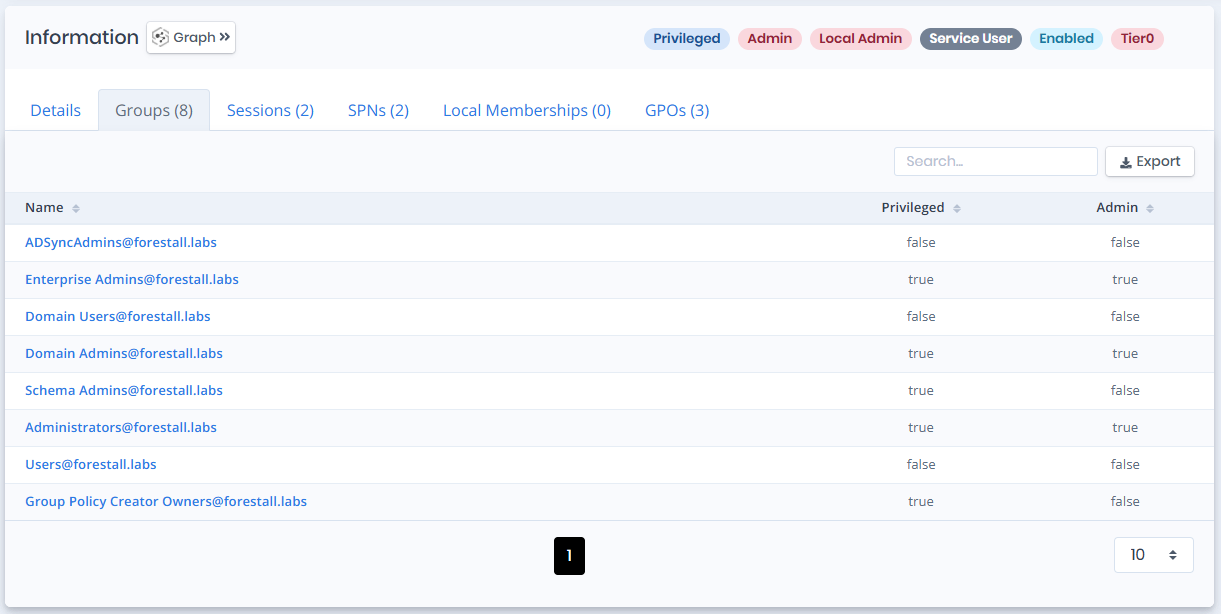
Groups tab contains a list of groups that the user is a member of. This list also contains `Privileged` and `Admin` columns to identify the privilege levels of these groups.
Groups
## Sessions
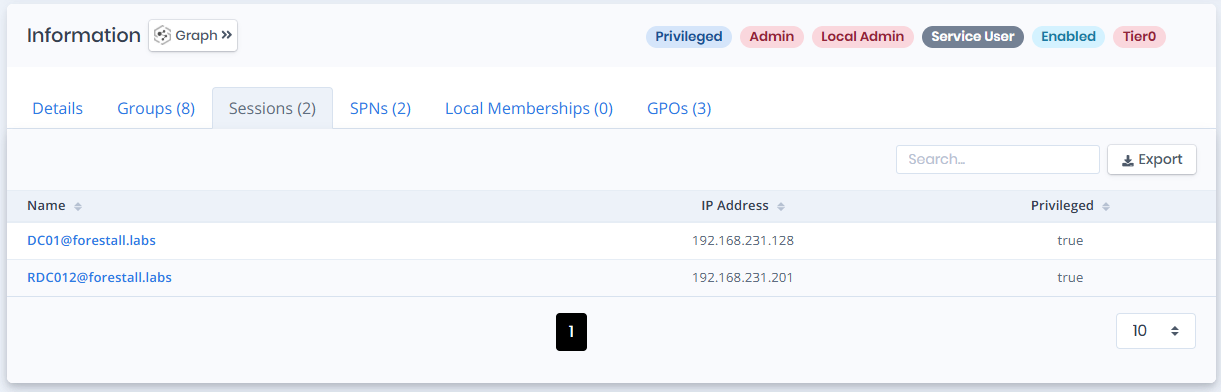
Sessions tab contains a list of computers that the user has a session on. This list also contains `IP Address`, and `Privileged` columns to identify the network address and privilege levels of these computers.
Sessions
## SPNs
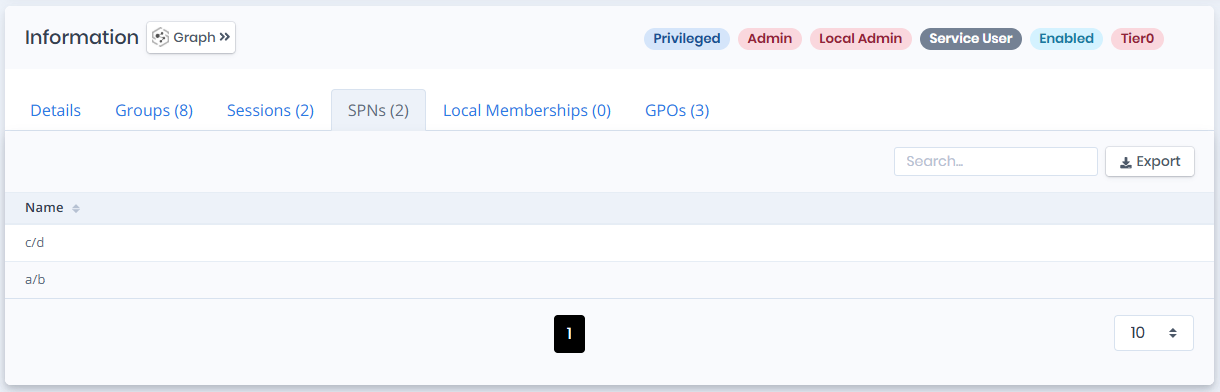
SPNs tab contains a list of `Service Principal Names` that are defined on the user object.
SPNs
## Local Memberships
Local Memberships tab contains a list of local groups that the user is a member of.
Local Memberships
**Local Group Name**: Name of the local group that the user is a member of.
**Computer**: Name of the computer object that contains the local group.
**Exec DCOM**: Indicates whether the local group can have enough privilege to execute commands with DCOM(Distributed Component Object Model) protocol on the computer.
**Exec PWSH**: Indicates whether the local group can have enough privilege to execute commands with Powershell on the computer.
**RDP**: Indicates whether the local group can have enough privilege to connect with RDP (Remote Desktop Protocol) to the computer.
**Admin**: Indicates whether the local group can have admin privilege on the computer.
## GPOs
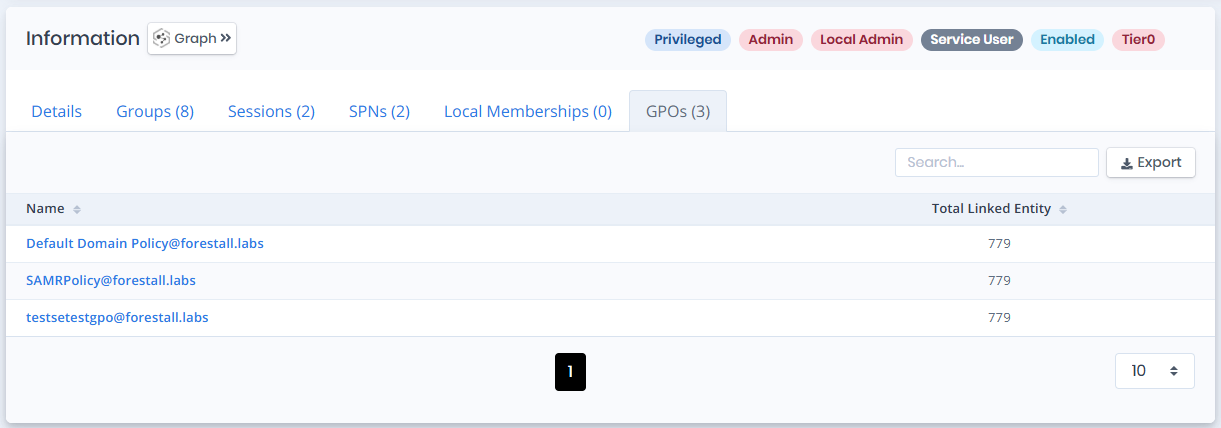
GPOs tab contains a list of `Group Policy` objects which affects this user. This list also contains the `Total Linked Entity` column to highlight the total object count that is affected by this group policy object.
GPOs
## Access Info
Access Info pane contains `First Degree Local Admin Count` and `Group Delegated Local Admin Count` attributes.

**First Degree Local Admin Count**: Indicates that the user has explicit local admin privilege on how many computers.
**Group Delegated Local Admin Count**: Indicates that the user has group delegated local admin privilege on how many computers.
## Issues
Issues pane contains identified issues on the user object. The issues can be exported with the `Export` button, and the page size can be changed.