> For the complete documentation index, see [llms.txt](https://docs.forestall.io/forestall/llms.txt). Markdown versions of documentation pages are available by appending `.md` to page URLs; this page is available as [Markdown](https://docs.forestall.io/forestall/unified-identities/github-identities/organization-roles.md).
# Organization Roles
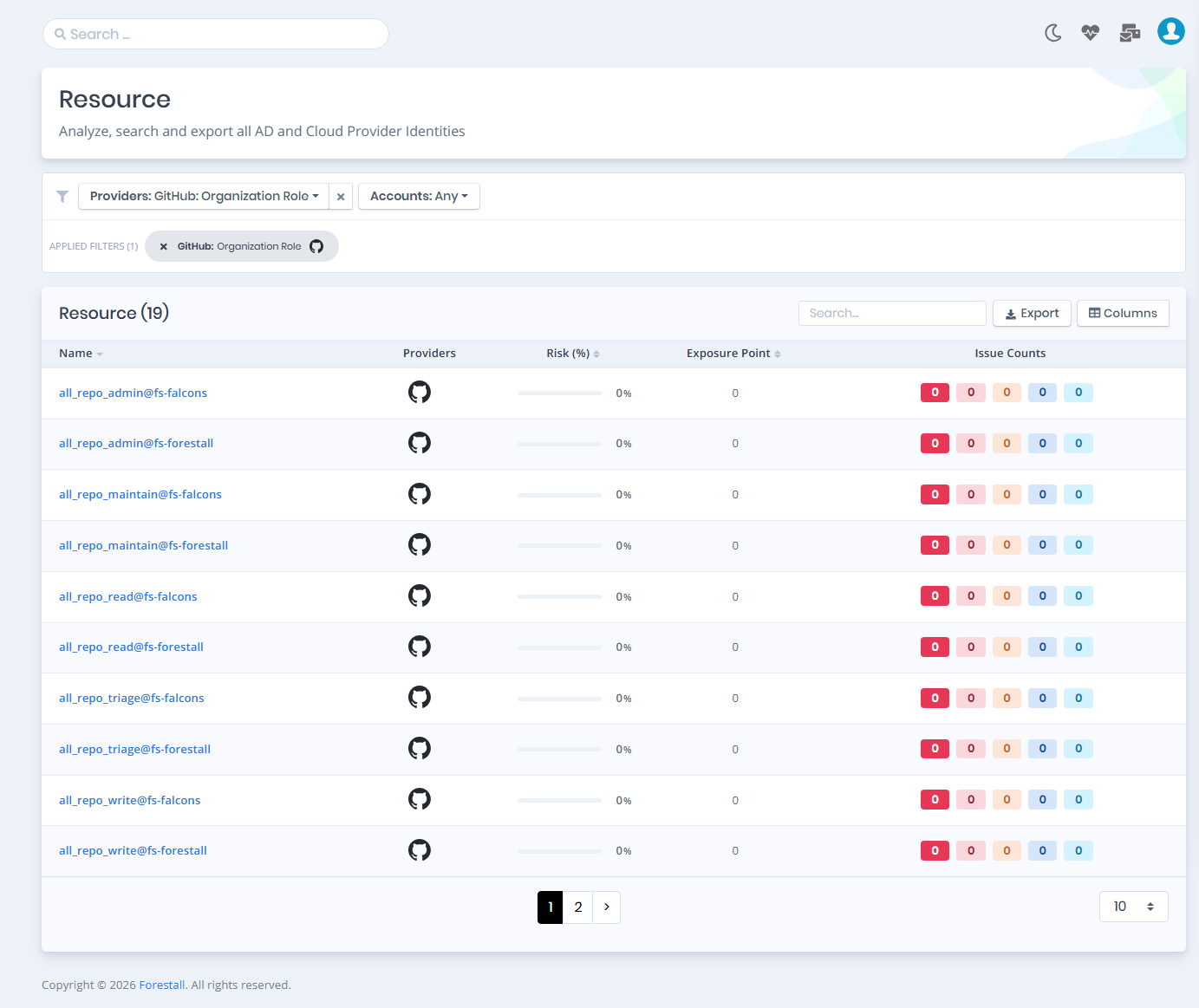
Open **Unified Identities › Resources**, filter **Providers** to **GitHub › Organization Role**, then select a row to open its details.
Resources filtered to GitHub › Organization Role
### Organization Role Details
Opening a role shows the `Risk` and `Exposure Point` in the header, and the page contains the `Information` pane and, when the role has issues, the `Issues` pane.
{% hint style="info" %}
You can analyze the object in the [Graph](/forestall/visualize/visualize.md) by clicking the **Graph »** button next to the `Information` title. For a shadow admin the button reads **Admin Path »** and opens the shortest path to admin objects (see [Object Detail Pages](/forestall/unified-identities.md#object-detail-pages)).
{% endhint %}
Organization Role Details
#### Information
Information Pane can contain different badges to highlight important attributes.
| Badge | Description |
| -------------- | ----------------------------------------------------------------------------------------------------------------------------------------------------------------------------- |
| **Tier 0** | Indicates that the object is a Tier 0 asset. A role that can manage custom organization roles is Tier 0, because holding it allows granting oneself owner-equivalent control. |
| **Privileged** | Indicates that the object is privileged. |
| **Custom** | Indicates that the role is defined by the organization or enterprise rather than being a GitHub built-in role. |
Information Pane contains Details, Permissions, Assigned Users and Assigned Teams tabs respectively. Each tab label except Details shows its row count.
**Details**
Details tab contains attributes below about the organization role object.
| Attribute | Description |
| ----------- | ------------------------------------------------------------------------------------------------------------ |
| Name | The name of the organization role (e.g., `security_manager`, `all_repo_admin`). |
| Base Role | The built-in repository role the role is derived from (read, triage, write, maintain, admin), if one is set. |
| Custom | Whether the role is custom-defined rather than a GitHub built-in role. |
| Privileged | Whether the role is privileged. |
| Description | The description configured for the role, if available. |
**Permissions**
Permissions tab contains the fine-grained permissions granted by this role.
Permissions
**Permission:** The human-readable name of the permission. **Key:** The raw permission identifier used by the GitHub API (e.g., `write_organization_custom_org_role`). **Description:** An explanation of what the permission allows.
A permission that grants the ability to manage custom organization roles is marked with an **Escalation** badge. Such a permission is an escalation path in itself: a principal holding it can add permissions to a role it already has, and reach owner-equivalent control without ever being made an owner.
**Assigned Users**
Assigned Users tab contains a list of users this role is directly assigned to.
Assigned Users
**User:** The name of the user object. **Login:** The unique account name (handle) of the user. **Org Role:** The user's role within the organization (`admin` or `member`).
**Assigned Teams**
Assigned Teams tab contains a list of teams this role is assigned to. Every member of a listed team inherits the role.
Assigned Teams
**Team:** The name of the team object. **Slug:** The unique URL identifier of the team.
#### Issues
Issues pane contains identified issues on the organization role object.