> For the complete documentation index, see [llms.txt](https://docs.forestall.io/forestall/llms.txt). Markdown versions of documentation pages are available by appending `.md` to page URLs; this page is available as [Markdown](https://docs.forestall.io/forestall/unified-identities/github-identities/users.md).
# Users
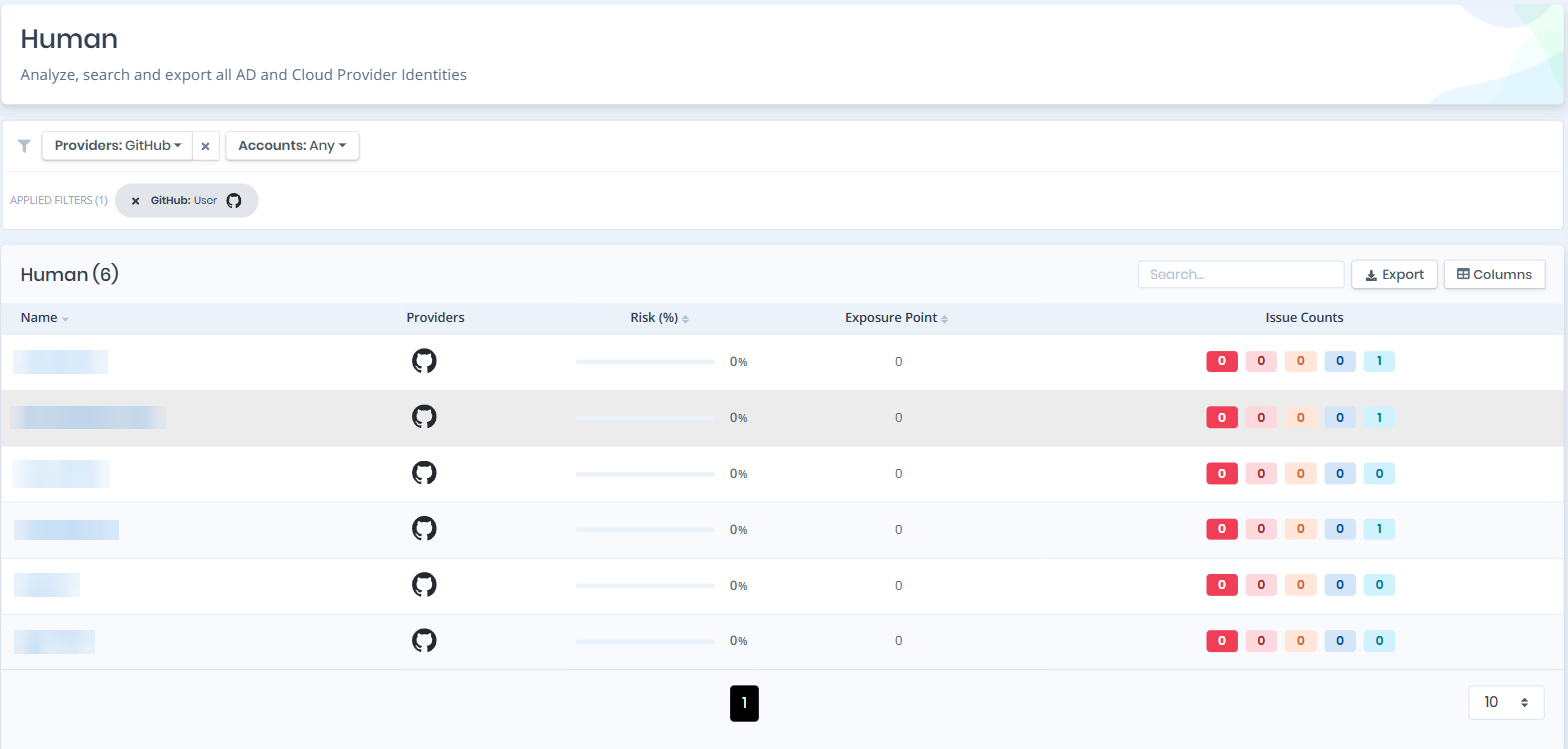
Open **Unified Identities › Human Identities**, filter **Providers** to **GitHub › User**, then select a row to open its details.
A GitHub account is a single global identity that can belong to several scanned organizations. Each user therefore appears once in the list, and the organizations it belongs to are shown on the details page.
Human Identities filtered to GitHub › User
### User Details
Opening a user shows the `Risk` and `Exposure Point` in the header, and the page contains the `Information` pane and, when the user has issues, the `Issues` pane.
{% hint style="info" %}
You can analyze the object in the [Graph](/forestall/visualize/visualize.md) by clicking the **Graph »** button next to the `Information` title. For a shadow admin the button reads **Admin Path »** and opens the shortest path to admin objects (see [Object Detail Pages](/forestall/unified-identities.md#object-detail-pages)).
{% endhint %}
User Details
#### Information
Information Pane can contain different badges to highlight important attributes.
| Badge | Description |
| ------------------------ | -------------------------------------------------------------------------------------- |
| **Tier 0** | Indicates that the object is a Tier 0 asset, an organization owner. |
| **Privileged** | Indicates that the object is privileged. |
| **Shadow** | Indicates that the object can compromise admin objects with at least one attack path. |
| **Inactive** | Indicates that the account has been inactive beyond the configured threshold. |
| **Outside Collaborator** | Indicates that the user is an outside collaborator rather than an organization member. |
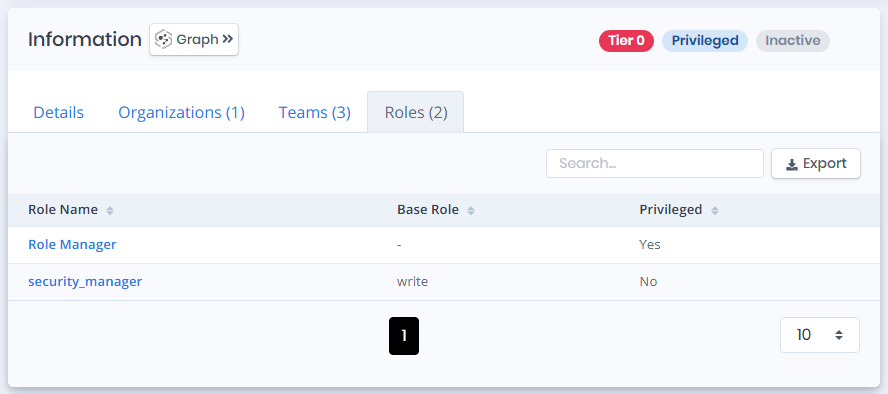
Information Pane contains Details, Organizations, Teams and Roles tabs respectively. Each tab label except Details shows its row count.
**Details**
Details tab contains attributes below about the user object.
| Attribute | Description |
| -------------------------------- | ---------------------------------------------------------------------------------------------------------------------------------------------------------------------------------------------------------------------------------------- |
| Organization Role | The user's role within the organization (`admin` or `member`). |
| Object ID | The GitHub node identifier of the user. |
| Is Privileged | Whether the user is privileged. |
| Shadow Admin | Whether the user can reach Tier 0 through an attack path without an explicit administrative role. |
| Inactive (any organization) | Whether the account has been inactive beyond the configured threshold. Determined from the Enterprise audit log; when no activity data is available the user is not reported as inactive. |
| Last Activity (any organization) | The date of the user's most recent activity found in the audit logs of the scanned organizations. **No activity in scan window** means an audit log was read but did not mention the user; **Unknown** means no audit log could be read. |
| Outside Collaborator | Whether the user is an outside collaborator rather than an organization member. |
| Two-Factor Auth | Whether the user has two-factor authentication enabled. Displayed as **Enabled**, **Disabled**, or **Unknown**. |
| Profile URL | The URL of the user's GitHub profile. |
> **Unknown** two-factor status means the scanning credential could not enumerate the organization's members without 2FA: that list is available only to organization owners. It does not mean the user lacks 2FA, and no finding is raised on an unknown value.
**Organizations**
Organizations tab contains a list of organizations the user is a member of.
Organizations
**Organization:** The name of the organization object. **Login:** The unique account name (handle) of the organization. **Last Activity:** The user's most recent activity in that organization, **No activity in scan window**, or **Unknown**.
**Teams**
Teams tab contains a list of teams the user belongs to.
Teams
**Team Name:** The name of the team object. **Permission:** The default permission the team is granted on its repositories.
**Roles**
Roles tab contains a list of organization roles assigned to the user.
Roles
**Role Name:** The name of the organization role. **Base Role:** The built-in repository role the role is derived from, if one is set. **Privileged:** Whether the role is privileged.
#### Issues
Issues pane contains identified issues on the user object.