> For the complete documentation index, see [llms.txt](https://docs.forestall.io/forestall/llms.txt). Markdown versions of documentation pages are available by appending `.md` to page URLs; this page is available as [Markdown](https://docs.forestall.io/forestall/unified-identities/gcp-identities/workload-providers.md).
# Workload Providers
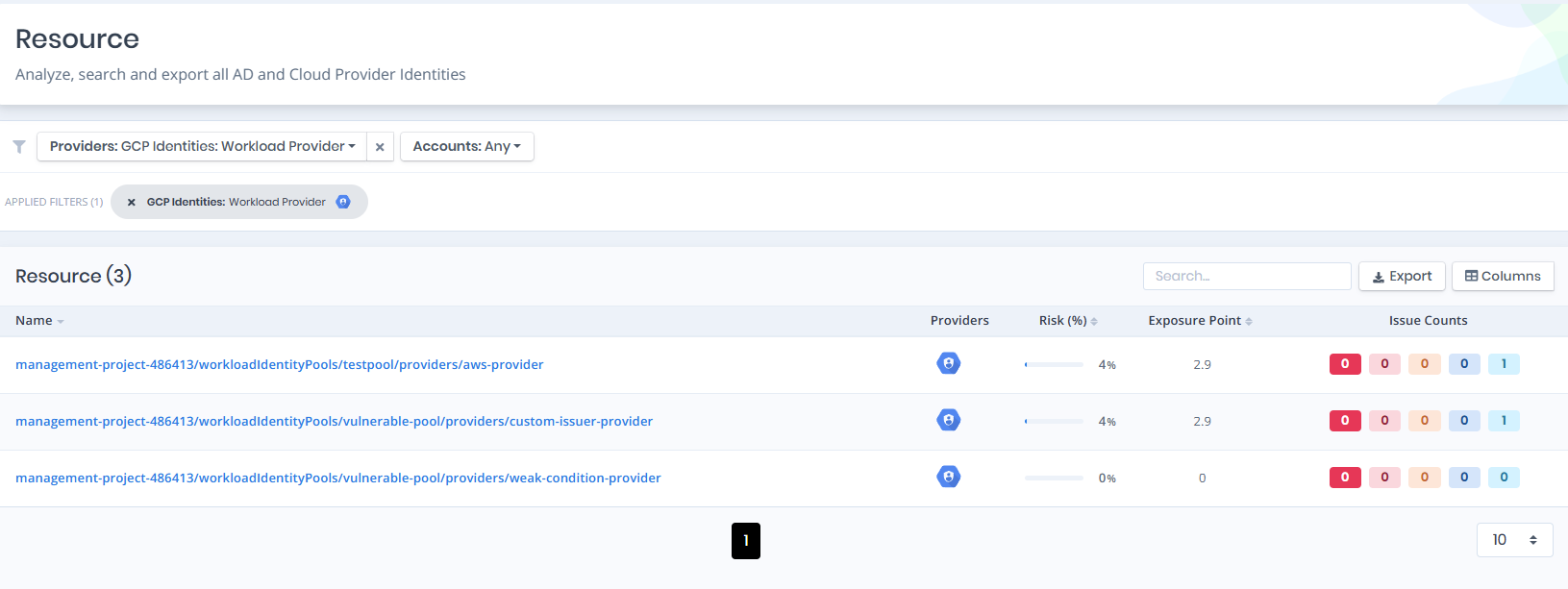
Open **Unified Identities › Resources**, filter **Providers** to **GCP Identities › Workload Provider**, then select a row to open its details. Workload Providers define how external (non-human, e.g., OIDC or AWS) workload identities federate into a Workload Identity Pool.
Workload Providers
### Workload Providers Details
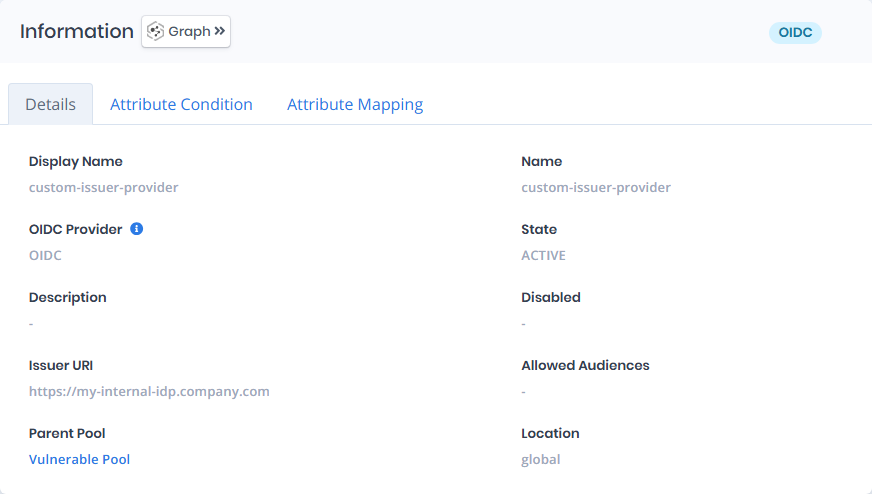
Opening a workload provider shows the **`Details`**, **`Attribute Condition`**, and **`Attribute Mapping`** tabs. The card title can carry a `Tier 0`/`Tier 2` badge, a provider type badge (**OIDC**, **SAML** or **AWS**) and a `Disabled` badge.
{% hint style="info" %}
You can analyze the object in the [Graph](/forestall/visualize/visualize.md) by clicking the **Graph »** button next to the `Information` title.
{% endhint %}
GCP Workload Provider Details
The Details tab contains attributes about the GCP Workload Provider. The page also includes an **Issues** panel that lists any security findings related to the provider, along with a Risk score and Exposure Point.
### Information
| Attribute | Description |
| -------------------------------------------- | --------------------------------------------------------------------------------------------------------------------------------------------------------------- |
| Display Name | The human-readable name of the provider (e.g., `custom-issuer-provider`). |
| Name | The full resource path of the provider (e.g., `projects/627426666292/locations/global/workloadIdentityPools/vulnerable-pool/providers/custom-issuer-provider`). |
| OIDC Provider / SAML Provider / AWS Provider | The provider type (`OIDC`, `SAML` or `AWS`). |
| State | The lifecycle state of the provider (e.g., `ACTIVE`). |
| Description | A free-text description of the provider. |
| Disabled | Indicates whether the provider is currently disabled. |
| Issuer URI | The URI of the external OIDC issuer (e.g., `https://my-internal-idp.company.com`). |
| Allowed Audiences | The list of audiences accepted from the external issuer, if restricted. |
| AWS Account ID | The AWS account trusted by an AWS provider. |
| Parent Pool | The workload identity pool of the provider; links to the pool details. |
| Location | The location of the provider (e.g., `global`). |
### **Attribute Condition**
Displays the CEL condition used to restrict which external identities may federate through the provider.
### **Attribute Mapping**
Displays the mapping between external identity attributes and Google Cloud attributes in `Source Attribute` and `Target Attribute` columns.
### **Issues**
Lists security findings associated with the provider (e.g., *Workload Identity Pool Provider Has No Attribute Condition*), each tagged with relevant categories such as Least Privilege or Credential Security, and a severity rating (e.g., High).