> For the complete documentation index, see [llms.txt](https://docs.forestall.io/forestall/llms.txt). Markdown versions of documentation pages are available by appending `.md` to page URLs; this page is available as [Markdown](https://docs.forestall.io/forestall/unified-identities/aws-identities/groups.md).
# Groups
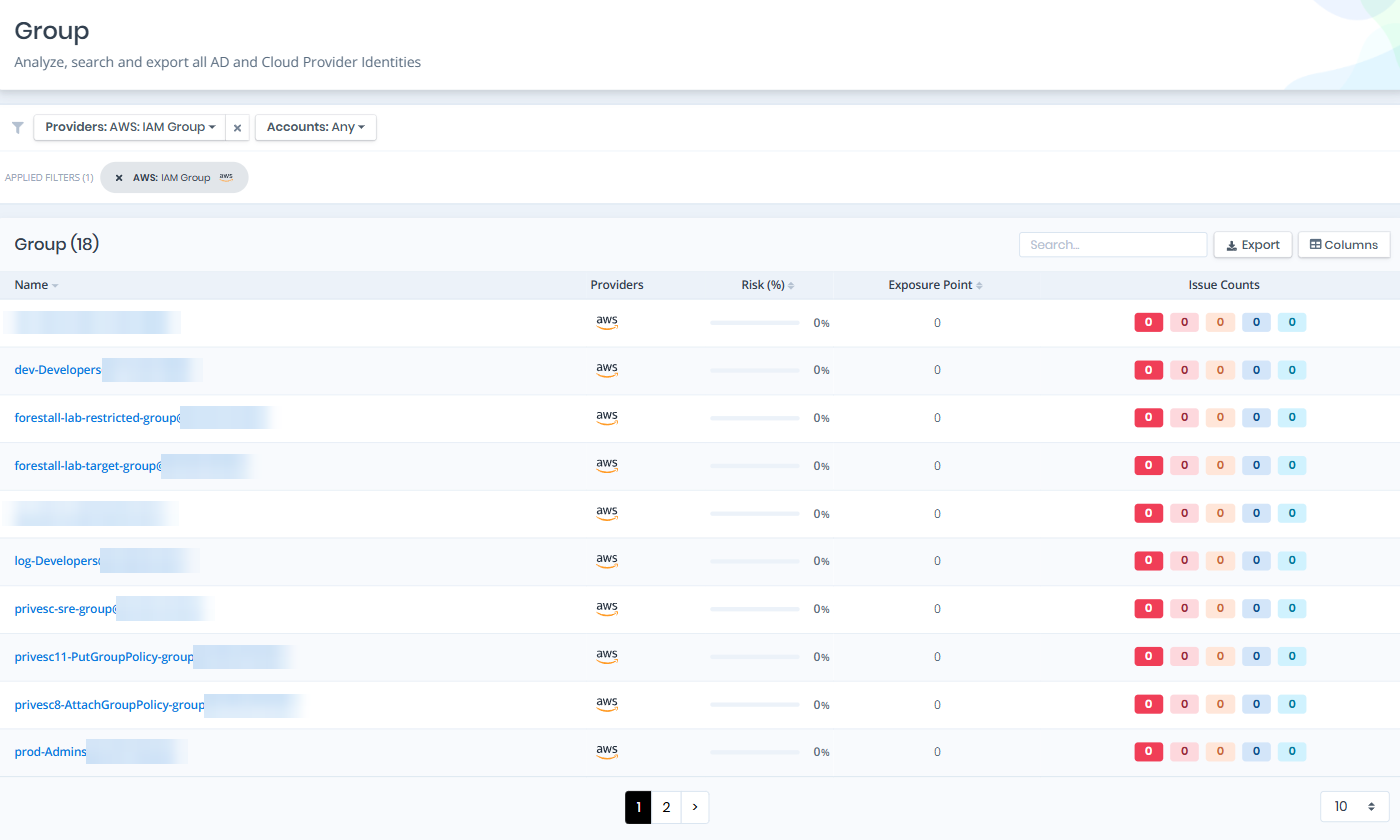
Open **Unified Identities › Group**, filter **Providers** to **AWS › IAM Group**, then select a row to open its details.
Groups
## Group Details
Details page contains the `Risk` and `Exposure Point` of the group, and the Information and Issues panes.
{% hint style="info" %}
You can analyze the object in the [Graph](/forestall/visualize/visualize.md) by clicking the **Graph »** button next to the `Information` title. For a shadow admin the button reads **Admin Path »** and opens the shortest path to admin objects (see [Object Detail Pages](/forestall/unified-identities.md#object-detail-pages)).
{% endhint %}
Group Details
## Information
Information Pane can contain different badges to highlight important attributes.
| Badge | Description |
| --------------- | ------------------------------------------------------------------------------------- |
| Tier 0 / Tier 2 | Indicates the tier of the object. |
| Shadow | Indicates that the object can compromise admin objects with at least one attack path. |
Information Pane contains Details, Users and Policies tabs.
## Details
Details tab contains attributes below about the IAM group object.
| Attribute | Description |
| ------------ | --------------------------------------------------------------------------- |
| Group Name | The name of the IAM group, used for identification within AWS. |
| Group ID | The unique identifier assigned to the IAM group by AWS. |
| ARN | The Amazon Resource Name that uniquely identifies the IAM group across AWS. |
| Account ID | The AWS account ID that the IAM group belongs to. |
| Path | The path associated with the IAM group, used for organizational grouping. |
| Member Count | The number of IAM users that are members of this group. |
| Created | The date and time when the IAM group was created. |
| Object ID | The unique identifier of the group object, equivalent to the IAM Group ID. |
## Users
Users tab contains a list of IAM users that are members of the group. This list also contains the Privileged and MFA Enabled columns.
Users
## Policies
Policies tab contains a list of IAM policies attached to the group, including both managed and inline policies. This list also contains the AWS Managed and Admin Privileges columns to identify the scope and risk level of each policy.
Policies
## Issues
Issues pane contains identified security issues on the IAM group object.