
Open Unified Identities › Resources, filter Providers to Active Directory › Certificate Template, then select a row to open its details.
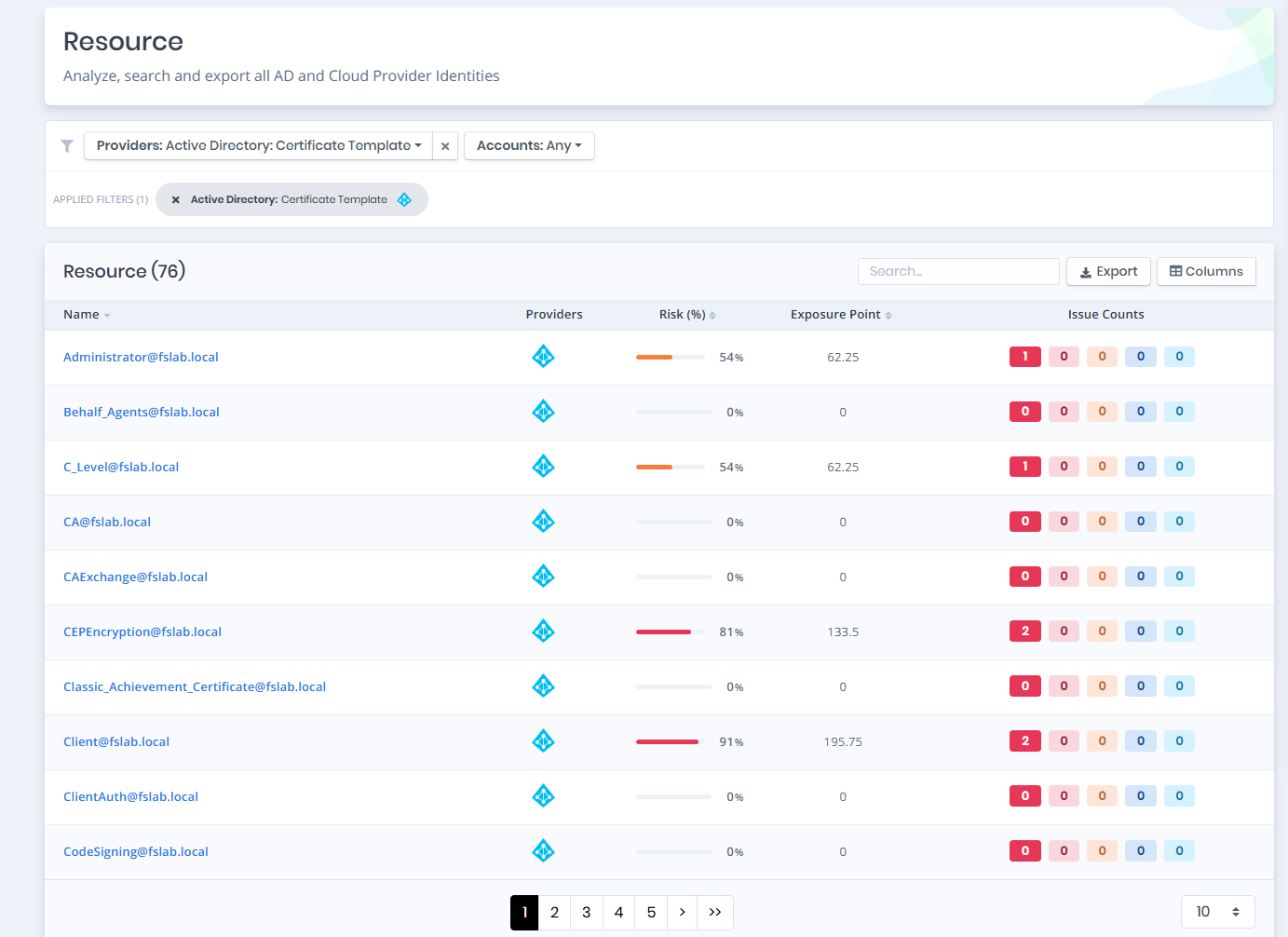
Certificate Templates
Certificate Template Details
Opening a certificate template shows the Risk and Exposure Point in its header, and the Information and Issues panes.
You can analyze the object in the Graph by clicking the Graph » button next to the Information title.
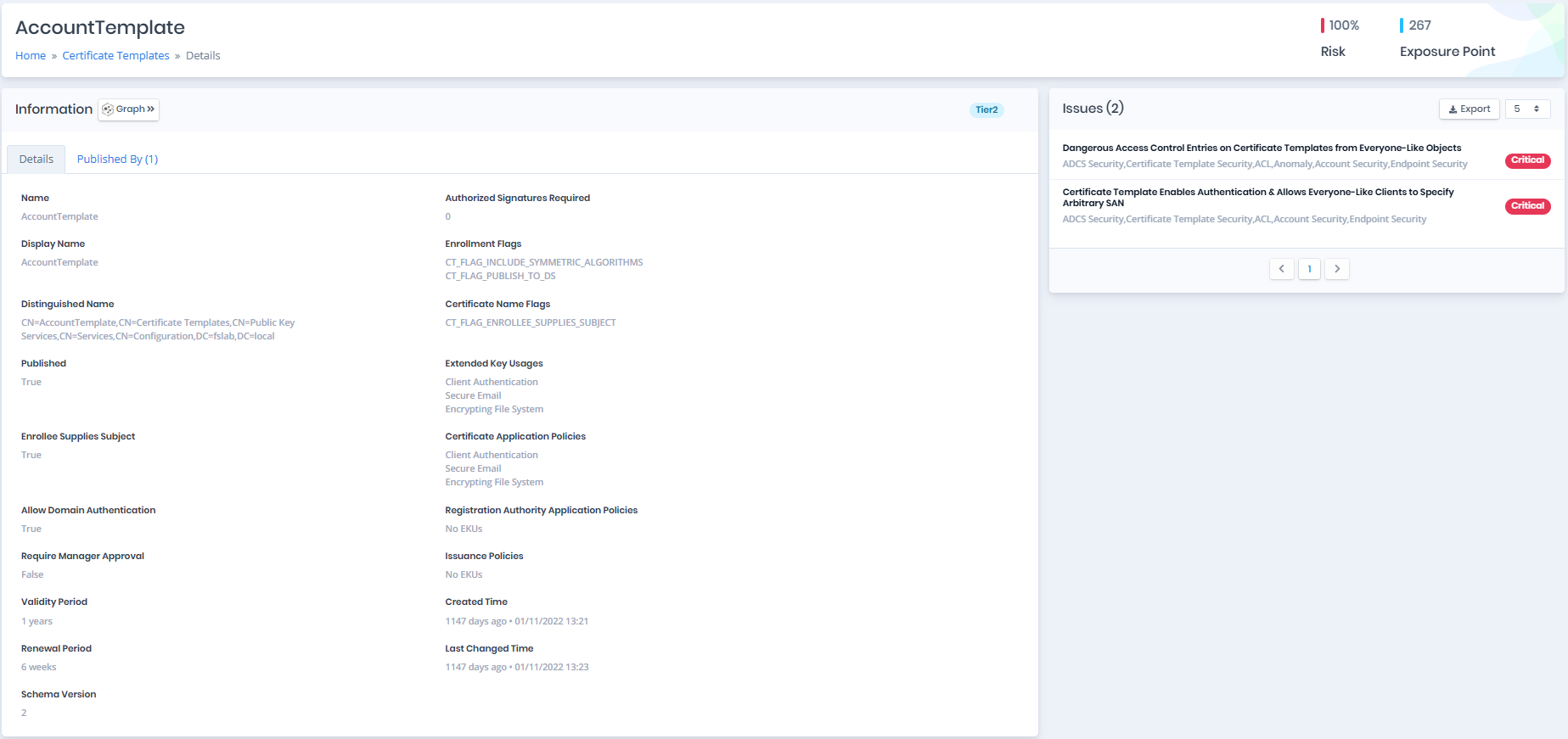
Certificate Template Details
Information
The tier badge of the certificate template (Tier0 or Tier2) is shown on the right of the Information title.
Information Pane contains Details and Published By tabs respectively.
Details
Details tab contains attributes below about certificate template object.
| Attribute | Description |
|---|---|
| Name | Name of the specified object. (Ldap Display Name: name) |
| Display Name | The display name for an object. (LDAP Display Name: displayName) |
| Distinguished Name | Active Directory distinguished name of the object. (Ldap Display Name: distinguishedName) |
| Published | Whether the certificate template has been published by any certificate authority. |
| Enrollee Supplies Subject | Whether specifying a Subject Alternative Name (SAN) during certificate enrollment to this certificate template has been allowed. |
| Allow Domain Authentication | Whether certificate template contains any Extended Key Usage(EKU) that allows to authenticate in the domain. |
| Allow Server Authentication | Whether the certificate template contains the Server Authentication Extended Key Usage (EKU). |
| Require Manager Approval | Whether the certificate requests based on the template require manager approval to be issued. |
| Validity Period | The period of time during which a certificate is intended to be valid. |
| Renewal Period | The period of time during which a certificate is intended to be renew. |
| Schema Version | The certificate template schema version. |
| Authorized Signatures Required | The number of Authorized Signatures to issue a certificate. |
| Enrollment Flags | Specifies the enrollment flags. (Field Reference) |
| Certificate Name Flags | Specifies the subject name flags. (Field Reference) |
| Extended Key Usages | Key usage extensions define the purpose of the public key contained in a certificate. You can use them to restrict the public key to as few or as many operations as needed. |
| Certificate Application Policies | Specifies certificate application policy extension. In GUI, this attribute can be controlled by setting “Application Policies” in “Extensions” tab. (Field Reference) |
| Registration Authority Application Policies | Encapsulates embedded properties for multipurpose use. In GUI, this attribute can be controlled by checking This number of authorized signatures check box in Issuance Requirements tab and choosing Application Policy menu. (Field Reference) |
| Issuance Policies | Contains the list of required policy OIDs from registration authorities who sign the enrollment request. (Field Reference) |
| Created Time | The date when this object was created. (Ldap Display Name: whenCreated) |
| Last Changed Time | The date when this object was last changed. (Ldap Display Name: whenChanged) |
Published By
Published By tab contains a list of certificate authorities that are published this certificate template. This list contains Root CA, Enterprise CA and Enrollee Supplies Subject columns.
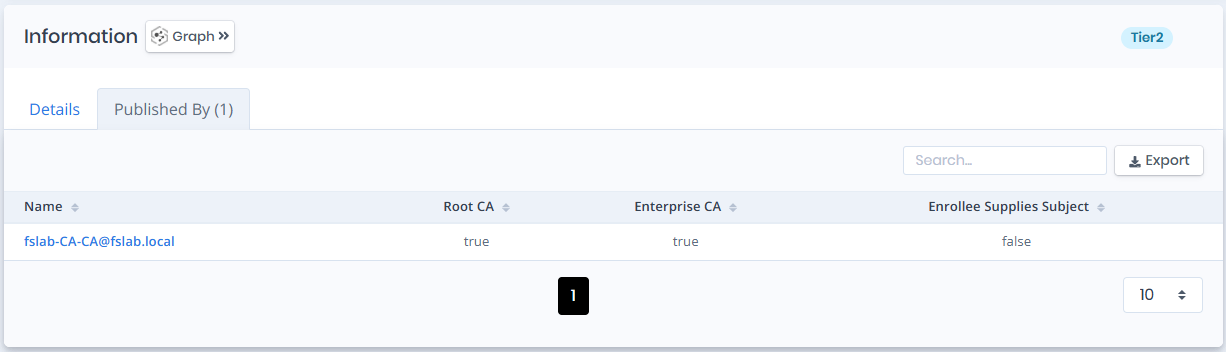
Published By
Issues
Issues pane contains identified issues on the certificate template object.
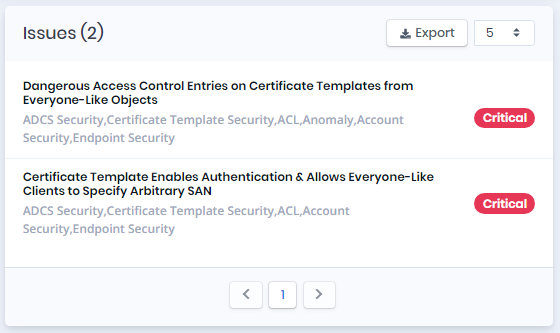
Issues