> For the complete documentation index, see [llms.txt](https://docs.forestall.io/forestall/llms.txt). Markdown versions of documentation pages are available by appending `.md` to page URLs; this page is available as [Markdown](https://docs.forestall.io/forestall/introduction/navigating-the-interface.md).
# Navigating the Interface
The parts of the web interface that are available on every page: the sidebar, the scan selector, the top bar and the profile menu.
Every page of the web interface has the same frame: the **sidebar** on the left, the **top bar** above the page, and the [AI Assistant](/forestall/ai-assistant.md) button in the lower-right corner.
## Sidebar
The sidebar holds the main menu. It shows only the items your role has permission to open (see [Roles & Permissions](/forestall/settings/roles-and-permissions.md)).
| Menu item | Contents |
| ------------------------ | -------------------------------------------------------------------------------------------------------------------------------------------------------------- |
| **Dashboard** | Summary of the selected scan. See [Dashboard](/forestall/dashboard.md). |
| **Trend Insights** | Metrics over time across scans. See [Trend Insights](/forestall/trend-insights.md). |
| **Scans** | **New Scan**, **Scans** and **Policies**. See [Scans](/forestall/scans.md). |
| **Issues** | Findings of the selected scan. A red badge shows the issue count of the selected scan. See [Issues](/forestall/issues.md). |
| **Impacts** | Findings grouped by attack impact. See [Impacts](/forestall/impacts.md). |
| **Compliance** | Findings mapped to compliance frameworks. See [Compliance](/forestall/compliance.md). |
| **Unified Identities** | **Human Identities**, **Non Human Identities**, **Resources** and **Group**, across all providers. See [Unified Identities](/forestall/unified-identities.md). |
| **GPO Audit** | Group Policy analysis. See [GPO Audit](/forestall/gpo-audit.md). |
| **CAP Audit** | Entra ID Conditional Access Policy analysis. See [CAP Audit](/forestall/cap-audit.md). |
| **Credential Discovery** | **Summary**, **Secrets** and **Settings**. See [Credential Discovery](/forestall/credential-discovery.md). |
| **Visualize** | **Graph** and **Tier0 Analysis**. See [Visualize](/forestall/visualize.md). |
| **Search & Reports** | Advanced Search and built-in queries. See [Search & Reports](/forestall/search-and-reports.md). |
| **Configuration Center** | Provider, integration and authentication configurations. See [Configuration Center](/forestall/configuration-center.md). |
| **Settings** | **Users**, **Merge Rules**, **Authentication**, **Roles & Permissions**, **Audit Logs** and **Report**. See [Settings](/forestall/settings.md). |
| **Documentation** | Opens this documentation in a new browser tab. |
| **About** | Licenses and release notes. The badge shows the running version. See [About](/forestall/about.md). |
The **Toggle Navigation** button next to the logo collapses the sidebar to icons. Hover over the collapsed sidebar to expand it temporarily.
### Scan selector
The **Scan** selector at the bottom of the sidebar sets the scan that every page shows. Each entry shows the scan name and start date. Type in the selector to filter the list. The selected scan stays selected while you move between pages.
* **(Last scan is not selected)** appears in red next to the label when you are looking at an older scan than the latest one.
* **(N days since last scan)** appears in orange when the latest scan is selected but is older than 30 days.
Changing the scan also resets the **Compare** selector to the same scan.
Scan selector
### Compare selector
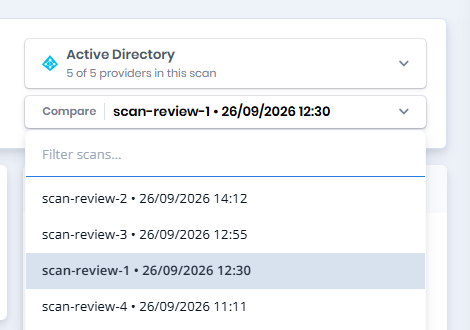
The **Dashboard** and **Issues** pages have a **Compare** selector in their header. Select an older scan to see what changed between it and the selected scan: the Dashboard shows the differences on its cards, and the Issues page shows new and fixed findings. The list contains only finished scans that share at least one provider with the selected scan. When **Compare** shows the selected scan itself, no comparison is made.
Compare selector on the Dashboard
## Top bar
### Search
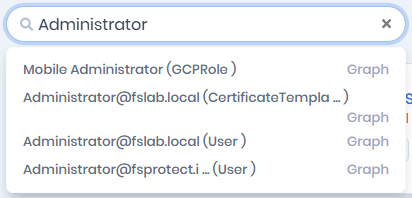
The **Search ...** box searches the selected scan by object name. Type at least two characters. Matching objects from all providers (users, groups, computers, cloud identities and resources, and others) are listed with their type. Click a result to open its detail page, or click **Graph** next to it to open it on the graph. Types without a detail page offer only the **Graph** link.
Global search
{% hint style="info" %}
The search box is disabled for roles without the **ReadADIdentities** permission. The **Graph** link requires the **ReadVisualize** permission.
{% endhint %}
### Top bar icons
From left to right, the icons on the right side of the top bar are:
* **Dark Mode / Light Mode** (moon or sun icon): switches the color theme. The choice is remembered in the browser.
* **Health Check** (heartbeat icon): opens the [Health Check](/forestall/health-check.md) page.
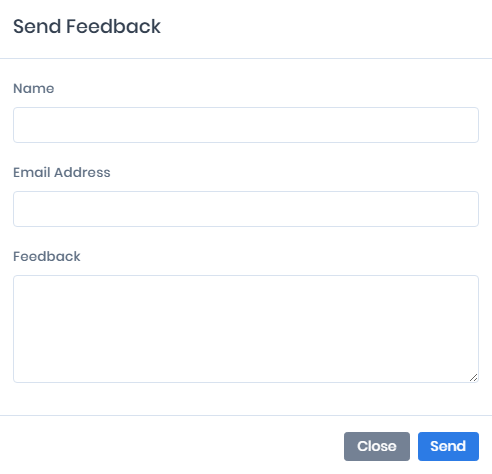
* **Send Feedback** (envelope icon): opens a form with **Name**, **Email Address** and **Feedback** fields. Click **Send** to send your feedback to Forestall. Your browser sends the form directly, so your computer needs internet access.
Send Feedback
* **Avatar**: opens the profile menu.
### Profile menu
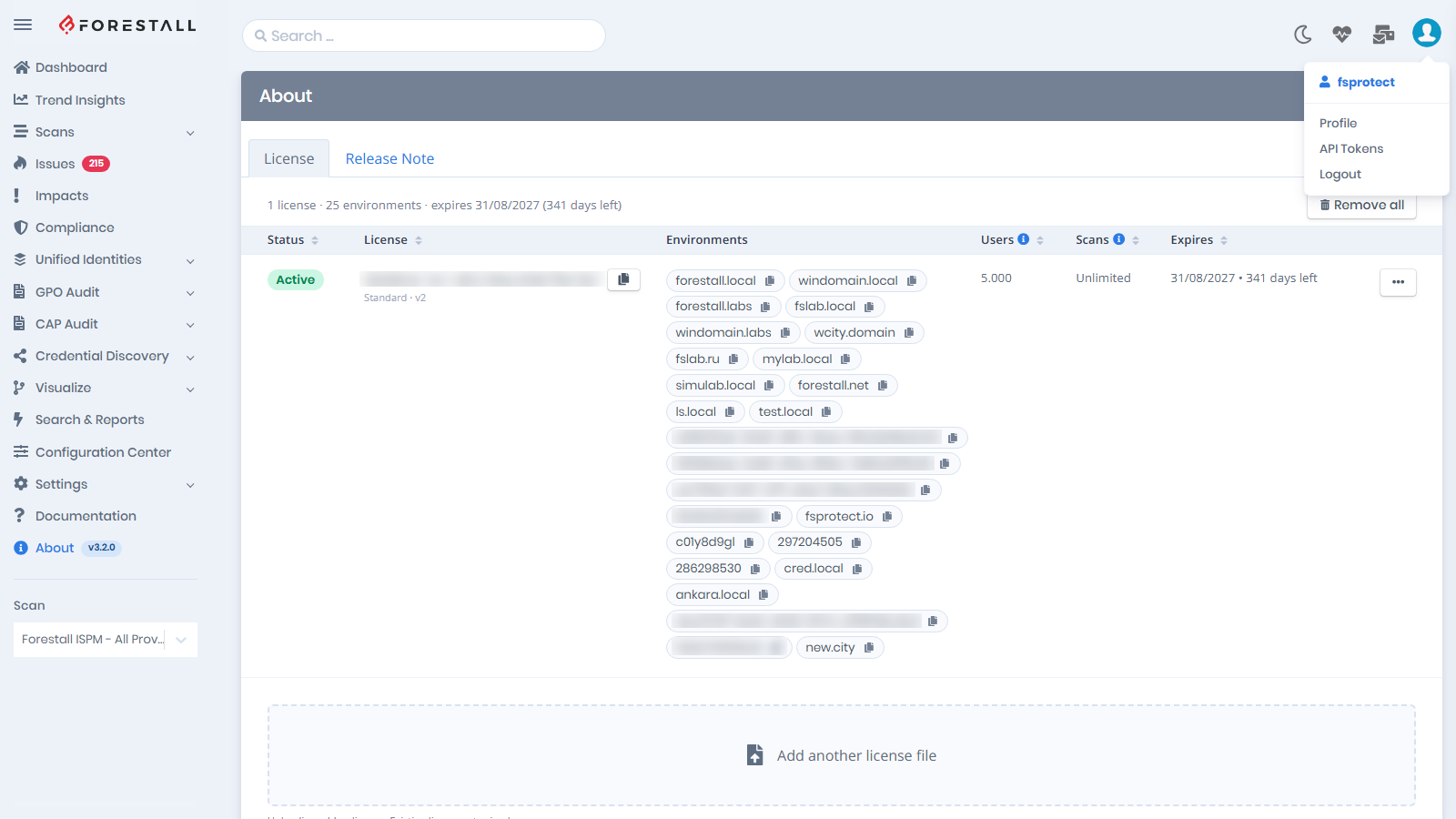
The profile menu shows your username and three items:
* **Profile**: your account details and password. See [Profile](/forestall/profile-menu/user-settings.md).
* **API Tokens**: personal tokens for the REST API and MCP clients. A lock icon is shown if your role lacks the **ManageApiTokens** permission. See [API Tokens](/forestall/profile-menu/api-tokens.md).
* **Logout**: ends your session.
Profile menu
See [Profile Menu](/forestall/profile-menu.md).
## License bar
When a license is about to expire, has expired or is missing, a colored bar appears above the page. Click **License** in the bar to open the [About](/forestall/about.md) page. You can close the bar for the rest of the browser session.