> For the complete documentation index, see [llms.txt](https://docs.forestall.io/forestall/llms.txt). Markdown versions of documentation pages are available by appending `.md` to page URLs; this page is available as [Markdown](https://docs.forestall.io/forestall/scans/policies/aws-policies.md).
# AWS Policies
AWS policies set what a scan collects and checks in AWS environments.
***
**Edit Scan Policy (AWS)**
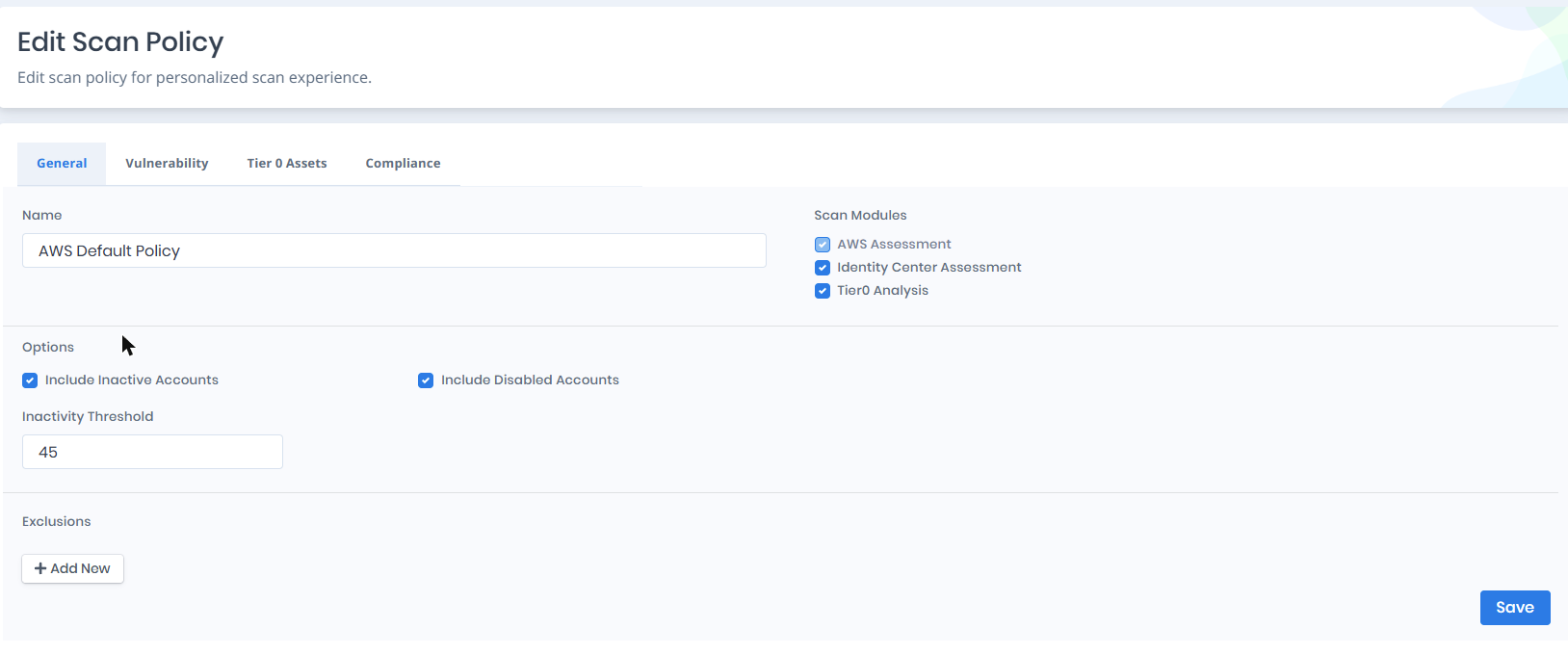
On the **General** tab you enable or disable the scan modules, set the options and define exclusions. The **Edit Scan Policy** page has four tabs: **General**, **Vulnerability**, **Tier 0 Assets** and **Compliance** (see [Compliance Frameworks](/forestall/scans/policies.md#compliance-frameworks)).
AWS Scan Policy Settings
***
**Vulnerability Policies and Tiering (AWS)**
The **Vulnerability** tab sets which AWS checks run during the scan (see [Vulnerability Policies](/forestall/scans/policies.md#vulnerability-policies)). The **Tier 0 Assets** tab marks your most critical identities.
***
**AWS Scan Modules**
**AWS Assessment:** Checks vulnerabilities, misconfigurations and access relationships in AWS IAM, including users, groups, roles, policies and access keys. It is the core module and cannot be disabled.
**Identity Center Assessment:** Collects IAM Identity Center data: the instance, permission sets, SSO users and groups, and the account assignments that map them to roles in member accounts. It also adds the Identity Center relationships to the graph, such as which SSO user can assume which role. The module is enabled by default in every AWS policy, including policies created before it existed. When it is disabled, the scan skips Identity Center and collects IAM identities only. Reading Identity Center requires the management account or the account registered as the Identity Center delegated administrator. The **Organization delegation** row on the AWS Configuration page shows whether that registration is in place.
**Tier0 Analysis:** Optional. Calculates the attack paths and privilege escalation routes through which identities can reach Tier 0 assets.
***
**General Settings**
| Setting | Description |
| ------------------------- | ------------------------------------------------------------------------------------------------------------------------------------------------------------------- |
| Name | The name of the scan policy. |
| Include Inactive Accounts | Includes inactive accounts in the scan. Enabled by default. |
| Include Disabled Accounts | Includes disabled accounts in the scan. Enabled by default. |
| Inactivity Threshold | The number of days without use after which an access key or console password counts as unused. The default value is `45`. |
| Exclusions | Entities to exclude from the scan. The types are Account, User, Group, Role and Policy (see [General Exclusions](/forestall/scans/policies.md#general-exclusions)). |
***
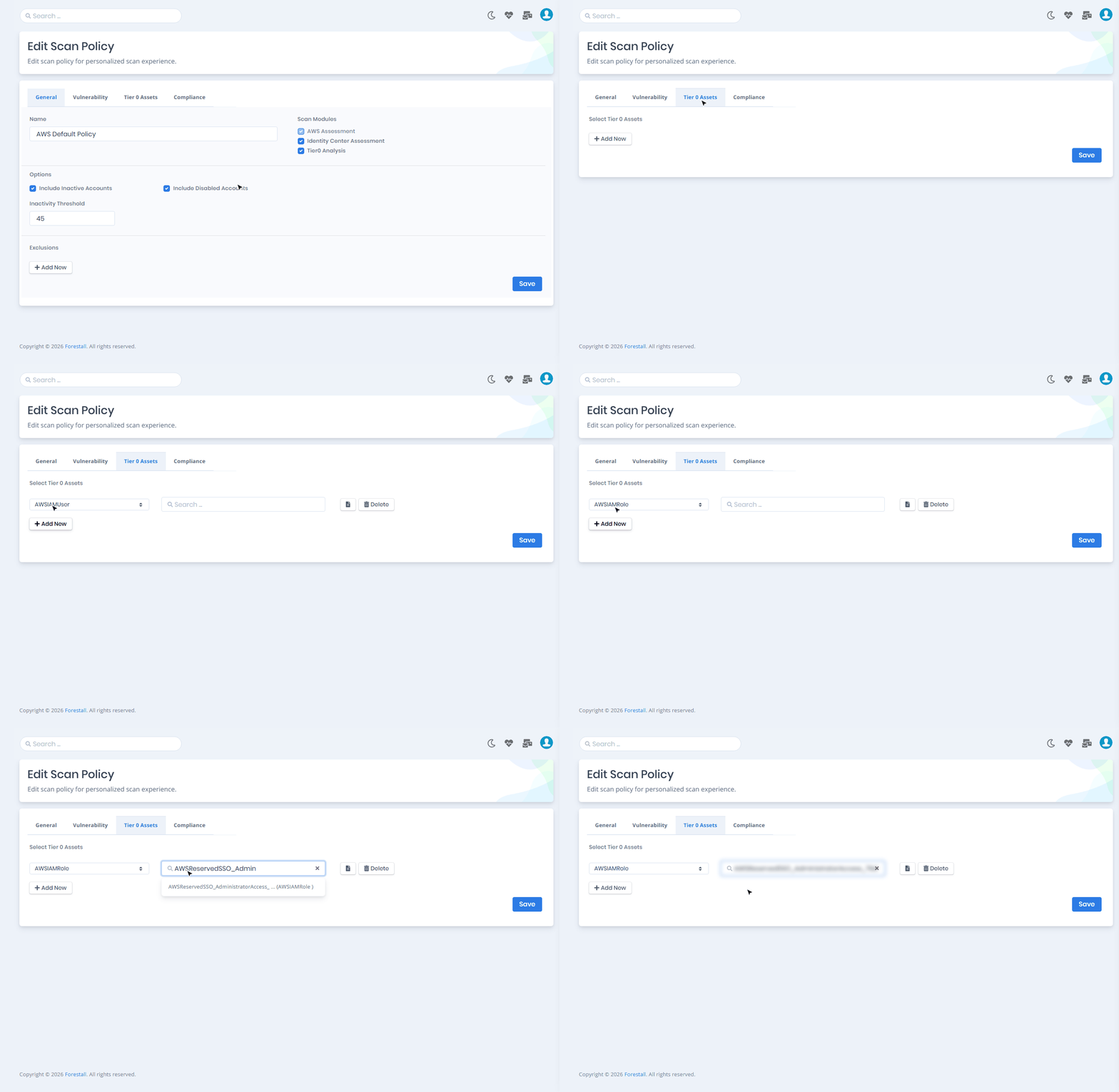
**Tier 0 Assets (AWS)**
On the **Tier 0 Assets** tab you mark critical AWS IAM entities as privileged. The types are AWSIAMUser, AWSIAMGroup, AWSIAMRole and AWSIAMPolicy. Tier 0 assets are treated as high-impact entities in the attack path analysis.