> For the complete documentation index, see [llms.txt](https://docs.forestall.io/fsprotect/llms.txt). Markdown versions of documentation pages are available by appending `.md` to page URLs; this page is available as [Markdown](https://docs.forestall.io/fsprotect/scans/policies/azure-policies.md).
# Azure Policies
**Azure / Entra ID Policies define security controls and assessment rules tailored for cloud-based identity environments.**
These policies focus on analyzing identity-related risks, role assignments, authentication configurations, and access control mechanisms within Azure and Entra ID.
By using Azure-specific policies, FSProtect helps identify privilege misuse, risky identity configurations, and exposure points in modern cloud identity infrastructures.
### Edit Scan Policy (Azure / Entra ID)
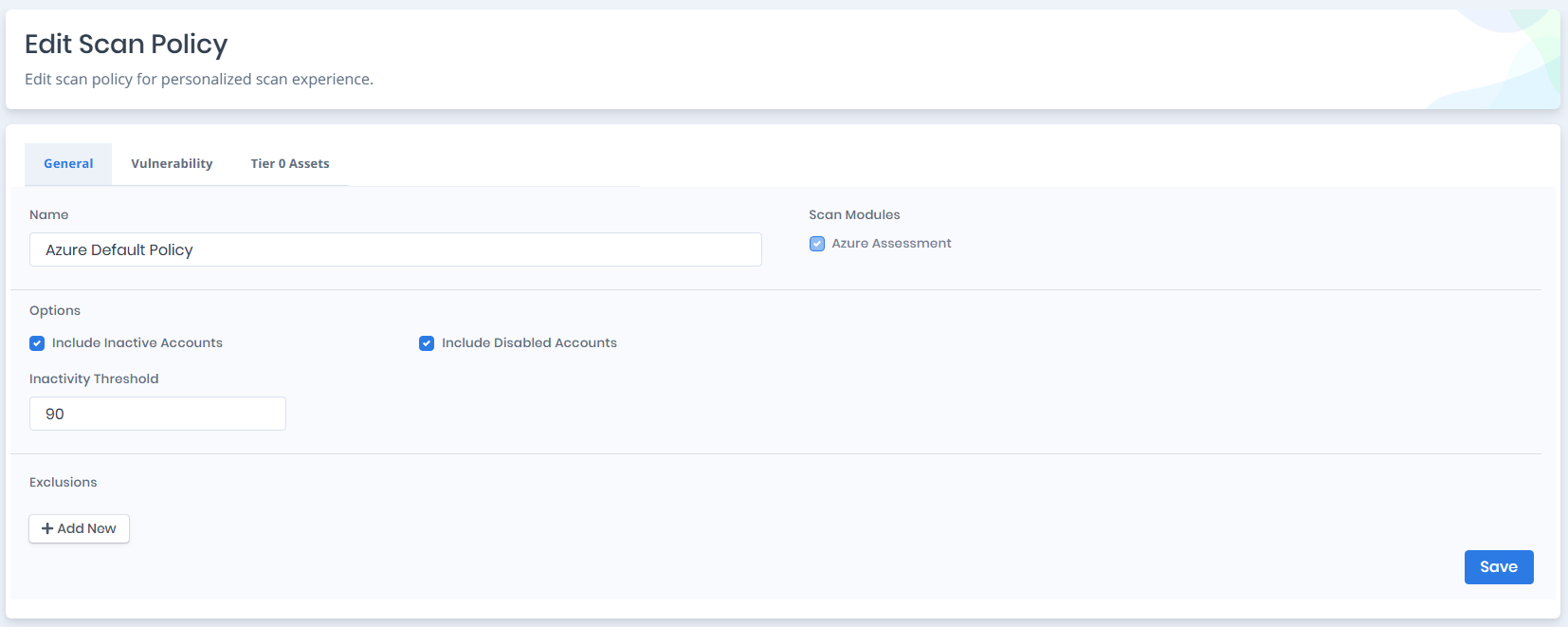
**This section allows users to configure scan settings specific to Azure / Entra ID environments, including enabled modules, exclusions, and scan options.**
Azure Scan Policy Settings
#### Vulnerability Policies and Tiering (Azure / Entra ID)
This section defines vulnerability policies and tiering configurations specific to Azure / Entra ID environments.\
Vulnerability policies determine which Azure-specific security checks are executed during the scan, while tiering helps identify critical cloud identities and roles based on their potential security impact.
### **Azure Scan Modules**
**Azure Assessment:** This module enables users to identify and evaluate vulnerabilities, misconfigurations, and security risks within their Azure environment, including Azure AD, resources, roles, and permissions. It provides deep visibility into the cloud configuration and access relationships across subscriptions and tenants. As a core component of the engine for cloud-based assessments, this module is a mandatory option. When it is the only enabled module in the scan policy, the engine communicates solely with Azure services and APIs, without interacting with on-premises infrastructure.
**Teams Assessment:** This optional module extends the Azure assessment to Microsoft Teams. It collects tenant-wide Teams configuration, meeting and messaging policies, external access settings, and user or group policy assignments to identify Teams-related security risks.
**SharePoint Assessment:** This optional module extends the Azure assessment to SharePoint Online. It evaluates tenant and site-level settings such as sharing configuration, site information, ownership, storage, and other SharePoint security settings. Some SharePoint checks require certificate-based authentication to collect the additional information needed for evaluation.
**Azure Resource Management Assessment:** This optional module collects and evaluates Azure Resource Manager resources such as subscriptions, management groups, resource groups, virtual machines, Key Vaults, storage accounts, web applications, managed identities, and other Azure resources. It also analyzes Azure RBAC assignments and access relationships between identities and resources.
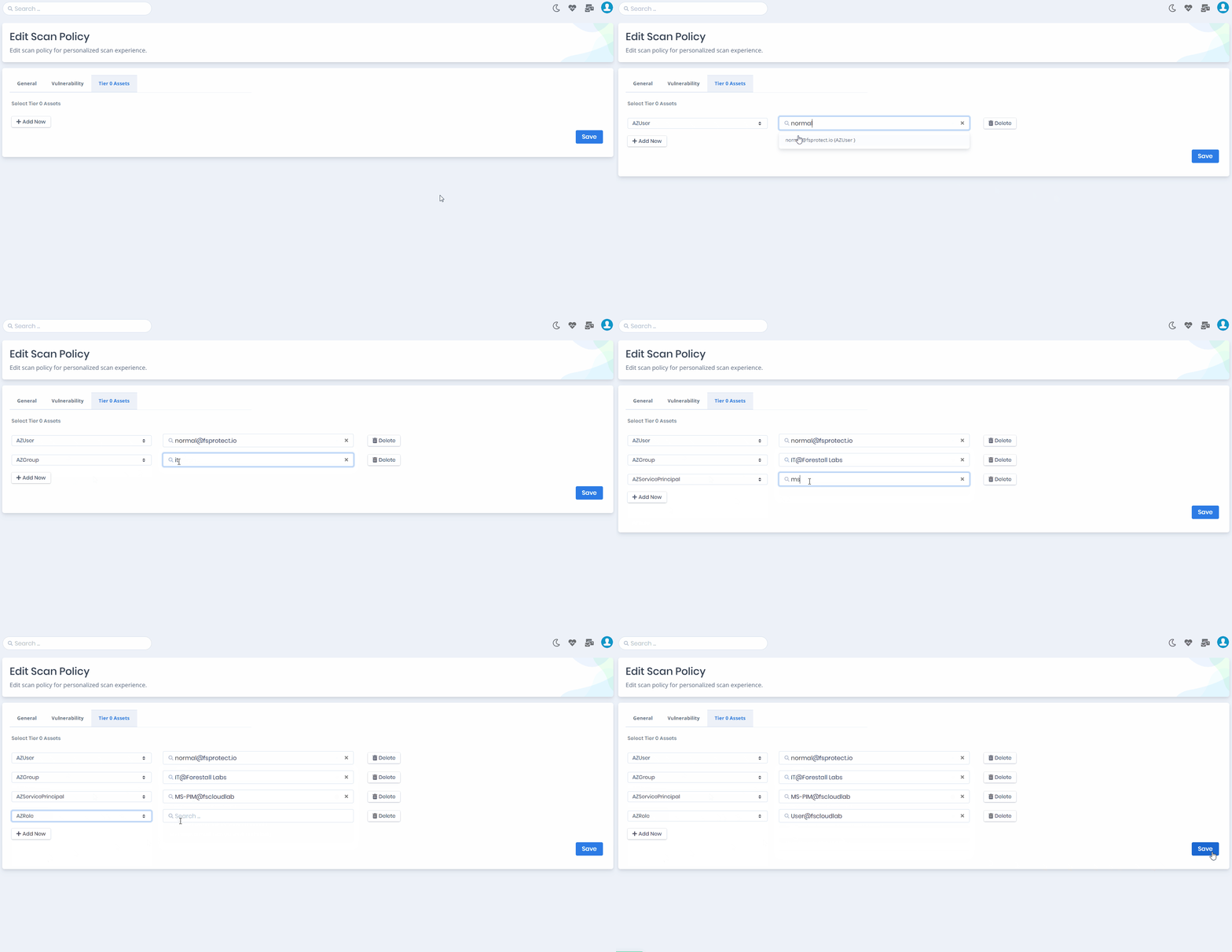
#### Tier 0 Assets (Azure / Entra ID)
Tier 0 Assets settings allow users to designate critical Azure and Entra ID identities as privileged.\
Selected Azure users, groups, service principals, and roles are treated as high-impact identities and are prioritized during privilege exposure and attack path analysis.\
Identities marked as Tier 0 Assets represent potential tenant-level compromise if misused or exposed.