> For the complete documentation index, see [llms.txt](https://docs.forestall.io/fsprotect/llms.txt). Markdown versions of documentation pages are available by appending `.md` to page URLs; this page is available as [Markdown](https://docs.forestall.io/fsprotect/unified-identities.md).

# Unified Identities

The Unified Identities module lists and shows details about matched (cross-provider) and unmatched (single-provider) objects across [`Azure`](/fsprotect/unified-identities/azure-identities.md), [`Active Directory`](/fsprotect/unified-identities/ad-identities.md), [`AWS`](/fsprotect/unified-identities/aws-identities.md), `GitHub` and [`GCP`](/fsprotect/unified-identities/gcp-identities.md) providers. The pages are divided into categories and every object shows which provider or providers they are matched with. The categories are Human, Non Human, Resources and Group.<br>

The rules that are used to match and merge identities is in [merge rules settings](/fsprotect/settings/merge-rule-settings.md).

## Human Category

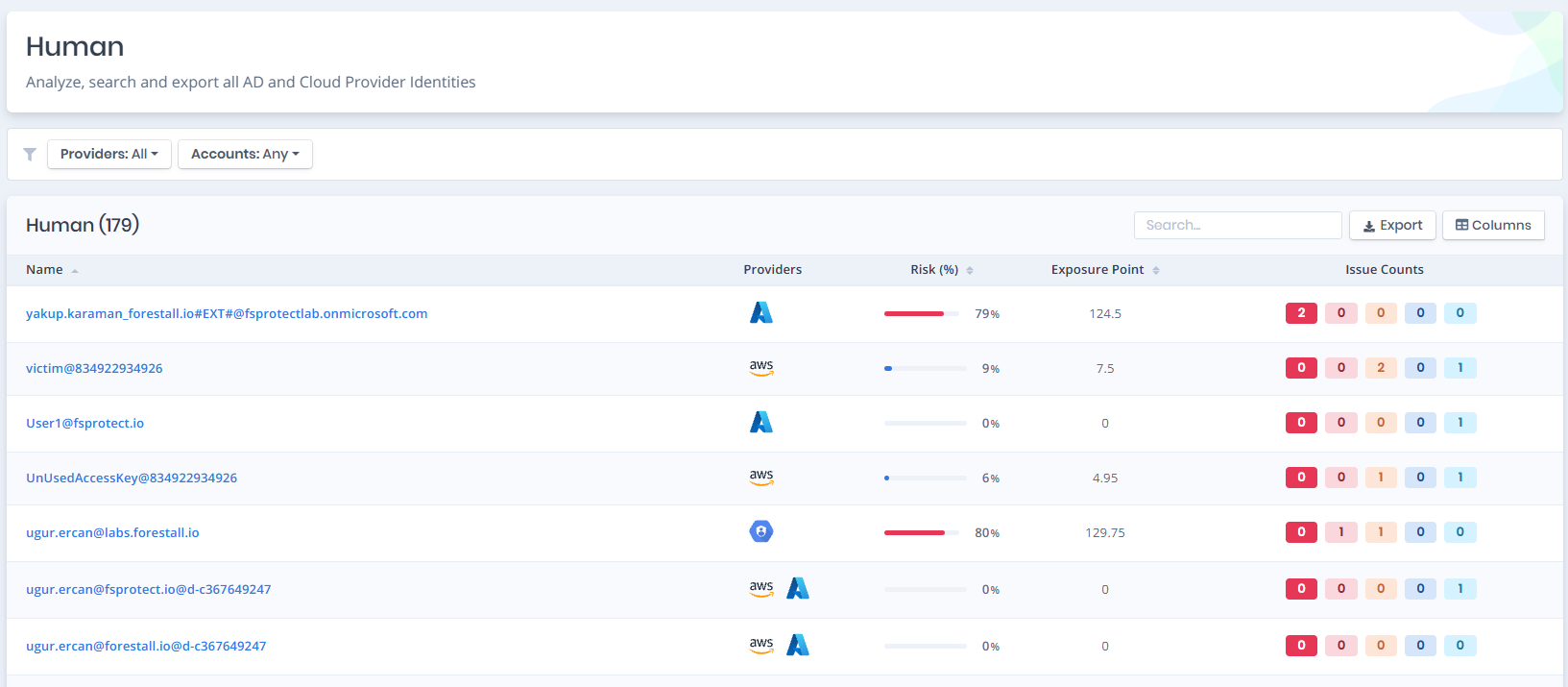
The Human page provides a list of human categorized Identity objects. This page shows:

**Active Directory:** `User`, `Local User`

**Entra ID:** `AZ User`

**AWS:** `AWS IAM User`, `AWS SSO User`

**GitHub:** `GitHub User`

**GCP:** `GCP User`

<figure><img src="https://3408039743-files.gitbook.io/~/files/v0/b/gitbook-x-prod.appspot.com/o/spaces%2FObpV44hoVkNmo5bFuVVL%2Fuploads%2Fgit-blob-8aa10e6cd3eb162c3d9bc872903a2a8b6efb32b6%2Funified-identity-human.png?alt=media" alt=""><figcaption><p>Human Page List</p></figcaption></figure>

## Non Human Category

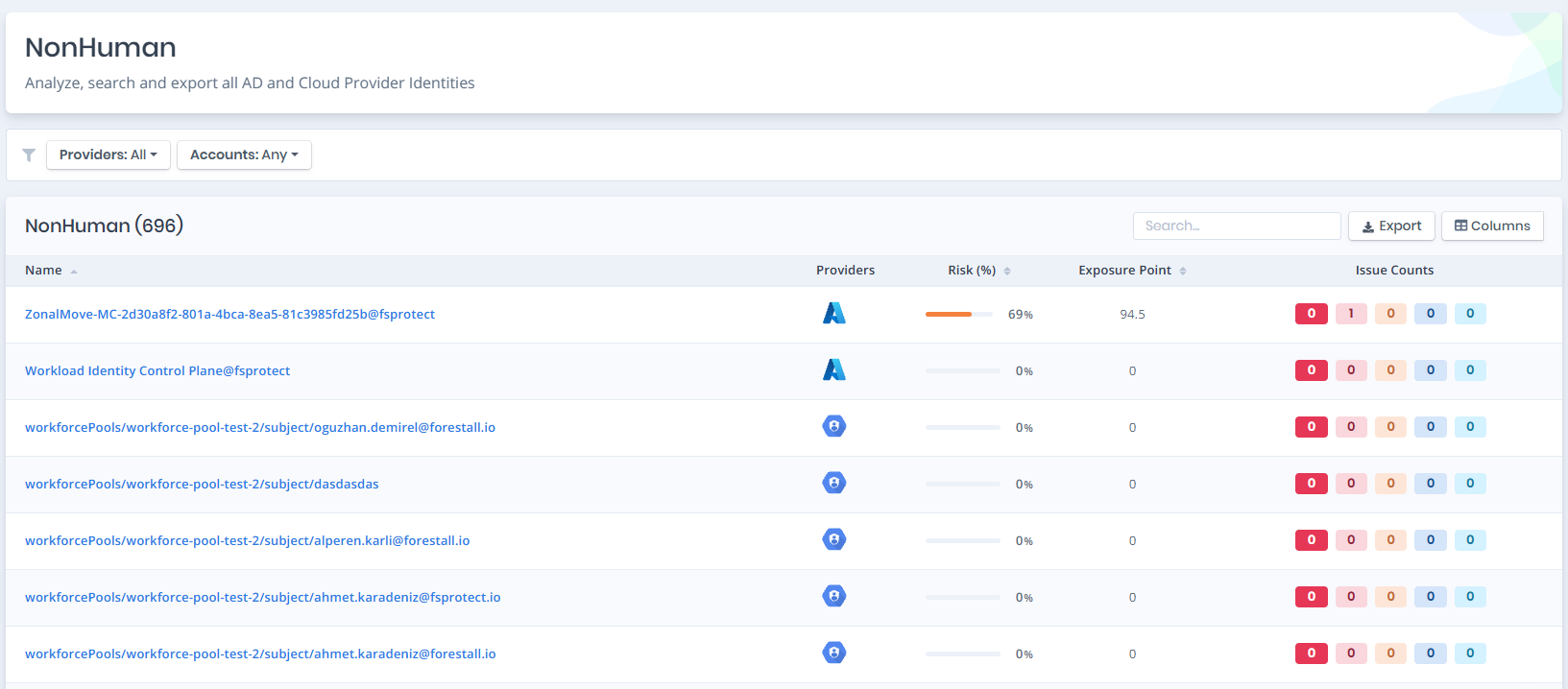
The Non Human page provides a list of non human categorized Identity objects. This page shows:

**Active Directory:** `Computer`, `Managed Service Account`, `Group Managed Service Account`, `Delegated Managed Service Account`

**Entra ID:** `AZ Device`, `AZ Application`, `AZ Service Principal`

**ARM:** `AZ Managed Identity`, `AZ User Assigned Identity`

**AWS:** `AWS IAM Role`

**GitHub:** `GitHub Application Installation`

**GCP:** `GCP Service Account`, `GCP Device`, `GCP Principal`

<figure><img src="https://3408039743-files.gitbook.io/~/files/v0/b/gitbook-x-prod.appspot.com/o/spaces%2FObpV44hoVkNmo5bFuVVL%2Fuploads%2Fgit-blob-5ca56fbf16a2625060f61fe035513e81ca7d0460%2Funified-identities-nonhuman-1.png?alt=media" alt=""><figcaption><p>Non Human Page List</p></figcaption></figure>

## Resources Category

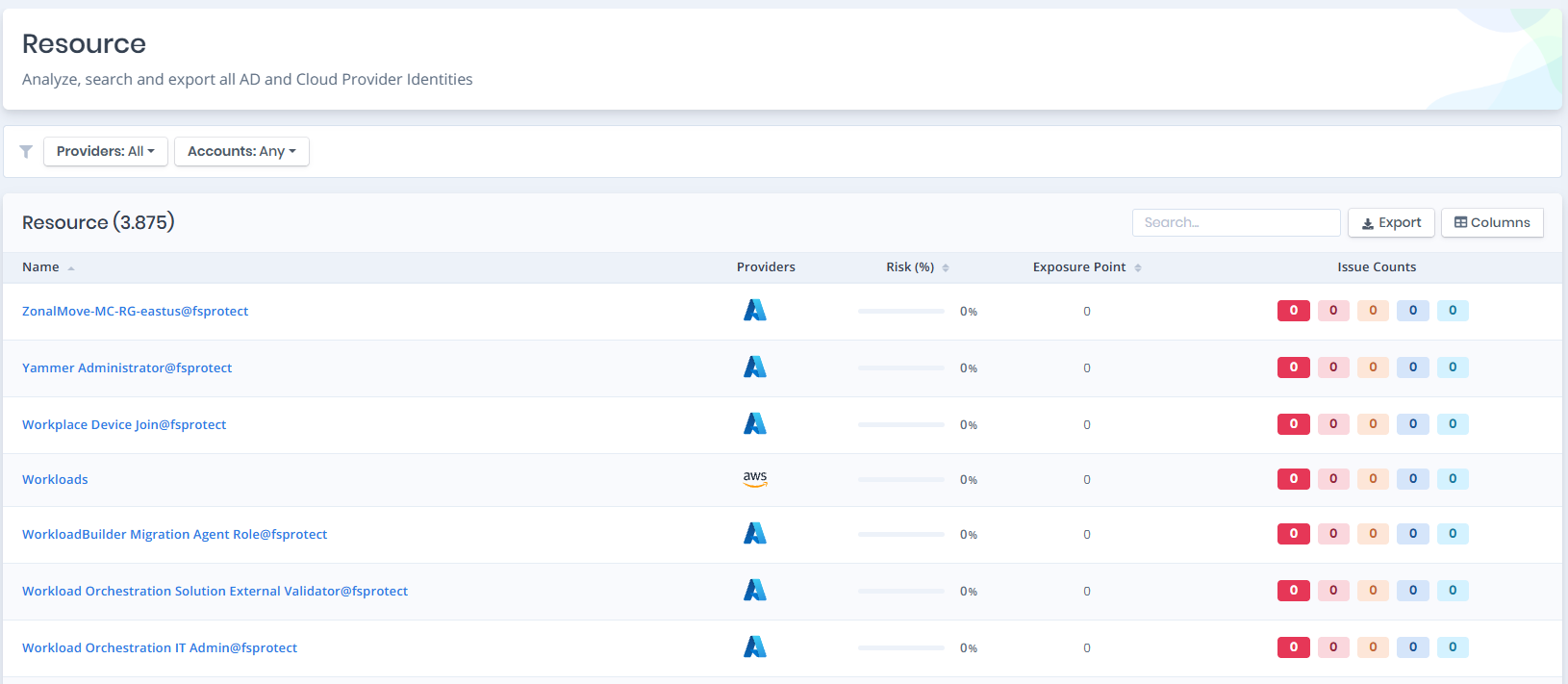
The Resources page provides a list of resource categorized objects. This page shows:

**Active Directory:** `Domain`, `Forest`, `Organizational Unit`, `Container`, `Certificate Authority`, `CA Certificate`, `Certificate Template`, `Group Policy Object`,

**Entra ID:** `AZ SharePoint Site`, `AZ Tenant`, `AZ Administrative Unit`, `AZ Role`, `AZ Teams Messaging Policy`, `AZ Teams Meeting Policy`, `AZ SharePoint Settings`, `AZ Teams Settings`, `AZ Teams External Access Settings`,

**ARM:** `AZ VM`, `AZ Subscription`, `AZ Resource Group`, `AZ Management Group`, `AZ Key Vault`, `AZ SQL Server`, `AZ ARM Role`, `AZ Managed Cluster`, `AZ VM Scale Set`, `AZ Web App`, `AZ Logic App`, `AZ Function App`, `AZ Automation Account`, `AZ Container Registry`, `AZ Storage Account`

**AWS:** `AWS IAM Account`, `AWS IAM Policy`, `AWS Organization`, `AWS Organizational Unit`, `AWS Identity Center` and `AWS Permission Set`

**GitHub:** `GitHub Organization`, `GitHub Repository`, `GitHub Org Role` and `GitHub Enterprise`

**GCP:** `GCP Organization`, `GCP Folder`, `GCP Project`, `GCP Role`, `GCP Service Account Key`, `GCP Organizational Unit`, `GCP Workforce Identity Pool`, `GCP Workload Identity Pool`, `GCP Workforce Provider`, `GCP Workload Provider`, `GCP VM`, `GCP Customer`, `GCP KMS Key`

<figure><img src="https://3408039743-files.gitbook.io/~/files/v0/b/gitbook-x-prod.appspot.com/o/spaces%2FObpV44hoVkNmo5bFuVVL%2Fuploads%2Fgit-blob-ddd3ec2494780b5cedfbe97389aec69ac33ac835%2Funified-identity-resources-1.png?alt=media" alt=""><figcaption><p>Resources Page List</p></figcaption></figure>

## Group Category

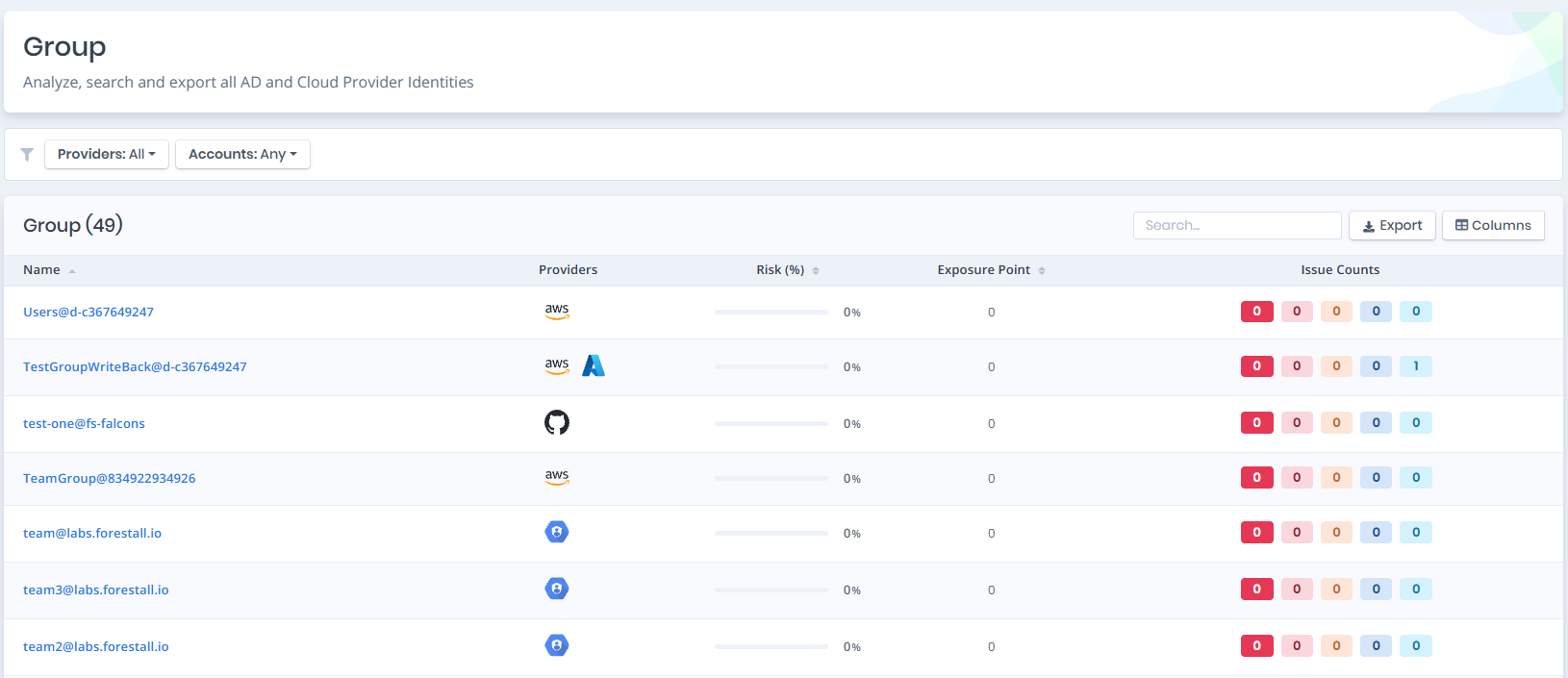
The Group page provides a list of group categorized objects. This page shows:

**Active Directory:** `Group`, `Local Group`

**Entra ID:** `AZ Group`

**AWS:** `AWS IAM Group`, `AWS SSO Group`

**GitHub:** `GitHub Team`

**GCP:** `GCP Group`

<figure><img src="https://3408039743-files.gitbook.io/~/files/v0/b/gitbook-x-prod.appspot.com/o/spaces%2FObpV44hoVkNmo5bFuVVL%2Fuploads%2Fgit-blob-f0e14c4d225c91206f328136bb1e61270b4da926%2Funified-identity-group.png?alt=media" alt=""><figcaption><p>Group Page List</p></figcaption></figure>

## Details Page

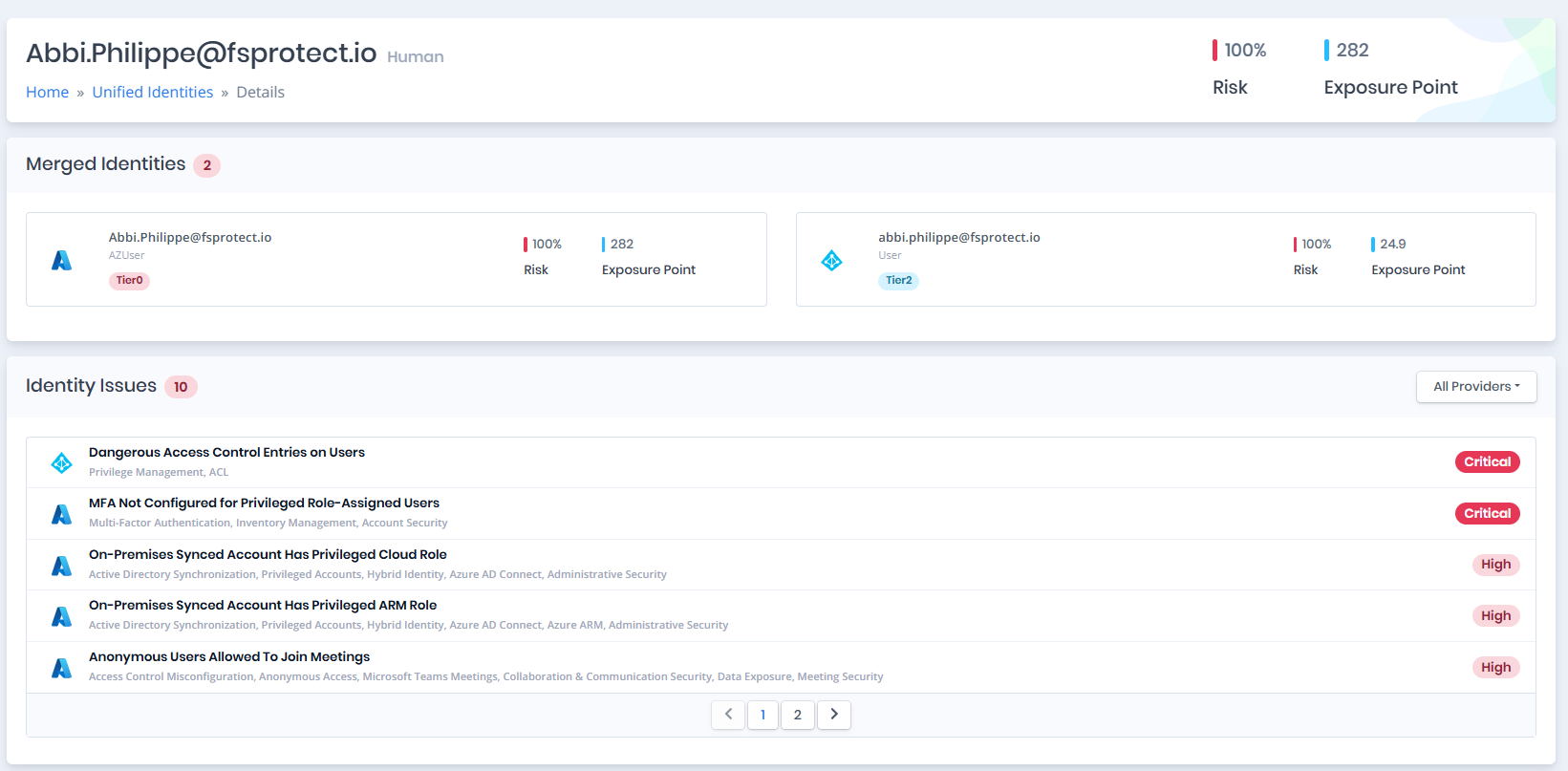
The details page lists merged identities, shows exposure points and the risk score, and displays a combined list of the issues on the page. If the identity has a single provider, this page is not shown it is redirected to the object's detail page instead. If there is more than one provider, the unified identity details page opens and the unified data is listed.

<figure><img src="https://3408039743-files.gitbook.io/~/files/v0/b/gitbook-x-prod.appspot.com/o/spaces%2FObpV44hoVkNmo5bFuVVL%2Fuploads%2Fgit-blob-4f96eaed4baaa59492c7c8da89b4ab1447435438%2Funified-identities-details-1.png?alt=media" alt=""><figcaption><p>Unified Identity Details Page</p></figcaption></figure>

### Merged Identities

This section of the details page displays merged identities. Each card presents a tier label, risk score, and exposure points. Cards are selectable, and selecting a card navigates to the corresponding object's detail page for more detailed information

<figure><img src="https://3408039743-files.gitbook.io/~/files/v0/b/gitbook-x-prod.appspot.com/o/spaces%2FObpV44hoVkNmo5bFuVVL%2Fuploads%2Fgit-blob-e723cde8be5c98855edbdace466ea186b3e8af6a%2Funified-identities-merged-identities.png?alt=media" alt=""><figcaption><p>Merged Identities</p></figcaption></figure>

### Identity Issues

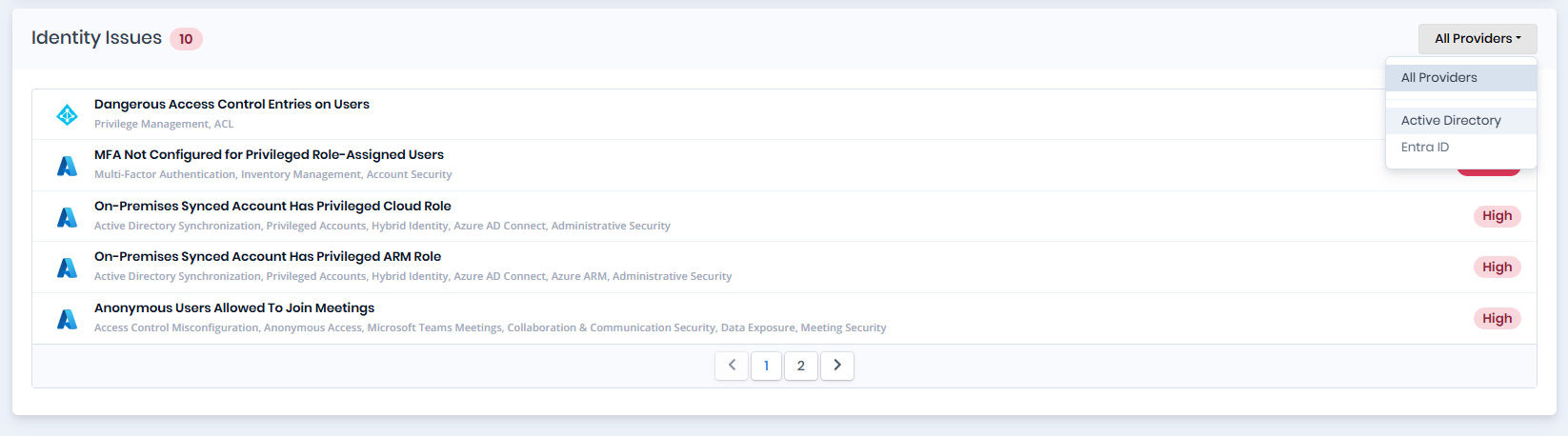
The identity issues section lists all issues associated with the merged identities. The table can also be filtered by provider using the filter on the right.

<figure><img src="https://3408039743-files.gitbook.io/~/files/v0/b/gitbook-x-prod.appspot.com/o/spaces%2FObpV44hoVkNmo5bFuVVL%2Fuploads%2Fgit-blob-9f08ba26fdf5570cf4e637c2220b4e5771473200%2Funified-identities-issues.png?alt=media" alt=""><figcaption><p>Identity Issues List</p></figcaption></figure>

<figure><img src="https://3408039743-files.gitbook.io/~/files/v0/b/gitbook-x-prod.appspot.com/o/spaces%2FObpV44hoVkNmo5bFuVVL%2Fuploads%2Fgit-blob-304db063e37bad2fc92c2fc60be04068c44599b6%2Funified-identities-filtered-issues.png?alt=media" alt=""><figcaption><p>Filtered Identity Issues List</p></figcaption></figure>

## Filters

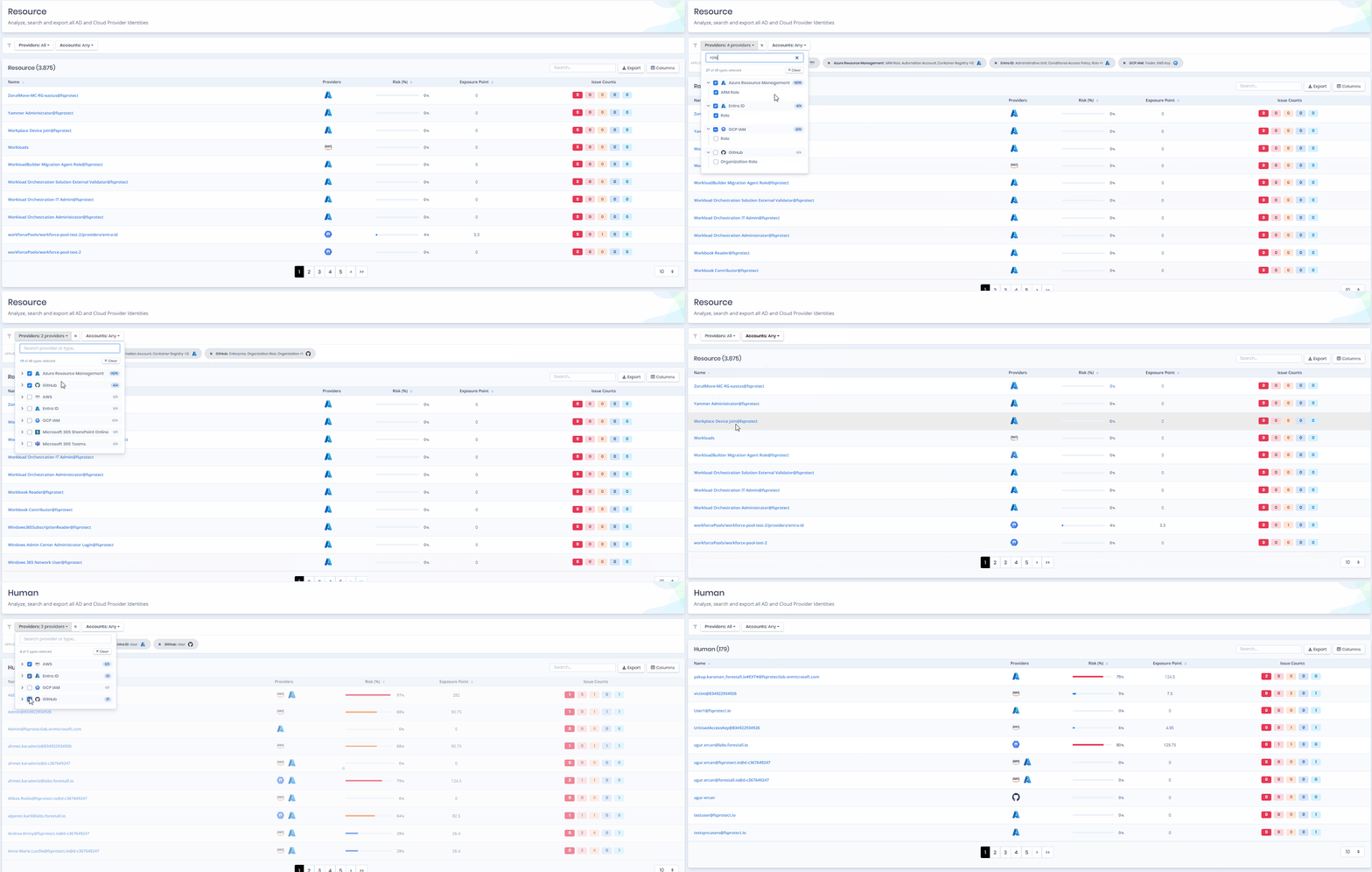
This page's filter lets you filter objects. Changes are applied directly.

**Providers:** This part of the filter is used to select the providers and entity types to be listed.

**Accounts:** This filter is used to filter for multi-provider objects, single-provider objects, or all objects.

In the Providers filter, all selectable providers are listed. This list can be collapsed to reveal the entity types of the providers.

<figure><img src="https://3408039743-files.gitbook.io/~/files/v0/b/gitbook-x-prod.appspot.com/o/spaces%2FObpV44hoVkNmo5bFuVVL%2Fuploads%2Fgit-blob-10a5a7286bcbdc707251e5560f71e235b8fb5336%2Funified-identity-filter-1.png?alt=media" alt=""><figcaption><p>Providers Filter</p></figcaption></figure>

If the entity types are deselected, or only some of them are selected, the filter provides detailed information about the providers and entity types that will be listed.

<figure><img src="https://3408039743-files.gitbook.io/~/files/v0/b/gitbook-x-prod.appspot.com/o/spaces%2FObpV44hoVkNmo5bFuVVL%2Fuploads%2Fgit-blob-9916a90ec30bffd7b9096cb6414ffff0326005a0%2Funified-identity-filter-2.png?alt=media" alt=""><figcaption><p>Filtered Entity Types</p></figcaption></figure>

Filters can be deselected easily from the cross button on the right.

<figure><img src="https://3408039743-files.gitbook.io/~/files/v0/b/gitbook-x-prod.appspot.com/o/spaces%2FObpV44hoVkNmo5bFuVVL%2Fuploads%2Fgit-blob-558b9fd2bf9a728a4ca6a776a6c15411b9c61926%2Funified-identity-tooltip-filter.png?alt=media" alt=""><figcaption><p>Deselect all filters</p></figcaption></figure>

<figure><img src="https://3408039743-files.gitbook.io/~/files/v0/b/gitbook-x-prod.appspot.com/o/spaces%2FObpV44hoVkNmo5bFuVVL%2Fuploads%2Fgit-blob-f895bac1fe17d289948eb88ed2410268f495d4b3%2Funified-identity-filter-3.png?alt=media" alt=""><figcaption><p>Match Type Filter</p></figcaption></figure>

A detailed usage is shown below:

<figure><img src="https://3408039743-files.gitbook.io/~/files/v0/b/gitbook-x-prod.appspot.com/o/spaces%2FObpV44hoVkNmo5bFuVVL%2Fuploads%2Fgit-blob-f4a95ecf3a07986fa222d41ac654a7c254962ddd%2FUnified-Identity.gif?alt=media" alt=""><figcaption><p>Unified Identity Page Usage</p></figcaption></figure>

{% content-ref url="/pages/euhDlS7Orm5UHweIr782" %}
[Merge Rule Settings](/fsprotect/settings/merge-rule-settings.md)
{% endcontent-ref %}