# Update

## Online Update

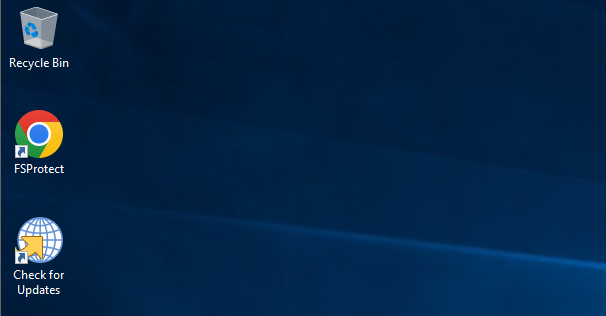
1. Click the **Check for Updates** icon on the **Desktop**.

<figure><img src="https://3408039743-files.gitbook.io/~/files/v0/b/gitbook-x-prod.appspot.com/o/spaces%2FObpV44hoVkNmo5bFuVVL%2Fuploads%2F3FSc1yKkWXGy8VlzgAGK%2Fupdate-1.png?alt=media&#x26;token=0e269375-60d8-4d46-9cc8-b7b5882483b7" alt=""><figcaption><p>Check for Updates</p></figcaption></figure>

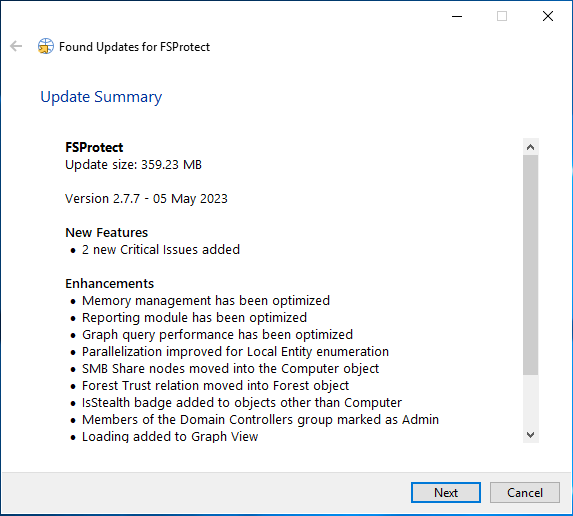
2. If a new update has been released, you can see the relevant release notes on the interface and continue the update. Click the **Next** button to continue the update.

<figure><img src="https://3408039743-files.gitbook.io/~/files/v0/b/gitbook-x-prod.appspot.com/o/spaces%2FObpV44hoVkNmo5bFuVVL%2Fuploads%2Fc3qgrUCZzo2nGEkjRoIY%2Fupdate-2.png?alt=media&#x26;token=2e050608-1eab-42c1-a378-494b75643bf8" alt=""><figcaption><p>Update details and Release Notes</p></figcaption></figure>

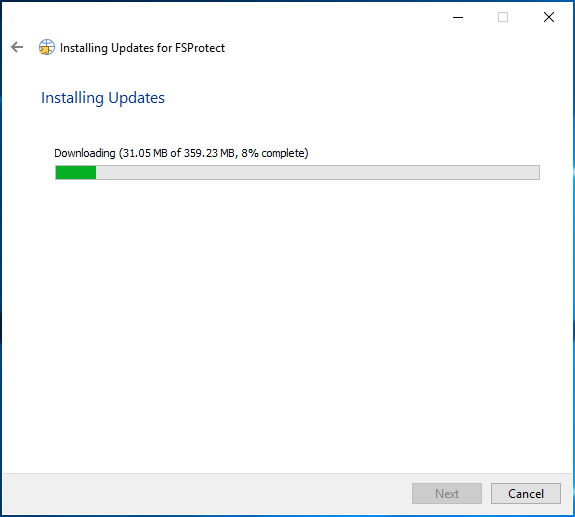
3. Wait for the update package to be downloaded.

<figure><img src="https://3408039743-files.gitbook.io/~/files/v0/b/gitbook-x-prod.appspot.com/o/spaces%2FObpV44hoVkNmo5bFuVVL%2Fuploads%2FpZx7Gv6etNsTFIWe4MII%2Fupdate-3.png?alt=media&#x26;token=ddec0db8-d0ed-4e50-8946-095b830559ba" alt=""><figcaption><p>Downloading Update Package</p></figcaption></figure>

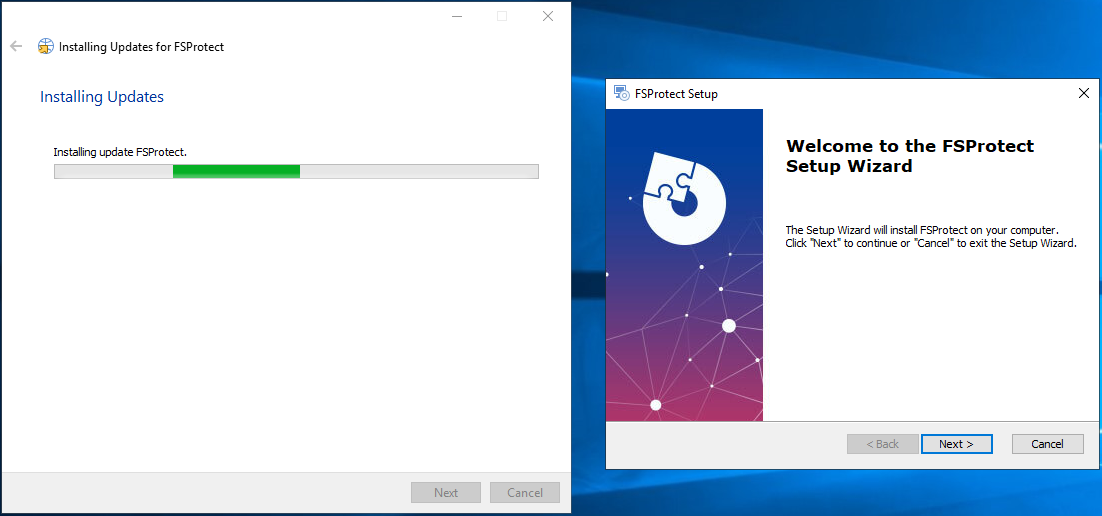
4. After the package is downloaded, click the **Next** button to start the update.

<figure><img src="https://3408039743-files.gitbook.io/~/files/v0/b/gitbook-x-prod.appspot.com/o/spaces%2FObpV44hoVkNmo5bFuVVL%2Fuploads%2F6rckf7tT2heyH0F4qkRs%2Fupdate-4.png?alt=media&#x26;token=37c8b7a5-9375-4ed3-a9eb-9e9cc0eca0b2" alt=""><figcaption><p>Starting the Update</p></figcaption></figure>

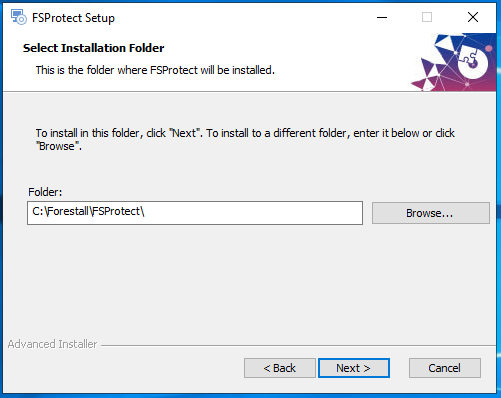
5. Select the **installation folder** and click **Next**.

<figure><img src="https://3408039743-files.gitbook.io/~/files/v0/b/gitbook-x-prod.appspot.com/o/spaces%2FObpV44hoVkNmo5bFuVVL%2Fuploads%2FlJsvsts4z7cJQZxHCoAK%2Fupdate-5.png?alt=media&#x26;token=67010035-38bd-48d8-978d-0b70a58e7bd4" alt=""><figcaption><p>Configuring the Installation Folder</p></figcaption></figure>

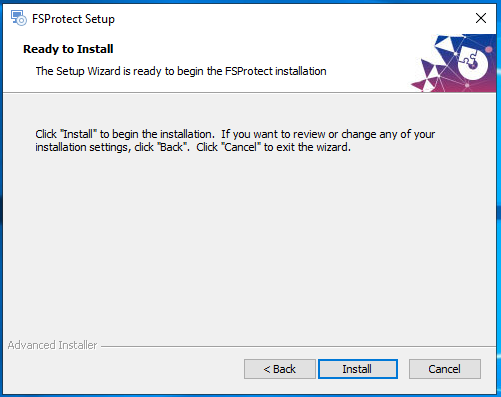
6. Click the **Install** button to start the update.

<figure><img src="https://3408039743-files.gitbook.io/~/files/v0/b/gitbook-x-prod.appspot.com/o/spaces%2FObpV44hoVkNmo5bFuVVL%2Fuploads%2F91023oCy6IgosntSxk1G%2Fupdate-6.png?alt=media&#x26;token=713cd0d8-6a75-4306-962a-33d6a596f0d2" alt=""><figcaption><p>Starting the Update</p></figcaption></figure>

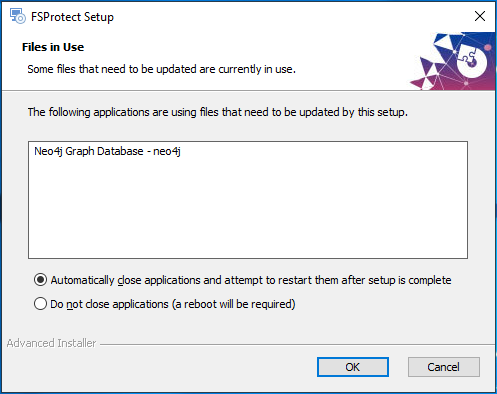
7. The **Neo4j** database must be stopped in order to continue the update. Therefore, select **Automatically close applications and attempt to restart them after setup is complete** and click the **OK** button.

<figure><img src="https://3408039743-files.gitbook.io/~/files/v0/b/gitbook-x-prod.appspot.com/o/spaces%2FObpV44hoVkNmo5bFuVVL%2Fuploads%2FP0hGwE7rUPxhLpiva5be%2Fupdate-7.png?alt=media&#x26;token=9c1c74a5-6cd9-4a88-b16a-4a33a309537e" alt=""><figcaption><p>Stopping the Neo4j Database</p></figcaption></figure>

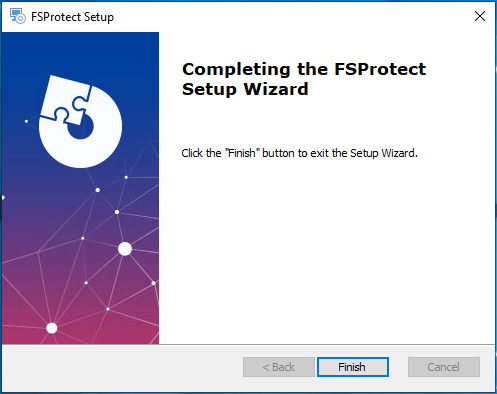
8. Click the **Finish** button to complete the update.

<figure><img src="https://3408039743-files.gitbook.io/~/files/v0/b/gitbook-x-prod.appspot.com/o/spaces%2FObpV44hoVkNmo5bFuVVL%2Fuploads%2FR1MTQ6u3ygXW8yQqfXXF%2Fupdate-8.png?alt=media&#x26;token=c50f7e14-54b9-4f1a-beaf-a79f3e432a72" alt=""><figcaption><p>Finishing the Installation</p></figcaption></figure>

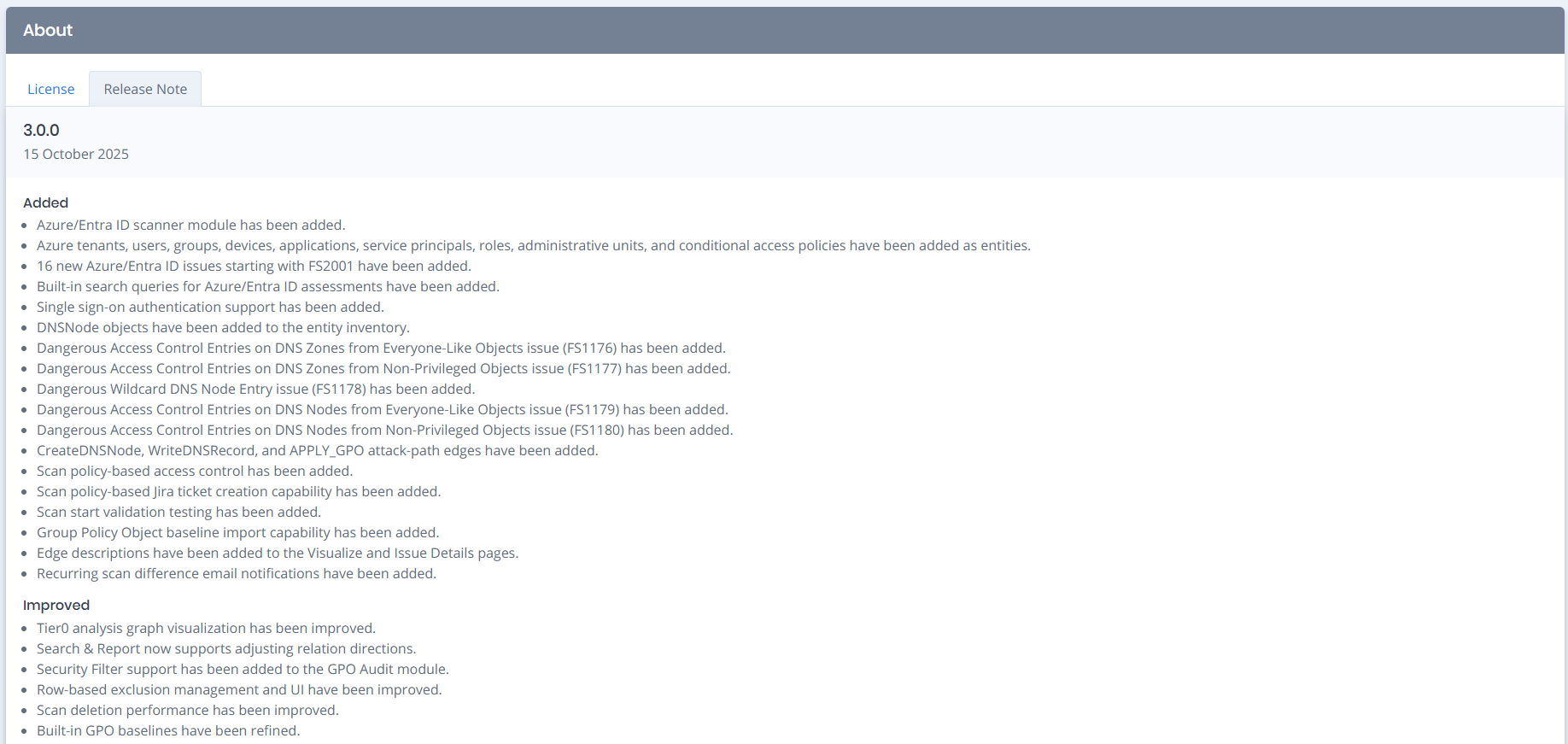
9. You can check the details of new release by clicking the **About** button.

<figure><img src="https://3408039743-files.gitbook.io/~/files/v0/b/gitbook-x-prod.appspot.com/o/spaces%2FObpV44hoVkNmo5bFuVVL%2Fuploads%2FOl4Cy0elrOuQ1iN4e5lx%2Fimage.png?alt=media&#x26;token=a727ec92-f608-4862-b70f-9dfa40c178de" alt=""><figcaption><p>Details and Release Notes of the New Version</p></figcaption></figure>

## Offline Update

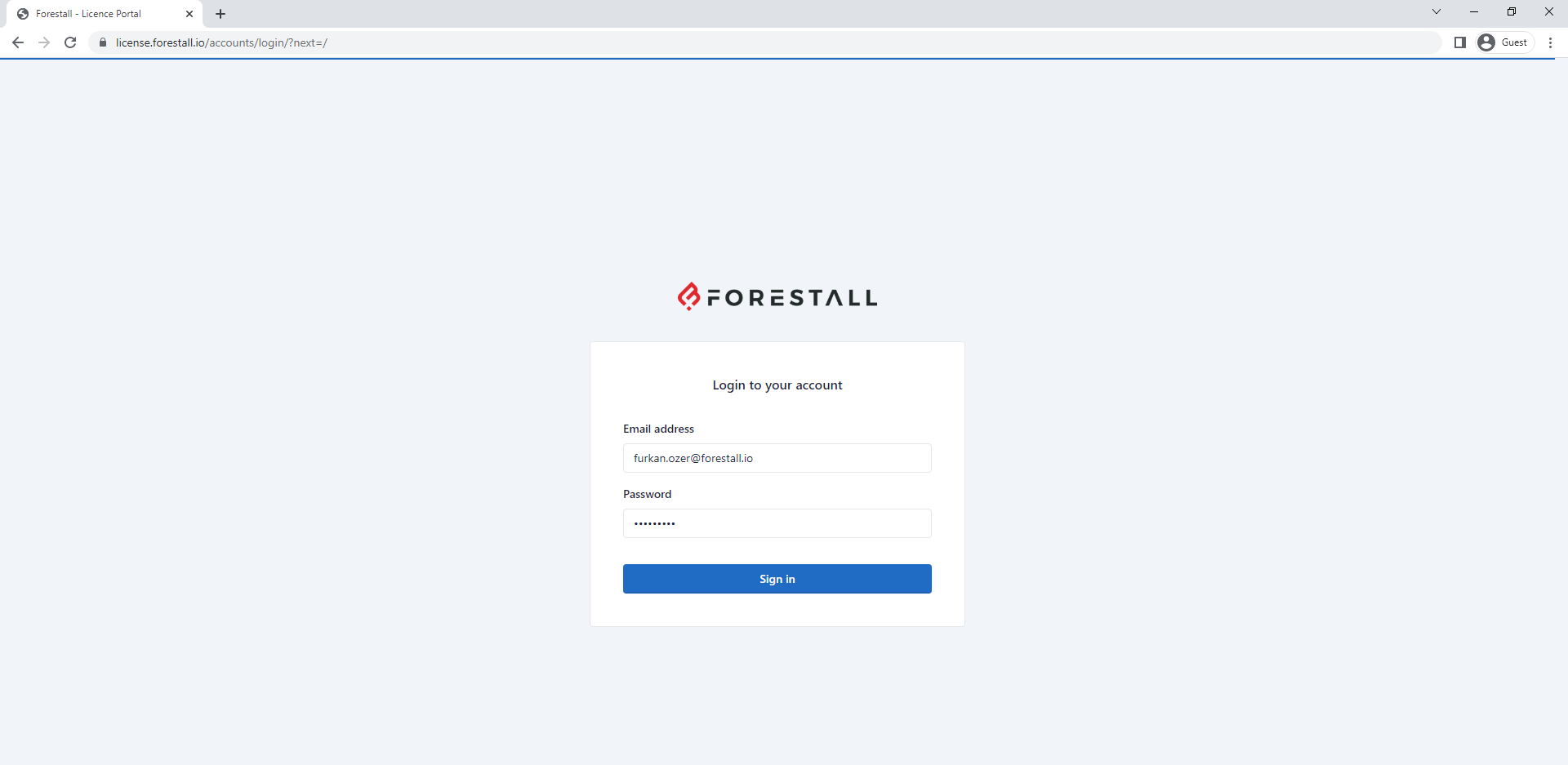
1. If the **FSProtect** server does not have direct access to the **Internet**, you can perform the update manually. For this log in the [**license.forestall.io**](https://license.forestall.io/) with given credentials.

<figure><img src="https://3408039743-files.gitbook.io/~/files/v0/b/gitbook-x-prod.appspot.com/o/spaces%2FObpV44hoVkNmo5bFuVVL%2Fuploads%2FdELJkdwmg0YAhivsBDoy%2F1.png?alt=media&#x26;token=e02d82fa-d74f-49f7-88fd-56223af0934f" alt=""><figcaption><p>Forestall License Portal</p></figcaption></figure>

2. Download the **Update** package from [**Releases**](https://license.forestall.io/releases/) page.

<figure><img src="https://3408039743-files.gitbook.io/~/files/v0/b/gitbook-x-prod.appspot.com/o/spaces%2FObpV44hoVkNmo5bFuVVL%2Fuploads%2FAl6RfUePQpVidyCBKNEd%2Foffline-update-2.png?alt=media&#x26;token=313c4c8e-de6a-41fe-bd7c-428325dfd26e" alt=""><figcaption><p>FSProtect Releases</p></figcaption></figure>

3. Run the update package and follow same steps in [**Online Update**](#online-update).