# Installation

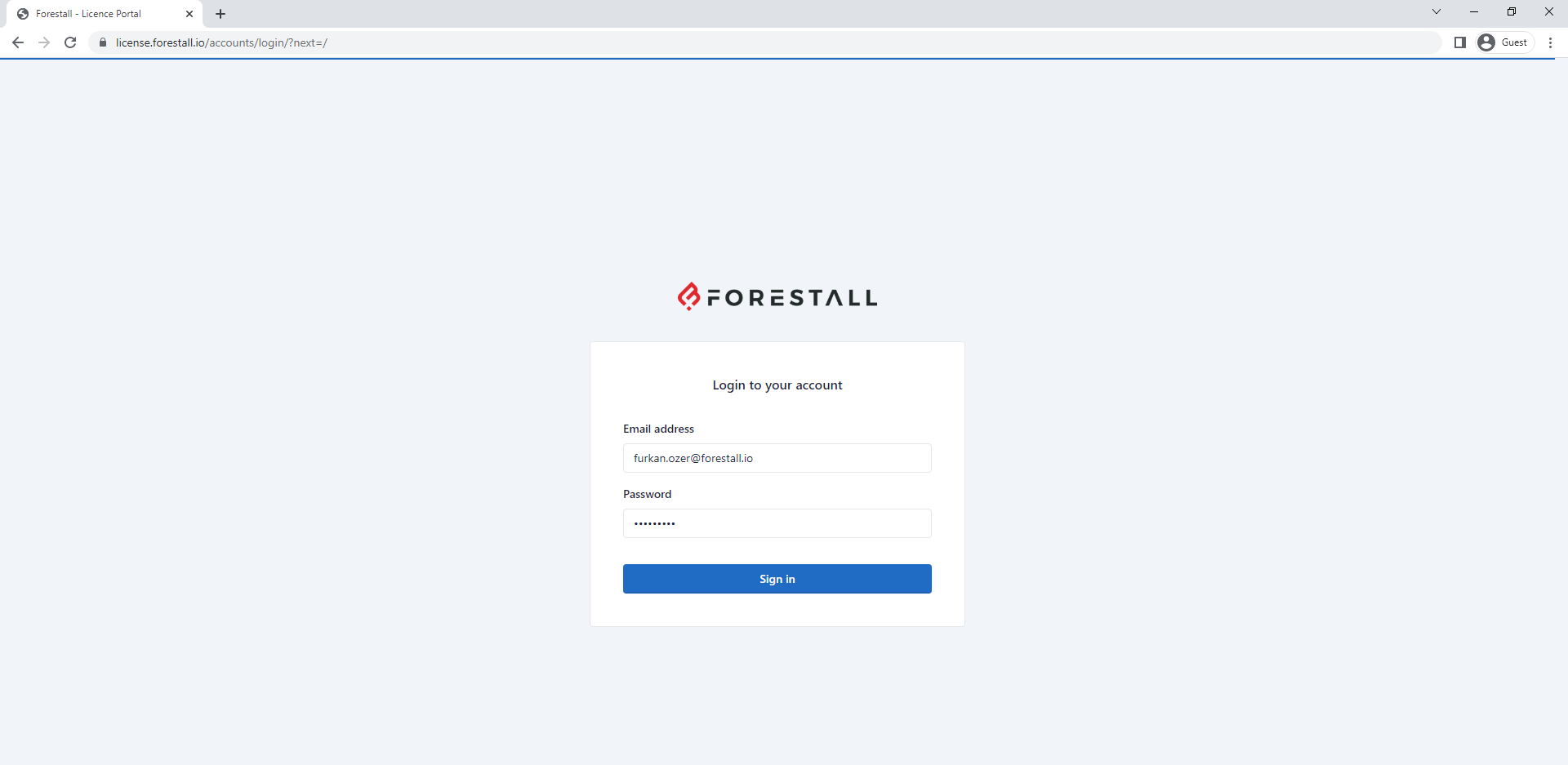
1. Log in the [**license.forestall.io**](https://license.forestall.io/) with given credentials.

<figure><img src="https://3408039743-files.gitbook.io/~/files/v0/b/gitbook-x-prod.appspot.com/o/spaces%2FObpV44hoVkNmo5bFuVVL%2Fuploads%2FdELJkdwmg0YAhivsBDoy%2F1.png?alt=media&#x26;token=e02d82fa-d74f-49f7-88fd-56223af0934f" alt=""><figcaption><p>Forestall License Portal</p></figcaption></figure>

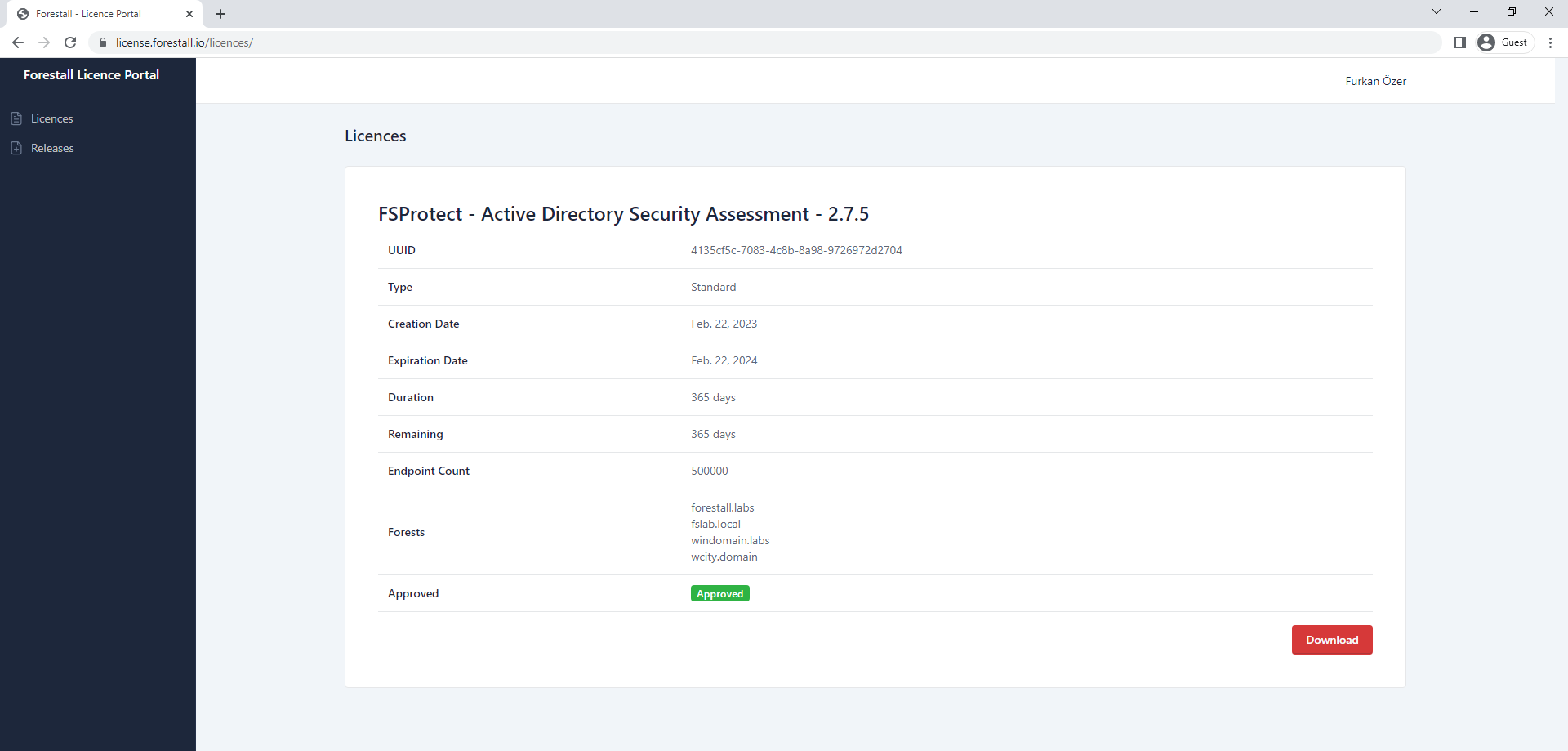
2. Download the license file from [**Licenses** ](https://license.forestall.io/licences/)page.

<figure><img src="https://3408039743-files.gitbook.io/~/files/v0/b/gitbook-x-prod.appspot.com/o/spaces%2FObpV44hoVkNmo5bFuVVL%2Fuploads%2F0HlB4ifZU3dOXXYH7TKJ%2F2.png?alt=media&#x26;token=7c95f390-1e4d-43ec-b35a-0b30756517a1" alt=""><figcaption><p>FSProtect License</p></figcaption></figure>

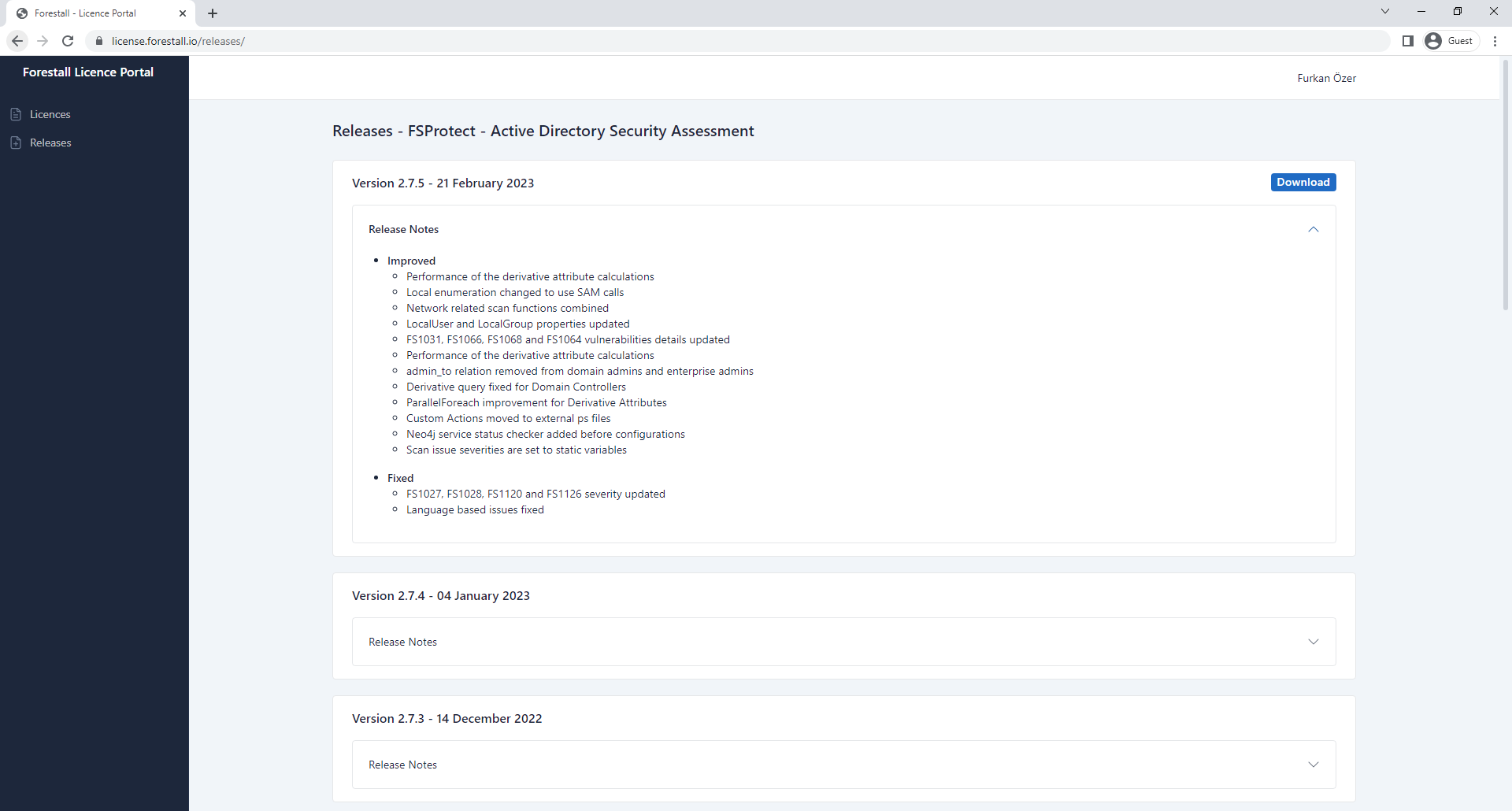
3. Download the installation package of last release from [**Releases** ](https://license.forestall.io/releases/)page.

<figure><img src="https://3408039743-files.gitbook.io/~/files/v0/b/gitbook-x-prod.appspot.com/o/spaces%2FObpV44hoVkNmo5bFuVVL%2Fuploads%2FELlaQ82fnoKM3HM4aNFg%2F3.PNG?alt=media&#x26;token=7d52ce95-b9e9-48ea-87b8-4844332b9385" alt=""><figcaption><p>FSProtect Releases</p></figcaption></figure>

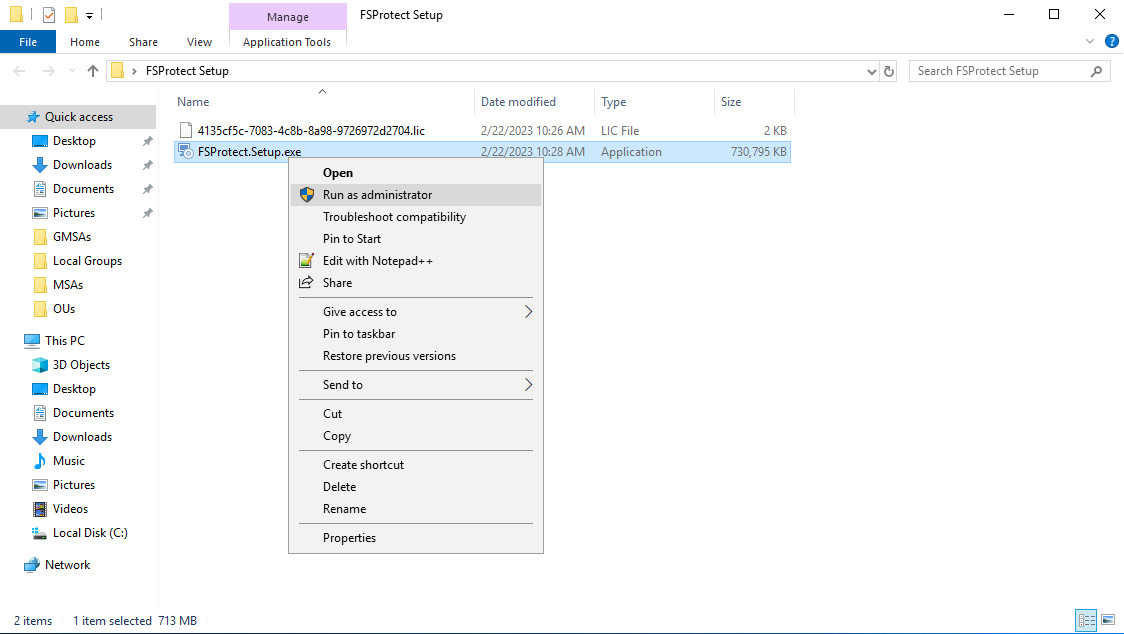
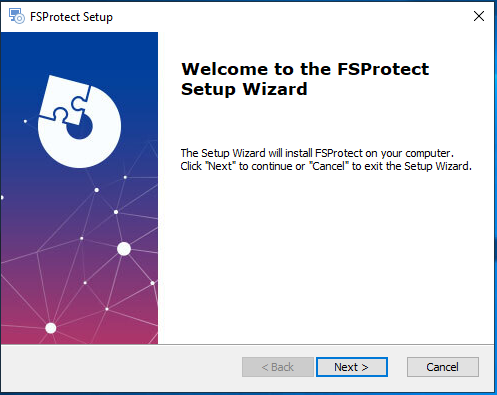
4. Run installation package with **Administrator privileges** in FSProtect deployment server.

<figure><img src="https://3408039743-files.gitbook.io/~/files/v0/b/gitbook-x-prod.appspot.com/o/spaces%2FObpV44hoVkNmo5bFuVVL%2Fuploads%2FxVLdUYewq39JFamuBWM6%2F4.png?alt=media&#x26;token=86840338-93c2-464e-980e-316bd93e3552" alt=""><figcaption><p>Running Installation Package</p></figcaption></figure>

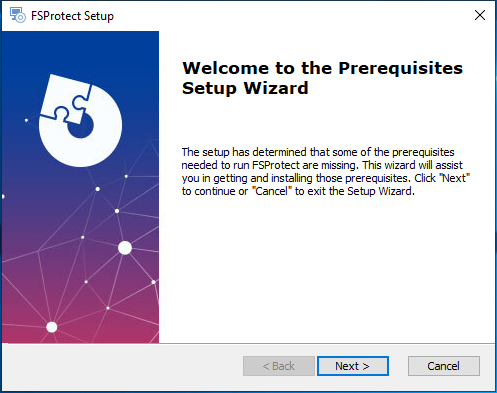
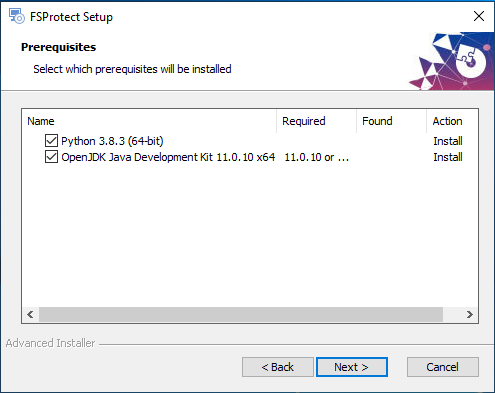
5. Click **Next** button to install requirements first.

<figure><img src="https://3408039743-files.gitbook.io/~/files/v0/b/gitbook-x-prod.appspot.com/o/spaces%2FObpV44hoVkNmo5bFuVVL%2Fuploads%2FRbY40NVeuMDvLG9DGPXU%2F5.png?alt=media&#x26;token=451a563b-ba9b-4dff-9b95-ea437c2ca907" alt=""><figcaption><p>Installing FSProtect Requirements</p></figcaption></figure>

6. Package automatically installs the **Python 3.8.3** and **OpenJDK 11.0.10**.

<figure><img src="https://3408039743-files.gitbook.io/~/files/v0/b/gitbook-x-prod.appspot.com/o/spaces%2FObpV44hoVkNmo5bFuVVL%2Fuploads%2FlN2k1ztly4gRSvqpeVex%2F6.png?alt=media&#x26;token=e40c8701-fb1c-48c2-83f8-3669b6549d9e" alt=""><figcaption><p>Installing Python and OpenJDK</p></figcaption></figure>

7. Click **Next** to install FSProtect services.

<figure><img src="https://3408039743-files.gitbook.io/~/files/v0/b/gitbook-x-prod.appspot.com/o/spaces%2FObpV44hoVkNmo5bFuVVL%2Fuploads%2F6cGDGmwHyWtSVF8nxlCM%2F7.png?alt=media&#x26;token=f71077cf-c6b6-4d8f-b197-09cd996b8ae4" alt=""><figcaption><p>Instaling the FSProtect</p></figcaption></figure>

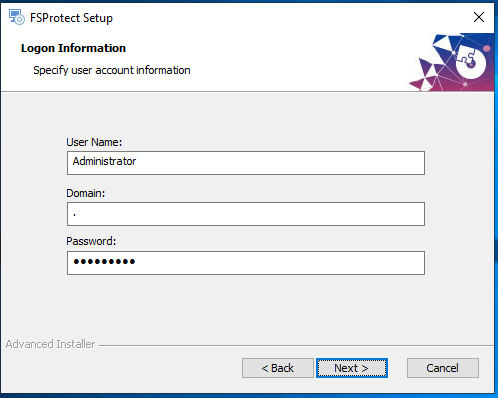
8. Enter the **Username**, **Domain**, and **Password** of a user that manages FSProtect services. This user must be a local admin for non domain-joined machines.

{% hint style="info" %}
You can leave these fields blank for domain-joined machines.
{% endhint %}

<figure><img src="https://3408039743-files.gitbook.io/~/files/v0/b/gitbook-x-prod.appspot.com/o/spaces%2FObpV44hoVkNmo5bFuVVL%2Fuploads%2FpSVGX0IV29K3h2hPNcM4%2F8.png?alt=media&#x26;token=f3d84f92-bb96-4662-88a2-27f5dc63fbd4" alt=""><figcaption><p>Configuring the FSProtect Management User</p></figcaption></figure>

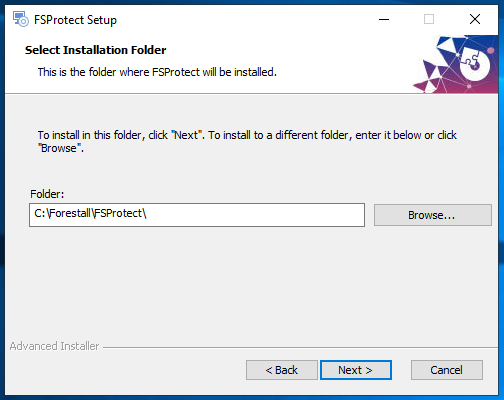
9. Select the **installation folder** and click Next.

<figure><img src="https://3408039743-files.gitbook.io/~/files/v0/b/gitbook-x-prod.appspot.com/o/spaces%2FObpV44hoVkNmo5bFuVVL%2Fuploads%2FFfDm4BBmjFBJ89MjTTtl%2F9.png?alt=media&#x26;token=55dcdc45-7f18-4d56-8ea2-67e7829f7d2f" alt=""><figcaption><p>FSProtect Installation Folder</p></figcaption></figure>

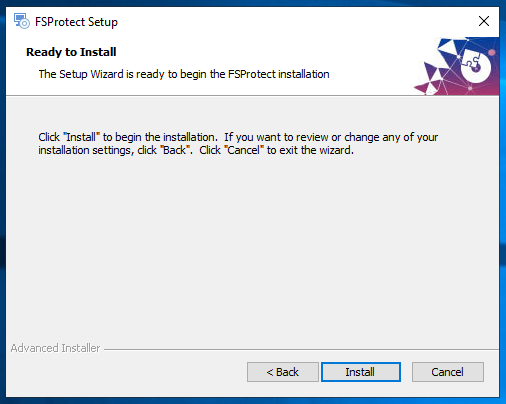
10. Click **Install** button to start FSProtect.

<figure><img src="https://3408039743-files.gitbook.io/~/files/v0/b/gitbook-x-prod.appspot.com/o/spaces%2FObpV44hoVkNmo5bFuVVL%2Fuploads%2FqpkVtuLu5hYzRfmRKIH9%2F10.png?alt=media&#x26;token=a8a81320-5860-4462-949a-c8d5d8204ec5" alt=""><figcaption><p>Starting the Installation</p></figcaption></figure>

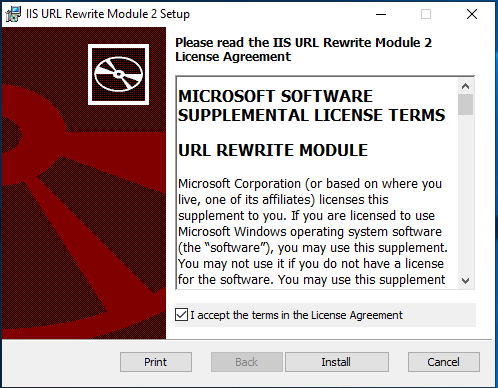
11. After installation is finished, package installs the **IIS URL Rewrite Module**. To install this module **Accept the License Agreement** and click **Install**.

<figure><img src="https://3408039743-files.gitbook.io/~/files/v0/b/gitbook-x-prod.appspot.com/o/spaces%2FObpV44hoVkNmo5bFuVVL%2Fuploads%2FBDfVZczf6NPVw0IcU0LF%2F11.png?alt=media&#x26;token=f55a457c-db91-437d-9a5d-0d094090f561" alt=""><figcaption><p>Installing the IIS URL Rewrite Module</p></figcaption></figure>

12. Click the **Finish** button to complete installation.

<figure><img src="https://3408039743-files.gitbook.io/~/files/v0/b/gitbook-x-prod.appspot.com/o/spaces%2FObpV44hoVkNmo5bFuVVL%2Fuploads%2Frx9dKFvvjKnfF1VTGiSE%2F12.png?alt=media&#x26;token=9c4a7f9f-c38b-4b9d-b67e-ccb4a561db59" alt=""><figcaption><p>Finishing the Installation</p></figcaption></figure>

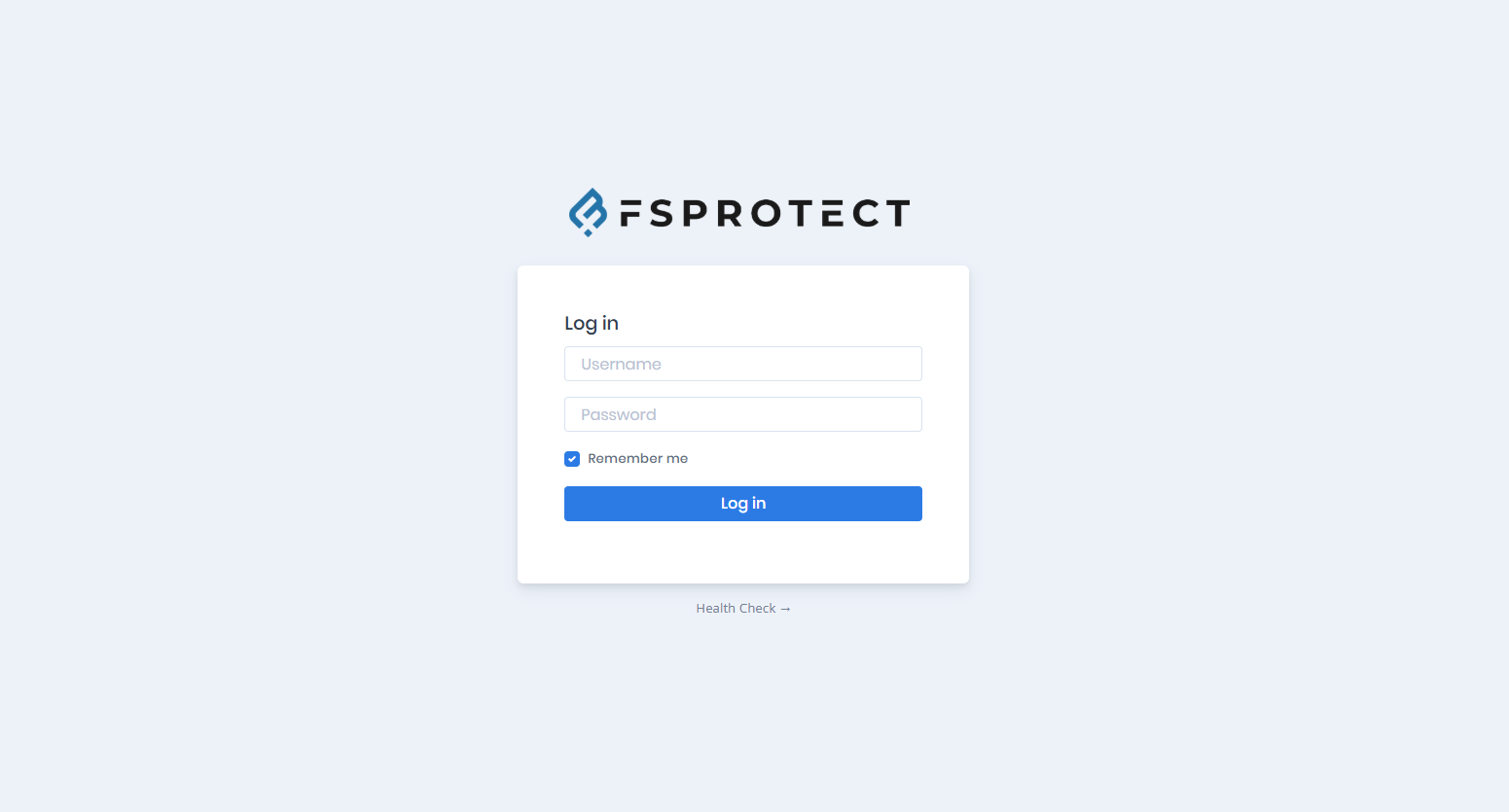
13. After installation is finished, FSProtect starts on **port 80 (HTTP)** of the **local machine**. You can browse the web interface at **<http://127.0.0.1>**

{% hint style="info" %}
Default username and password are **fsprotect** for the web interface. But you should change these credentials at first logon.
{% endhint %}

<figure><img src="https://3408039743-files.gitbook.io/~/files/v0/b/gitbook-x-prod.appspot.com/o/spaces%2FObpV44hoVkNmo5bFuVVL%2Fuploads%2FJ0P0bkJhgras2AqryDgF%2Fimage.png?alt=media&#x26;token=31d9711a-913a-42d6-a322-947b82eae647" alt=""><figcaption><p>Logging In the FSProtect Web Interface</p></figcaption></figure>

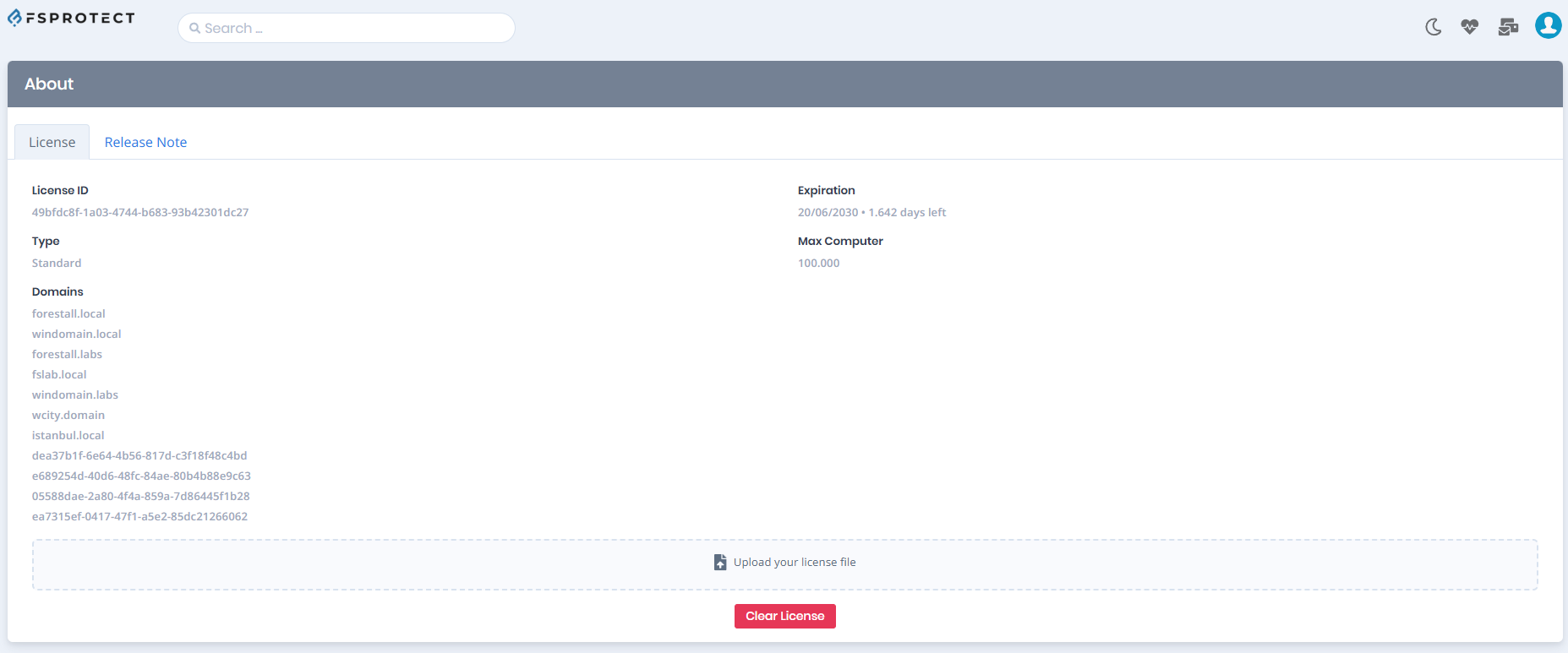
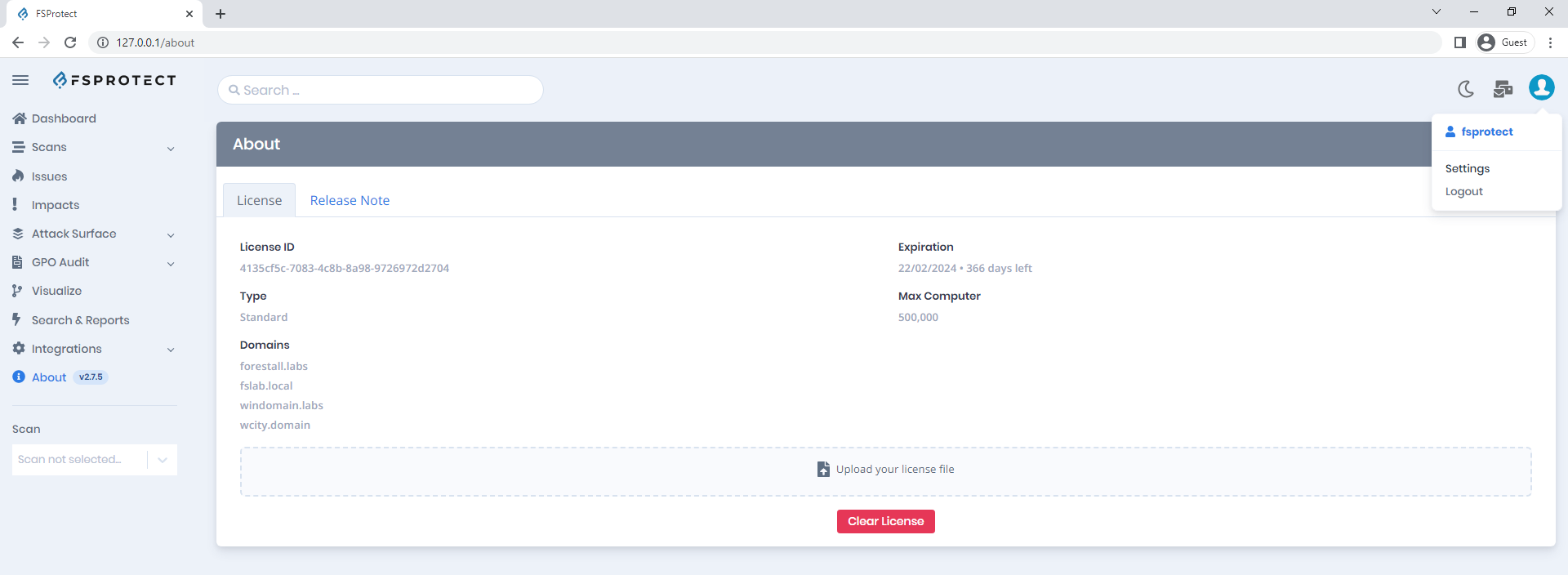
14. After the logging in web interface automatically redirects to the **About > License** page. You need to import License file to start a scan.

<figure><img src="https://3408039743-files.gitbook.io/~/files/v0/b/gitbook-x-prod.appspot.com/o/spaces%2FObpV44hoVkNmo5bFuVVL%2Fuploads%2FKPYqBllEO5ctfh7n6UyG%2Fimage.png?alt=media&#x26;token=b9896f76-7f9f-44d0-ab68-b1664995945f" alt=""><figcaption><p>Uploading the License</p></figcaption></figure>

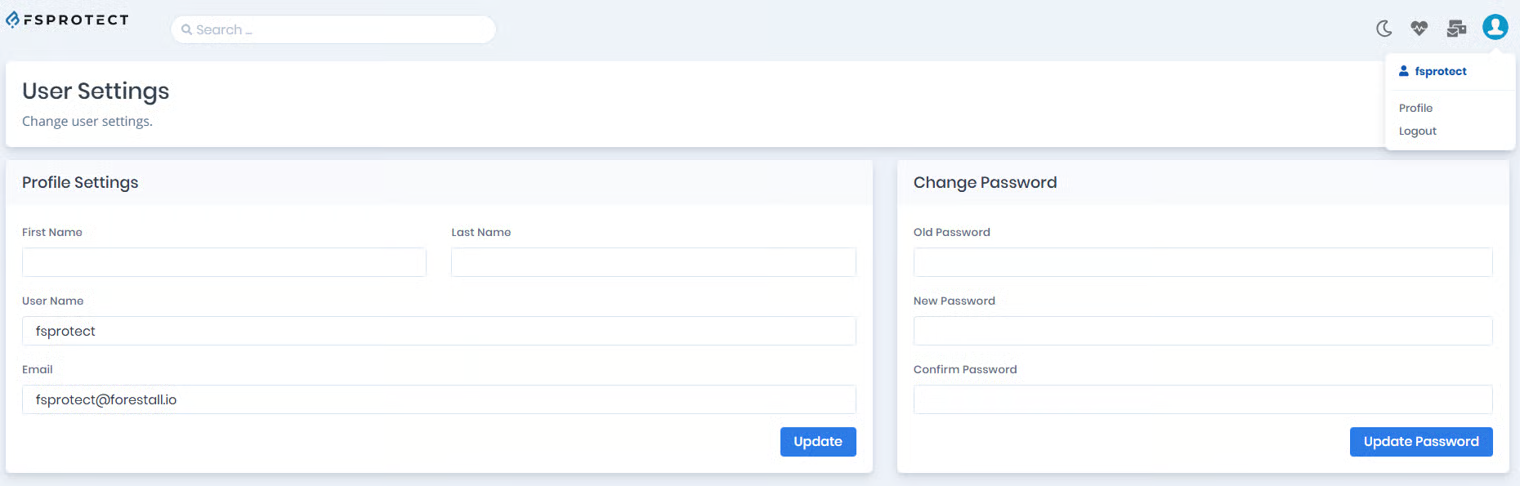
15. You should change password with the **Profile** button under the **Account** in upper-right side.

<figure><img src="https://3408039743-files.gitbook.io/~/files/v0/b/gitbook-x-prod.appspot.com/o/spaces%2FObpV44hoVkNmo5bFuVVL%2Fuploads%2FLayekBjazUtLunDMkR16%2F16.png?alt=media&#x26;token=84dc9e04-fcd5-4314-b7f5-70f8ef118af7" alt=""><figcaption><p>Changing the Password</p></figcaption></figure>

<figure><img src="https://3408039743-files.gitbook.io/~/files/v0/b/gitbook-x-prod.appspot.com/o/spaces%2FObpV44hoVkNmo5bFuVVL%2Fuploads%2Fx7h2nMivkczupct5mbDr%2Fimage.png?alt=media&#x26;token=88dd4274-795f-4f59-80cd-8ded5aa6fc8f" alt=""><figcaption><p>Changing the Password</p></figcaption></figure>

16. After these steps you can start a scan to analyze Active Directory environment.