> For the complete documentation index, see [llms.txt](https://docs.forestall.io/fsprotect/llms.txt). Markdown versions of documentation pages are available by appending `.md` to page URLs; this page is available as [Markdown](https://docs.forestall.io/fsprotect/dashboard/scan-health.md).
# Scan Health
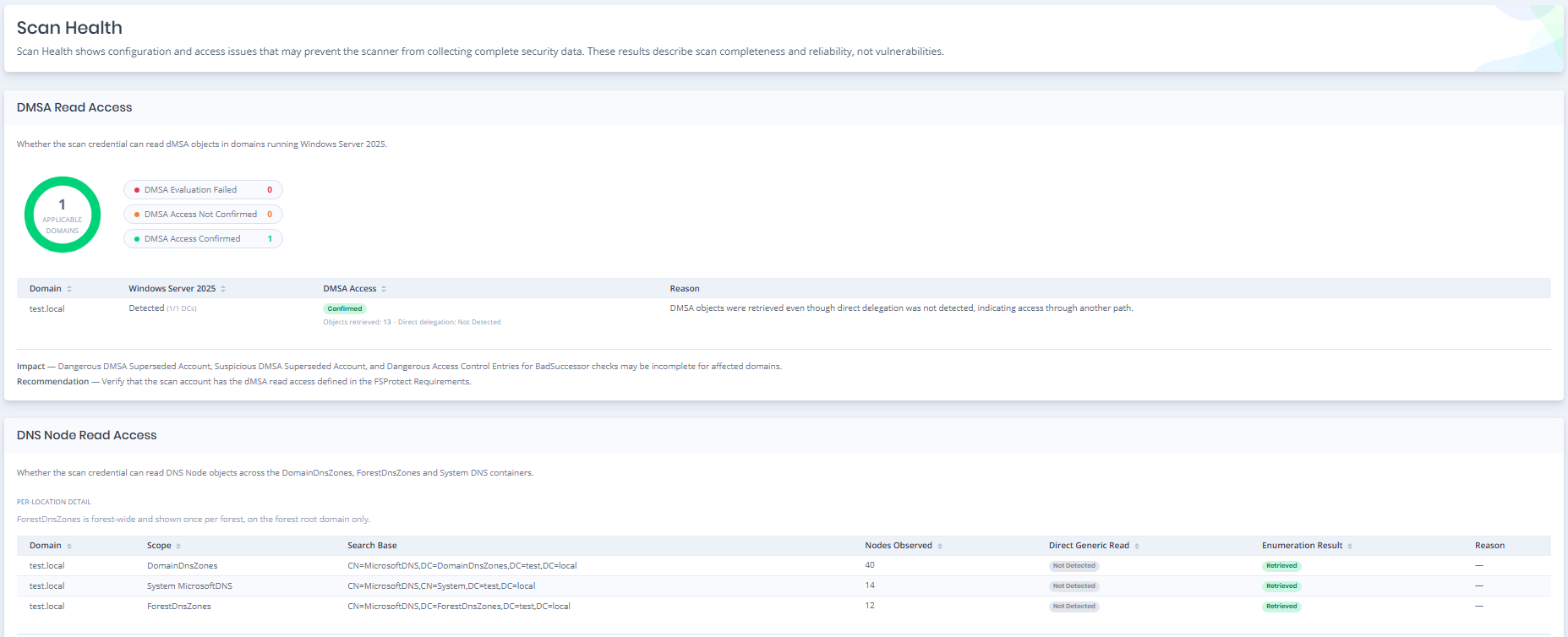
Scan Health provides an overview of configuration, permission, and connectivity issues that may affect the completeness of an Active Directory scan.
It helps identify whether required scan data was successfully collected and highlights conditions that may cause security checks to return incomplete results.
The page is opened from the heartbeat icon inside the **Finished** badge of a scan on the [Scans](/fsprotect/scans/scans.md) list.
Scan Health
### DMSA Read Access
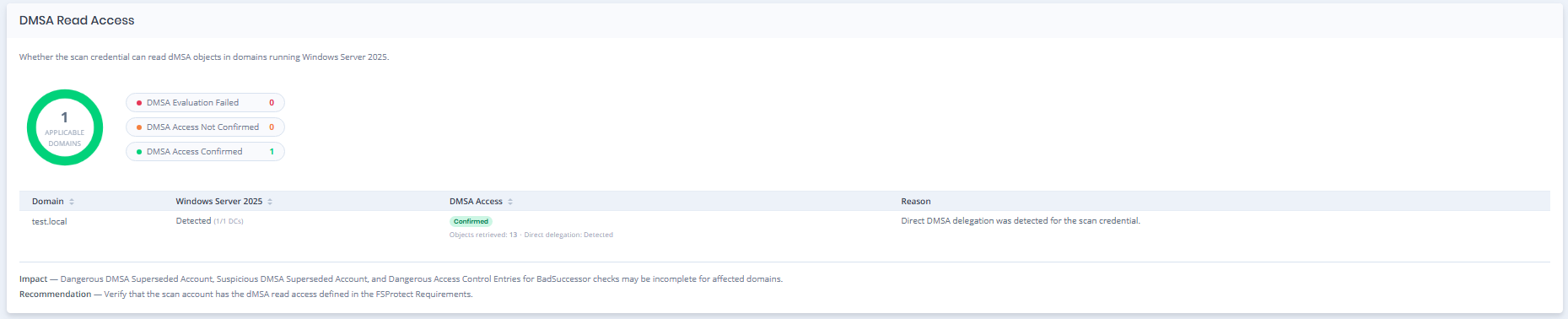
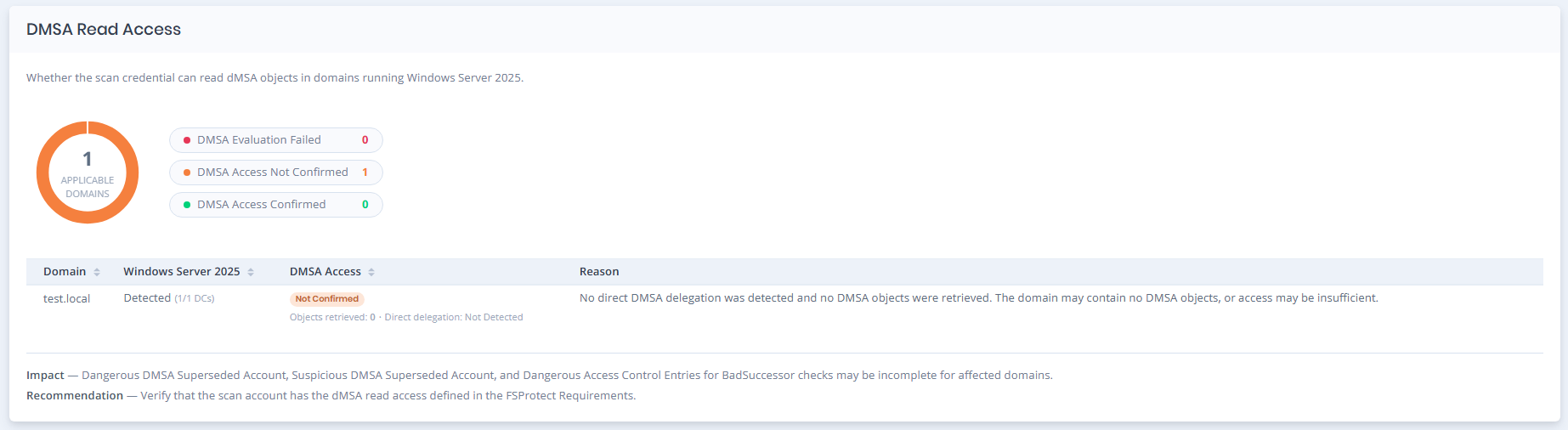
DMSA Read Access shows whether the scan credential can read **Delegated Managed Service Account (dMSA)** objects in domains running Windows Server 2025.
The section displays the number of applicable domains and whether dMSA access was confirmed, not confirmed, or could not be evaluated. Domain-level details also show the detected Windows Server 2025 Domain Controllers, retrieved dMSA objects, and the reason for the result.
DMSA Read Access
### DNS Node Read Access
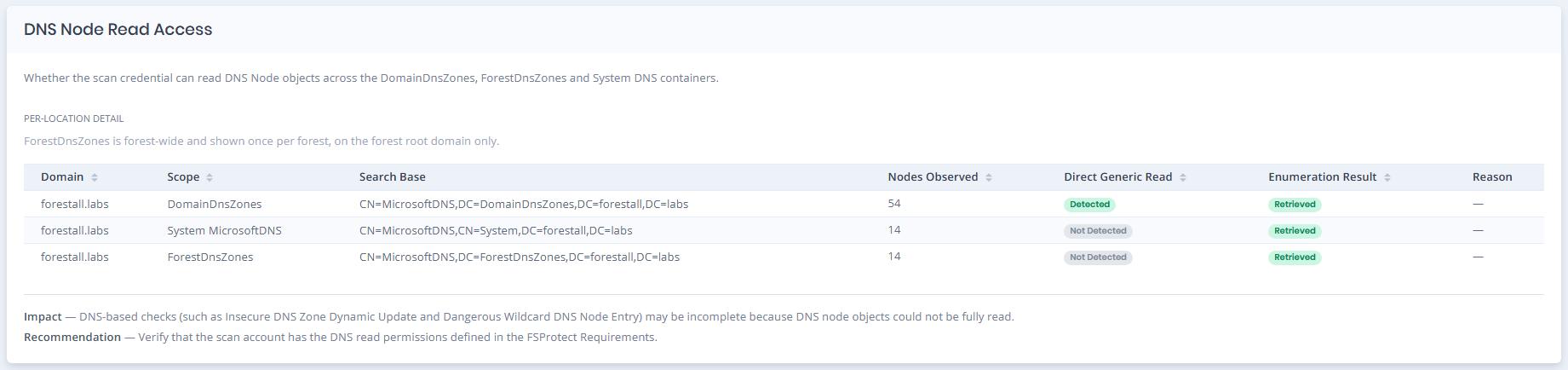
DNS Node Read Access shows whether the scan credential can read DNS Node objects from the required Active Directory DNS locations.
The section displays results separately for **DomainDnsZones**, **System MicrosoftDNS**, and **ForestDnsZones**, including the search location, number of observed nodes, detected direct read access, enumeration result, and failure reason when available.
DNS Node Read Access
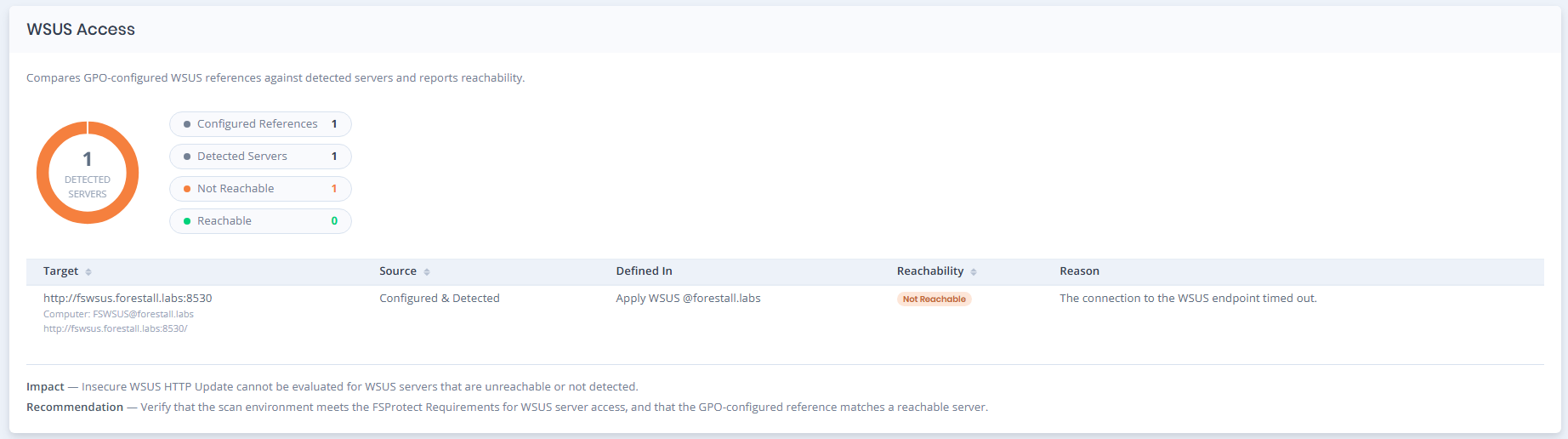
### WSUS Access
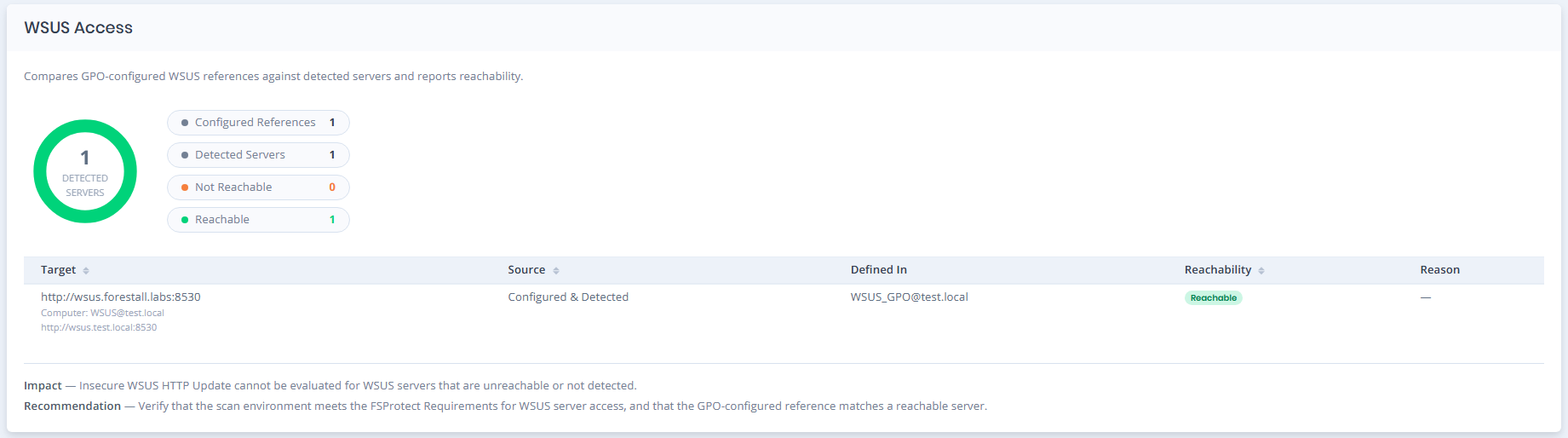
WSUS Access shows whether configured WSUS references match servers detected during the scan and whether those servers are reachable.
The section displays configured references, detected servers, reachability status, the GPO where the WSUS setting is defined, and a reason when access cannot be confirmed.
WSUS Access
### Certificate Services
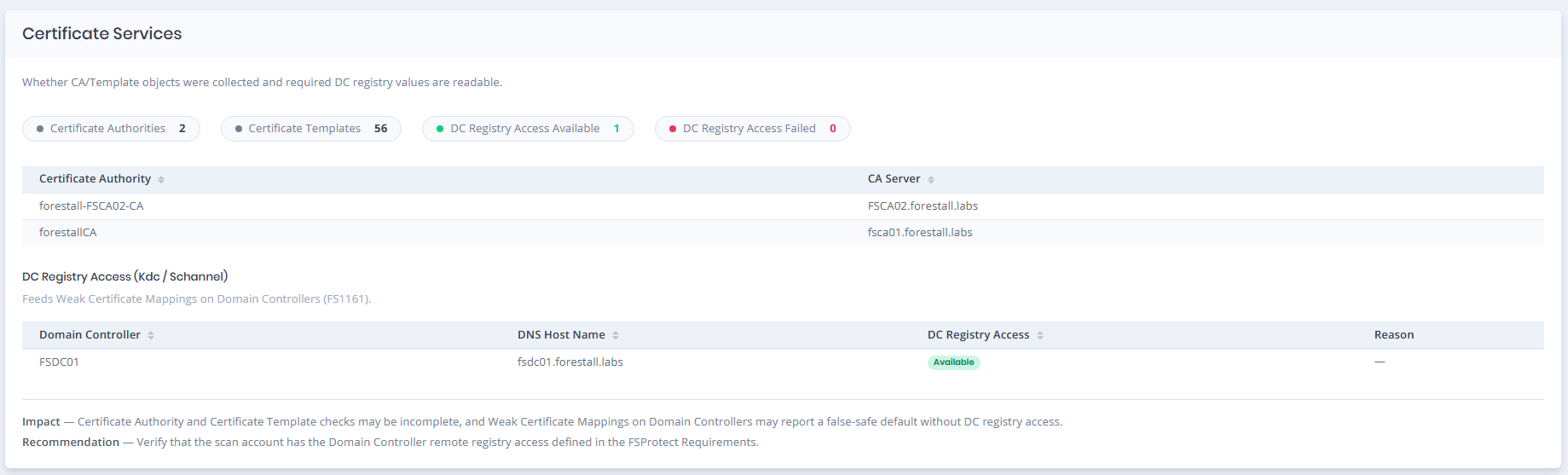
Certificate Services shows whether Certificate Authority and Certificate Template objects were collected successfully and whether the required registry information can be read from Domain Controllers.
The section displays discovered Certificate Authorities and Templates, along with **DC Registry Access** results for the Kdc and Schannel settings used by certificate-related security checks.
Certificate Services
### SMB Share Enumeration
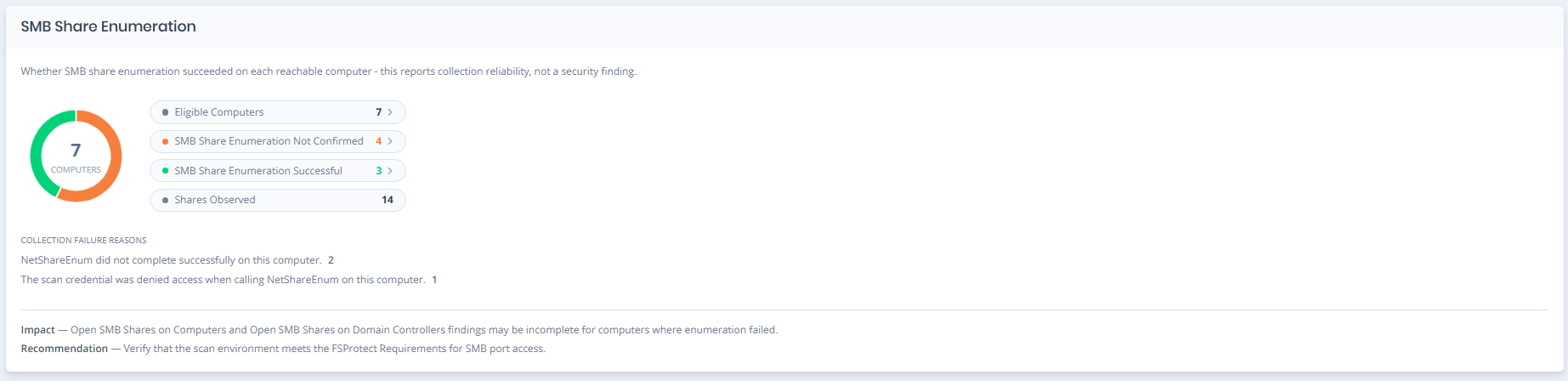
SMB Share Enumeration shows whether SMB share collection was successfully completed for eligible computers.
The section displays the number of eligible computers, successful and unconfirmed enumeration results, total shares observed, and collection failure reasons when available. The computer metrics can be selected to open the corresponding filtered list on the **Computers** page.
SMB Share Enumeration
### Local Enumeration Module
#### Local Enumeration Status
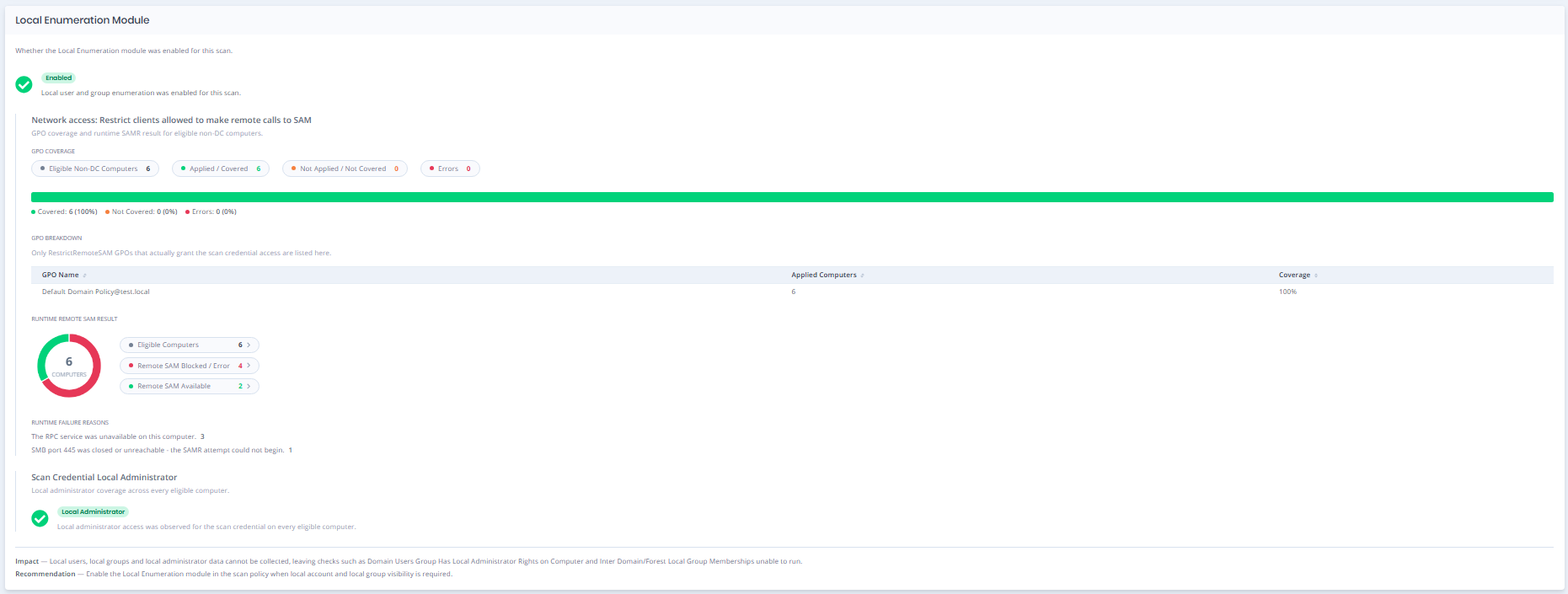
Shows whether the **Local Enumeration** module was enabled for the selected scan. When enabled, Forestall ISPM can collect local user, local group, and local administrator information from eligible computers.
#### Network access: Restrict clients allowed to make remote calls to SAM
Shows whether eligible non-Domain Controller computers are covered by the required Remote SAM policy and whether SAM access succeeded during the scan.
The section includes GPO coverage, runtime availability, and failure reasons. Computer metrics can be selected to open the corresponding filtered list on the **Computers** page.
#### Scan Credential Local Administrator
Shows whether local administrator access was observed for the scan credential across eligible computers.
This helps indicate whether the credential has the expected local administrator coverage for local enumeration.
Local Enumeration Module
#### Example 1: DMSA Access Not Confirmed
This example shows a domain where dMSA access could not be confirmed for the scan credential.
No direct dMSA delegation was detected and no dMSA objects were retrieved. This may indicate insufficient read access or that the domain does not contain any dMSA objects. The **Reason** field explains the condition behind the result.
DMSA Access Not Confirmed
#### Example 2: DMSA Read Access Not Applicable
This example shows an environment where DMSA Read Access evaluation is not applicable because no supported Windows Server 2025 Domain Controller was detected.
The domain is marked as **Not Applicable**, and the **Reason** field explains why DMSA validation was not performed.
DMSA Read Access — Not Applicable
#### Example 3: WSUS Access Not Reachable
This example shows a WSUS server that was detected and matched to a configured WSUS reference, but the endpoint could not be reached during the scan.
The **Reachability** result is shown as **Not Reachable**, and the **Reason** field explains the connection issue.