# Secrets

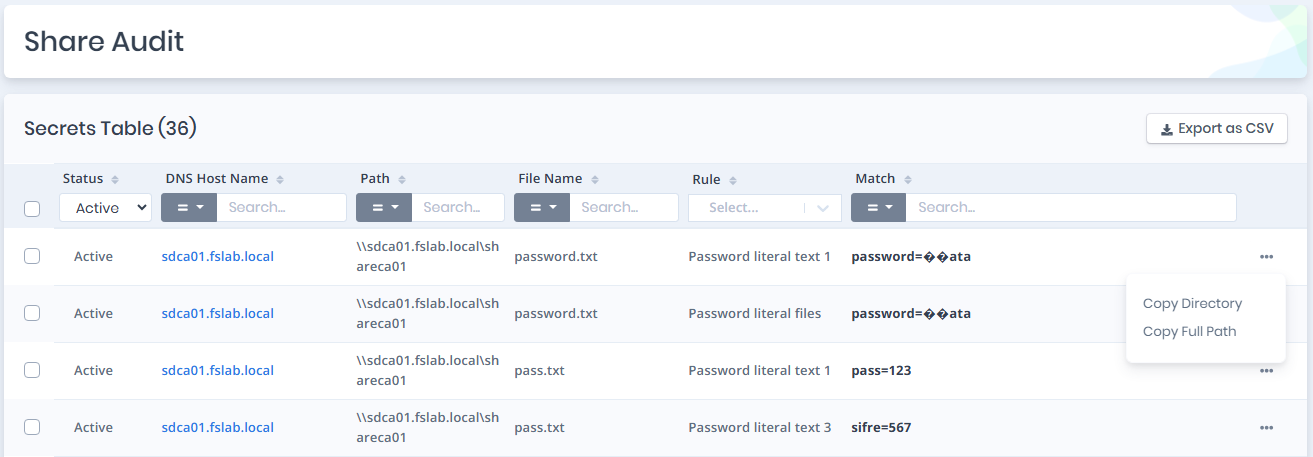
`Secrets` page provides all regex matches and relevant information.

<figure><img src="/files/fIYbjT4ubUKCwVxtBJOn" alt=""><figcaption><p>Credential Discovery Secret Results</p></figcaption></figure>

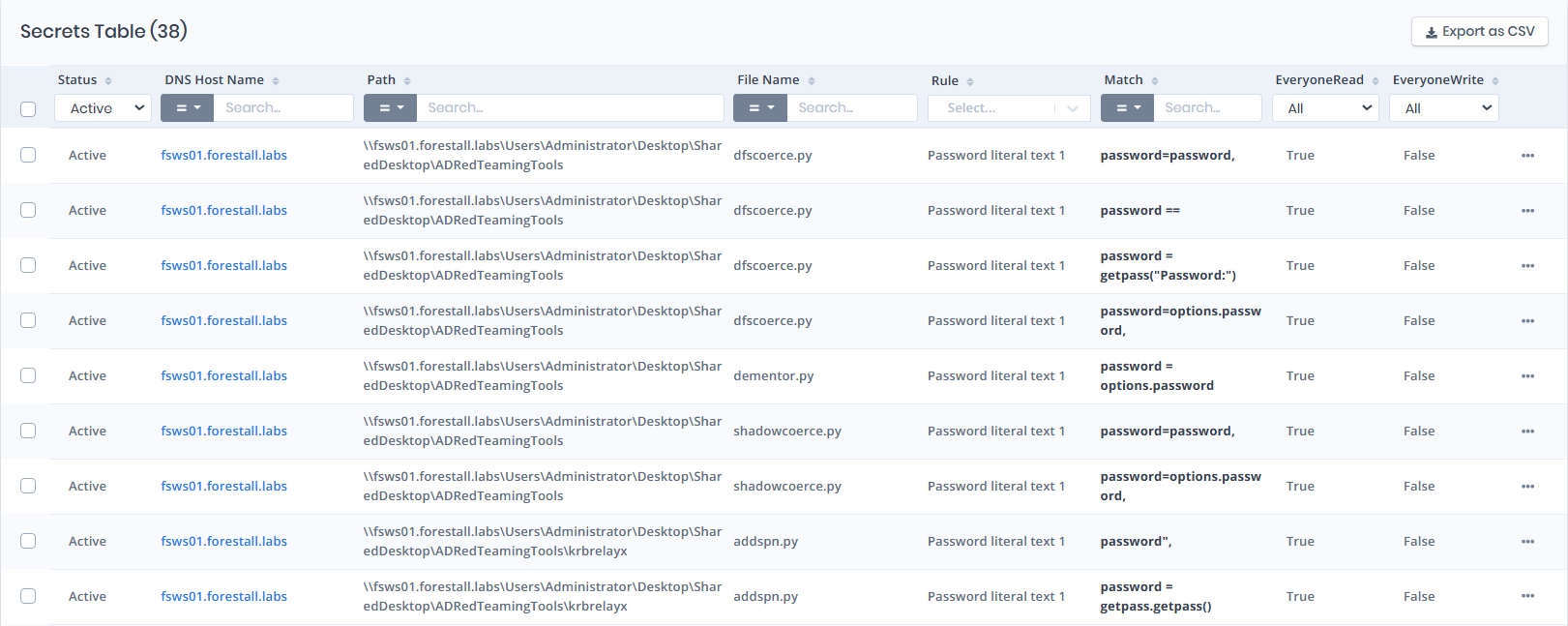
The secret table contains attributes below.

<table><thead><tr><th width="193">Column</th><th>Description</th></tr></thead><tbody><tr><td><strong>Status</strong></td><td><p></p><p>A field that controls whether a result record is treated as active or suppressed within the system.</p><ul><li><code>"Active"</code>: The record is visible and treated as relevant.</li><li><code>"Suppressed"</code>: The record is hidden or ignored in further processing.</li></ul></td></tr><tr><td><strong>DNS Host Name</strong></td><td>DNS Host Name of the machine where the secret is located.</td></tr><tr><td><strong>Path</strong></td><td>Full path to the file that contains the secret.</td></tr><tr><td><strong>File Name</strong></td><td>Name of the file that contains the secret.</td></tr><tr><td><strong>Rule</strong></td><td>Name of regex that detects secret.</td></tr><tr><td><strong>Match</strong></td><td>Secret that matches the regex rule.</td></tr><tr><td><strong>EveryoneRead</strong></td><td>Indicates whether the file is readable by Everyone.</td></tr><tr><td><strong>EveryoneWrite</strong></td><td>Indicates whether the file is writable by Everyone.</td></tr></tbody></table>

The secrets table provides the following functionalities.

**Sort**: Secrets can be sorted by `Status`, `DNS Host Name`, `Path`, `File Name`, and `Rule` and `Match` ,<kbd>EveryoneRead</kbd>**,** `EveryoneWrite` ,columns.

**Search**: Secrets can be searched and filtered by `DNS Host Name`, `Path`, `File Name`, and `Rule` and `Match`columns with column-based filtering.

**Export**: Secret can be exported as CSV using the `Export as CSV` on the upper-right side.

**Limit and Pagination**: Secrets table limit can be defined with input on the bottom-right side. Result pages can be navigated through a widget at the bottom.

## Copy Directory And Copy Full Path

<figure><img src="/files/9dXUP4rnuCFH4lh3V3OK" alt=""><figcaption></figcaption></figure>

**Copy Directory:** Copies the directory path of the selected file or folder to the clipboard.

**Copy Full Path:** Copies the complete file path, including the file name, to the clipboard.


---

# Agent Instructions: Querying This Documentation

If you need additional information that is not directly available in this page, you can query the documentation dynamically by asking a question.

Perform an HTTP GET request on the current page URL with the `ask` query parameter:

```
GET https://docs.forestall.io/fsprotect/credential-discovery/secrets.md?ask=<question>
```

The question should be specific, self-contained, and written in natural language.
The response will contain a direct answer to the question and relevant excerpts and sources from the documentation.

Use this mechanism when the answer is not explicitly present in the current page, you need clarification or additional context, or you want to retrieve related documentation sections.