> For the complete documentation index, see [llms.txt](https://docs.forestall.io/fsprotect/llms.txt). Markdown versions of documentation pages are available by appending `.md` to page URLs; this page is available as [Markdown](https://docs.forestall.io/fsprotect/compliance.md).
# Compliance
Compliance provides a structured view of the compliance posture of scanned environments by mapping detected issues to supported cybersecurity frameworks.
It helps users understand which compliance controls are affected by discovered vulnerabilities and allows them to prioritize remediation based on exposure, severity, and control coverage.
Compliance
### Compliance Framework Selection
Compliance Framework Selection
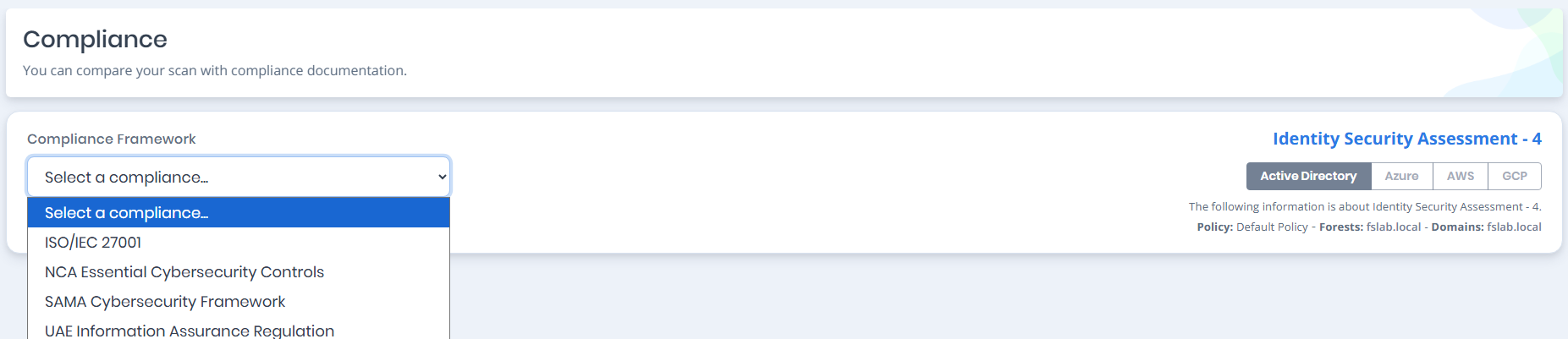
Compliance Framework Selection allows users to choose a supported compliance document for the selected scan.
The list contains the frameworks that are selected on the scan policy used by the scan. If the policy selects no framework, the page prompts you to open the policy and choose one. See [Compliance Frameworks](/fsprotect/scans/policies.md#compliance-frameworks) for how to select them.
The supported compliance frameworks are:
**ADHICS V2:** Abu Dhabi Healthcare Information and Cyber Security standard.
**Bangladesh Bank CSF v1.0:** Cyber Security Framework published by Bangladesh Bank for the financial sector.
**CBO Cyber Security & Resilience Framework:** Framework issued by the Central Bank of Oman.
**DESC Information Security Regulation (ISR) Version 3.1:** Dubai Electronic Security Center information security regulation.
**Digital Operational Resilience Act (DORA):** European Union regulation on operational resilience for the financial sector.
**General Data Protection Regulation (GDPR):** European Union regulation on personal data protection.
**ISO/IEC 27001:2022:** International information security management standard.
**NCA Essential Cybersecurity Controls:** Cybersecurity control framework published by the National Cybersecurity Authority.
**NIS2 Directive (EU) 2022/2555:** European Union directive on network and information security.
**PCI DSS v4.0.1:** Payment Card Industry Data Security Standard.
**SAMA Cyber Security Framework:** Cybersecurity framework used for organizations regulated by the Saudi Central Bank.
**UAE Information Assurance Regulation:** Information assurance regulation used to evaluate cybersecurity controls and requirements.
The selector on the right of the page chooses which **platform** the mapping is evaluated for - Active Directory, Entra ID, AWS, GCP or GitHub - so each provider in a multi-provider scan is assessed against the framework separately. Below it, the scan the results belong to is named, together with chips for the scan context: the policy that produced it and the forests and domains it covered.
The **PDF report** button above the framework selection exports the selected framework's compliance report.
**Scope and limitations** expands to the mapping notice for the selected framework. It states which edition of the document the control references come from, that the control statements are reproduced under licence, and that FSProtect assesses identity infrastructure, so the mapping covers the identity-related controls only and not the full standard. The findings are evidence toward specific controls; they do not evidence conformance with the management-system clauses, they do not replace a Statement of Applicability, and a coverage ratio must not be read as a compliance percentage.
ISO/IEC 27001 example
### Compliance Summary
Compliance Summary
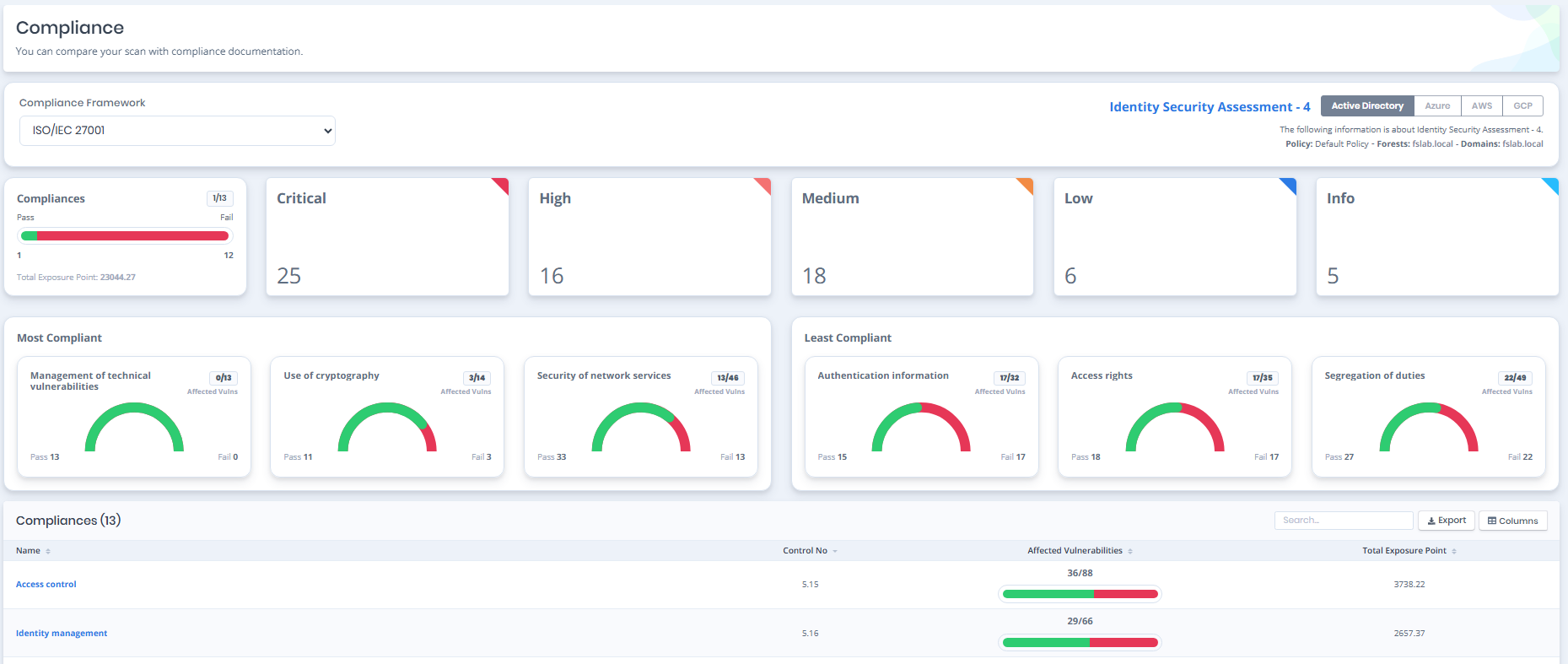
Compliance Summary provides an overview of the selected compliance framework based on the vulnerabilities detected in the scan.
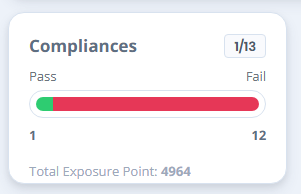
The **Controls** card reports how many controls are passing out of the total number of controls in the framework, drawn as a green and red bar:
**Controls Passing:** The number of controls that are passing, over the number of controls in the framework.
**Pass:** The number of controls with no failing check. Shown in green.
**Fail:** The number of controls with at least one failing check. Shown in red.
**Total Exposure Point:** The sum of the exposure points of every vulnerability mapped to the framework.
### Severities
Severities
Severities show the distribution of detected vulnerabilities that are mapped to the selected compliance framework.
### Most and Least Compliant Controls
Most and Least Compliant Controls
Each panel shows up to three controls as a card carrying the control number, its name, its **Checks Passing** ratio, and a bar split into the passing portion in green and the failing portion in red, with the `Pass` and `Fail` counts beneath it.
#### **Most Compliant Controls**
Controls with the lowest detected vulnerability ratio compared to the total number of vulnerabilities mapped to the control.
These controls have fewer detected vulnerabilities relative to their compliance coverage and therefore represent stronger compliance performance.
#### **Least Compliant Controls**
Controls with the highest detected vulnerability ratio compared to the total number of vulnerabilities mapped to the control.
These controls have a larger proportion of detected vulnerabilities within their mapped compliance coverage and therefore require greater remediation attention
### Compliance Controls Table
Compliance Controls Table
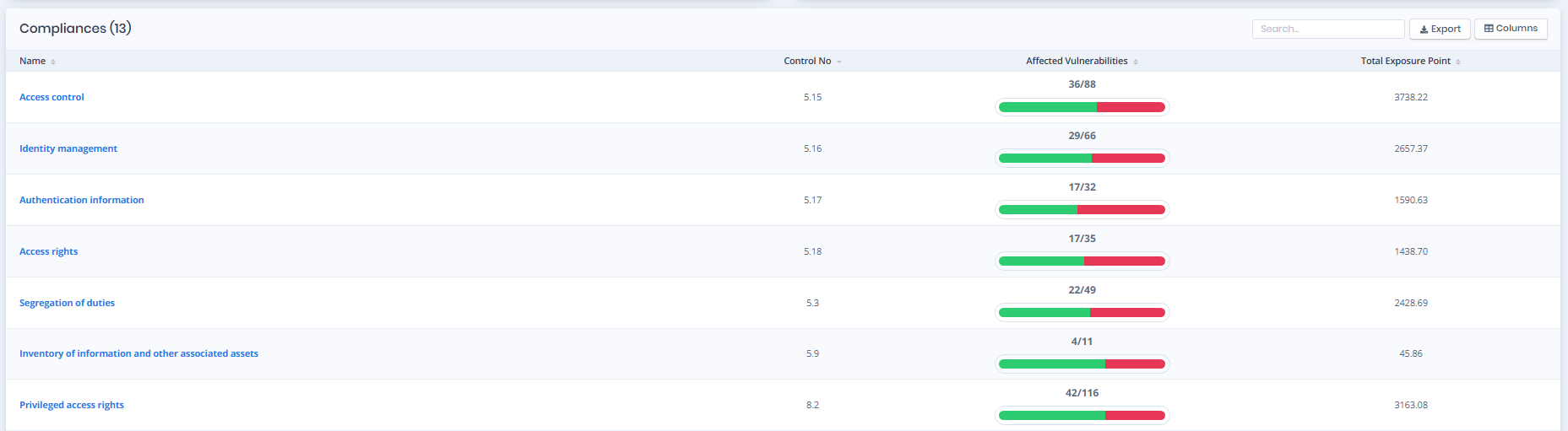
Compliance Controls Table lists the controls in the selected compliance framework and shows how many mapped vulnerabilities are detected for each control.
**Control No:**\
The unique identifier of the compliance control.
**Name:**\
The name or title of the compliance control.
**Checks Passing:**\
Shows how many of the checks mapped to the control are passing, compared to the total number of checks mapped to it. The cell draws the same green and red bar as the summary cards, with the `Pass` and `Fail` counts beneath it, so a control that is failing is visible without reading the numbers.
**Exposure Point:**\
The total exposure score calculated from detected vulnerabilities mapped to the control.
Users can click a control to view detailed information about related vulnerabilities and rationales.
### **Control Details**
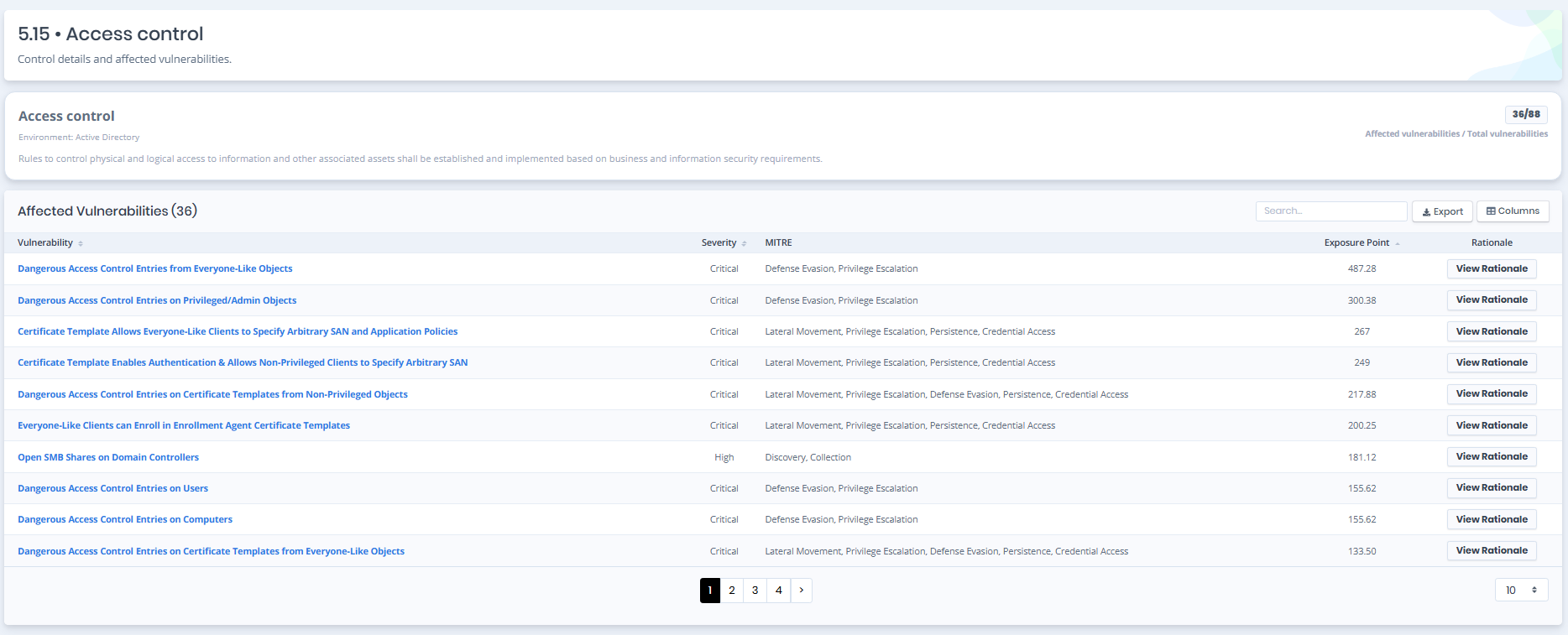
Access Control Details
Control Details provides detailed information about a selected compliance control and the vulnerabilities associated with it.
The page displays the control identifier, control description, environment information, and the ratio of detected vulnerabilities compared to the total number of vulnerabilities mapped to the control, shown as `Affected / total`.
#### Affected Vulnerabilities
The **Affected Vulnerabilities** table lists every detected vulnerability mapped to the control, and its heading carries the number of them. The table can be exported, and its columns can be shown or hidden with the **Columns** button.
**Vulnerability:** The name of the detected vulnerability.
**Severity:** The severity of the vulnerability.
**MITRE:** The MITRE ATT\&CK tactics the vulnerability is associated with.
**Exposure Point:** The exposure score contributed by the vulnerability.
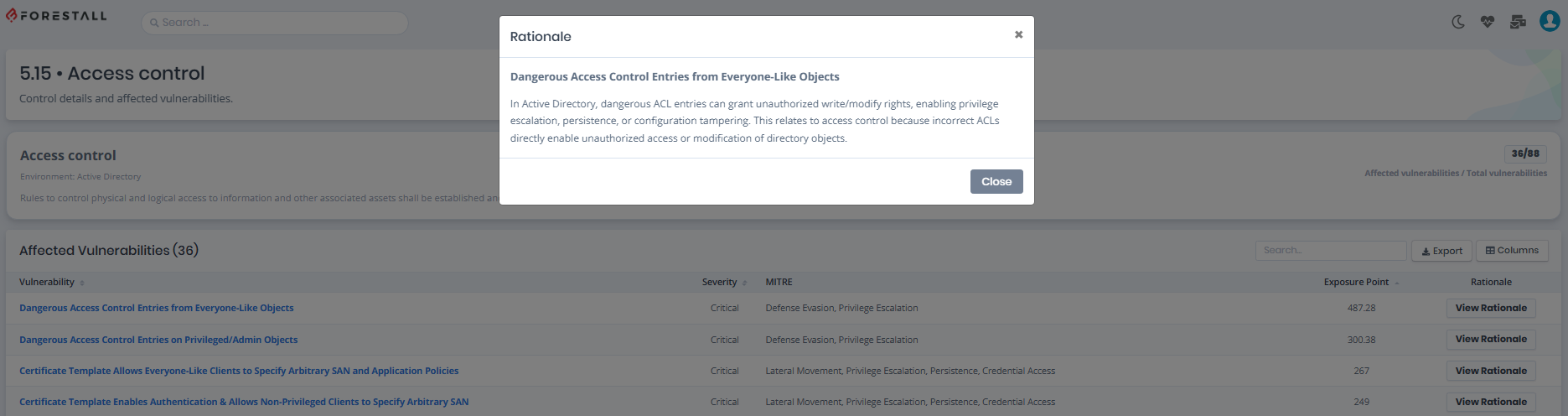
**Rationale:** Opens the explanation of why the vulnerability is mapped to this control.
Users can review all detected vulnerabilities related to the selected control, including their severity levels, MITRE ATT\&CK tactics, and exposure points.
For each vulnerability, a dedicated **View Rationale** action is available within the table. Users can review the rationale explaining why the vulnerability is mapped to the selected compliance control without leaving the current page.